

Plerdy’s SEO Checker is easiest to understand when you use it as a routine, not as a one-time scan. You install the tracking code, let the tool collect daily SEO data from traffic pages, open the reports, and check what changed. That is the real value here. You are not guessing. You are looking at page SEO analysis, technical issues, content relevance, and missed keyword opportunities in one workflow.
This guide walks through the exact order that makes the tool useful fast. No long theory. Just the setup, the checks, and the habits that help you catch problems before they cost organic traffic.
Who This Guide Is For
This guide is for people who need a practical SEO checker tool, not a flashy dashboard they open once and forget.
- SEO specialists running daily or weekly checks
- Digital marketers who want a faster website SEO analysis workflow
- Ecommerce teams tracking large sets of landing, category, and product pages
- Website owners who need a simpler online SEO checker process
- Beginners who want a clear way to read an SEO analysis report without drowning in tabs
It also works for both small and large websites, which matters more than people admit. A process that feels fine on ten pages usually breaks on a few hundred. This one is built to stay usable as the site grows.
What Plerdy’s SEO Checker Actually Does
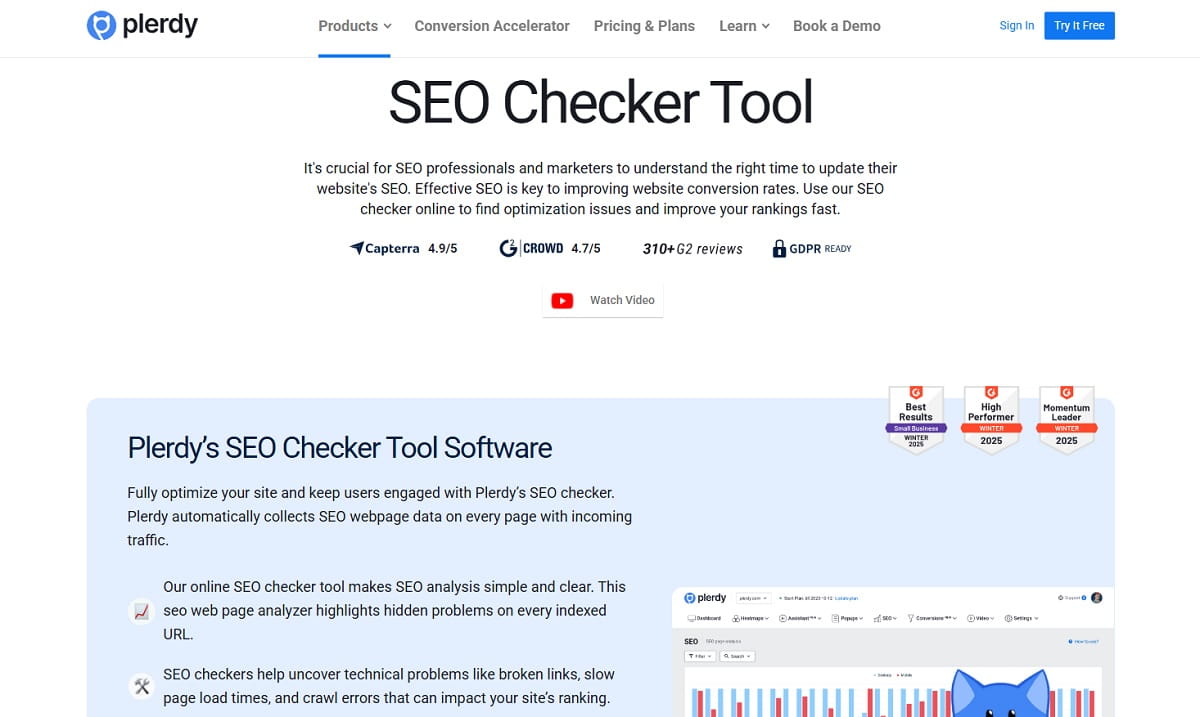
Plerdy’s SEO Checker is an SEO analysis tool that automatically collects webpage SEO data after you install the tracking code according to your selected package. It gathers data based on the rules in your robots.txt file and focuses on pages that receive traffic. That makes it useful for ongoing monitoring, not just a one-off SEO site test.
In practice, the tool helps you:
- run daily automatic SEO analysis
- review a page table with core SEO metrics and tips on what to fix
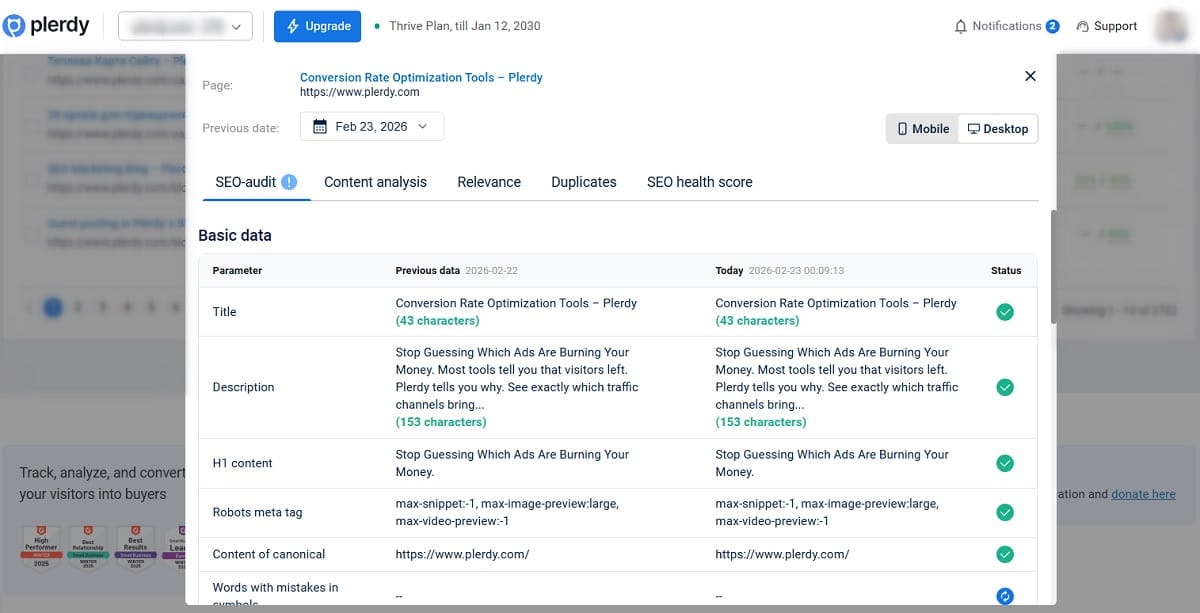
- compare previous-day data with new data in the popup
- track SEO changes that may explain growth or decline
- check technical SEO audit items such as headers, canonical, title, description, Open Graph, alt images, extra meta noindex, and the number of JavaScript and CSS files
- identify duplicate pages with identical titles or descriptions
- filter and search for SEO errors
- check whether fixes were corrected online
- connect Google Search Console and find missed keywords
- group pages and tag keyword work so the workflow stays organized
That combination is what makes it more than a basic website SEO checker. It is meant for daily checks, anomaly detection, and practical cleanup work.
What To Set Up Before You Start
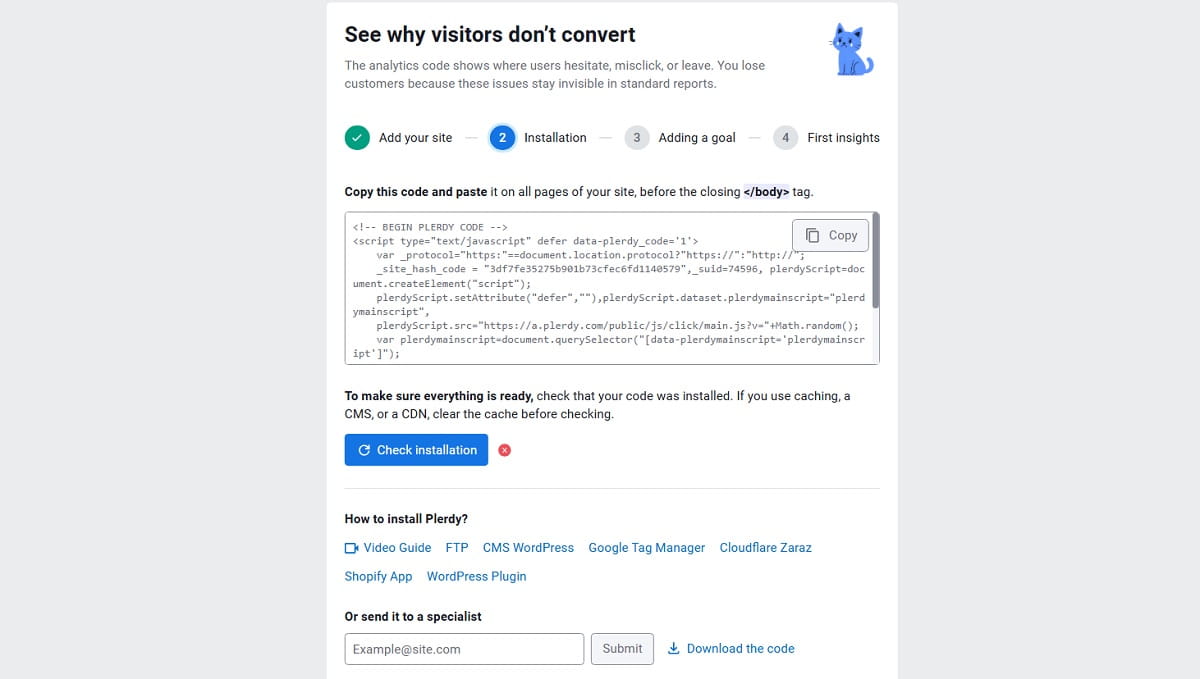
Before you look at any report, make sure the setup is correct. This part is not exciting, but skipping it is the fastest way to get confused later.
- Install the tracking code according to your selected Plerdy package.
- Check that the pages you care about are not excluded by your robots.txt rules if you expect SEO data to be collected there.
- If your site is a Single Page Application, go to account settings and select Scan JS site.
- Give the tool time to collect automatic SEO data from pages with incoming traffic.
- Decide which page groups matter most first, such as blog articles, category pages, product pages, or landing pages.
That last point matters. A good SEO checking tool can still become noisy if you treat every URL the same way. Start with the pages tied closest to traffic and revenue.
How Daily Automatic SEO Data Collection Works
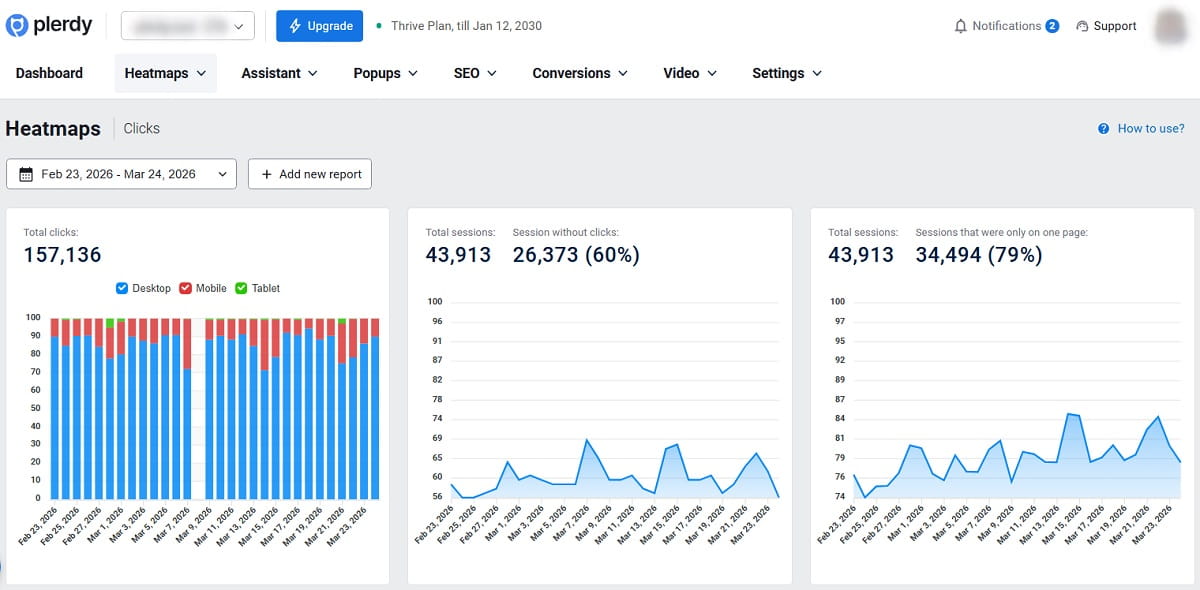
Once the tracking code is in place, Plerdy automatically collects SEO webpage data from pages that receive traffic. The collection follows the website’s robots.txt rules. Daily automatic SEO audit data is stored for up to 30 days, which gives you a short but useful window for comparing movement and spotting new issues.
This is why the tool works well for daily SEO audits. You are not opening pages one by one and trying to remember what they looked like yesterday. You can compare older and newer data, notice changes quickly, and investigate before the problem spreads across more URLs.
That is also where a lot of value comes from in a real SEO audit tool. Not just “what is wrong now,” but “what changed, and when did it start?”
How To Use Plerdy’s SEO Checker Step by Step
-
Start With The Pages That Already Get Traffic
Plerdy collects daily SEO data from traffic pages, so begin there. Open the pages that already matter in search, not random archive URLs. This keeps your website SEO analysis tied to real performance.
-
Read The Main Page Table First
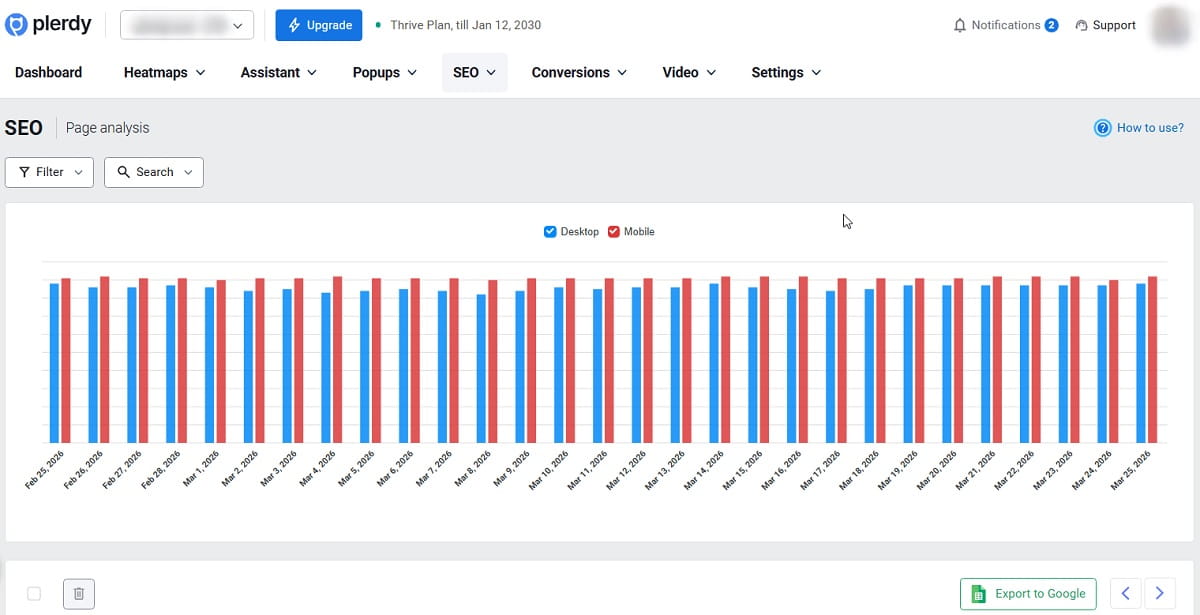
In the table, you can find the main SEO metrics of a page along with tips on what to fix to improve the page score. Use this as your first pass. It is the quickest way to see where the obvious problems are.
One page may show title or description issues. Another may surface broken links, crawl errors, or slow page load times. A third may look technically fine but still need content work. The table helps you sort that out faster.
-
Open The Popup And Compare Previous-Day Data With New Data
This is one of the most practical parts of the workflow. When you open the popup, you can compare previous-day data with new data and quickly see what changed on the page. If a page starts dropping, this is often where the trail begins.
-
Use The Tool For Daily Anomaly Detection
If you run a daily check, you can spot sudden changes that may block organic traffic growth. Maybe a page lost its title. Maybe canonical changed. Maybe a content update hurt relevance. Maybe a technical problem showed up after deployment. A good online SEO checker should help you catch those shifts early, and this is where Plerdy becomes operational rather than theoretical.
-
Review The Technical SEO Audit Items
Go through the technical SEO audit checks systematically. Plerdy mentions these items directly:
- headers
- canonical
- no title
- description
- Open Graph protocol
- alt images
- extra meta noindex
- number of JavaScript and CSS files
This is where the tool acts as an on page SEO checker and technical SEO audit tool at the same time. You are checking both search-facing metadata and technical conditions that can weaken the page.
-
Read The Content-Focused Reports Next
After the technical pass, move to the reports tied to page meaning and page quality. In most teams, this is where better decisions happen because you stop treating every issue like a code problem.
-
Check Duplicate Pages Before You Rewrite Content
Plerdy can identify URLs with identical titles or descriptions. That matters because sometimes the page is not weak on its own. It is just competing with a near copy. Fix duplication before you start rewriting every paragraph.
-
Filter And Search For SEO Errors
Use filters and search to narrow the issue list instead of reviewing everything at once. On larger websites, this is the difference between a useful SEO analysis report and a wall of noise.
-
Verify The Fixes After Corrections
Do not stop at “we changed it.” Recheck the page and confirm the correction of SEO errors online. It sounds obvious, but many SEO teams lose time by assuming a fix was published correctly when it was not.
-
Export The Data When You Need To Share Or Compare
Plerdy supports exporting analytics data to Google Spreadsheets or Google Sheets. After successful Google Search Console integration, users can also export pages, keywords, metrics, and clicks. This helps when you want to compare page groups, hand work to content teams, or build a weekly review doc without copying numbers manually.
How To Read The Key Reports Without Overcomplicating Them
You do not need to turn every report into a research project. Read each one for its job.
Page Semantics Analysis
Use Page Semantics Analysis when the page looks technically fine but still feels weak for search. This report is useful when you suspect the page does not cover the topic clearly enough or is missing important phrasing. It pairs well with missed keyword work because sometimes the fix is not a rebuild. It is just a few new sentences or a rewritten block.
Track SEO Changes
This is the report to open when something moved and you need context. Track SEO Changes is especially useful after edits, deployments, template updates, or category page refreshes. It helps turn “something dropped” into “this changed.”
SEO-Health Analysis
Read this as your broad page condition check. If you need a fast SEO page checker view of what is healthy and what needs work, start here before digging into details.
Relevance
Use Relevance to judge whether the page still matches the keyword intent you want it to serve. Sometimes rankings slip not because the page is broken, but because it drifted away from the actual search language.
Technical SEO Audit
Open this when you need a structured technical pass. It is the part of the seo checker tool that helps uncover broken links, slow load issues, crawl errors, and page-level technical mistakes before they turn into a traffic problem.
Duplicate Pages
Use this report when multiple URLs may be sharing the same titles or descriptions. It is one of those issues that quietly wastes SEO potential because pages start overlapping instead of supporting one another.
How To Use Google Search Console Integration And Find Missed Keywords
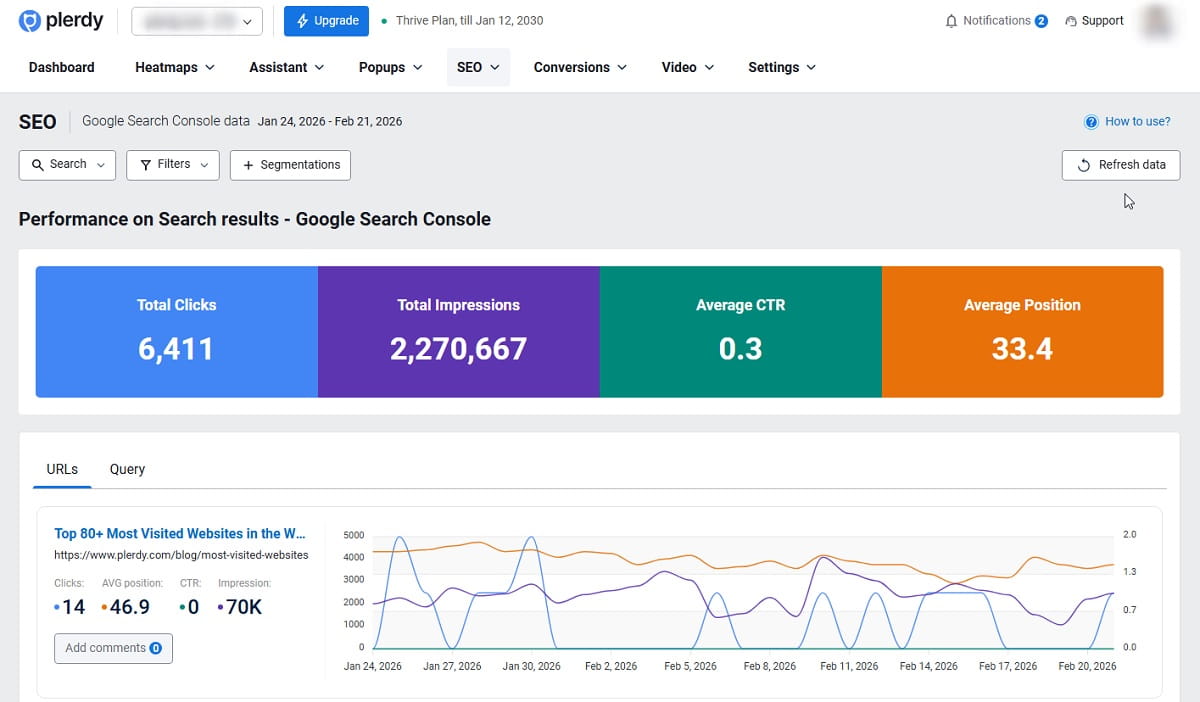
This is where Plerdy becomes more useful than a basic website seo checker. You are no longer looking only at page errors. You are looking at keyword gaps tied to actual search data.
- Connect Google Search Console by adding the required email and granting access to Plerdy.
- Refresh the data after the integration is connected.
- Review the missed keywords pulled from Google Search Console.
- Check which pages are dropping and which are growing without manually opening URL after URL in Search Console.
- Group pages by intent or keyword groups to compare impressions, clicks, and average position.
- Add tags to separate the keyword groups that are already in progress from the ones still waiting for work.
The source workflow is simple: after the data refresh, you can find missed keywords from Google Search Console, compare them with the page, and improve the content by adding new paragraphs or rewriting text if necessary. Sometimes that means a couple of missing topic terms. Sometimes it means the page needs a stronger opening section or clearer subheadings.
Plerdy also states that it compares the page against keywords from the top 100 Google searches that were not found on the page. That gives the missed keyword process more structure. You are not stuffing phrases. You are checking what the page has not covered yet and deciding what deserves to be added.
This is usually the smartest way to use a seo checking tool for content work. Find the gap, add only what helps, and move on.
How To Build A Practical Daily And Weekly Workflow
A good workflow inside an seo audit tool should be boring in the best sense. Repeatable. Fast. Easy to delegate. Here is a structure that works well.
Daily Routine
- Open the popup and compare previous-day data with new data.
- Check the pages that are dropping first.
- Review technical SEO changes on those URLs.
- Look for new errors, duplicate page signals, or relevance shifts.
- Verify yesterday’s fixes online.
Weekly Routine
- Refresh Google Search Console data.
- Review missed keywords and choose pages that need light expansion.
- Group pages by intent or keyword type and compare impressions, clicks, and average position.
- Tag keyword groups that are already being worked on.
- Export data to Google Sheets for reporting or handoff.
That is the kind of workflow SEO specialists usually want. Not endless clicking. Just a simple loop that saves time and reduces the risk of missing an important change.
Common Mistakes To Avoid
- Checking the tool before the tracking code is properly installed and expecting complete data immediately
- Forgetting that data collection follows robots.txt rules
- Ignoring the fact that daily automatic SEO audit data is collected from pages with traffic
- Skipping Scan JS site on a Single Page Application
- Looking only at individual URLs instead of grouping pages by intent or keyword groups
- Connecting Google Search Console but forgetting to refresh the data before looking for missed keywords
- Adding keywords mechanically instead of improving the page with useful new sentences or better structure
- Fixing issues once and never verifying that the correction is visible online
- Treating the tool like a one-time seo site test instead of a daily monitoring habit
FAQ
What Does Plerdy’s SEO Checker Do?
Plerdy’s SEO Checker is a website SEO checker and SEO analysis tool that automatically collects page SEO data after the tracking code is installed. It helps users review SEO metrics, track SEO changes, check technical SEO issues, compare old and new page data, and find missed keywords after Google Search Console integration.
How Does Daily SEO Analysis Work In Plerdy?
Plerdy supports daily automatic SEO analysis. It collects SEO audit data from pages that receive traffic and does so according to the rules in the website’s robots.txt file. Users can then open the popup, compare previous-day data with new data, and spot anomalies that may affect organic traffic.
Can Plerdy Help With Technical SEO Audit Work?
Yes. The tool includes a Technical SEO Audit workflow that covers items such as headers, canonical, no title, description, Open Graph protocol, alt images, extra meta noindex, and the number of JavaScript and CSS files. It also helps uncover broken links, slow page load times, and crawl errors.
How Does Google Search Console Integration Work?
Users connect Google Search Console by adding the required email and granting access to Plerdy. After the data is refreshed, they can review pages, keywords, metrics, clicks, and missed keyword opportunities inside the workflow.
How Do You Find Missed Keywords In Plerdy?
After Google Search Console integration is connected and the data is refreshed, Plerdy shows missed keywords from Search Console. The tool also compares the page against keywords from the top 100 Google searches that were not found on the page. Users can then improve the content by adding new paragraphs or rewriting text where necessary.
How Long Is SEO Data Stored?
Plerdy stores SEO data for up to 30 days. That time window is useful for short-term comparisons, daily monitoring, and checking whether a page improved or declined after changes.
Is Plerdy’s SEO Checker Good For Beginners?
Yes. The tool is suitable for both beginners and experienced SEO specialists. Beginners can use it as a simple SEO page checker for daily reviews, while advanced users can build grouped workflows, keyword tagging, and Search Console analysis around it.
How Often Should You Check The Reports?
Daily is best for pages that matter most, especially if the site changes often. A daily review helps catch anomalies early. A weekly review is useful for grouped page analysis, missed keyword work, exports to Google Sheets, and broader content planning.
Conclusion
Plerdy’s SEO Checker works best when you treat it as a routine SEO checking tool for pages that already matter. Set up the tracking code, let daily data build, read the page table, compare changes in the popup, review technical and relevance signals, then connect Google Search Console to find missed keywords and growth opportunities. Simple workflow. Real signal. Less manual digging.