

You search your brand name, your page title, even the exact URL theme you wrote around. Nothing. Or worse: Google knows your site exists, but the pages that matter still refuse to show up where people can find them.
That problem usually comes down to one of three things: Google cannot crawl the page, Google will not index the page, or Google indexed it but does not think it deserves to rank. Those are very different problems, and mixing them together is where most site owners lose time.
This guide breaks the issue down the way an SEO specialist actually would: what may be wrong, how to confirm it, what to fix, and what to check next. Whether your whole website is not showing up on Google or just a few important pages are missing from search results, start here.
A Quick Explanation Of How Google Finds, Crawls, Indexes, And Ranks Pages
Before jumping into fixes, it helps to separate four stages that people often treat as one big mystery.
- Discovery: Google first has to find the URL through links, sitemaps, redirects, or previous crawls.
- Crawling: Googlebot requests the page and tries to access its code and resources.
- Indexing: Google decides whether the page is worth storing in its search index.
- Ranking: Once indexed, the page competes with other pages for relevant queries.
That means a website not showing up on Google does not always mean “not indexed.” A page can be discovered but blocked. It can be crawled but excluded. It can be indexed and still rank so poorly that it looks invisible. The right fix depends on which stage is failing.
The fastest place to check is Google Search Console. Look at URL Inspection for a specific page, then look at the Pages report for broader patterns. Search Console will not solve everything, but it usually tells you whether you are dealing with a crawling issue, a noindex problem, a canonical conflict, a duplicate-content decision, or a ranking problem.
11 Reasons Your Website Is Not Showing Up On Google And How To Fix Each One
1. The Site Or Page Is Too New
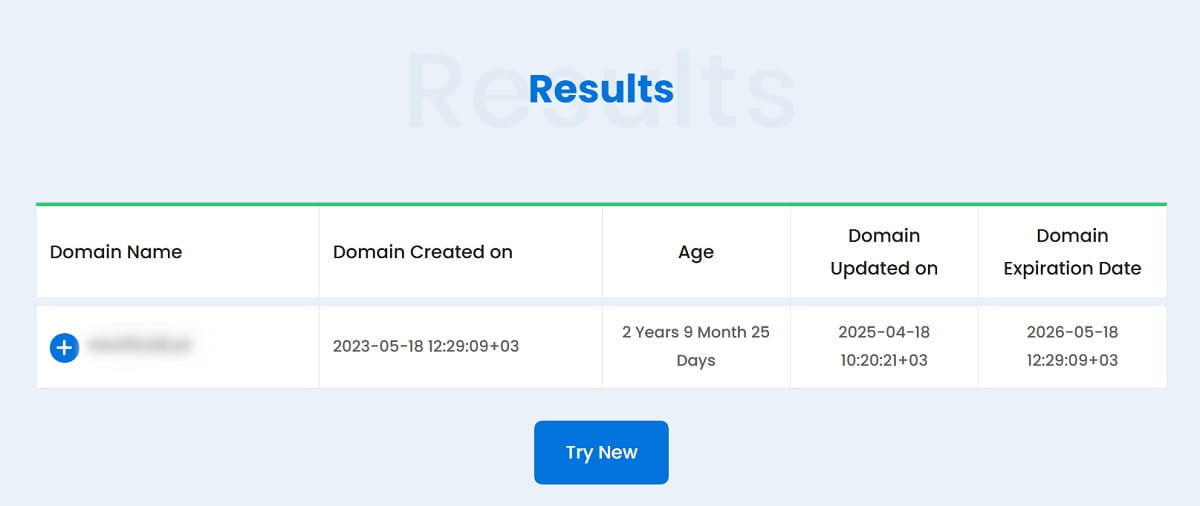
Sometimes the answer is annoyingly simple: Google has not had enough time to find and process the page yet. That is especially common with new websites, fresh landing pages, recently migrated content, and sites with weak external signals.
How To Detect It
- The page was published recently.
- Search Console shows the page as discovered or crawled recently.
- A site: search returns very few results or none yet.
- There are no meaningful internal links or backlinks pointing to the page.
How To Fix It
- Submit the XML sitemap in Google Search Console.
- Use URL Inspection and request indexing for important pages.
- Add internal links from pages Google already crawls often.
- Make sure the page is not buried behind filters, search results, or thin archive pages.
What To Check Next
If the page still is not indexed after a reasonable period, stop assuming it is just “too new.” Look for stronger signals like noindex, canonical issues, or weak content. A new site gets some patience from Google. A flawed site does not.
2. The Page Is Blocked By Robots.txt
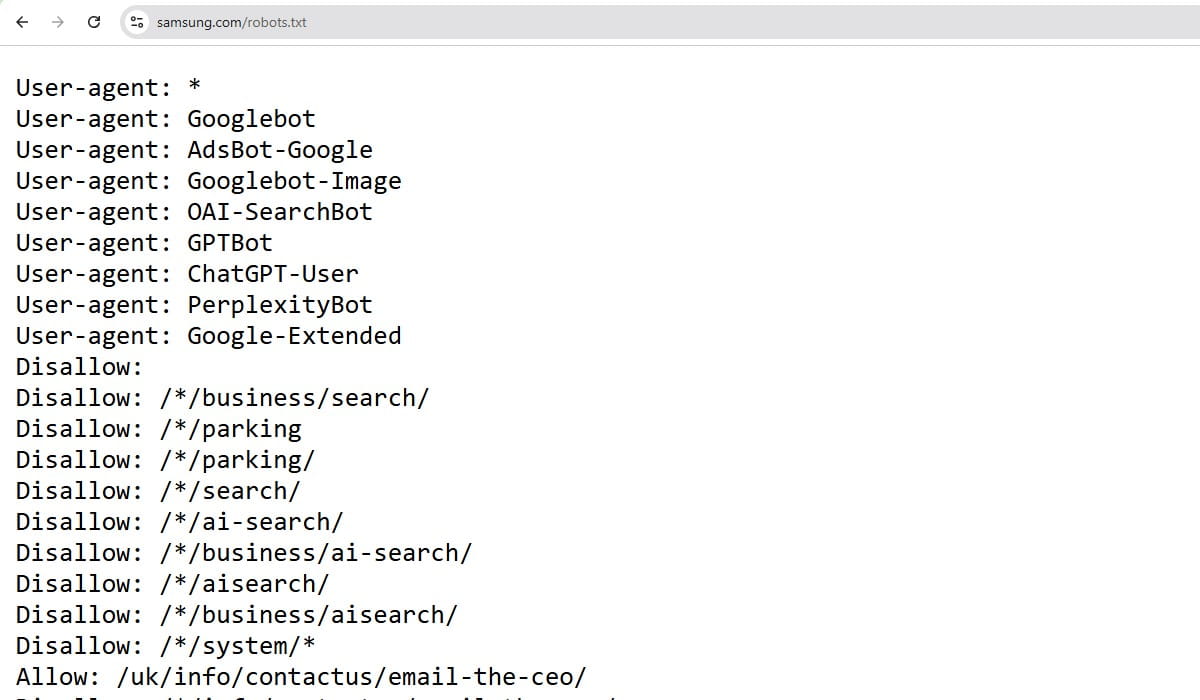
A robots.txt rule can stop Googlebot from crawling a page or an entire section. This is one of the cleanest technical explanations for why Google cannot find your site properly, and it still gets missed all the time after redesigns, staging launches, and CMS changes.
How To Detect It
- Open your robots.txt file and look for Disallow rules affecting the page path.
- Use Search Console URL Inspection to see whether crawling is blocked.
- Check whether important CSS or JavaScript files are blocked too, because that can affect rendering.
How To Fix It
- Remove or narrow the blocking rule.
- Do not block sections you want indexed.
- Allow assets Google needs to render the page properly.
What To Check Next
After updating robots.txt, test the URL again in Search Console. Then verify whether the page also has a noindex tag. It is common to find both problems stacked together.
3. The Page Has A Noindex Tag
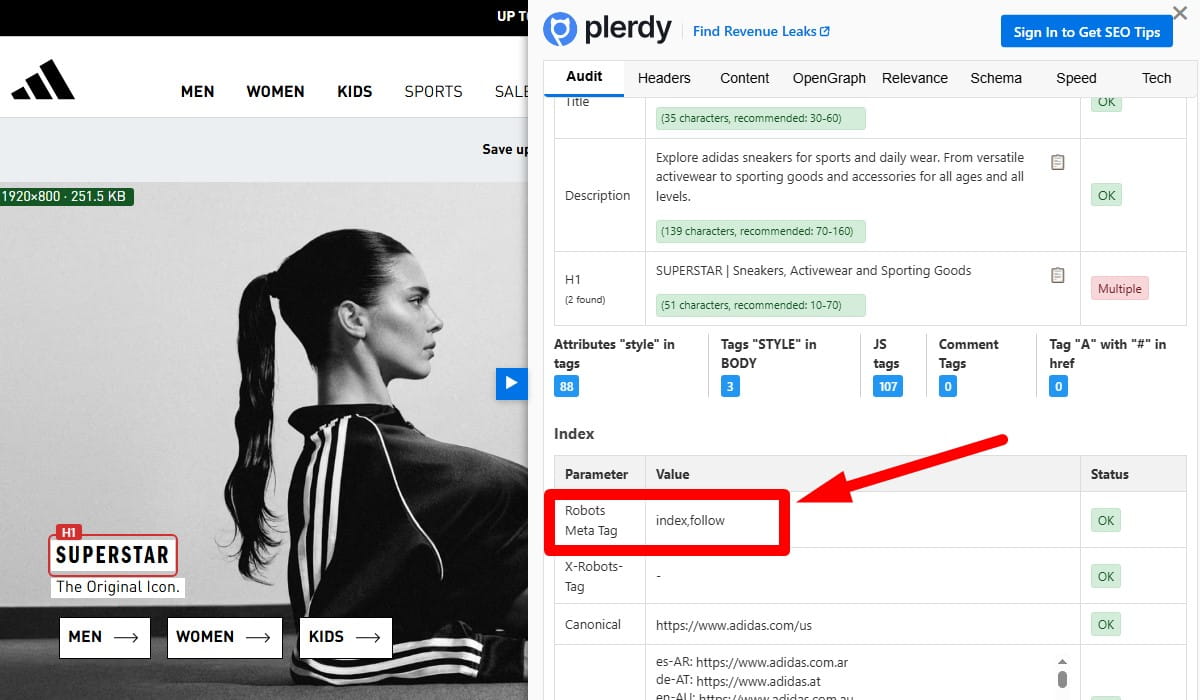
If robots.txt stops crawling, a noindex instruction tells Google not to keep the page in search results. This tag may appear in the HTML or in an HTTP header, and it often sneaks in through SEO plugins, templates, faceted pages, or development settings.
How To Detect It
- Inspect the page source for a meta robots tag containing noindex.
- Check server headers for an X-Robots-Tag: noindex response.
- Use Search Console URL Inspection to confirm the exclusion reason.
How To Fix It
- Remove the noindex directive from pages you want indexed.
- Check your CMS defaults and SEO plugin settings.
- Make sure no templates are applying noindex sitewide by mistake.
What To Check Next
Once noindex is removed, confirm that the page is crawlable and self-canonical. A noindex fix alone will not help if Google still sees the page as a duplicate or low-value URL.
4. The Canonical Tag Points Somewhere Else
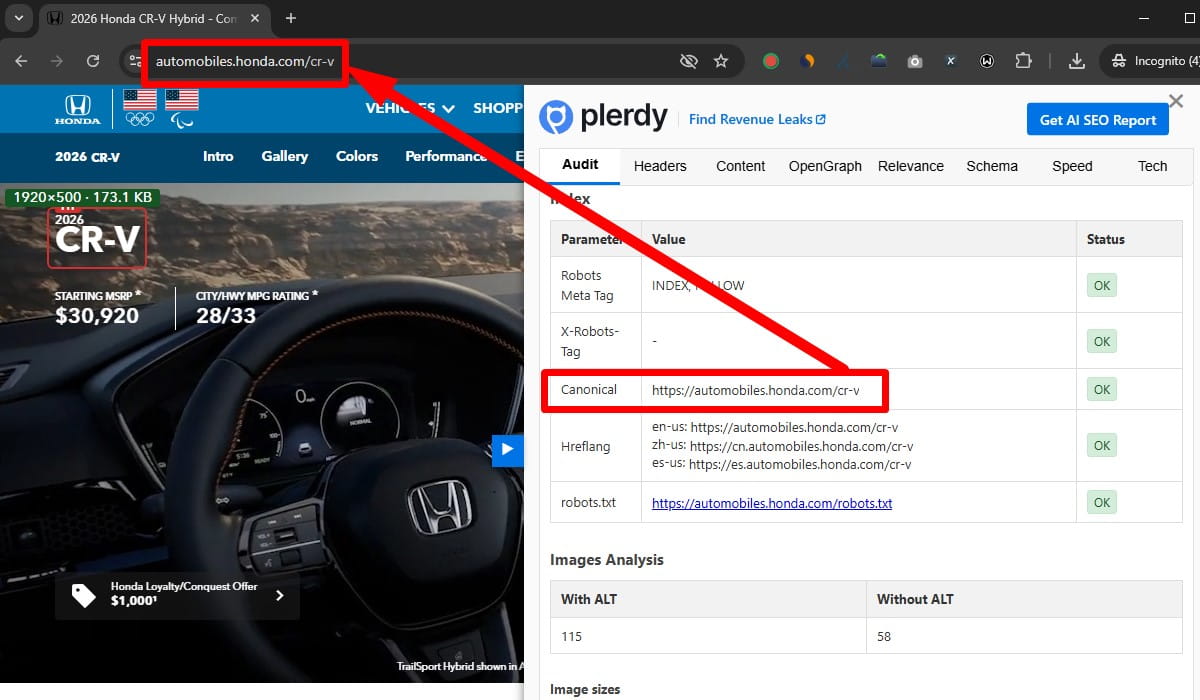
A canonical tag tells Google which version of a page is the preferred one. When that tag points to another URL, Google may ignore the current page and index the other version instead. That is one of the biggest reasons a page is not appearing in search results even though it exists and can be loaded in a browser.
How To Detect It
- Review the canonical tag in the page source.
- Use Search Console to compare the user-declared canonical and the Google-selected canonical.
- Check whether parameter URLs, duplicate paths, or HTTP/HTTPS versions are competing.
How To Fix It
- Use a self-referencing canonical on the preferred version of the page.
- Point duplicate versions to the main URL only when they are truly duplicates.
- Fix template or plugin logic generating incorrect canonicals.
What To Check Next
If Google still chooses another canonical after your fix, the content may still be too similar to another page. At that point, the issue shifts from markup to duplication and page purpose.
5. The Page Is Not In The Sitemap Or Is Poorly Linked Internally
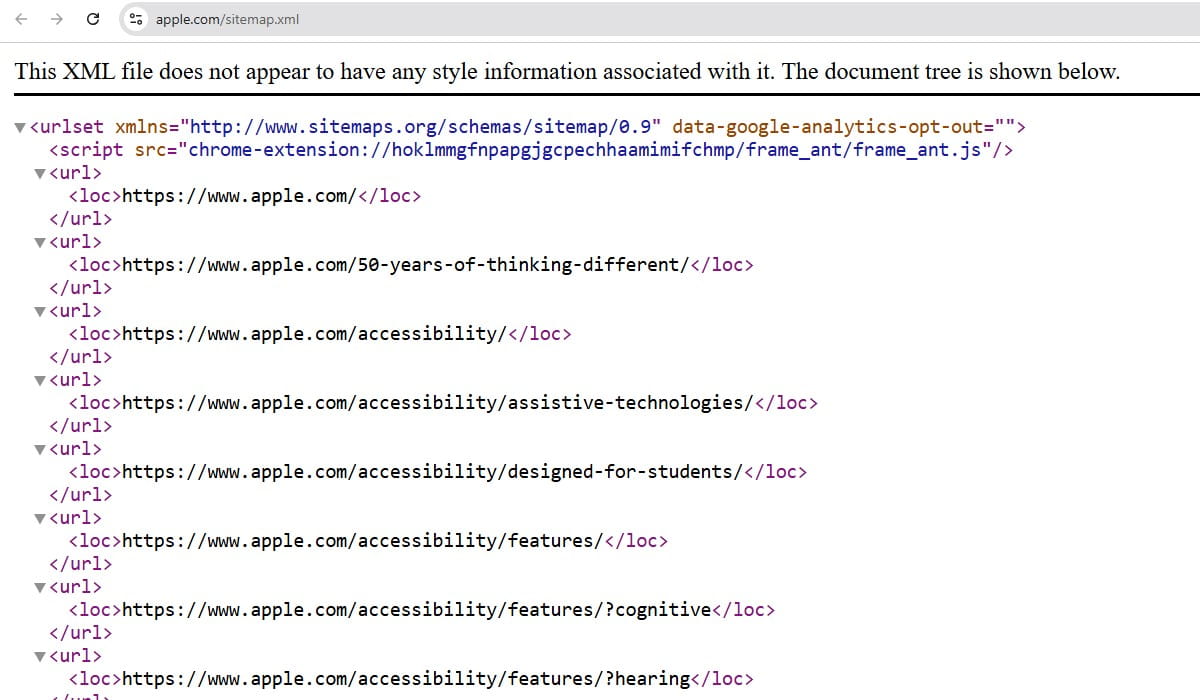
Google does not need a sitemap to find a page, but an XML sitemap helps discovery and priority. Internal links matter even more. Pages that are orphaned, buried too deep, or linked only from weak utility sections are harder to discover and easier to ignore.
How To Detect It
- The URL is missing from your XML sitemap.
- The page has few or no internal links from relevant pages.
- Crawlers show the page is several clicks deep or effectively orphaned.
How To Fix It
- Add indexable, canonical URLs to the sitemap.
- Link to the page from relevant category, hub, blog, or service pages.
- Use descriptive anchor text that explains the page topic.
- Remove internal-link waste where important pages are hidden behind endless low-value archives or filters.
What To Check Next
After adding links, look at whether the page actually deserves them. Internal linking cannot rescue a page that is thin, duplicative, or off-topic. Tools like Plerdy can help spot weak site structure and pages that are hard for both users and crawlers to reach, but the fix still comes down to clean architecture and real editorial judgment.
6. Google Cannot Properly Crawl Or Render The Page
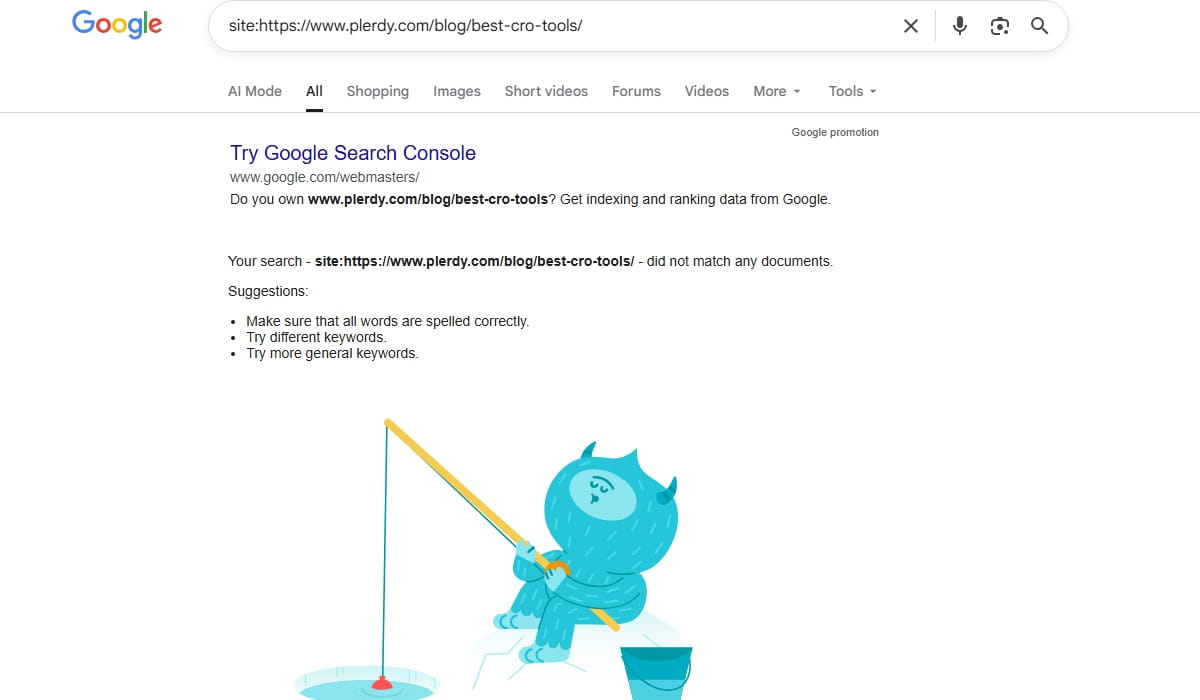
Some pages load for users but fail for Googlebot because key content depends on JavaScript, blocked assets, delayed rendering, broken scripts, or client-side elements that never resolve cleanly during crawl. This is a common source of Google indexing issues on modern sites.
How To Detect It
- The page looks fine in a browser but appears incomplete in rendered HTML tests.
- Important text, links, or product details are injected late with JavaScript.
- Search Console reports crawl or rendering problems.
- Critical content is missing from the raw HTML response.
How To Fix It
- Make sure essential content and links are present in the HTML, not only after scripts run.
- Do not rely on user actions for core content to load.
- Allow Google to fetch required JS and CSS files.
- Reduce rendering errors, script conflicts, and blocked resources.
What To Check Next
After fixing rendering, verify whether the page is now indexable and whether key content is visible in the rendered output. If Google can crawl but still will not index, quality becomes the next suspect.
7. The Site Has Technical Or Server Issues
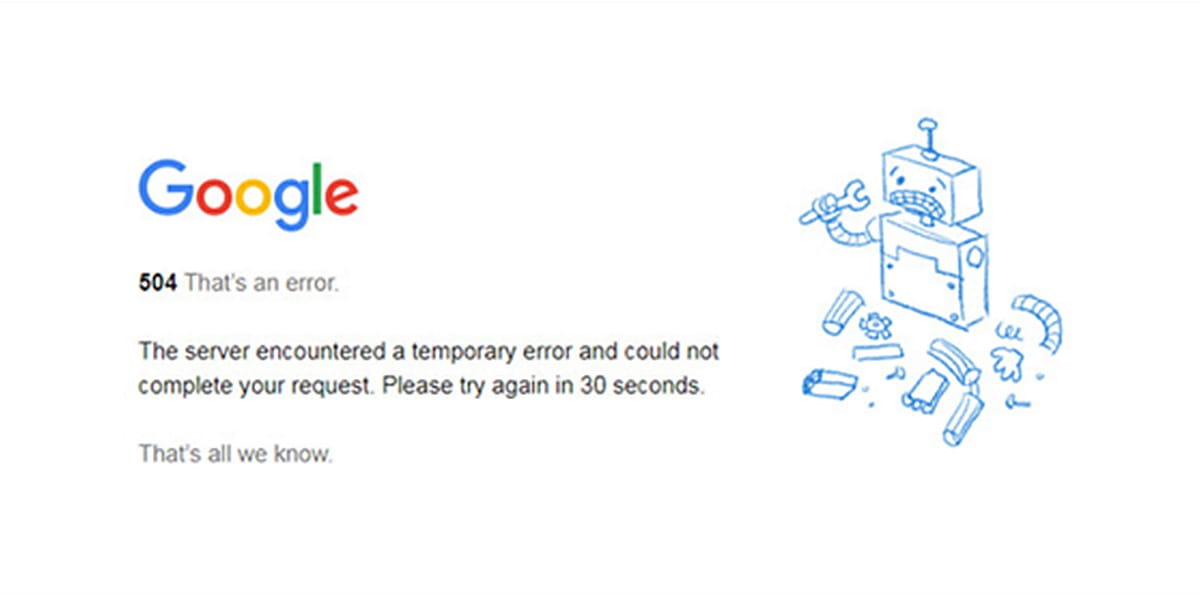
Pages cannot rank if Google cannot reliably access them. Persistent 5xx errors, unstable hosting, redirect loops, broken DNS, timeout issues, or accidental authentication walls can make a site disappear in practical terms even when the URLs still exist.
How To Detect It
- Server logs show repeated 5xx errors or timeouts for Googlebot.
- Search Console reports crawl anomalies or server errors.
- The page sometimes loads, sometimes fails.
- Important URLs redirect in circles or land on the wrong destination.
How To Fix It
- Stabilize hosting and improve server response reliability.
- Resolve 5xx errors, redirect chains, loops, and DNS issues.
- Check firewall, CDN, and bot-management settings that may block Googlebot.
- Make sure canonical URLs return a clean 200 status code.
What To Check Next
Once the infrastructure is stable, request recrawling for critical pages. Then review how often the site breaks under load. A page that fails only occasionally can still create a serious indexing drag.
8. The Content Is Thin, Duplicate, Or Low-Value
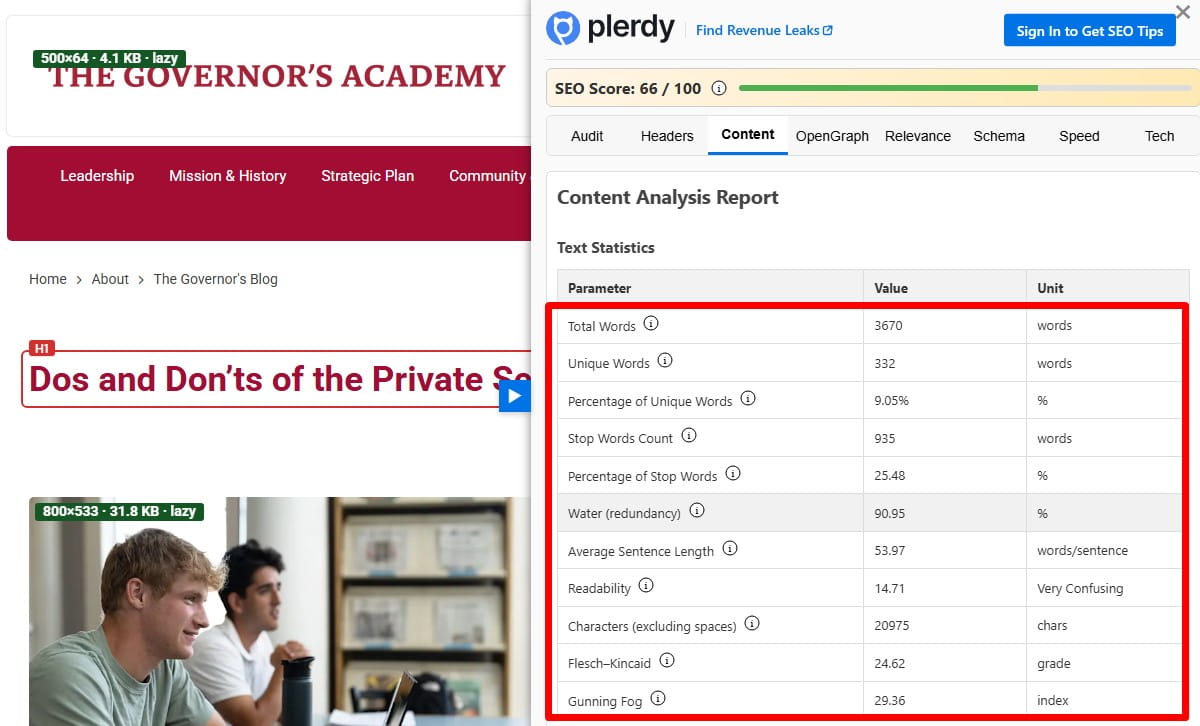
Google does not index every crawlable page it finds. A page can be technically valid and still be excluded because it adds little value. That is especially common with near-duplicate service pages, AI-padded articles, empty category pages, tag archives, doorway pages, and ecommerce variants with almost no unique information.
How To Detect It
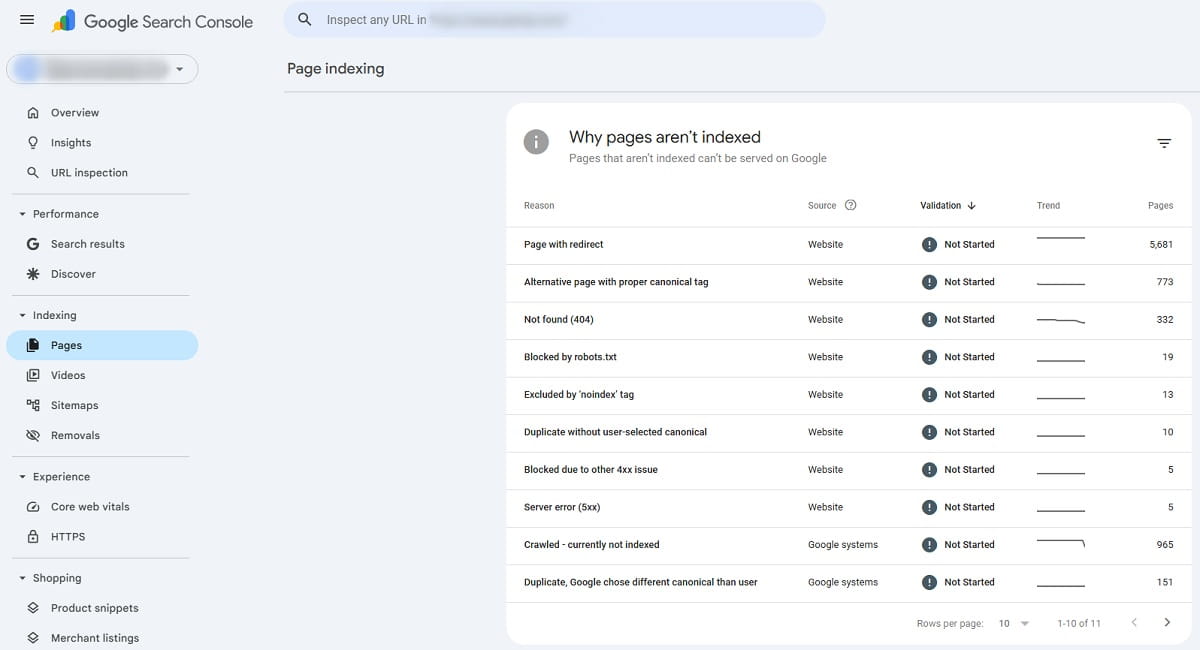
- Search Console reports exclusions such as duplicate, alternate page, or crawled currently not indexed.
- The page offers little original text, weak structure, or minimal differentiation.
- Multiple pages target the same topic with slight wording changes.
- Users land on the page and quickly leave because it answers very little.
How To Fix It
- Rewrite the page so it has a clear purpose, original information, and useful depth.
- Merge overlapping pages when they compete for the same intent.
- Cut pages that should never have existed as separate URLs.
- Add supporting details, examples, comparison points, FAQs, visuals, or process explanations where they genuinely help.
What To Check Next
Once the content is stronger, review engagement blockers too. Thin content often travels with bad UX: hidden text, weak formatting, poor above-the-fold messaging, or confusing navigation. That does not create an indexing issue by itself, but it can reinforce Google’s impression that the page is not helpful enough to surface.
9. The Page Does Not Match Search Intent
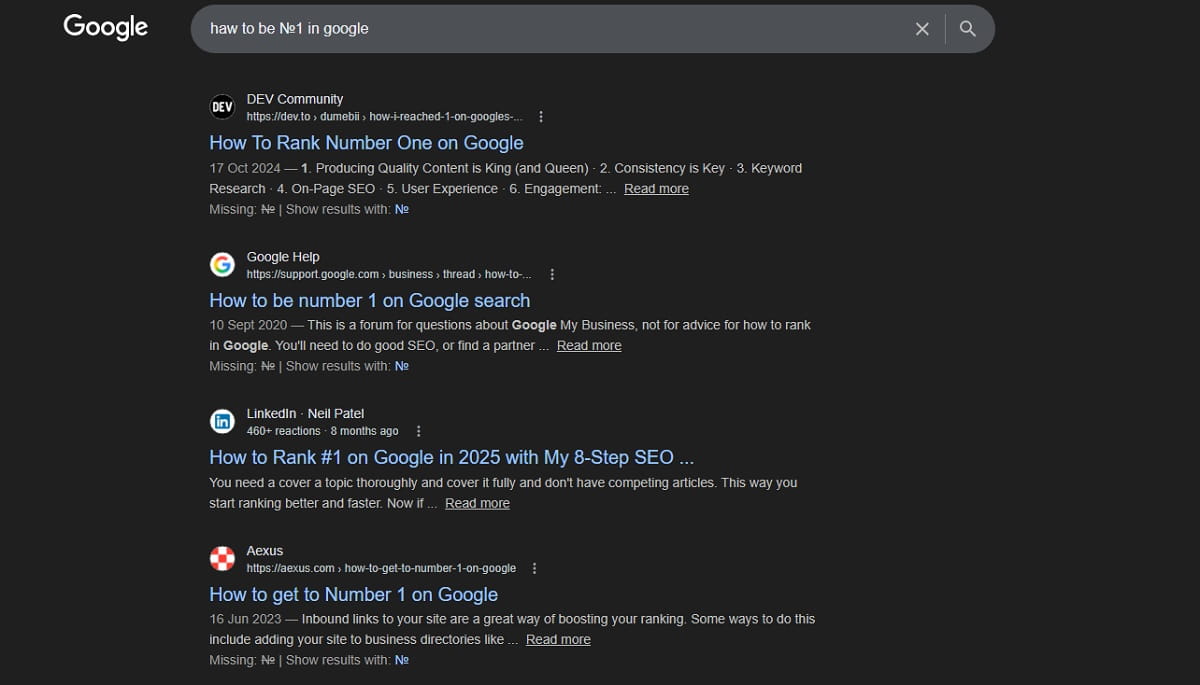
A page may be indexed and still feel missing because it ranks nowhere useful. One reason is search intent mismatch. If your page is informational and the results are dominated by product pages, local pages, tools, or comparison content, Google has little reason to rank you well.
How To Detect It
- The page is indexed but performs poorly for the target query.
- The top results serve a different content format or angle.
- Your title, headings, and copy talk about one thing while searchers clearly want another.
How To Fix It
- Study the live search results for the query, not just keyword tools.
- Align the page with the dominant intent: guide, product, comparison, category, local, or troubleshooting page.
- Rewrite the headline and structure so the answer appears early and clearly.
- Remove fluff that delays the main answer.
What To Check Next
If the page now matches intent but still does not rank, assess competition, authority, and on-page optimization. Intent is the entry ticket. It is not the full ranking system.
10. The Site Has A Manual Action Or A Serious Quality Problem
If your whole site suddenly drops out of visibility or large sections vanish, a manual action or major quality issue may be involved. This is less common than routine indexing problems, but when it happens, the impact is real.
How To Detect It
- Check the Manual Actions report in Google Search Console.
- Look for sharp traffic loss unrelated to site changes or seasonality.
- Review whether the site has spammy backlinks, hacked pages, cloaking, scraped content, or deceptive tactics.
How To Fix It
- Resolve the specific issue named in Search Console.
- Remove spam, hacked content, doorway pages, or policy-violating tactics.
- Clean up quality problems that make the site look untrustworthy at scale.
- Submit a reconsideration request only after the real fix is done.
What To Check Next
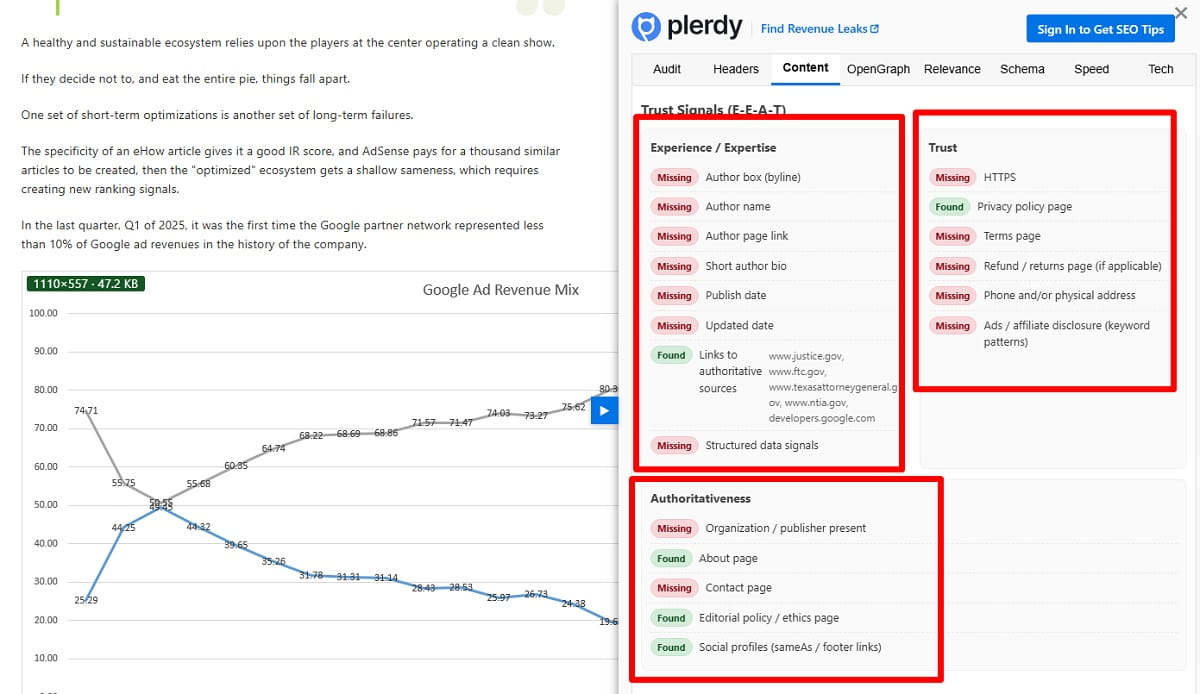
If there is no manual action, do not stop there. Algorithmic quality issues can still hold a site down. Thin content, sitewide duplication, poor trust signals, and aggressive monetization can all reduce visibility without any formal penalty notice.
11. The Page Is Indexed But Not Ranking Because Optimization And Authority Are Too Weak
This is the scenario many people describe as “my website not ranking” or “my page not appearing in search results,” even though the URL is technically indexed. Google knows the page exists. It just does not consider it competitive enough.
How To Detect It
- Search Console shows the page as indexed, but impressions are low or flat.
- The page does not target a clear primary topic.
- Titles and headings are vague, generic, or misaligned with the query.
- Competing pages have better backlinks, stronger internal links, deeper content, or a more trusted brand.
How To Fix It
- Improve the title tag, H1, intro, subheadings, and entity coverage so the topic is unmistakable.
- Strengthen internal links from pages that already carry authority.
- Earn relevant backlinks through genuinely useful assets, not shortcut tactics.
- Tighten the page so it solves one search need better than the current version.
What To Check Next
Watch impressions first, then clicks, then average position. Ranking recovery rarely happens in one jump. Sometimes the first real win is that Google starts testing the page more often for relevant terms.
What To Do First If Your Whole Site Is Missing From Google
If your entire domain appears absent, do not start by rewriting content. Start with a technical triage. Whole-site invisibility is usually not a headline problem. It is a crawl, index, access, or quality-control problem.
- Check Search Console coverage and Manual Actions. This shows whether Google sees widespread exclusions, crawl failures, or policy issues.
- Review robots.txt and sitewide noindex settings. One bad rule can quietly erase a domain from search.
- Inspect the homepage URL. If the homepage is blocked, noindexed, redirected oddly, or canonicalized elsewhere, the rest of the site may follow the same pattern.
- Verify server response behavior. Make sure important URLs return 200 status codes and are accessible to Googlebot.
- Check whether the correct domain version is indexable. HTTP vs HTTPS, www vs non-www, and staging domains still cause preventable chaos.
- Submit a valid XML sitemap. It will not override bad quality or technical errors, but it helps Google understand the intended URL set.
If the site is brand new, give it some time. If it is not new and still invisible, assume there is a real issue until proven otherwise.
What To Do If Only Some Pages Are Missing
This is the more common case. The site is live in Google, but certain blog posts, service pages, category pages, or product URLs are missing or underperforming.
- Inspect one missing URL in Search Console. Do not guess. Check whether it is indexed, excluded, canonicalized, or blocked.
- Compare it with a similar page that is indexed. Look at internal links, content depth, page type, canonical tags, and template settings.
- Check search intent. The page may be valid but aimed at the wrong query or wrong stage of the buyer journey.
- Audit duplication. Similar pages often cannibalize each other until Google chooses one and ignores the rest.
- Strengthen page value. Add original detail, practical information, supporting media, and clearer structure where it matters.
- Improve internal linking. Important pages should not be hanging by one footer link and a hope.
A page that is not indexed and a page that is indexed but not ranking are different jobs. Handle them differently and you will move faster.
Final Takeaway
If your website is not showing up on Google, the fix is rarely “do more SEO” in the abstract. It is usually a specific blockage or a specific weakness. Start by asking three blunt questions:
- Can Google crawl the page?
- Does Google want to index the page?
- If it is indexed, does the page deserve to rank?
That frame cuts through most confusion. Check the technical basics first: robots.txt, noindex, canonical tags, sitemap inclusion, internal links, rendering, and server health. Then look at page quality, search intent, and authority. That is the real path to solving Google indexing issues without wasting weeks on cosmetic tweaks.
If you are trying to figure out how to get a website on Google, do not chase random fixes. Diagnose the stage where the failure happens, fix that stage, and then recheck. Calm, methodical work beats panic every time.
FAQ
How Do I Know If My Site Is Indexed By Google?
Use Google Search Console first. You can also run a site:yourdomain.com search in Google for a rough view, but Search Console is more reliable. A site can have some indexed pages and still have serious indexing gaps.
Why Is My Website Not On Google Even After I Published It?
The page may still be new, blocked, noindexed, canonicalized to another URL, poorly linked, or judged too weak to index. Publishing a page does not guarantee crawling, indexing, or ranking.
Can Google Find My Site Without A Sitemap?
Yes, but that does not mean it will find all important pages quickly or consistently. Strong internal linking matters more than many people think, and a clean XML sitemap still helps with discovery and maintenance.
Why Is My Page Indexed But Still Not Showing Up In Search Results?
Because indexing and ranking are separate. If the page is indexed but invisible, the usual causes are weak intent match, poor optimization, low authority, stronger competitors, or content that does not offer enough value.
How Long Does It Take For Google To Show A New Website?
There is no fixed timeline. Some pages appear quickly; others take longer depending on crawl signals, technical health, internal linking, quality, and site trust. Search Console helps you see whether the site is being discovered and processed at all.