

Most marketers already pay for five or six tools that hold the answers: analytics, Search Console, an SEO suite, two ad accounts and a CRM. The problem is getting those answers out. Each tool has its own dashboard, and a simple question like “which campaign brought buyers last week?” turns into an hour of exports. MCP servers let ChatGPT, Claude and other AI assistants read those tools directly, so you ask the question once and get numbers back.
We build Plerdy MCP Server, a hosted connector that gives AI assistants read-only access to website behavior and revenue data, so it goes first on this list and we say where it falls short. For the other 12 servers we checked the vendor’s own documentation in October 2026: where the server runs, whether it can change anything in your account, what it costs and which limits you’ll hit first. Two of those checks changed the picture older lists show. Semrush is now owned by Adobe, and Hotjar data is reached through the Contentsquare MCP server.
The best MCP servers for marketing in 2026 are Plerdy for website behavior and lost revenue, Google Analytics and Microsoft Clarity for traffic, Ahrefs and Semrush for SEO, Google Ads and Meta Ads for paid media, and HubSpot for CRM. Start with the server for the tool you already pay for, and prefer hosted, read-only servers.
In this guide
- What is an MCP server for marketing?
- Which MCP servers are best for marketing and website analytics?
- How we picked and checked these servers
- The 13 best MCP servers for marketing, reviewed
- Hosted or local: which servers work in ChatGPT and Claude?
- Should marketers give an AI read-only or write access?
- Which MCP server should I connect first?
- What does a starter MCP stack cost a small business?
- Servers we left out, and why
- What can’t MCP servers tell you?
- FAQ about MCP servers for marketing
What is an MCP server for marketing?
An MCP server is a small service that lets an AI assistant call another product’s data through a common standard. MCP stands for Model Context Protocol, an open protocol Anthropic published in November 2024. OpenAI, Google and Microsoft have since added support to their assistants, so the same server usually works in Claude, ChatGPT, Gemini, Copilot and coding tools such as Cursor.
For a marketer the change is practical. Without MCP you export a CSV, paste it into ChatGPT and hope you picked the right columns. With MCP the assistant picks the report itself, reads fresh data, and can ask a second tool when the first answer raises a question. A typical chain looks like this: Google Ads says a campaign spent $900, the analytics server shows the landing page converts at 0.4%, and a behavior server finds that the “Buy” button sits below the fold on mobile.
Every server on this list falls into one of two groups:
- Hosted (remote) servers. The vendor runs them. You paste a URL into your assistant, sign in, and that’s it. These work in ChatGPT and in Claude on the web.
- Local servers. They run on your own computer through Node.js or Python. They work in Claude Desktop, Claude Code, Cursor and VS Code, but not in ChatGPT on the web, and someone has to install and update them.
If you want the setup itself explained step by step, our guide on how to connect your website analytics to ChatGPT and Claude walks through it with screenshots.
Which MCP servers are best for marketing and website analytics?
The table sums up the 13 servers as of October 2026. “Read-only” means the server can’t change anything in your account. “Read and write” means the AI can also create or edit things there, such as campaigns, dashboards or CRM records.
| # | MCP server | Data it gives the AI | Who runs it | Hosted or local | Access | Price of MCP access |
|---|---|---|---|---|---|---|
| 1 | Plerdy | Traffic, lost revenue, page reports, session search, errors, forms, pop-ups, A/B tests, SEO issues, Search Console | Vendor (official) | Hosted | Read-only | All paid plans, from $21/mo |
| 2 | Google Analytics | GA4 reports, funnels, realtime | Google (experimental) | Local (Python) | Read-only by default | Free |
| 3 | Microsoft Clarity | Dashboard metrics, recording lists | Microsoft (open source) | Local (Node.js) | Read-only | Free, 10 requests/day per project |
| 4 | Contentsquare (incl. Hotjar) | Heatmaps, journeys, web analytics | Vendor (official) | Hosted | Not stated publicly | Free plan: 300 tool calls/mo |
| 5 | Google Search Console (mcp-gsc) | Queries, pages, URL inspection, sitemaps | Community (MIT) | Local | Read, plus optional sitemap writes | Free |
| 6 | Ahrefs | Backlinks, keywords, site audit | Vendor (official) | Hosted | Read-only | Paid plans from Lite |
| 7 | Semrush (Adobe) | Keywords, domains, competitors | Vendor (official) | Hosted | Read-only | Eligible plans with API units |
| 8 | Google Ads | Campaigns, budgets, metrics via GAQL | Google (official) | Local or your own Cloud Run | Read-only | Free |
| 9 | Meta Ads | Campaigns, ad sets, ads, insights | Meta (official) | Hosted | Read and write | Not published |
| 10 | HubSpot | Contacts, companies, deals, tickets, activities | Vendor (official) | Hosted | Read and write | All HubSpot accounts |
| 11 | PostHog | Product analytics, replay, flags, experiments, SQL | Vendor (official) | Hosted | Read and write | Free to connect |
| 12 | Amplitude | Charts, dashboards, cohorts, experiments, replay | Vendor (official) | Hosted | Read and write | Existing Amplitude customers |
| 13 | Mixpanel | Events, reports, dashboards, Lexicon | Vendor (official) | Hosted | Read and write | Free and paid plans, 600 requests/hour |
Two patterns stand out. Google’s own servers are free but local, which rules them out for ChatGPT on the web unless someone hosts them. And behavior data (heatmaps, recordings, form drop-off) is the thinnest category: only Plerdy, Clarity and Contentsquare expose it, and Clarity’s API caps you at three days of data per request. If you only need an analytics MCP server for your own website, the first four rows are the shortlist.
How we picked and checked these servers
We started from the 14 pages that rank for “best MCP servers for marketing” and “analytics MCP servers” in the US, listed every server they named, and kept the ones that pass one test: a marketer can use it to answer a question about their own website, traffic, ads, SEO or leads. Generic infrastructure servers such as file storage, GitHub or Slack were dropped. They’re useful, but they don’t hold marketing data.
For each server left we checked four things on the vendor’s site or official repository, not on third-party lists:
- Who runs it: the vendor, the vendor as an experiment, or the community.
- Where it runs: hosted URL or local install, and which assistants that rules in or out.
- What it can do: read-only, or read and write, and which data types.
- What it costs and what limit you hit first: plan gates, daily or hourly caps, data windows.
We also checked ownership twice, because two of these vendors changed hands in the last year. Where a vendor doesn’t publish a fact, we say “not published” rather than guess. Plerdy is our product. Its facts come from our own pricing page and the code of the server.
The 13 best MCP servers for marketing, reviewed
Each review answers the same questions: what the AI can see, where the server runs, what it costs, and what you’d ask it in a normal week.
1. Plerdy MCP Server: best for finding where a website loses sales
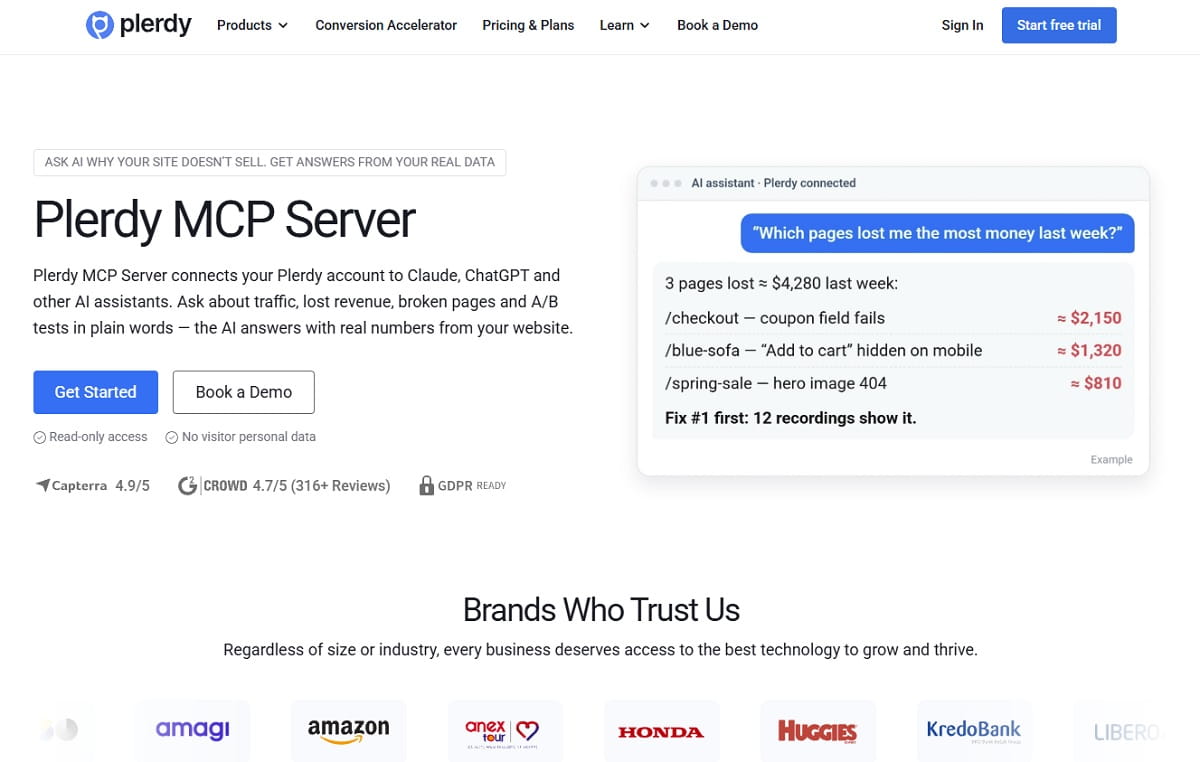
Plerdy MCP Server connects your Plerdy account to Claude, ChatGPT, Cursor, VS Code and any other client that supports remote MCP. It gives the AI 19 read-only tools over the same data you see in Plerdy: traffic and channels, lost revenue by page and source, page reports with clicks, scroll and errors, a session finder, conversions, events, sales, forms, pop-ups, A/B test results, site errors, SEO issues and Google Search Console queries.
| Best for | Owners and marketers who want to know which pages, channels and errors cost money |
| Hosting | Hosted by Plerdy. You paste a server URL and an access token, nothing to install |
| Access | Read-only. No visitor personal data leaves Plerdy, and Plerdy doesn’t see your chat |
| Price | Included in all paid plans, from $21/month (pricing). Not on the Free plan |
| Limits | A daily request limit that grows with the plan (100 requests a day on Startup); history depth follows your plan’s data retention |
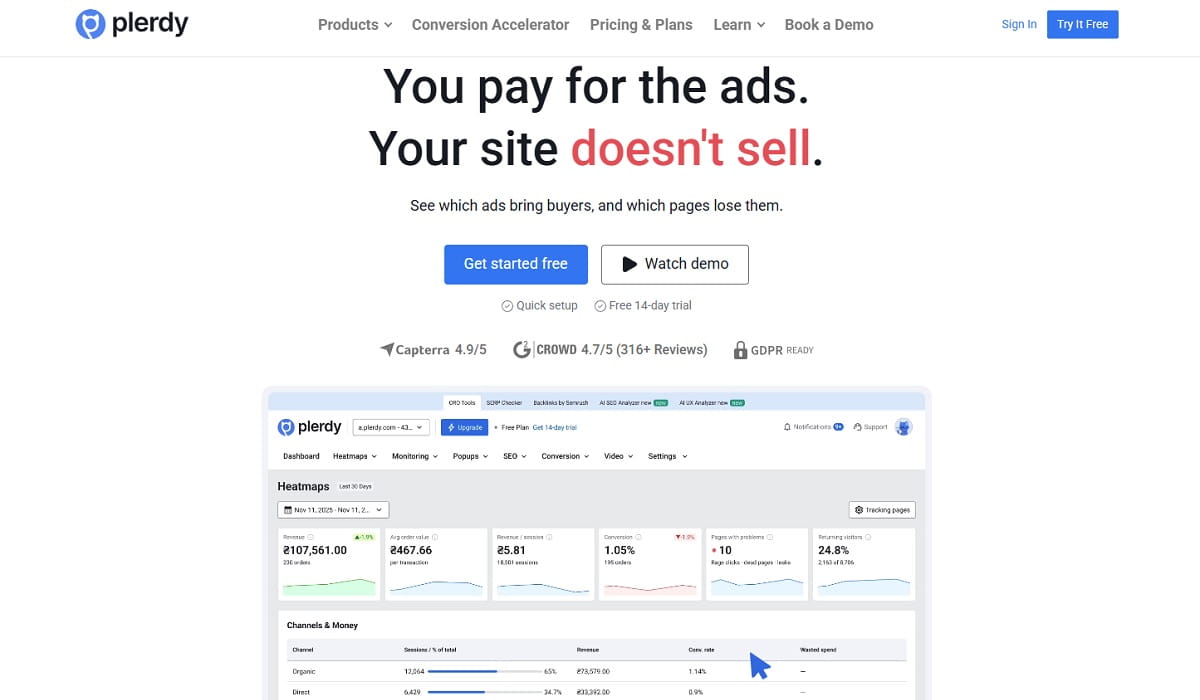
The difference from the other analytics servers on this list is that Plerdy answers in money and causes, not only in sessions. Ask “where am I losing money this week?” and the AI calls the lost revenue tool, gets pages and traffic sources that bring visits but no sales, then opens the page report for the worst one to check clicks, scroll depth and JavaScript errors on it. The data comes from the same script that powers Plerdy’s heatmaps, session recordings, error tracking and Traffic Value, so the AI can connect a drop in sales to a broken checkout script on the same day.
Ten ready-made prompts come built in, including “Weekly money review,” “Is anything broken right now,” “Why conversions dropped,” “Fix my form” and “Can I trust this A/B test.” We wrote up all ten, with when to ask each, in 10 questions to ask ChatGPT about your website every week.
Here’s what a real answer looks like. We asked Claude, through Plerdy MCP Server, which referring sites sent visitors to plerdy.com between September 27 and October 26, 2026. Among 2,353 referral sessions it found perplexity.ai with 17 sessions, 4 of which reached the site goal. The tool also flagged that row as too small to judge, because Plerdy doesn’t draw conclusions below 30 sessions. That flag matters more than it looks: it stops the AI from telling you “Perplexity converts twice as well as other referrals” off 17 visits.
Where it falls short: Plerdy only sees what its own script collects. It won’t read your Google Ads spend or your CRM pipeline, so for cost per lead you’d pair it with the Google Ads or HubSpot server. It’s also read-only by design. The AI can tell you a form loses people at the phone field, but it can’t edit the form for you.
2. Google Analytics MCP: best free option for GA4 reports
Google’s Analytics team publishes an open-source MCP server for GA4, labeled “Experimental” in the repository title. It runs locally with pipx, signs in through Google Application Default Credentials, and uses the analytics.readonly scope. Nine tools cover account and property details, standard reports, funnel reports, custom dimensions and realtime data, plus an optional tool for property annotations.
| Best for | Teams that live in GA4 and have someone comfortable with Google Cloud |
| Hosting | Local Python process. Needs the Analytics Admin and Data APIs enabled in a Google Cloud project |
| Access | Read-only by default. Writing annotations needs the –allow-write flag and the edit scope |
| Price | Free. Standard GA4 API quotas apply |
| Watch out for | No hosted URL from Google, so it doesn’t plug into ChatGPT on the web as is |
What it does well: anything you can build in GA4’s Explore reports, the AI can now request in a sentence. “Compare organic sessions and key events by landing page, last 28 days against the previous 28” becomes one run_report call. The funnel tool is useful for checkout steps if your events are set up cleanly.
What it doesn’t do: GA4 has no heatmaps or recordings, so the AI can tell you a page converts badly but not why. The setup is the other cost. You need a Google Cloud project, enabled APIs and credentials on the machine running the server. Several vendors (Windsor.ai, Coupler.io, Stape and others) sell hosted GA4 connectors to get around this. If you also use Plerdy, its server already returns traffic and conversions per page, so you may not need GA4 in the chat at all for weekly questions.
3. Microsoft Clarity MCP: best free behavior data, with tight limits
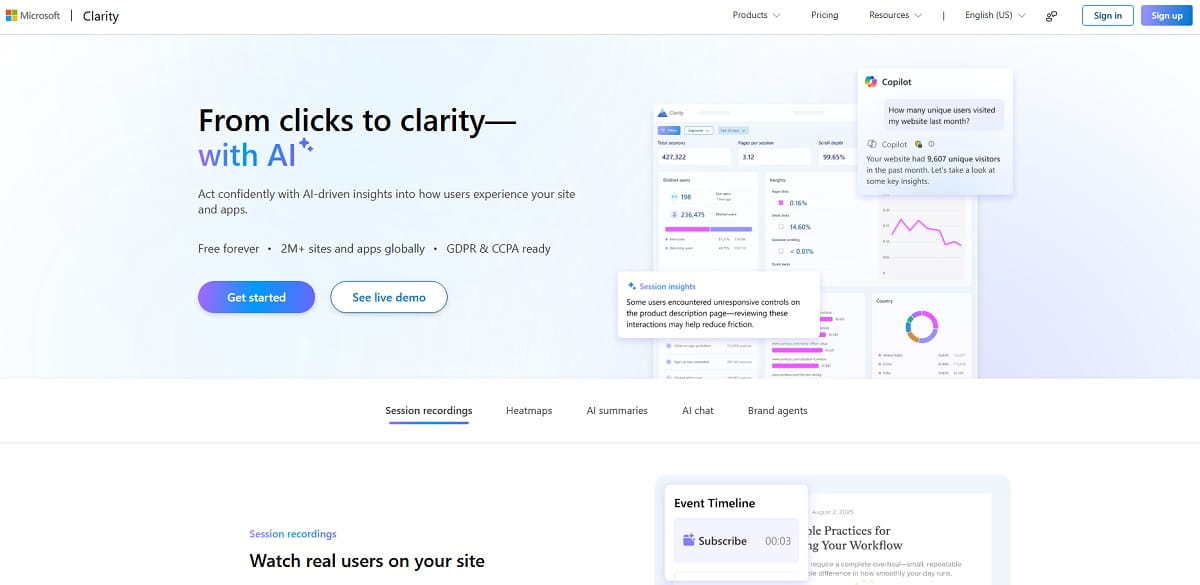
Microsoft’s open-source Clarity server, published on npm as @microsoft/clarity-mcp-server, runs locally through npx with a Clarity Data Export API token. Its tools query dashboard metrics in natural language, list session recordings with filters by URL, device, browser, OS and country, and search Clarity’s documentation.
| Best for | Small sites already on Clarity that want quick scroll and engagement checks |
| Hosting | Local Node.js 16+ process. No remote URL from Microsoft |
| Access | Read-only |
| Price | Free |
| Limits | 10 API requests per project per day, each covering up to 3 days and 3 dimensions (Clarity blog) |
Clarity is free and its recordings are good, so the MCP server is an easy first test. The limits are the catch. Ten requests a day sounds like a lot until the AI spends four of them on one question, and three days of data means you can’t ask “how did last month compare with the month before?” at all. Clarity also has no revenue data, so it can describe behavior but can’t rank pages by money lost.
If you hit those walls, Plerdy MCP Server covers the same behavior questions (scroll, clicks, rage clicks, sessions with errors) with history that follows your plan’s retention and a daily limit of 100 to 600 requests on the main plans. We compared the two products in more depth in Microsoft Clarity vs Plerdy.
4. Contentsquare MCP: the official route to Hotjar data
Contentsquare, which owns Hotjar, runs a hosted MCP server that lets ChatGPT, Claude and other assistants query heatmaps, journeys and web analytics. hotjar.com now redirects to contentsquare.com/hotjar, and the AI connection is offered through the Contentsquare platform. Directory listings give the endpoint as api.contentsquare.com/mcp with OAuth sign-in.
| Best for | Teams already on Contentsquare, or Hotjar users moving to it |
| Hosting | Hosted by Contentsquare, OAuth sign-in |
| Access | Read access to analytics. Contentsquare doesn’t state publicly whether any tool writes |
| Price | Contentsquare Free includes 300 tool calls a month. Hotjar Free doesn’t include the AI connection |
| Watch out for | Some tools need higher plans: journeys and impact analysis on Growth and above, error analysis with Experience Monitoring |
Older lists say Hotjar has no MCP server. That’s half true: there’s no server with the Hotjar name, but Hotjar data is reachable through Contentsquare’s. Read the plan gates before you plan a workflow around it. 300 calls a month on Free runs out in about a week of daily questions, and the most useful tools sit on paid tiers, starting with Growth at $49 a month on Contentsquare’s pricing page. Contentsquare doesn’t publish the tool list without sign-in, so check it inside your account before you commit.
5. Google Search Console MCP (mcp-gsc): best for search queries, if you can run it
Google hasn’t released an official Search Console MCP server. The most used community option is mcp-gsc by Amin Foroutan, MIT-licensed with about 2,000 GitHub stars. It runs locally, signs in with OAuth or a service account, and covers search analytics, period comparisons, page-by-query breakdowns, URL inspection, indexing checks and sitemaps.
| Best for | SEO specialists who want query and indexing data in Claude Desktop or Cursor |
| Hosting | Local by default, optional Docker for HTTP |
| Access | Read, plus sitemap submission. Site and sitemap deletion stay off unless you enable them |
| Price | Free. Search Console API quotas apply |
| Watch out for | Community code with access to your Search Console. Read it before you give it a service account |
Questions like “which queries have high impressions and a CTR under 1%?” or “which pages lost clicks since the last core update?” are where this server earns its place. It’s also the only server here that can submit a sitemap, which is handy and a reason to keep the destructive tools off.
There’s a shortcut if you don’t want to run community code. Plerdy syncs Search Console into its SEO Checker, and Plerdy MCP Server exposes that data through its search performance tool: queries, clicks, impressions and CTR per page, read-only, with nothing installed. You lose URL inspection and sitemap tools, and you gain the same chat that already knows the page’s conversion rate and errors.
6. Ahrefs MCP: best for backlink and keyword research
Ahrefs runs a hosted MCP server at api.ahrefs.com/mcp/mcp over Streamable HTTP. Connecting goes through an OAuth consent screen, after which Ahrefs issues an API key scoped to MCP. Ahrefs publishes setup guides for Claude, ChatGPT, Copilot Studio, n8n and others, and its older local server on GitHub is no longer maintained.
| Best for | Link building, competitor gap analysis and keyword research |
| Hosting | Hosted by Ahrefs |
| Access | Read-only research data |
| Price | Paid Ahrefs plans from Lite. Not on the free tier |
| Limits | Rows per request and a monthly pool of API units, both set by your plan. Calls from other apps draw from the same pool |
Ahrefs is the strongest pick when the question is about other websites: who links to a competitor, which keywords they rank for that you don’t, what a domain’s traffic trend looks like. Watch the API units. An AI exploring a broad question can make many calls, and the units are shared with everything else on your account. Ahrefs knows nothing about what happens after the click, so it tells you which keywords to chase but not whether that traffic buys.
7. Semrush MCP: best for competitive research, now under Adobe
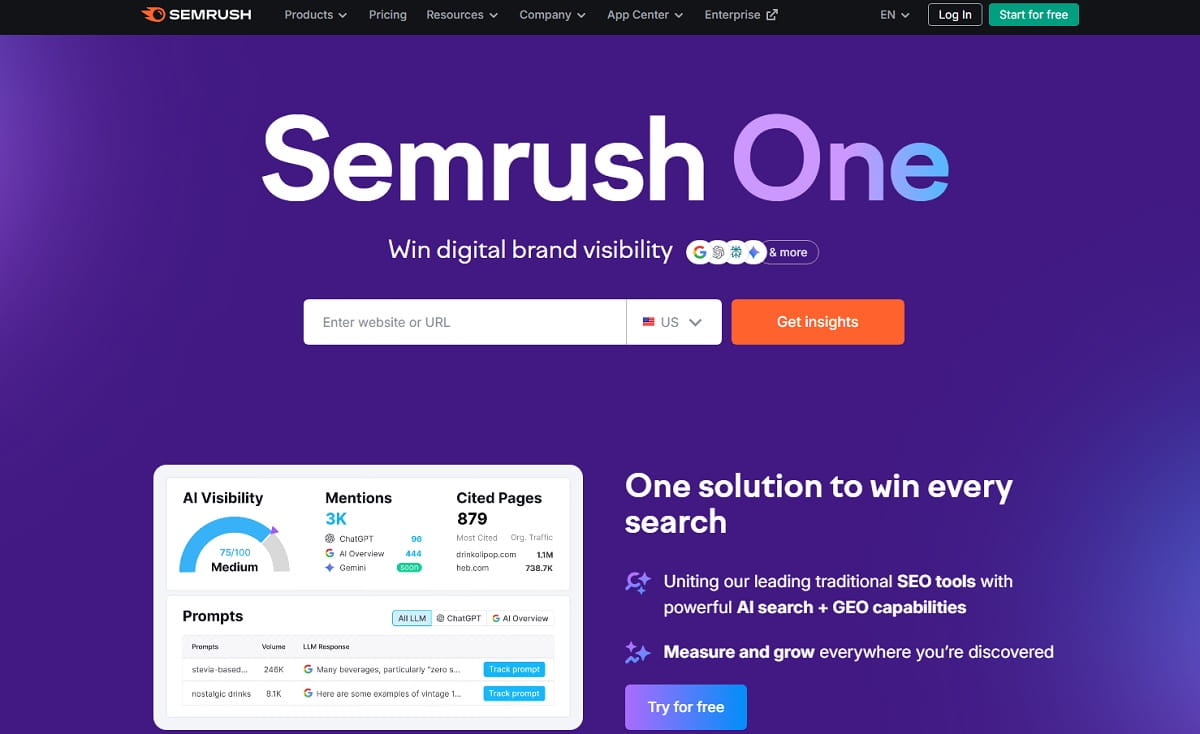
Semrush hosts an official MCP server on mcp.semrush.com with OAuth sign-in, or an API key in the Authorization header for clients without OAuth. It gives assistants keyword, domain and competitor data from Semrush’s databases. Access depends on your plan: some Semrush One and SEO plans include API units, others need a separate API package.
| Best for | Competitive research, keyword lists and domain comparisons |
| Hosting | Hosted by Semrush |
| Access | Read-only research data |
| Price | Eligible plans with API units (Semrush knowledge base) |
| Ownership | Adobe completed its acquisition of Semrush on April 28, 2026 |
Semrush’s server does the same job as Ahrefs’ for most marketers, so pick the one you already pay for rather than running both. Two things to know before connecting. First, check the exact endpoint in Semrush’s own docs on the day you set it up. Directories list three different paths (v1, v2 and a Claude-specific one), which suggests it has moved more than once. Second, Semrush is now an Adobe subsidiary, and Adobe has said it plans to fold Semrush into Adobe Experience Manager and its LLM Optimizer. The product still runs as before, but if you’re signing a multi-year contract, ask about plan changes.
8. Google Ads MCP: best for reading campaign data safely
Google documents an official Google Ads MCP server in its developer toolkit, with code at github.com/googleads/google-ads-mcp. It’s read-only: three tools list accessible accounts, run GAQL queries for metrics, budgets and status, and return metadata about resource types. It runs locally over stdio or on your own Google Cloud Run service over Streamable HTTP.
| Best for | PPC managers who want spend, CPC and conversion questions answered in chat |
| Hosting | Local, or self-hosted on Cloud Run |
| Access | Read-only. It can’t change bids, pause campaigns or create assets |
| Price | Free. Needs a Google Cloud project and OAuth or Application Default Credentials |
| Note | Google says developer tokens were sunset on September 9, 2026 and are no longer required |
Read-only is a feature here. An AI that can’t pause a campaign also can’t pause the wrong one. The real limit is that Google Ads stops at the click: it reports conversions you’ve imported, but not what visitors did on the landing page. That’s the gap Plerdy’s Traffic Value fills. It ties each channel and landing page to sessions, conversions and revenue per session, and labels the problem as a traffic problem or a landing page problem. We showed the method in how to find wasted ad spend by landing page.
9. Meta Ads MCP: best for Facebook and Instagram ads, with write access
Meta hosts its own Ads MCP server at mcp.facebook.com/ads. Meta’s developer documentation says it works with any MCP-compatible agent and covers reporting and insights as well as creating and editing campaigns, ad sets and ads, through permission-scoped tools. You sign in with your Meta account.
| Best for | Media buyers who run Facebook and Instagram campaigns |
| Hosting | Hosted by Meta |
| Access | Read and write |
| Price | Meta doesn’t publish a price for the server |
| Watch out for | The AI can create and change ads. Decide in advance who approves changes |
Third-party guides date the launch to late April 2026. It’s the only official ads server on this list that writes, which makes it the most useful one and the riskiest. A sensible rule is to use it for reporting first (“which ad sets had a rising CPM and a falling CTR this week?”) and only allow changes after you’ve watched how the assistant phrases them. Like Google Ads, Meta can’t see the landing page, so pair it with a behavior tool when the question is “why don’t these clicks buy?”
10. HubSpot MCP: best for CRM and pipeline questions
HubSpot’s remote MCP server at mcp.hubspot.com became generally available to all HubSpot accounts on April 13, 2026. It reads CRM records, marketing and content objects and activity history, and it writes contacts, companies, deals, tickets, line items and products, plus calls, meetings, notes, tasks and emails. Sign-in uses OAuth 2.1 with PKCE only.
| Best for | B2B marketers and sales teams who want lead and deal answers |
| Hosting | Hosted by HubSpot |
| Access | Read and write. Some objects stay read-only |
| Price | Available to all HubSpot accounts |
| Watch out for | If Sensitive Data is on in your account, activity and conversation data is blocked |
HubSpot closes the loop the other servers leave open: a lead came in, but did it turn into a deal? Questions like “which source brought the deals we closed this quarter?” or “list contacts from the webinar who haven’t been called” work well. Don’t confuse it with HubSpot’s separate developer MCP server, which is for building apps, not reading your CRM. And since it writes, give it to people who’d be trusted to edit the CRM by hand anyway.
11. PostHog MCP: best for product-led and developer teams
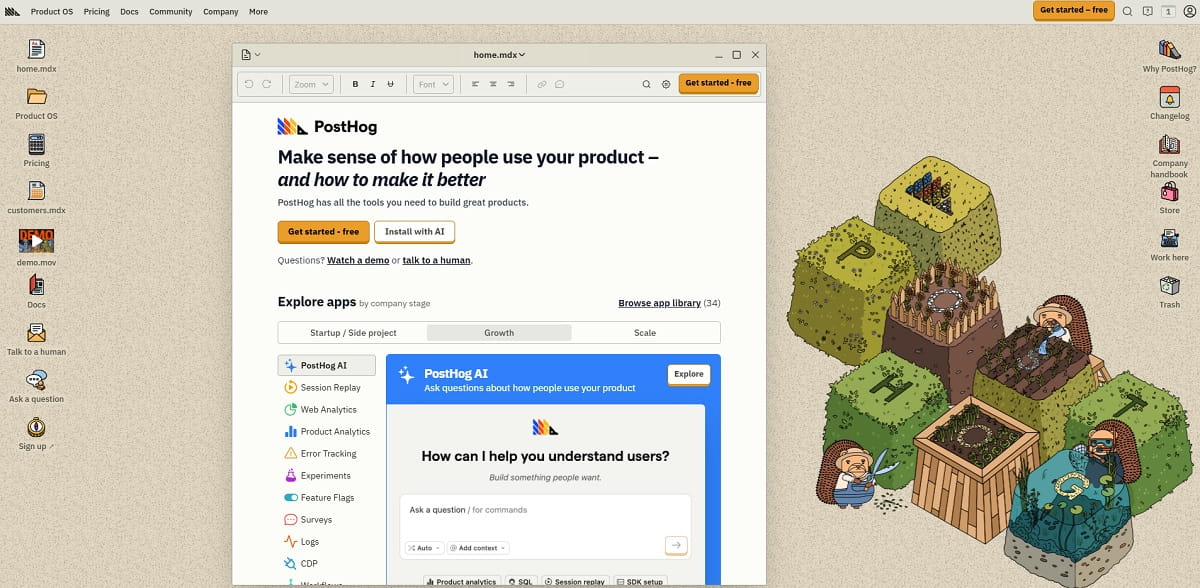
PostHog hosts its MCP server at mcp.posthog.com/mcp and routes you to the US or EU region based on your login. Tools cover analytics queries, SQL, feature flags and experiments, session replay, error tracking and CDP destinations, and agents can both read and change things in PostHog. Supported clients include Claude, Cursor, Codex, VS Code, Windsurf and Zed.
| Best for | SaaS teams where engineers already instrument events in PostHog |
| Hosting | Hosted by PostHog, US and EU regions |
| Access | Read and write |
| Price | Free to connect. Some tools use PostHog AI internally and count as AI spend |
| Watch out for | Built for people who write queries. Marketers without SQL will lean on the AI to write it |
PostHog’s server is the widest on this list. That’s a strength for a product team and a trap for a marketer, because a broad toolset means the AI has more ways to answer a vague question wrongly. Ask narrow questions (“signups by utm_source last week, excluding internal users”) and check the SQL it writes. For marketing sites without PostHog already installed, this is not the first server to add.
12. Amplitude MCP: best for teams that build charts and cohorts
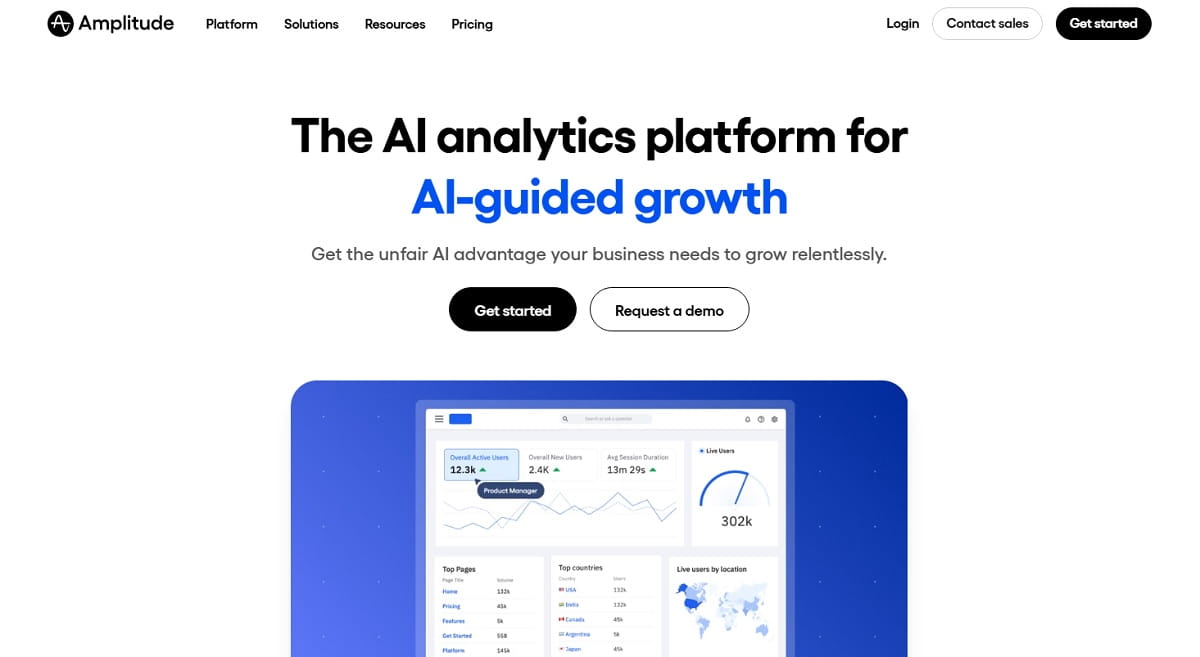
Amplitude’s MCP server runs at mcp.amplitude.com/mcp, with an EU endpoint, and signs in through OAuth with your existing Amplitude permissions. It reads charts, dashboards, notebooks, experiments, cohorts, events and session replay, and it can create and edit charts, dashboards, cohorts, experiments, feature flags and metrics. ChatGPT gets a curated subset of about 25 tools.
| Best for | Growth teams that already model funnels and cohorts in Amplitude |
| Hosting | Hosted by Amplitude, US and EU |
| Access | Read and write |
| Price | Amplitude says any existing customer can use it. Plan limits aren’t listed on the MCP page |
| Watch out for | Amplitude took over Statsig’s brand and customers in May 2026. Not a separate vendor if you shortlist both |
The write side is what sets Amplitude apart for analysts: “build a dashboard with weekly signups, activation and retention by plan” produces an actual dashboard you can share. For marketers, the read side is enough. Ask for a funnel by campaign, then ask the AI to save it as a chart so the team sees the same numbers next week.
13. Mixpanel MCP: best for event analytics on a free plan
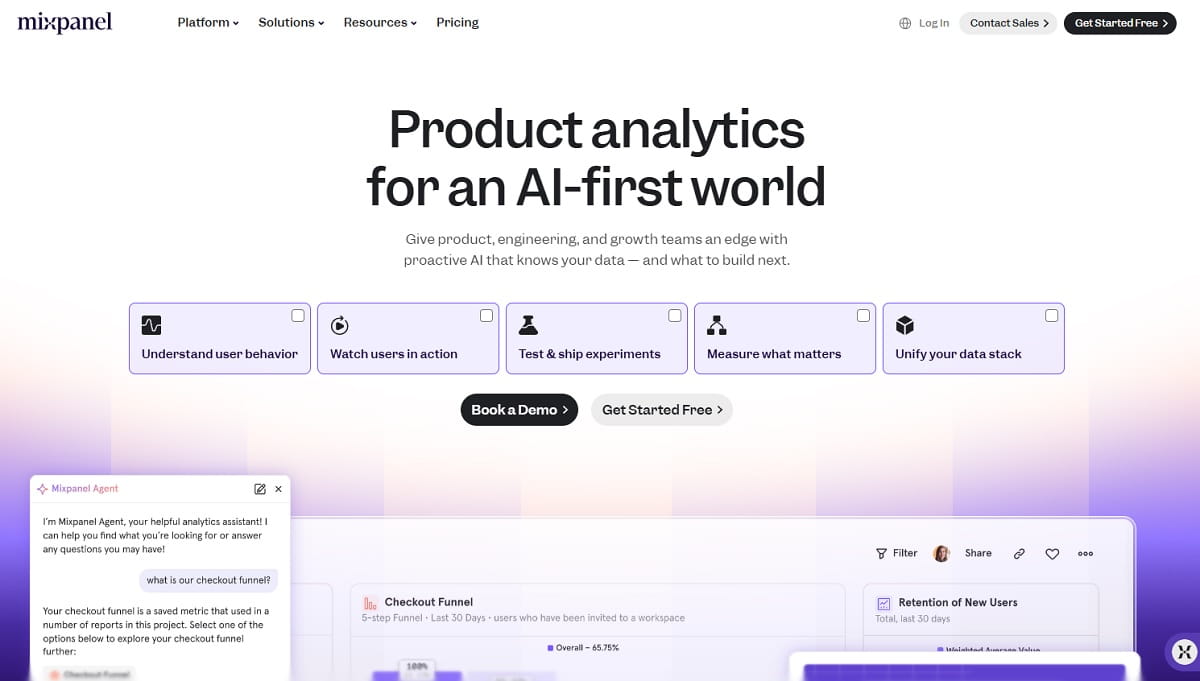
Mixpanel hosts MCP endpoints in the US, EU and India, with OAuth sign-in and a beta service-account option for automated agents. The AI can read data and make changes such as creating dashboards and editing Lexicon metadata, and every change is logged with an MCP origin in the audit log. The limit is 600 MCP requests per hour per user.
| Best for | Startups on Mixpanel’s free or Growth plan |
| Hosting | Hosted by Mixpanel, US, EU and IN |
| Access | Read and write, with an audit trail for changes |
| Price | On by default for free and Growth accounts created after August 1, 2026. Older orgs need an admin to enable it |
| Watch out for | Run-Query can’t break down by cohort and doesn’t work with Saved Metrics |
Mixpanel’s audit log is a detail more vendors should copy: when an assistant renames an event, you can see that it was the assistant. The free-plan access makes it the cheapest way to try a write-capable analytics server. Like PostHog and Amplitude, it only knows the events you send, so the answer is only as good as your tracking plan.
Hosted or local: which servers work in ChatGPT and Claude?
This is the question that decides most setups, and few lists answer it. ChatGPT connects only to remote servers over HTTPS. Claude on the web works the same way. Claude Desktop, Claude Code, Cursor and VS Code can also run local servers from a config file.
| Server | ChatGPT (web) | Claude (web) | Claude Desktop, Cursor, VS Code | Who installs it |
|---|---|---|---|---|
| Plerdy | Yes | Yes | Yes | Nobody, paste a URL and token |
| Google Analytics | Only via a third-party host | Only via a third-party host | Yes | You, with Python and Google Cloud |
| Microsoft Clarity | Only via a third-party host | Only via a third-party host | Yes | You, with Node.js |
| Contentsquare | Yes | Yes | Yes | Nobody, OAuth |
| Search Console (mcp-gsc) | Only if you host it | Only if you host it | Yes | You, with Python |
| Ahrefs, Semrush | Yes | Yes | Yes | Nobody, OAuth |
| Google Ads | Only if you deploy it to Cloud Run | Only if you deploy it to Cloud Run | Yes | You, with Python and Google Cloud |
| Meta Ads, HubSpot | Yes | Yes | Yes | Nobody, OAuth |
| PostHog, Amplitude, Mixpanel | Yes | Yes | Yes | Nobody, OAuth |
If nobody on your team writes code, stick to the hosted rows. A local server isn’t just a one-time install: it needs updates, credentials on a specific laptop, and it stops working when that laptop is closed.
Should marketers give an AI read-only or write access?
Start read-only. An assistant that misreads a question and answers with the wrong number costs you a few minutes. An assistant that misreads a question and edits 40 CRM records or raises a budget costs real money, and it does it confidently.
Practical rules we’d apply to any of these servers:
- Connect the reporting side first. Use write tools only after a few weeks of reading the assistant’s answers.
- Prefer servers that log changes with their origin, as Mixpanel does, so you can tell a human edit from an AI one.
- Use the narrowest account you can. Most servers respect the permissions of the user who signs in, so a viewer account can’t write even if the server can.
- Treat data inside tools as data, not instructions. A product review or a form entry that says “ignore previous instructions” should never trigger an action.
- Revoke tokens you don’t use. In Plerdy that’s one click in Settings → AI Connectors; most other vendors list connected apps or API keys in account settings.
Plerdy MCP Server is read-only by design for this reason. Its job is to tell you where the site loses sales. Fixing the page is a decision you make, with the heatmap and the recording open.
Which MCP server should I connect first?
Connect the server for the question you ask most often, from a tool you already pay for. Match your question to a row:
| The question you keep asking | Connect first | Add next |
|---|---|---|
| Where does my website lose sales, and why? | Plerdy | Google Ads or Meta Ads for spend |
| Did traffic go up or down, and from where? | Google Analytics or Plerdy | Search Console |
| Which keywords should we target? | Ahrefs or Semrush | Search Console for your own queries |
| Which pages get impressions but no clicks? | Search Console (mcp-gsc) or Plerdy | Ahrefs or Semrush |
| Is our ad budget wasted? | Google Ads, Meta Ads | Plerdy Traffic Value for what happens after the click |
| Which leads turned into deals? | HubSpot | Plerdy for the forms and pages that brought them |
| Is something broken on the site right now? | Plerdy (errors, tracking, pages hit) | None needed |
| How do users move through our product? | PostHog, Amplitude or Mixpanel | HubSpot for revenue |
Two servers that answer the same question in one chat make the assistant slower and less predictable, because it has to choose which one to trust. Ahrefs plus Semrush, or GA4 plus Plerdy for the same traffic question, is usually one too many.
What does a starter MCP stack cost a small business?
The servers themselves are mostly free. You pay for the products behind them and for the AI assistant. Here is a realistic three-server stack for a small online store or service business, using published prices where they exist.
| Piece | Covers | Monthly cost |
|---|---|---|
| Plerdy, paid plan | Traffic, lost revenue, behavior, errors, forms, A/B tests, Search Console queries | From $21 |
| Google Ads MCP | Campaign spend and metrics | $0 (plus your Google Cloud setup time) |
| HubSpot MCP | Leads and deals | Included in your HubSpot account |
| AI assistant | Claude or ChatGPT paid plan | Billed by the AI provider |
Add Ahrefs or Semrush only if SEO research is a weekly job, because both need a paid plan and draw from API units. If you’re on Clarity today and the three-day window is the problem, moving the behavior part to Plerdy also removes the need for a separate GA4 or Search Console server for most weekly questions.
Servers we left out, and why
- Multi-source connectors (Windsor.ai, Supermetrics, Coupler.io and similar). They put GA4, ads and CRM behind one MCP URL, which is convenient, but they’re a paid data pipeline in the middle rather than the vendor’s own server. Worth a look if you manage many client accounts.
- Zapier, Make and n8n. These are automation servers. They let an AI trigger actions in thousands of apps, but they don’t hold marketing data themselves.
- Google Analytics through Google’s hosted endpoint. One guide mentions a Google-run remote endpoint for the Analytics Data API, but we found no Google documentation for it, so we didn’t list it.
- Statsig. Amplitude took over the brand and customers in May 2026, so it’s covered by the Amplitude entry.
- Old community servers for Hotjar. They predate Contentsquare’s official server, and nothing confirms they work with current accounts.
What can’t MCP servers tell you?
An MCP server gives the AI access to data. It doesn’t make the data right or the conclusion correct. Before you act on an answer, keep these limits in mind:
- The AI can only combine what it can reach. If spend is in Google Ads and revenue is in your store, the answer about ROAS is a guess unless both servers are connected.
- Small numbers still lie. 17 sessions with 4 conversions is not a 23% conversion rate you can plan around. Prefer servers that flag low samples, and ask the AI to say when a sample is too small.
- Different tools count differently. GA4 sessions, Plerdy sessions and Clarity sessions won’t match exactly. Don’t let the AI mix them in one ratio.
- The AI can still misread a table. Ask it to show the numbers and link to the report it used, then open that report for anything you’ll spend money on.
- MCP doesn’t replace watching a recording. The AI can find the five sessions where people rage-clicked on checkout. Watching two of them is still the fastest way to understand why.
That last point is how we designed Plerdy’s server. The AI narrows down where to look, and every answer links back to the Plerdy report, heatmap or recording, so the decision stays with you. If you want to see how errors translate into money before connecting anything, start with how much revenue website errors cost you.
FAQ about MCP servers for marketing
What is the best MCP server for marketing?
There isn’t one server for every job. For website behavior and lost revenue, Plerdy MCP Server is the most complete hosted option. For GA4 traffic, Google’s own Analytics server is free but local. For SEO research, Ahrefs or Semrush. For paid ads, the official Google Ads and Meta Ads servers. For leads and deals, HubSpot. Start with the server for the tool you already pay for.
Can I connect Google Analytics to ChatGPT with MCP?
Not directly with Google’s official server. It runs locally, and ChatGPT on the web only connects to remote servers over HTTPS. You can run it in Claude Desktop, Claude Code or Cursor, use a third-party hosted GA4 connector, or use a hosted analytics server such as Plerdy MCP Server, which works in ChatGPT with a URL and a token.
Does Hotjar have an MCP server?
Not under the Hotjar name. Hotjar is part of Contentsquare, and AI assistant access goes through the official Contentsquare MCP server. Contentsquare Free includes 300 tool calls a month, while Hotjar Free doesn’t include the AI connection. Some tools, such as journeys and impact analysis, need the Growth plan or higher.
Is there an official Google Search Console MCP server?
No, as of October 2026 Google hasn’t released one. The most used option is the community server mcp-gsc, which is MIT-licensed and runs locally. If you don’t want to run community code, Plerdy MCP Server returns Search Console queries, clicks, impressions and CTR per page from Plerdy’s own sync, read-only and hosted.
Are marketing MCP servers free?
The servers from Google, Microsoft, PostHog and HubSpot cost nothing to connect, but you pay for the product behind them and for your AI assistant. Ahrefs needs a paid plan from Lite, Semrush needs a plan with API units, and Plerdy includes its MCP server in all paid plans from $21 a month.
Is it safe to connect marketing tools to an AI assistant?
It’s as safe as the access you give. Read-only servers such as Plerdy, Google Analytics, Google Ads, Ahrefs and Semrush can’t change your account. Meta Ads, HubSpot, PostHog, Amplitude and Mixpanel can write, so connect them with the narrowest user permissions, check what the assistant plans to change, and revoke tokens you no longer use.
How many MCP servers should a marketing team connect?
Usually three to five: one for website data, one for each ad platform you spend on, and one for the CRM. Avoid two servers that answer the same question, such as Ahrefs and Semrush, because the assistant has to choose which one to trust and gets slower.