Important content is easy to miss
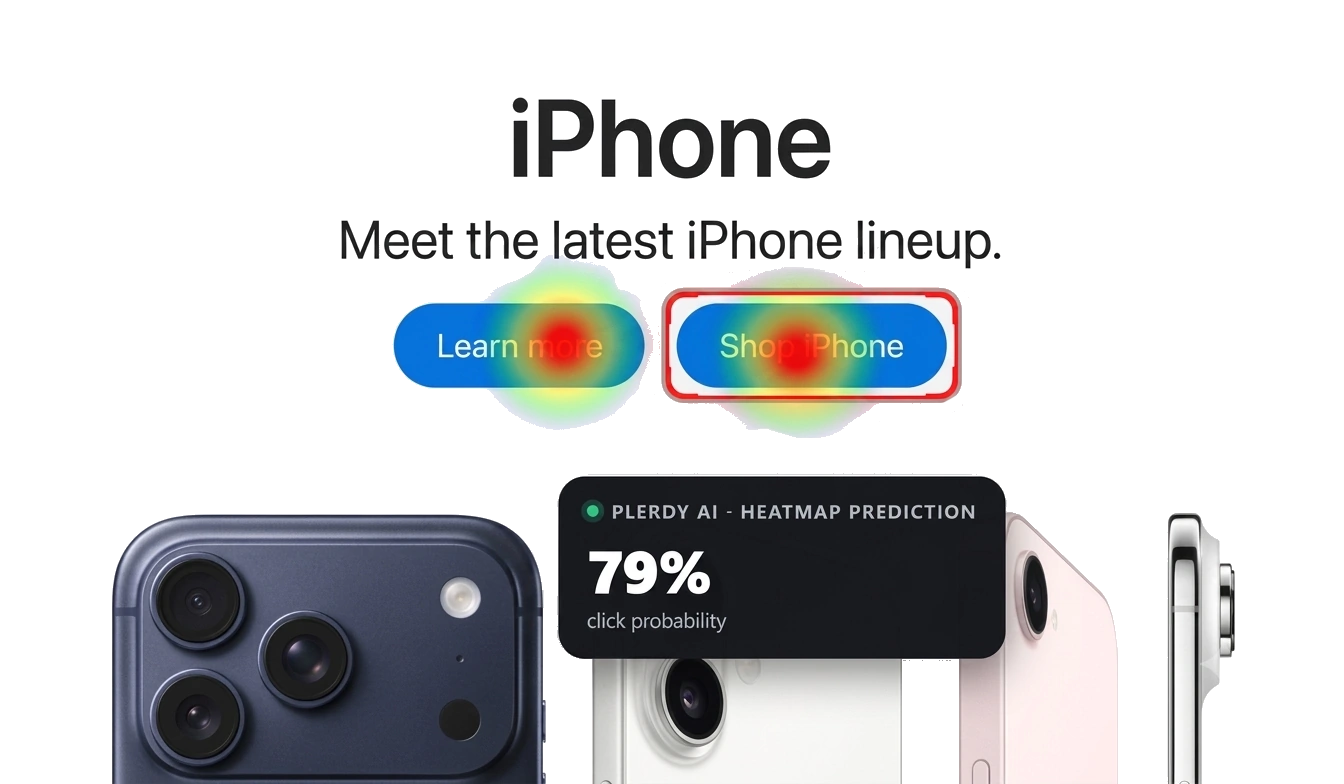
A predicted heatmap helps reveal whether visitors are likely to notice the value proposition, key benefit, proof, and primary CTA in the intended order.

Plerdy UX & Usability Testing shows how visitors may notice, scan, and move through a page before live traffic arrives. Get AI-powered UX predictions, a predicted heatmap, and practical improvement ideas directly in Chrome.
Open any webpage and receive a fast prediction-based usability review built around the page’s visual hierarchy, content layout, CTAs, and expected visitor behavior. It is a practical first UX check for marketers, designers, product teams, and website owners.
Use predictions to identify where a page may lose clarity, attention, and momentum before you invest in acquisition or wait for enough analytics data.
A predicted heatmap helps reveal whether visitors are likely to notice the value proposition, key benefit, proof, and primary CTA in the intended order.
Scroll depth prediction highlights messages that may appear after attention drops, helping you move high-value content higher on the page.
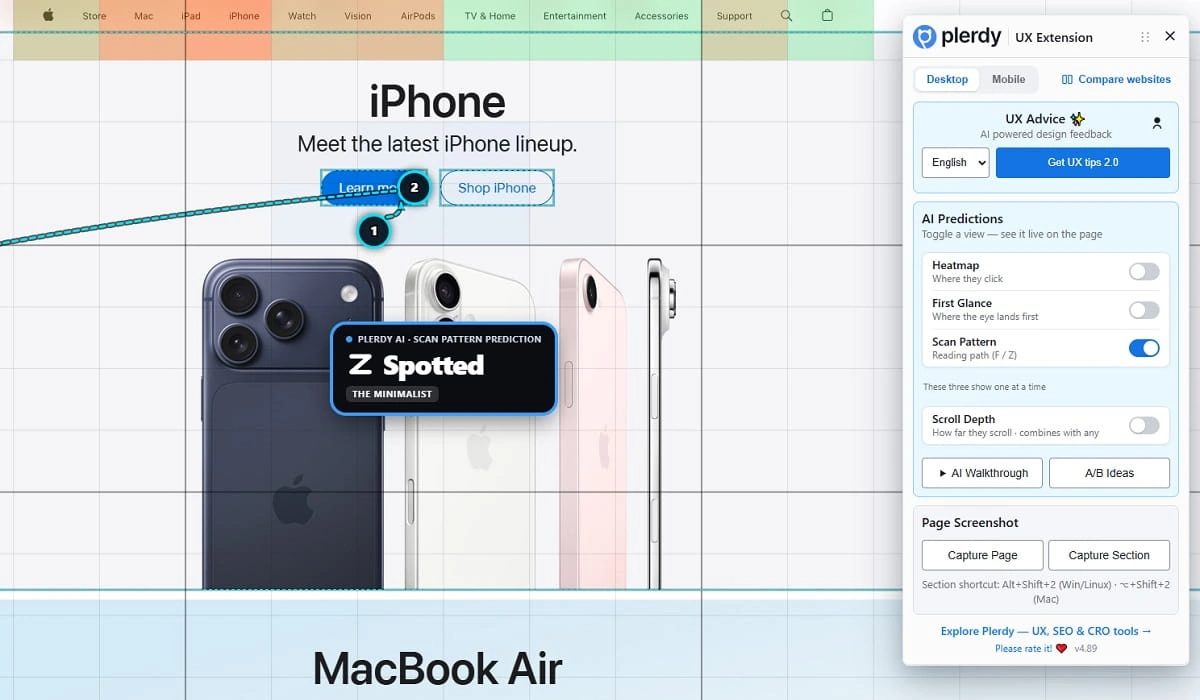
AI advice and scan-pattern predictions make visual overload easier to discuss, so your team can reduce friction and focus on one clear next step.
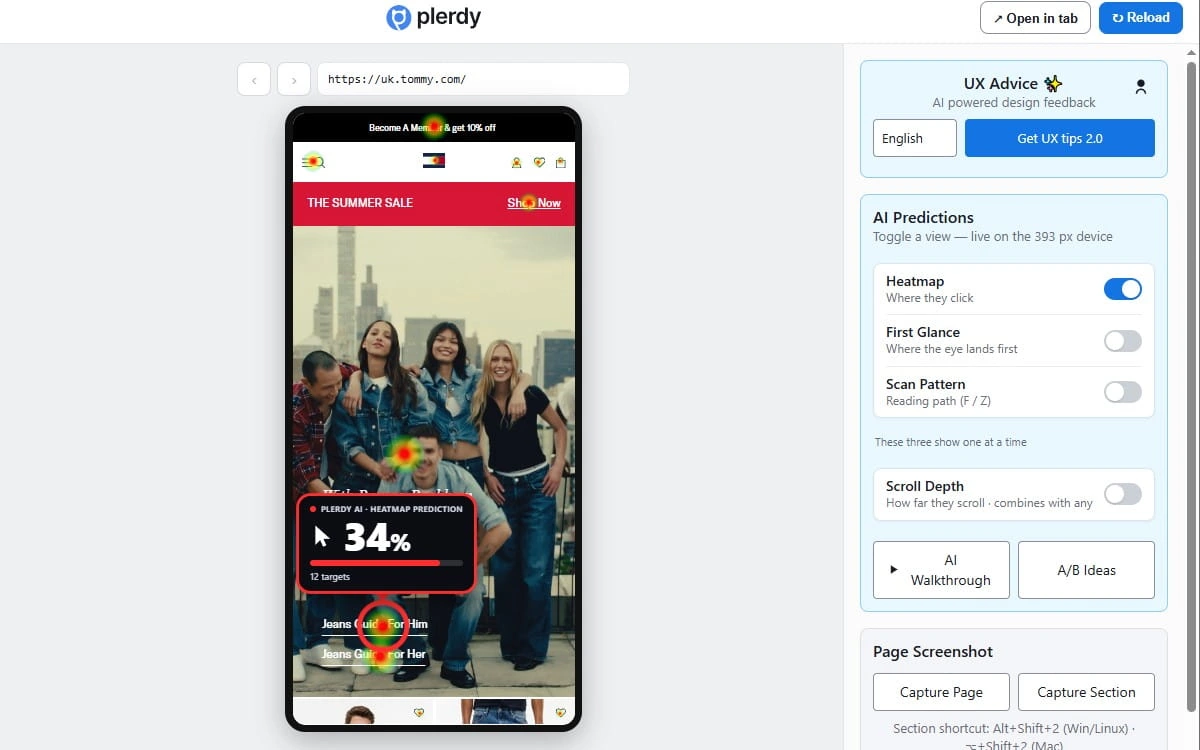
Switch between desktop and mobile views before reviewing a page. The extension gives you a separate UX prediction for each layout, because a page that looks clear on a wide screen can create a very different path on a phone.
Ask Plerdy for focused recommendations based on the page in front of you. The advice helps identify unclear hierarchy, overloaded blocks, weak conversion emphasis, and elements that may distract from the next action.
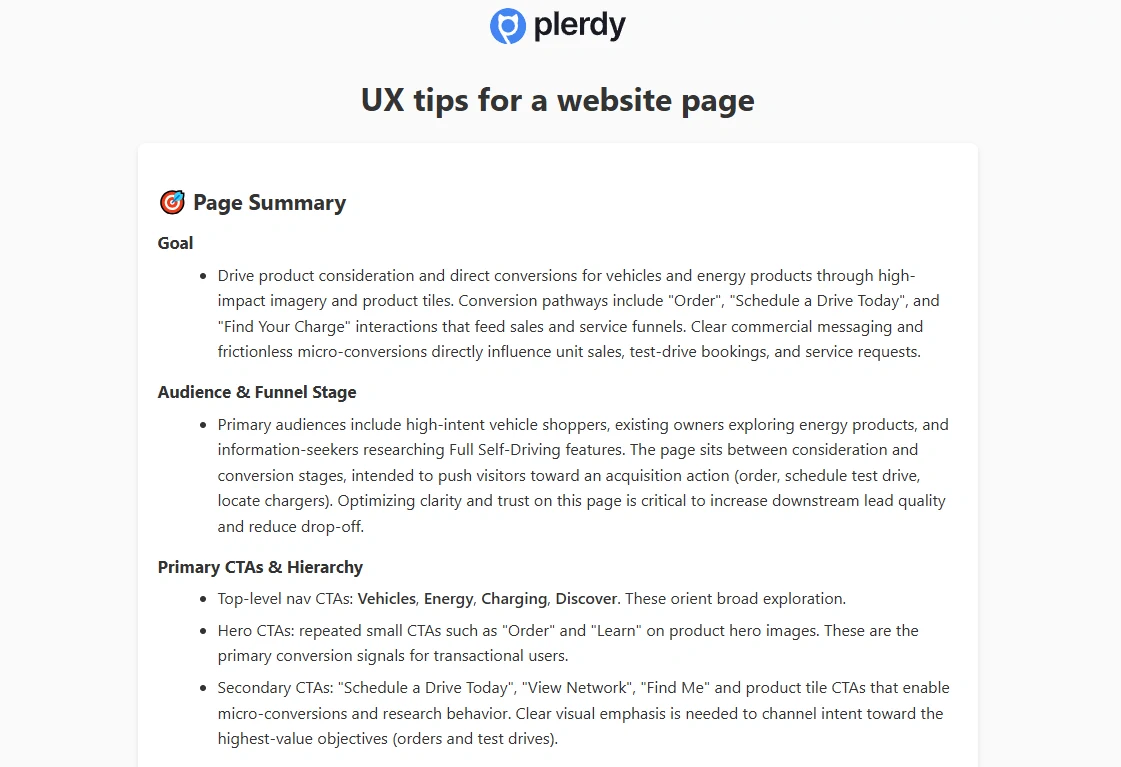
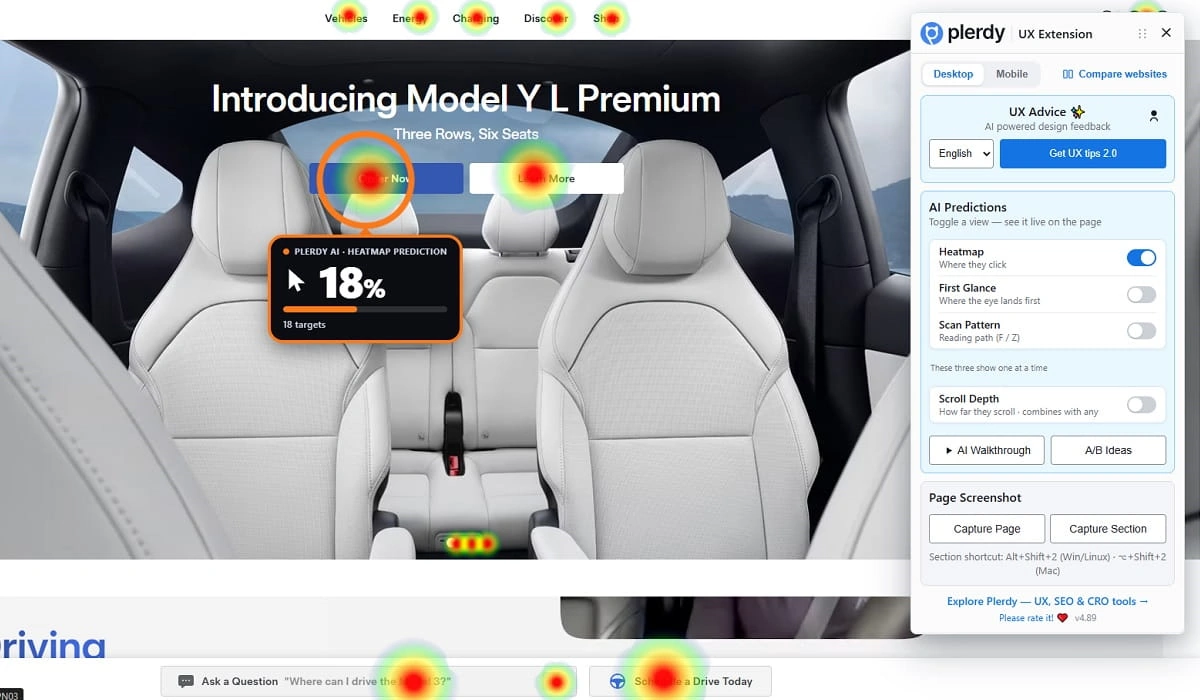
Generate a predicted heatmap to see which areas of the current page are more likely to attract attention first. Compare the heatmap prediction with your intended focal points: the offer, key benefit, trust signal, or conversion action.
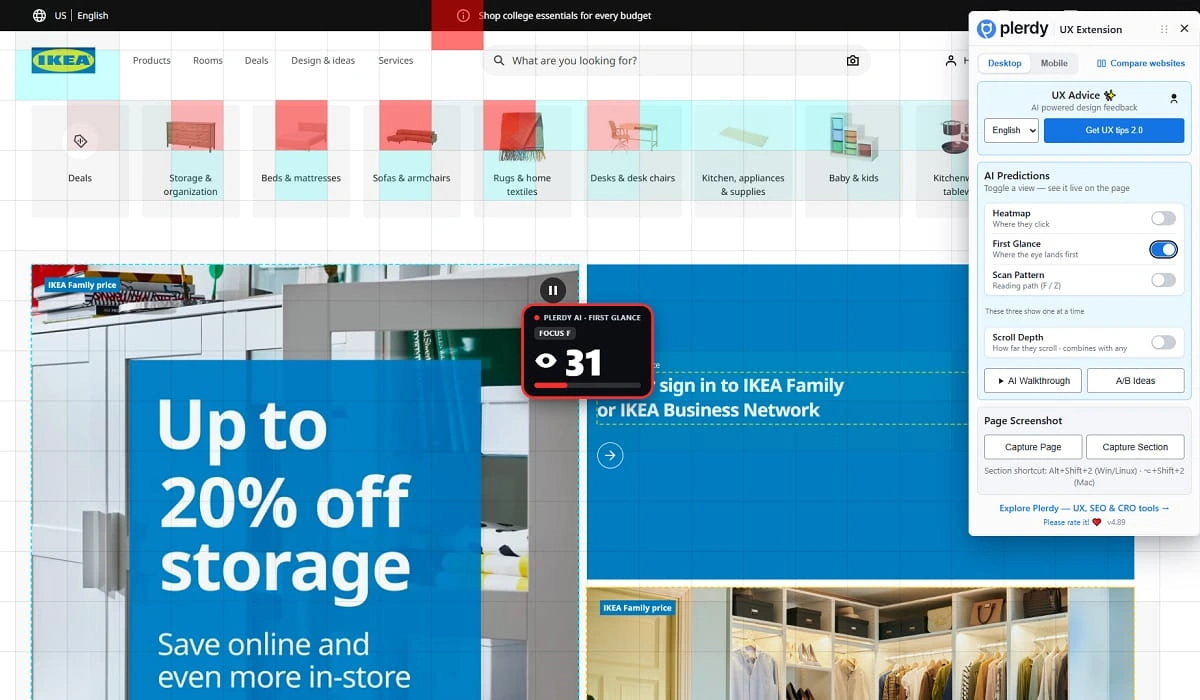
Understand whether a page asks visitors to process too many competing elements at once. Attention Budget and predicted Scan Pattern show how a visitor may move across content and where the page may lose its visual logic.
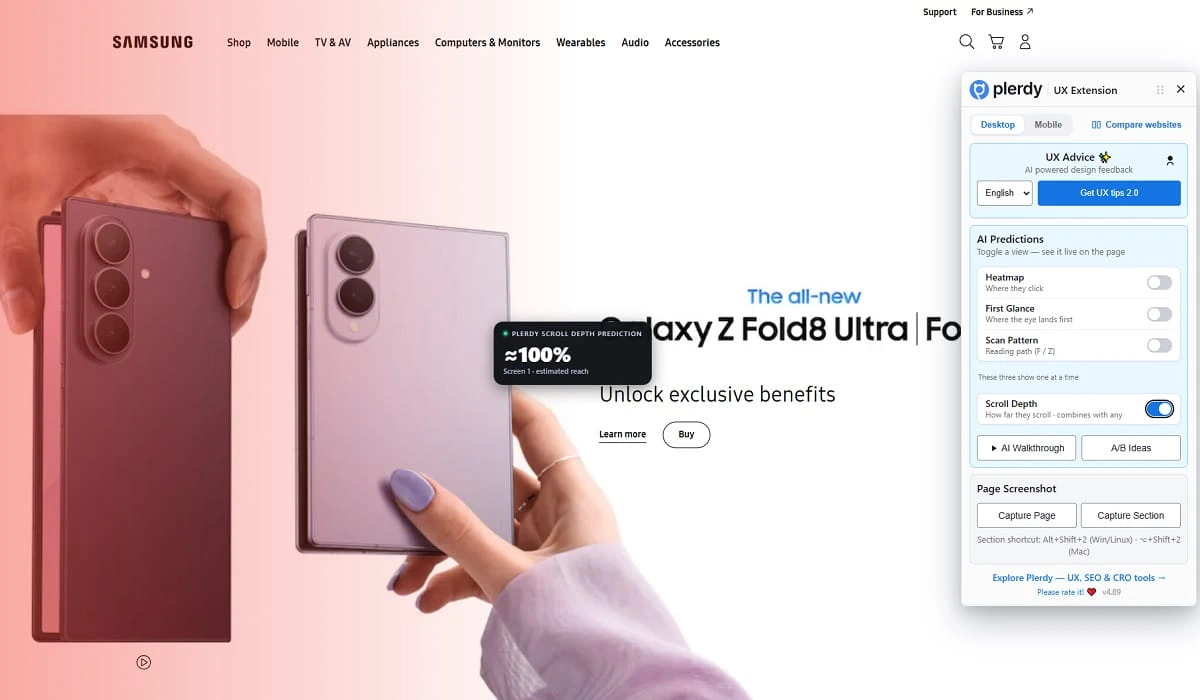
See which areas may fall below the point where visitors are expected to continue scrolling. Scroll depth prediction helps you decide what content belongs near the top and what can be moved, shortened, or removed.
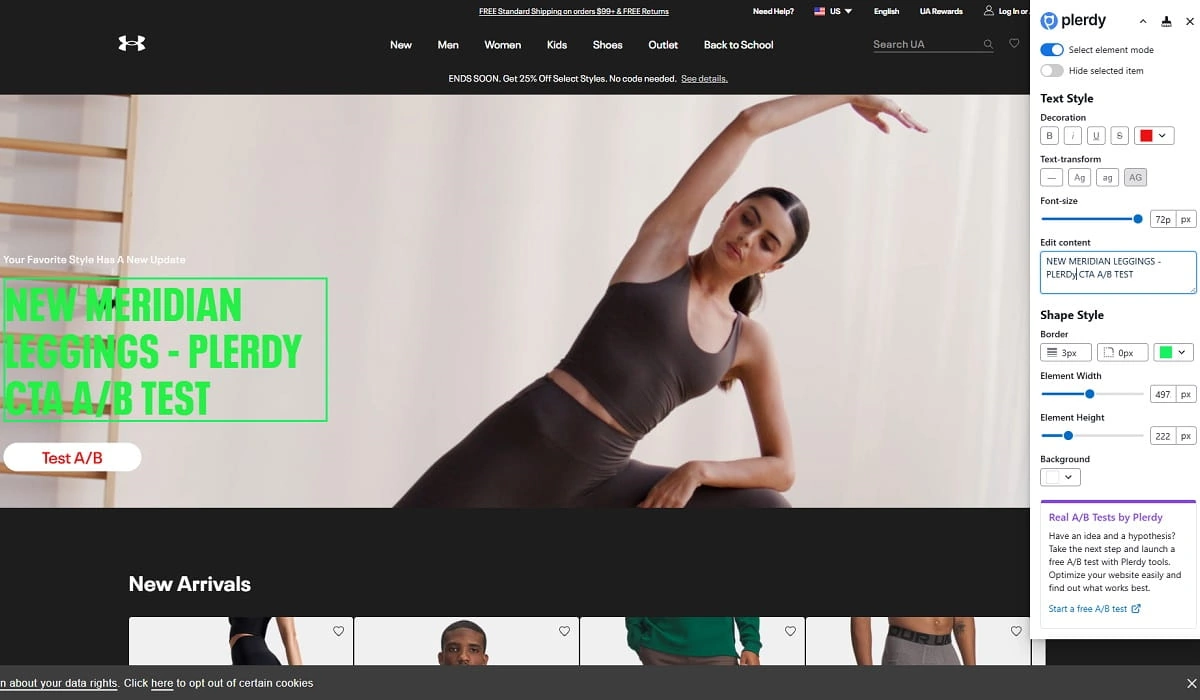
Translate a predicted UX issue into a testable hypothesis. Review the current page in its natural context, then use the suggestion to prioritize design, content, or CTA changes for an A/B test.
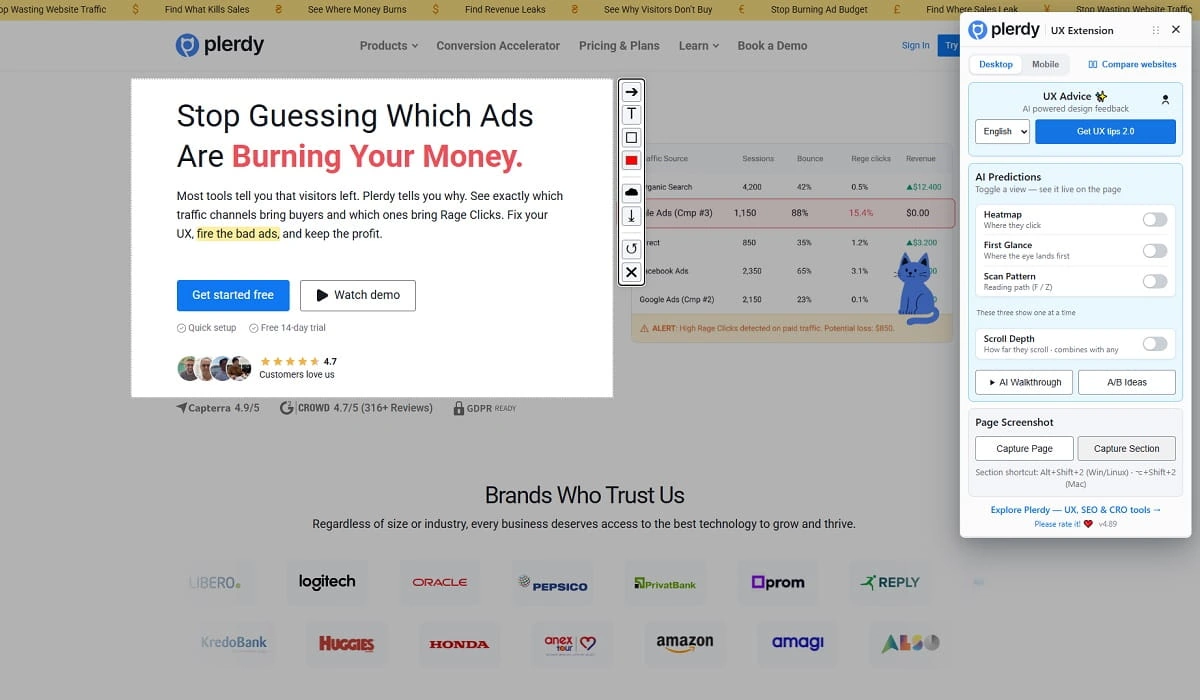
Capture a full page or a selected area after reviewing it. Share the screenshot alongside a predicted heatmap, UX recommendation, or A/B test idea so everyone sees the same page version.
A lightweight way to make usability conversations concrete while a page is still easy to improve.
Open a live or staging page, run a UX prediction, and discuss the most visible opportunities without a long setup.
Prioritize hierarchy, predicted heatmap attention, scroll placement, and conversion paths instead of changing everything at once.
Use screenshots and prediction outputs to align marketers, designers, and stakeholders around the same page context.
Use prediction-based UX insights to make clearer pages before you drive more traffic to them.
Content for UX designers, SEO specialists, and business owners