



















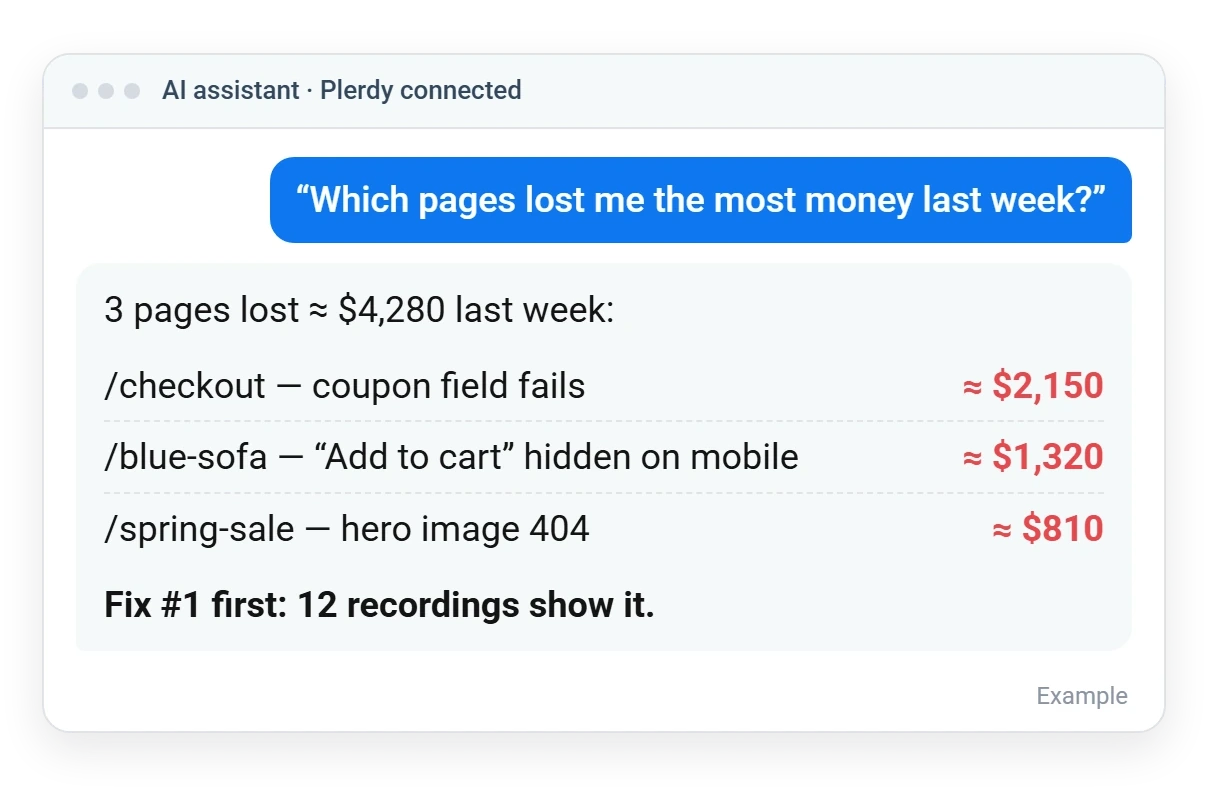
Plerdy MCP Server connects your Plerdy account to Claude, ChatGPT and other AI assistants. Ask about traffic, lost revenue, broken pages and A/B tests in plain words — the AI answers with real numbers from your website.
Regardless of size or industry, every business deserves access to the best technology to grow and thrive.
You already collect the data. Now you can simply ask about it — no reports to open, no filters to set, nothing to export.
Pages and traffic sources that bring visits but no sales — with an estimated loss in $
JavaScript, 404 and server errors on your site — and which pages they hit
Your A/B test result, uplift and confidence — in one sentence
Built for owners and marketers who already use an AI assistant. Start with these five questions — they come built in:
Connect in minutes. Your AI does the digging — you make the decisions.
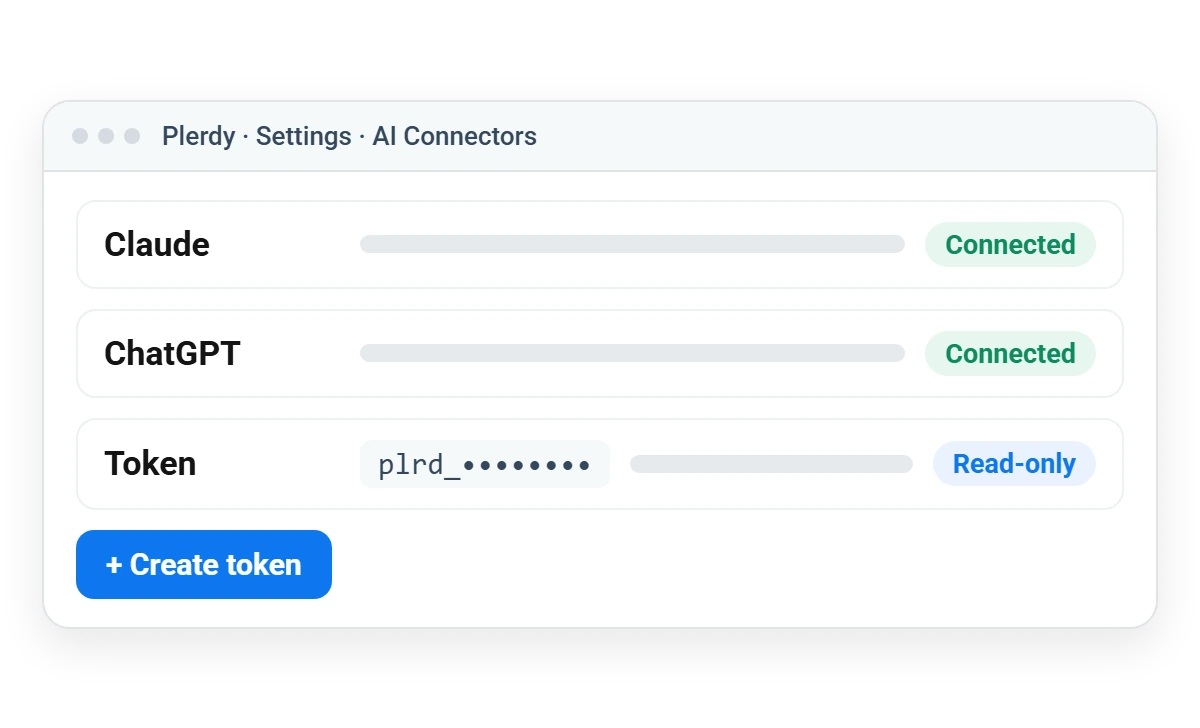
In Plerdy, open Settings → AI Connectors
Create an access token for your AI assistant
Add Plerdy as a connector in Claude or ChatGPT
Ask questions about your site in plain words
Read-only tools give your AI the same reports you see in Plerdy — so its answers are based on your real data, not guesses.
Sessions, channels and your most visited pages — across all your sites
“Which of my sites had the biggest traffic drop?”
Pages and channels that bring visits but no sales
“Which channel wastes the most ad budget?”
Clicks, scroll depth, errors and conversion for one page
“Why does my pricing page convert worse on mobile?”
Finds recordings with rage clicks, errors or drop-offs
“Show me sessions where people rage-clicked on checkout.”
Goal completions and conversion rate by traffic source
“Which source brings leads that actually convert?”
Winner, uplift and statistical confidence
“Is variant B really better, or is it noise?”
JavaScript, 404 and server errors and the pages they affect
“What broke after yesterday’s release?”
Technical SEO problems from the daily site audit
“Which pages lost their title or meta description?”
Google queries, clicks and CTR from Search Console
“Which queries bring impressions but no clicks?”
The connection is built for business data, so it is strict by default:
Ask the AI which blocks people ignore, then open the heatmap to see them
The AI finds the sessions worth watching — you watch only those
The money behind every answer: which pages and channels lose sales
Discover why customers love Plerdy's comprehensive and intuitive web optimization tools, as acclaimed on G2.com










It is a connector built on the Model Context Protocol (MCP) — the open standard AI assistants use to work with external tools. It lets Claude, ChatGPT and other MCP clients read your Plerdy analytics and answer questions about your website.
Claude (web and desktop) and ChatGPT, plus developer tools such as Cursor and VS Code — any client that supports remote MCP servers.
No. You create an access token in Plerdy and add Plerdy as a connector in your AI assistant. It takes a few minutes.
Access is read-only, no visitor personal data leaves Plerdy, and Plerdy never sees your chat — only which report was requested. You can revoke access at any time.
The MCP server is included in all paid Plerdy plans. Plerdy does not charge per question; each plan has a daily request limit. Your AI assistant’s own subscription is billed by its provider.
No. It works on all paid plans, including the trial of a paid plan.
Traffic and channels, top pages, page reports, session recordings search, conversions, lost revenue, A/B test results, site errors, SEO issues and Google Search Console performance.
No. The connection is read-only: the AI can read reports but cannot change settings, tracking or your website.
316+ G2 reviews
Content for UX designers, SEO specialists, and business owners