

Your Google Ads dashboard says a campaign is doing great: high click-through rate, cheap clicks, plenty of traffic. Sales don’t move. The ad platform counts what happens before the click, and the money is made or lost after it, on the page where the visitor lands. This guide shows how to find wasted ad spend by looking at each campaign and landing page together, tell a traffic problem from a landing page problem, and decide what to fix or pause first.
Wasted ad spend is money paid for clicks that never turn into orders or leads. To find it, look at revenue per session (revenue ÷ sessions) for each channel and landing page; CTR and cost per click won’t show it. Plerdy Traffic Value shows every channel and landing page in one table with sessions, conversions, revenue and a diagnosis: traffic problem, page problem or budget loss.
Which ad campaigns bring buyers and which only bring clicks?
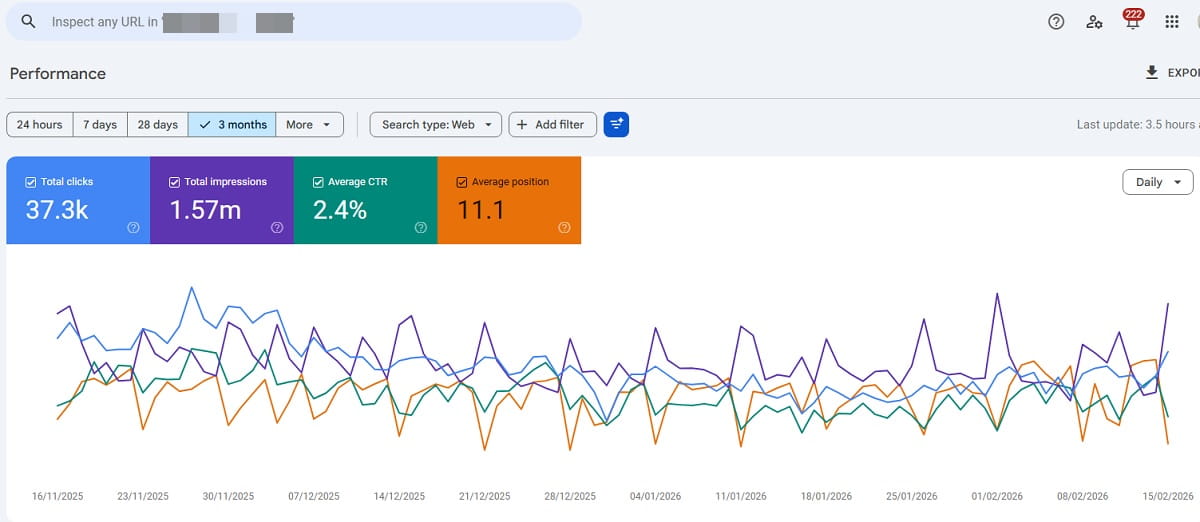
The only honest way to answer this is to follow each click to the page it lands on and see what the visitor did there. Two campaigns with the same budget can look alike in the ad account and end very differently on the site.
Here’s an example with round numbers for an online shoe store. Both campaigns spend $1,200 a month.
| Campaign A: “running shoes” | Campaign B: “women’s trail running shoes” | |
|---|---|---|
| CTR | 5% | 2% |
| Cost per click | $0.60 | $1.50 |
| Clicks / sessions | 2,000 | 800 |
| Orders | 10 | 24 |
| Revenue | $900 | $2,160 |
| Revenue per session | $0.45 | $2.70 |
| Return on ad spend (ROAS) | 0.75 | 1.8 |
In the ad account, Campaign A wins on every number it shows: more clicks, a higher CTR, a cheaper click. On the site, it loses $300 a month before you count the cost of the shoes. Campaign B brings fewer, pricier visitors who actually buy. If you cut B because its CPC “looks expensive” and move the money to A, you lose sales.
Campaign A has a second problem that only shows up per page. It sends traffic to two places: the running shoes category and a sale page. The category gets 1,500 sessions and all 10 orders. The sale page gets 500 sessions, 0 orders and a 93% bounce rate. That’s $300 a month spent on a page that sells nothing. Pause or fix that one page, and Campaign A stops losing money without touching its keywords.
Why don’t CTR and cost per click show wasted ad spend?
CTR and CPC measure how well your ad competes for attention. Neither says anything about what happened after the click. A catchy headline can raise CTR while bringing people who were never going to buy. A broad keyword lowers CPC because fewer advertisers bid on it, often for a reason.
Ad platforms do report conversions, but by campaign, ad group or keyword. Wasted spend usually hides one level lower, in a single landing page: a sale page with a broken size filter, a product page that loads slowly on phones, a page whose headline doesn’t match the ad. The campaign average blends that page with the ones that work, and the average looks acceptable.
A part of wasted spend never reaches a human at all. Lunio, a company that sells click-fraud protection, puts the average share of ad budget lost to invalid traffic at 8.51% in its 2026 invalid traffic report. That’s a vendor estimate, so treat it as a rough order of magnitude. Bots aside, most of the waste you can fix yourself comes from real people landing on the wrong page or the right page that doesn’t work.
What is revenue per session, and how do I use it to compare ads?
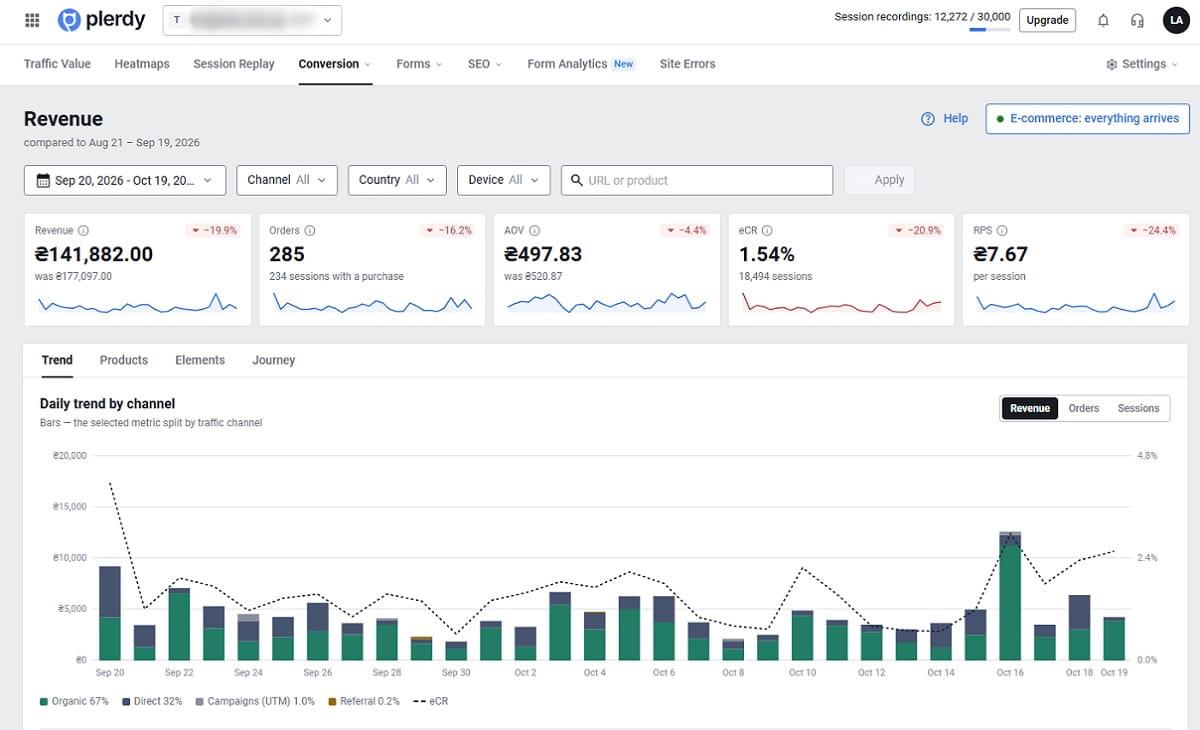
Revenue per session is the revenue a channel or landing page brings divided by its sessions. It folds conversion rate and order value into one number, so you can compare channels that bring very different traffic.
Revenue per session = revenue ÷ sessions
Put it next to what you pay for a session, and you get return on ad spend for a specific page:
ROAS of a landing page ≈ revenue per session ÷ cost per click
In the example above, Campaign B earns $2.70 per session and pays $1.50 per click: ROAS 1.8. Campaign A earns $0.45 and pays $0.60: ROAS 0.75, so every dollar spent brings back 75 cents of revenue. Whether 1.8 is enough depends on your margin. If you keep 40% of the order value, you need a ROAS of at least 2.5 to break even on product cost alone.
Clicks in Google Ads and sessions in your analytics never match exactly. Some visitors leave before the page loads, some click twice. If the gap is large, use spend ÷ sessions as your cost per session instead of the CPC.
For a lead-gen or service business, swap revenue for conversions: form submits, calls, demo requests. Conversion rate per landing page then does the same job, and you can turn it into money with the value of one lead (average deal size × lead-to-customer rate).
There’s no reliable public benchmark for a “good” revenue per session; it depends on your prices, margins and niche. The useful comparison is internal: each channel and page against your own site average. A channel well below that average is where the money leaks.
Is it a traffic problem or a landing page problem?
Once you’ve found a page that takes ad money and returns little, the next question decides what you fix: are the wrong people coming, or are the right people meeting a page that doesn’t work? Conversion rate and bounce rate together answer this most of the time. Plerdy Traffic Value applies these rules to every page with at least 100 sessions:
| What you see on the page | Diagnosis in Plerdy | What it usually means | What to fix first |
|---|---|---|---|
| CR of 2% or more, or 1–2% with bounce up to 75% | All Good | Traffic and page both work | Nothing; consider more budget |
| CR between 0.5% and 1%, bounce up to 75% | Growth Point | People stay and some convert, but fewer than they could | The offer, the main call to action, the form |
| CR under 0.5%, bounce up to 75% | Page Problem | Visitors read the page and still don’t act | Offer, price, trust signals, broken elements |
| 0 conversions, bounce 75–90% | Traffic Problem (Questionable Traffic for unpaid channels) | Visitors leave right away; the ad attracts the wrong people or promises something else | Targeting, keywords, ad text, message match |
| CR under 0.5% (or 1–2%) and bounce above 75% | Complex Issue | Both the audience and the page are off | Message match first, then the page |
| Paid channel, 0 conversions, bounce above 90% | Budget Loss | You pay for visits that end in a few seconds with nothing | Pause or redirect the ad today, then investigate |
| Fewer than 30 sessions | Data collection | Too little data to judge | Wait, or look at recordings instead of rates |
Behavior can override the verdict. If more than 10% of sessions on a page have rage clicks, or its friction score is above 60 out of 100, Plerdy marks it as a UX Blocker: something on the page probably doesn’t work. A trust score under 40 with bounce above 60% becomes a Trust Issue. These signals come from what visitors actually do on the page, which conversion rate alone can’t show.
Direct traffic gets a note in Plerdy, because people who type your address are mostly returning visitors, and a high bounce there doesn’t mean the same as on a paid ad.
How do I find wasted ad spend by landing page in Plerdy Traffic Value?
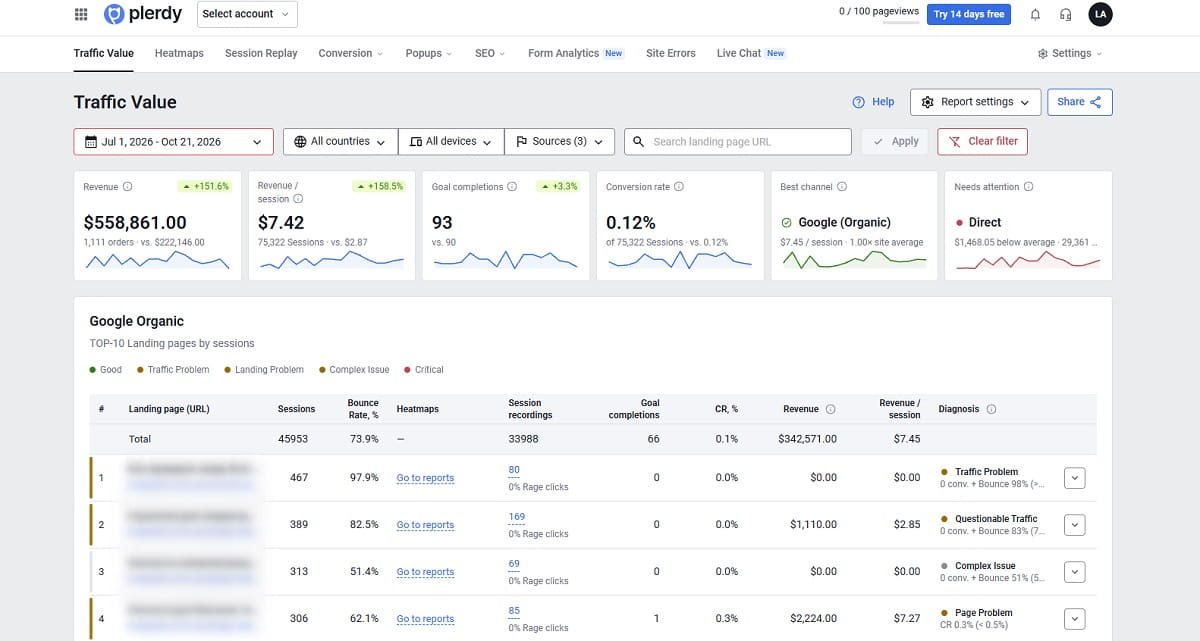
Plerdy Traffic Value puts every traffic channel and landing page in one table: Google Ads, Google Organic, Paid Social, Social, Email, Referral, Direct and Other, detected from UTM tags and referrers. Here’s the routine for finding wasted spend:
- Set a conversion goal or connect e-commerce tracking. With the Plerdy script on your site, open Traffic Value settings and choose the goal: a form submission or a visit to a thank-you page such as /thank-you. Plerdy suggests goals from your own data. Stores with e-commerce tracking also get revenue, average order value and revenue per session.
- Pick the period and filters. The default period is the last 7 days. For ad decisions, a month usually gives more pages enough sessions for a verdict. Filter by device and country: a campaign can work on desktop and lose money on mobile.
- Read the Best channel and Needs attention cards. Best channel is the one with the highest revenue per session. Needs attention is the channel that loses the most money compared with your site average, and the card estimates that gap as the channel’s sessions × (site revenue per session − channel revenue per session). Without revenue, Plerdy uses conversion rate instead.
- Start with Budget Loss, then Page Problem. Open the Google Ads and Paid Social sections. Each row is a landing page, the page where a session started. Rows marked Budget Loss are paid pages with heavy bounce and zero conversions: check them the same day. Page Problem and Complex Issue rows come next.
- Open the row and read the behavior. Each row expands into behavior signals for that page and channel: rage clicks, sessions without a single click, scroll depth, engaged sessions, and the Trust and Friction scores, along with suggested next steps.
- Watch the recordings or open the heatmap. From the same row, open the heatmap or session recordings of that landing page. Five recordings of paid visitors usually show whether they leave at the first screen (traffic or message match) or try to buy and get stuck (the page).
- Fix one thing and compare periods. Change one thing at a time: the targeting, the ad text or the page. After two to four weeks, compare with the previous period: revenue, revenue per session, goals and conversion rate each show the change against it.
The recordings step is where most owners get their answer. A heatmap of a sale page where nobody scrolls past the hero banner says “wrong audience or wrong promise.” A recording where a buyer taps the size selector six times and leaves says “broken page,” and no targeting change will fix that. For more on the second case, see our guide to landing page optimization.
If you have Plerdy MCP Server connected to Claude or ChatGPT (paid plans), you can ask the same question in plain English: “Which channels bring revenue and which only bring visits this month?” The assistant pulls revenue, orders and revenue per session by channel from Plerdy, compared with the previous period, and states the period the numbers cover.
What should I do with each diagnosis?
- Budget Loss: pause the ad group or point it to a page that already converts for similar traffic. Then find out why. Typical causes are a dead or redirected URL in the ad, a page that breaks on mobile, or an ad that promises a price or product the page doesn’t show.
- Traffic Problem: tighten the targeting. Check search terms for queries like “free,” “jobs” or “how to,” add negative keywords, narrow the geography to where you deliver, and make the first screen of the page repeat the promise from the ad.
- Page Problem: keep the traffic and fix the page. Look at what visitors click and ignore on the heatmap, check the form field by field, add reviews, delivery terms and guarantees next to the main button.
- Complex Issue: fix message match first. It’s the cheapest change, and it often moves both bounce and conversion rate.
- Growth Point: the page works. Test one change at a time with an A/B test instead of rebuilding it.
Fix the page before you buy more traffic for it. Doubling the budget on a page with a 0.3% conversion rate doubles the loss.
Plerdy Traffic Value, Google Ads or GA4: what does each show?
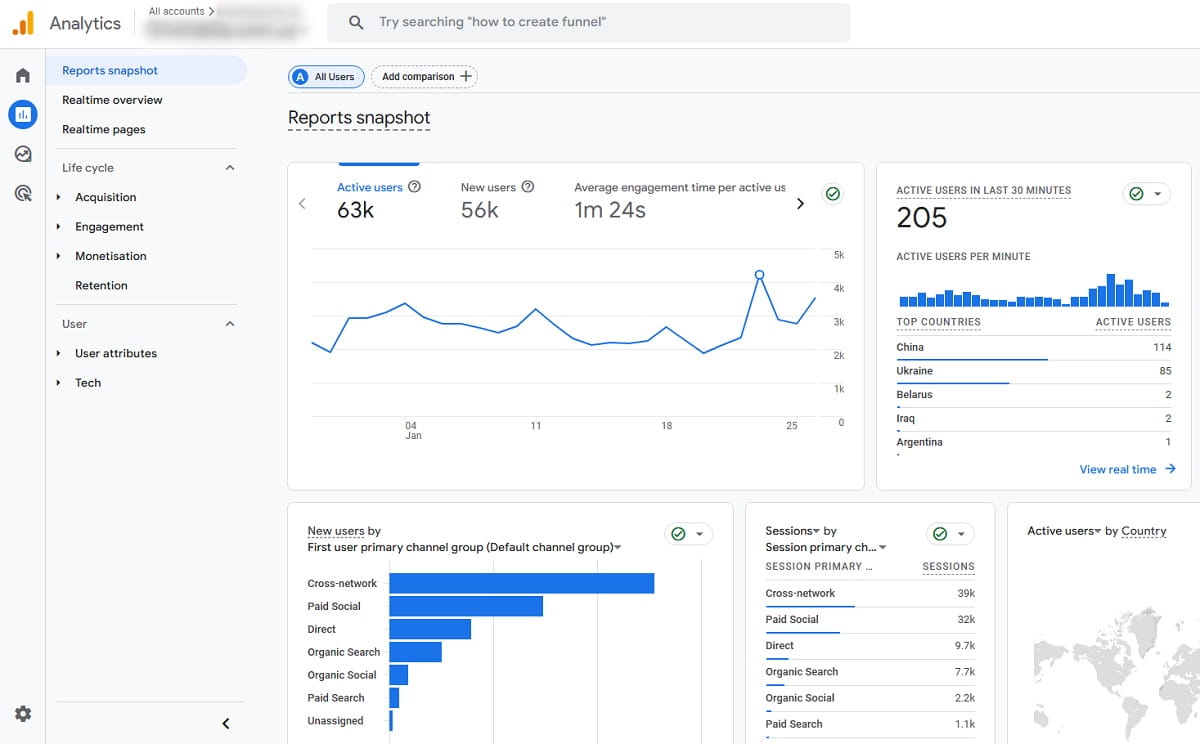
You’ll use your ad platform for spend and bids no matter what. The question is where you look at what happens after the click.
| Plerdy Traffic Value | Google Ads reports | GA4 | |
|---|---|---|---|
| Clicks, CTR, cost per click | No, take them from the ad platform | Yes | Google Ads cost, if the accounts are linked |
| Paid, organic, social, email and direct in one table | Yes | Only Google Ads traffic | Yes |
| Results by channel × landing page | Yes, by default | Landing pages report for Google Ads only | Yes, with a custom report or exploration |
| Revenue per session | Yes, with e-commerce tracking | No | Can be built in an exploration |
| Diagnosis: traffic or page | Yes, rule-based | No | No |
| Rage clicks, scroll, heatmaps, recordings of the same visits | Yes, from the same row | No | Scroll event only; no heatmaps or recordings |
| Conversion counted | In the same session | Up to 30 days after the click by default | Depends on the attribution model |
| Share with a client without a login | Yes, read-only link | No | No |
What can’t Plerdy Traffic Value tell you?
- What you paid. Traffic Value shows what traffic brought in. It doesn’t show what that traffic cost. Take spend and CPC from Google Ads or Meta and divide by sessions to get ROAS per page.
- Purchases days after the click. A conversion counts when it happens in the same session. If someone clicks an ad on Monday and comes back through Direct to buy on Friday, the order goes to Direct. Google Ads counts it for the ad, so its ROAS will usually look higher than the one you calculate from Plerdy.
- Verdicts on small pages. Fewer than 30 sessions get no diagnosis, and under 100 the verdict is preliminary. On a small budget, pick a longer period.
- Revenue without e-commerce tracking. Without it you get goals and conversion rate per channel and page, which is enough for lead-gen sites but not for revenue per session.
- Why exactly the page fails. The diagnosis tells you where to look. The heatmap and recordings tell you what’s wrong.
Traffic Value is part of every Plerdy plan, including Free, which keeps one month of data. Paid plans start at $21 per month billed annually; current limits are on the pricing page. Agencies can send a client a read-only link to the report with the Share button, so the client sees the same table without a Plerdy account.
FAQ about wasted ad spend
What is wasted ad spend?
Wasted ad spend is money paid for ad clicks that bring no orders or leads. It comes from invalid clicks such as bots, from targeting that attracts people who won’t buy, and from landing pages that fail to convert visitors who would. The last two show up when you compare revenue per session by channel and landing page.
How do I know if the problem is my ads or my landing page?
Look at bounce rate and conversion rate together. Zero conversions with a bounce rate above 75% usually means the ads bring the wrong people or promise something the page doesn’t show. A bounce rate under 75% with a conversion rate under 0.5% means visitors stay but the page doesn’t convince them. Plerdy Traffic Value applies these rules to every landing page with enough sessions.
What is a good revenue per session?
There’s no reliable public benchmark, because it depends on price, margin and niche. Compare each channel and landing page with your own site average instead. Plerdy Traffic Value does this on the Needs attention card: it estimates the money a channel loses as its sessions times the gap between the site’s revenue per session and the channel’s.
Why does Google Ads show a higher ROAS than my analytics?
Google Ads credits a conversion to the ad for up to 30 days after the click by default. Plerdy counts a purchase only in the same session, and a session belongs to the channel it arrived from. Buyers who come back later through Direct or email are credited to those channels, so ROAS calculated from Plerdy is usually lower.
Do I need e-commerce tracking to find wasted ad spend in Plerdy?
No. Without e-commerce tracking, Plerdy Traffic Value uses a conversion goal such as a form submission or a thank-you page visit, and diagnoses pages by conversion rate and bounce rate. With e-commerce tracking you also get revenue, average order value and revenue per session for each channel and landing page.
Is Plerdy Traffic Value free?
Traffic Value is included in every Plerdy plan, including the Free plan, which stores one month of data. Paid plans start at $21 per month billed annually and keep data longer. The report doesn’t import ad costs, so you take spend and cost per click from your ad platform.