



















Plerdy Error Tracking Tool for Websites automatically monitors JavaScript errors, 404 errors, 5xx server errors, AJAX failures, and unhandled promise rejections in real time. No extra setup. If the Plerdy tracking script is already on your site, error monitoring starts collecting issues automatically.
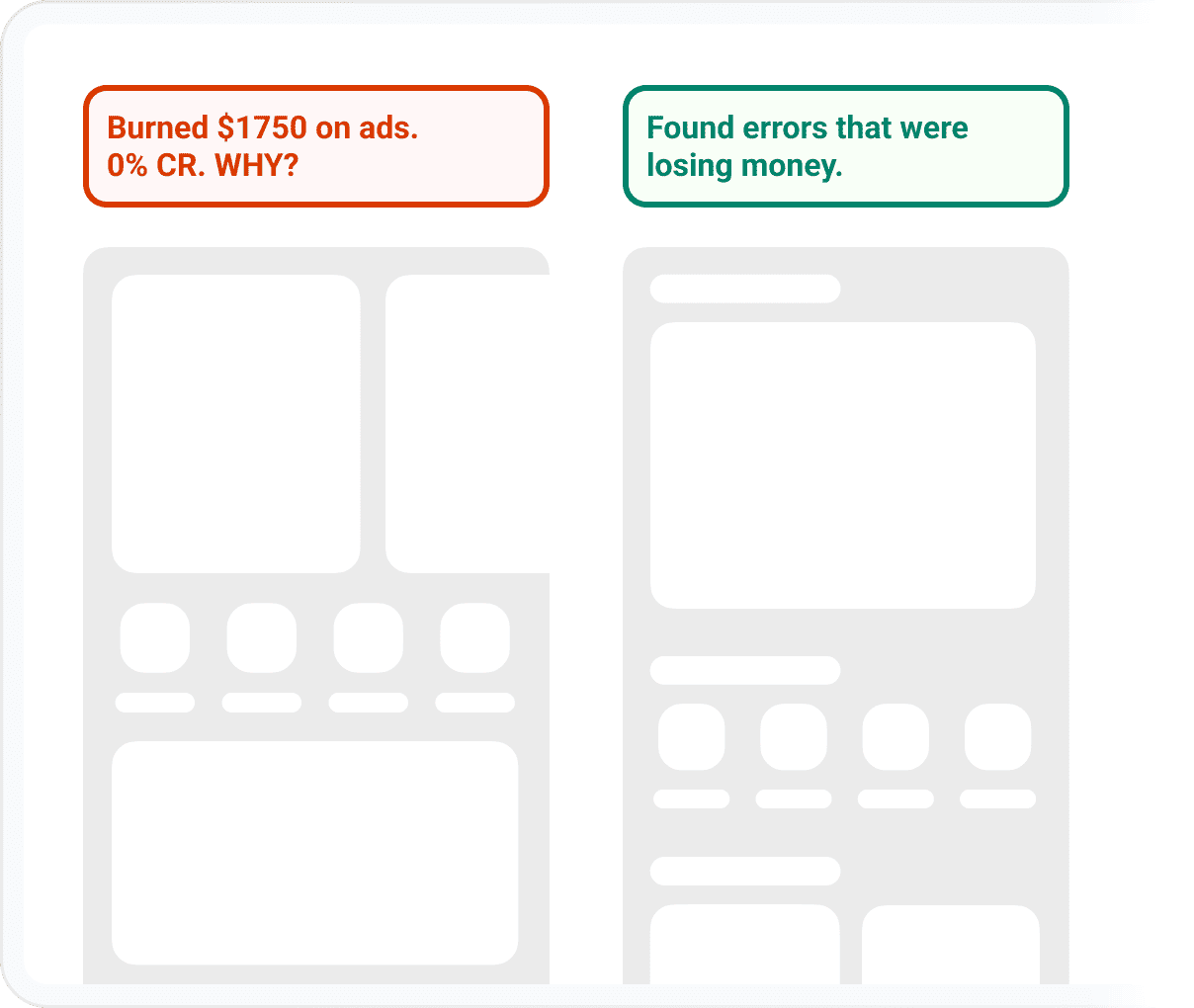

Regardless of size or industry, every business deserves access to the best technology to grow and thrive.
A broken button, a failed cart update, a missing image, or a JavaScript error on mobile can quietly kill sales — long before anyone reports the problem.
See what broke, where it happened, and how many users were affected
Find the last visitor action before the error, like a button click or form interaction
Prioritize fixes by real business impact — not by guesswork
Built for business owners with a website or online store who want to know:
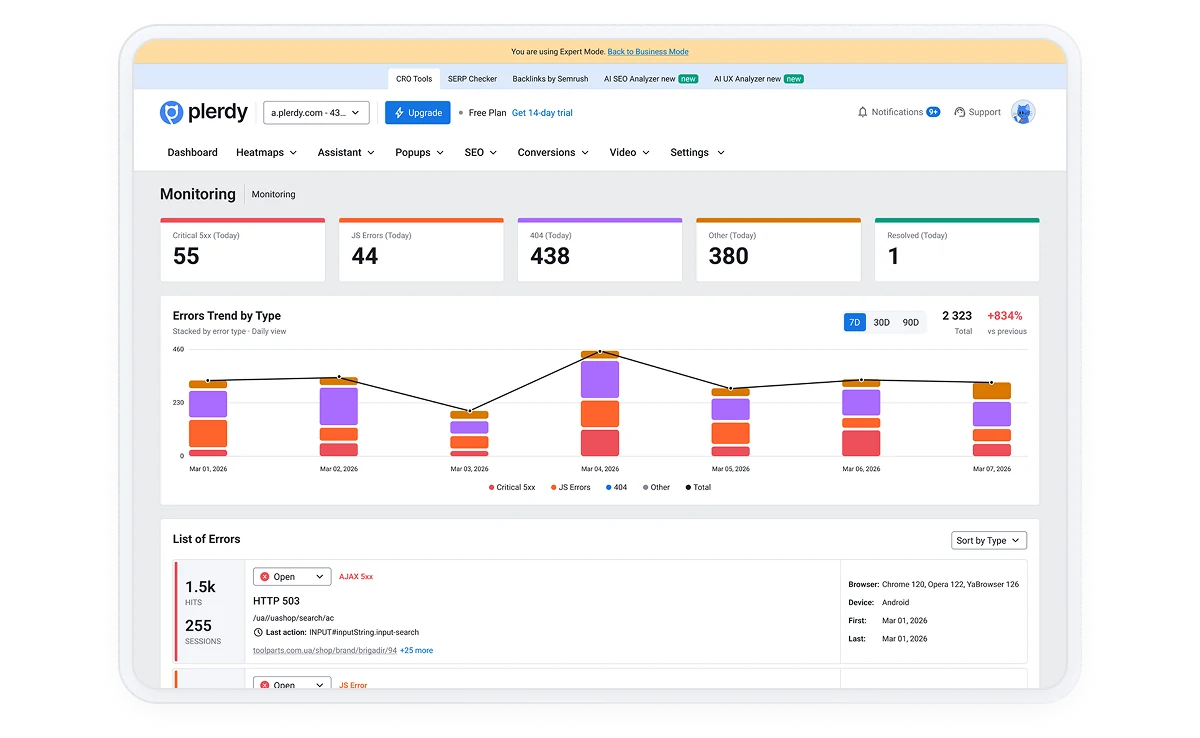
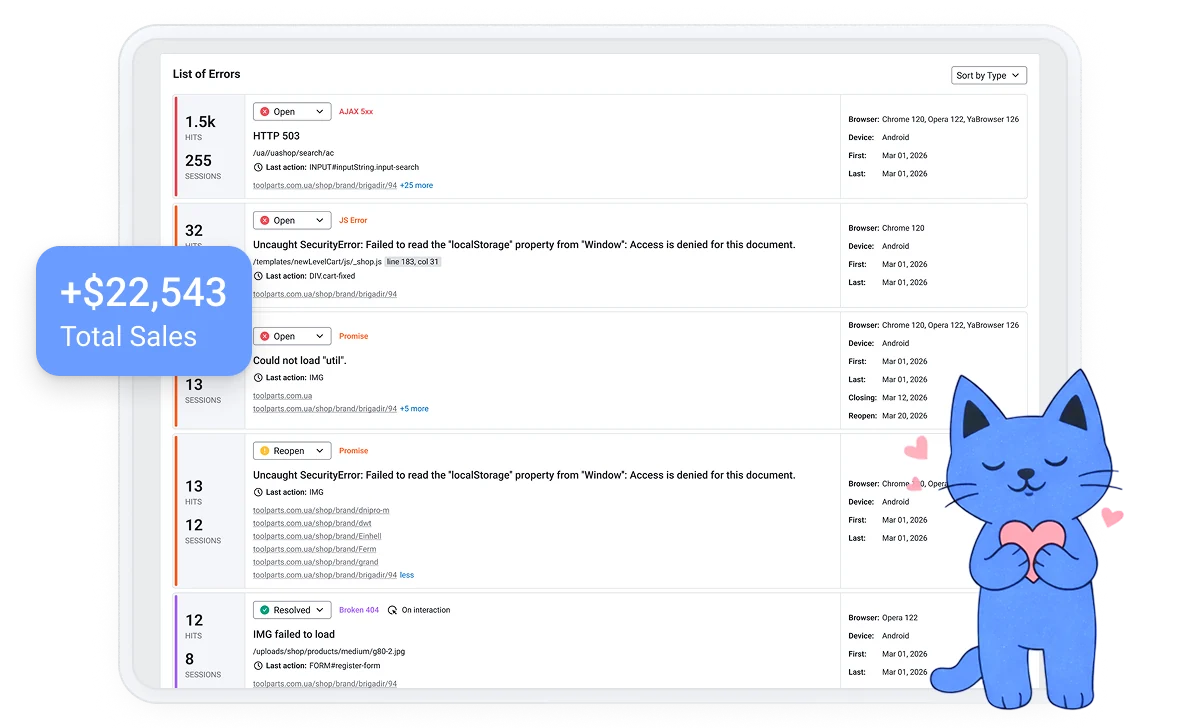





Every minute you wait is another potential customer clicking away in frustration. Plerdy shows you the leak in minutes.
For each issue, Plerdy gives you the context needed to understand and fix it. This gives your developer a clearer task than “something is broken.”
See the exact browser error, such as Uncaught SyntaxError.
Identify the file name, line, and column where the error happened.
Track the element a visitor clicked or interacted with before the error occurred.
View the pages where the error appears.
See how many times the error occurred.
Understand how many visitors experienced the error.
Measure how many pages were impacted.
Check whether the issue happened on mobile, tablet, or desktop.
See which browsers were affected, including Chrome, Safari, Firefox, and Edge.
Identify affected systems such as Android, iOS, Windows, macOS, and Linux.
Track when the error first appeared and when it most recently happened.
Monitor whether the error is Open, Resolved, or Ignored.
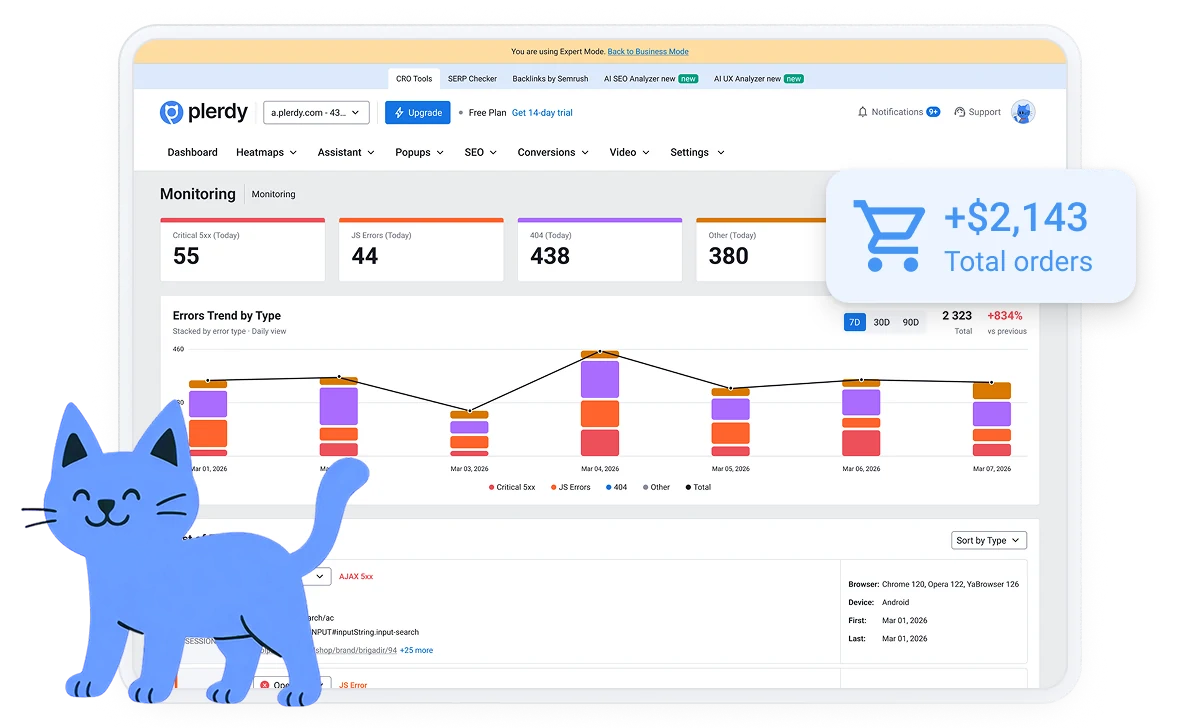
Plerdy also gives you a high-level view of site health:
Discover why customers love Plerdy's comprehensive and intuitive web optimization tools, as acclaimed on G2.com










Bought it and didn't use it as there were no sites. As soon as I started building sites, I started connecting the tool to them and using it very often. At first I didn't understand it a bit, then I got into it and started to understand the customer journey. Where there were misunderstandings, the responsive support team helped a lot so there was an ease of implementation as well as ease of integration to my Search Console.

Rassul T.
When you need to go deeper than simple analytics and want to check out heatmaps and video recordings of your products, Plerdy is a great solution. It also has some nice SEO tools, and even an AI reporting assistant. When you want to go deep on your site's performance, I recommend Plerdy.

Justin H.
They've made a lot of updates that are bringing me back. I was able to get this when it was on AppSumo. It is a very good tool, but I just didn't have the wherewithall to incorporate all the features and really digest the extensive setup and documentation. That's my fault. I see the improvements to the overall experience and I am going to start using it more extensively.

Vince C.
You can analyze errors by:
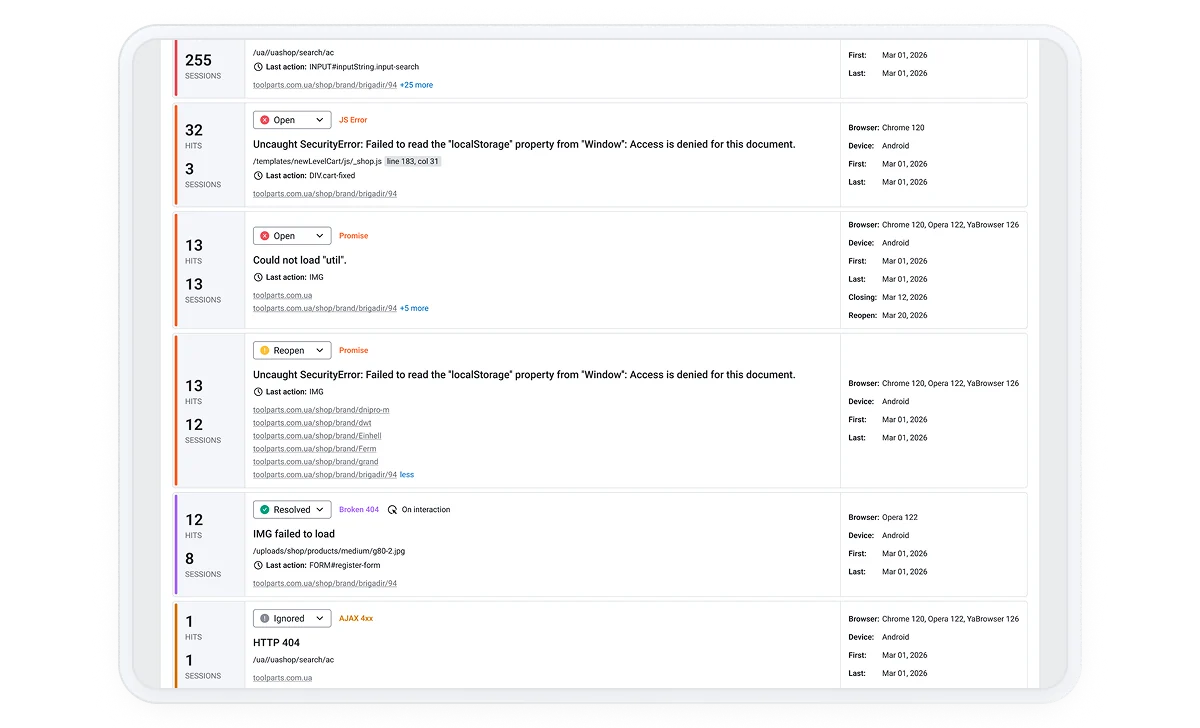
Website bugs are not just technical issues. They are conversion leaks. A failed cart request, broken “Submit” button, or missing script can lead to lost sales, frustrated visitors, and support complaints that could have been avoided.
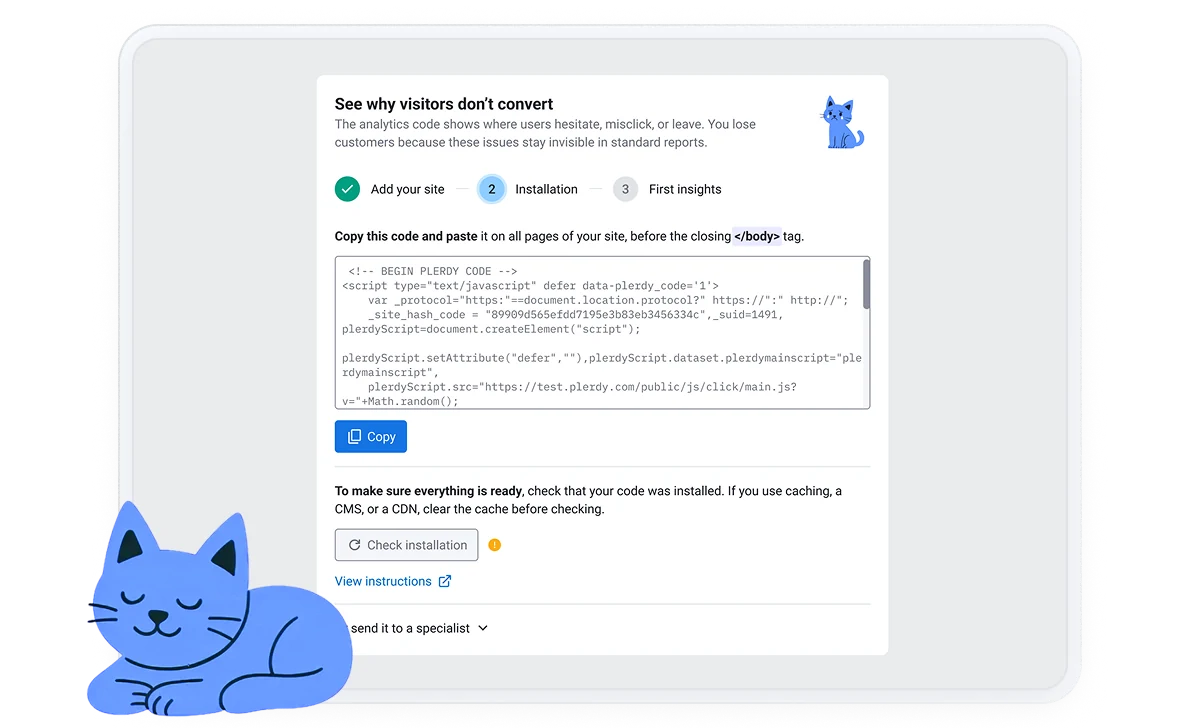
You don’t need to add a separate error monitoring service just to understand what breaks. With the same Plerdy tracking script, you can connect error data with:
Meet your new best friend: Plerdy’s Error Tracking Tool for Websites. This is not just another monitoring tool. It is a revenue protection system that helps you detect, understand, and fix errors before they start costing money.
No. Error tracking works through the Plerdy tracking script. Once the script is installed, Plerdy can start collecting website errors automatically.
Plerdy tracks JavaScript errors, broken 404 resources, server 5xx errors, AJAX 4xx/5xx failures, and unhandled promise rejections.
You can see affected sessions, affected pages, devices, browsers, operating systems, countries, and the pages where each error happened.
Yes. Each error includes the message, file, line/column, URL, and last user action before the error. This gives developers clear reproduction context.
No. Developers use it to fix issues, but owners, marketers, QA, and product teams use it to understand impact: how many sessions were affected and which pages are losing users.
Start with critical 5xx errors, checkout/form errors, high-hit JavaScript errors, and issues affecting mobile users or revenue pages.
316+ G2 reviews
Content for UX designers, SEO specialists, and business owners