
Google Search Console shows every query your page appeared for. Read that list closely and you’ll find queries with words your page never uses: a size, a material, “free,” “for beginners,” a city, the name of a problem. Google already connects the page to those searches, and the page doesn’t answer them in its own words. These are missing keywords, and they are the cheapest SEO wins you have, because the demand is already showing up in your own data.
This guide shows how to find them by hand in Search Console and Google Sheets, how to decide which words belong on the page, and where to put them. If you have more than a handful of pages, the Plerdy Missing keywords report in Plerdy SEO Checker does the same comparison for every page of your site at once and sorts the pages by how many impressions come from queries the page doesn’t cover.
Missing keywords are words from Search Console queries that your page gets impressions for but doesn’t contain. To find them, open Performance, filter by one page, export its queries and check each word against the page text. Add only words that fit what the page is about, starting with the queries that bring the most impressions.
What are missing keywords in Google Search Console?
People use the phrase for two different things. Here is how they differ.
| Words missing from your page | Queries missing from the report | |
|---|---|---|
| What it means | Search Console lists a query for your page, but some of its words aren’t in the page text | People found your page with queries Search Console doesn’t show you |
| Why it happens | Google matched the page through synonyms, links, the title or related topics | Google hides rare queries for privacy, and the UI export stops at 1,000 rows |
| Can you fix it? | Yes, by adding the words where they fit the page | Partly: filter by page, use the API, or connect a tool that pulls more rows |
| This guide | Main topic | Covered in the limits section |
This article is about the first meaning: queries you can see, with words your page lacks. Take an online store’s category page for trail running shoes. Search Console shows it for “waterproof trail running shoes for women” with 900 impressions at position 14. The page talks about grip, drop and cushioning, and never says “waterproof” or “women.” Google sees enough to show the page, but not enough to rank it on the first page. Two missing words, one short paragraph and a filter link could change that.
Why does Google show my page for words it doesn’t contain?
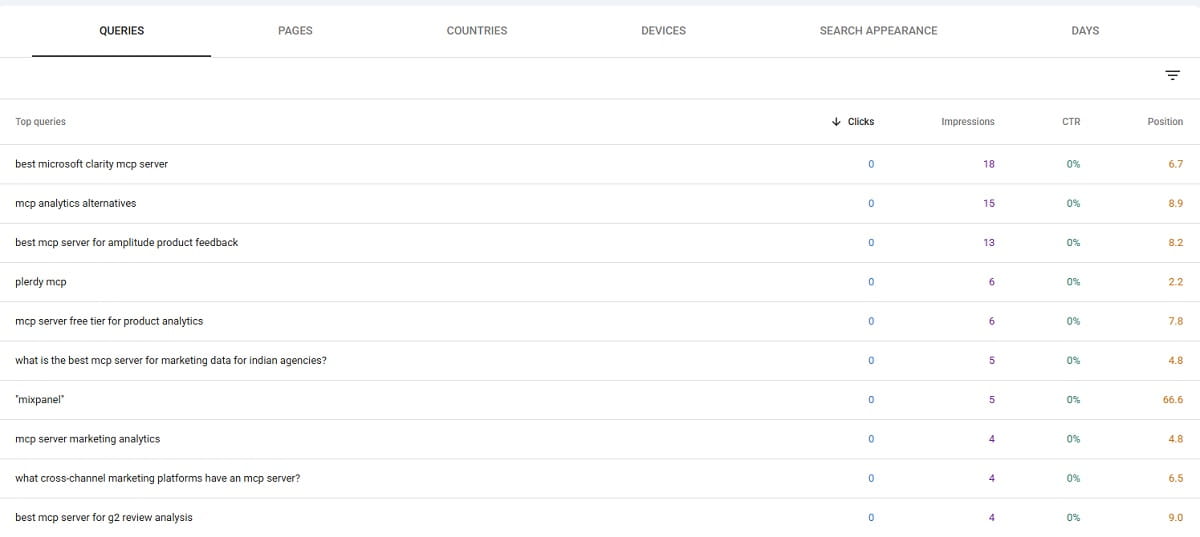
Google doesn’t need an exact match to rank a page. It understands synonyms and related terms, reads the anchor text of links pointing to the page, and looks at the title, headings and image alt text. So a page can collect impressions for a query while the words themselves sit only in a link from another site, or nowhere at all.
That’s also why those positions tend to stall. Google’s SEO Starter Guide says it plainly: think about the words people would use to look for your content and use them on the page. When the page doesn’t contain the words from the query, it competes against pages that do. Those queries usually sit somewhere in positions 8 to 30, where impressions are real and clicks are rare.
Adding the words also helps the click itself. Google often bolds query words in snippets, and people scanning the results look for their own words. A snippet that repeats “waterproof” gets more attention from someone who typed “waterproof” than one that doesn’t.
How do I find missing keywords manually in Search Console?
You need access to the Search Console property and a Google account for Sheets. One page takes 15 to 30 minutes the first time.
- Open Search Console, select your property and go to Performance, then Search results.
- Set the date range to the last 3 months. A longer range gives more queries but mixes in old wording if you’ve edited the page since.
- Click New, then Page, choose Exact URL and paste the address of the page you want to check.
- Turn on Total impressions, Average CTR and Average position at the top of the chart, then switch the table to the Queries tab.
- Click Export and choose Google Sheets. You get up to 1,000 queries for that page.
- Open the page, select all of the main text and paste it into cell A1 of a new sheet named Page.
- In the Queries sheet, add a column and paste this formula next to the first query, then copy it down the column:
=IFERROR(TEXTJOIN(", ", TRUE, FILTER(SPLIT(LOWER(A2), " "), NOT(ISNUMBER(SEARCH(SPLIT(LOWER(A2), " "), Page!$A$1))))), "")The formula splits each query into words and lists the ones it can’t find in the page text. An empty cell means every word of the query is on the page. Sort the sheet by impressions and you have a working list of missing keywords for that page.
The method works, and it has three weak spots you should know before trusting the results:
- It matches parts of words. “Art” is found inside “start,” so a missing word can look present. Short words cause most of these false matches.
- It treats “jacket” and “jackets” as different words only in one direction. “Jacket” is found inside “jackets,” but “jackets” isn’t found inside “jacket.” Expect some plural forms marked as missing.
- It covers one page per pass. For a blog with 200 posts or a store with 2,000 category and product pages, you’ll run out of time long before you run out of pages.
Search Console also has a filter shortcut. In Performance, add a Query filter with Custom (regex) and a pattern like ^(what|how|why|which|can|does)\b. You’ll see the question queries for the page, and question queries are where missing wording is easiest to spot by eye: each one is a question your page may not answer.
How does Plerdy find missing keywords automatically?
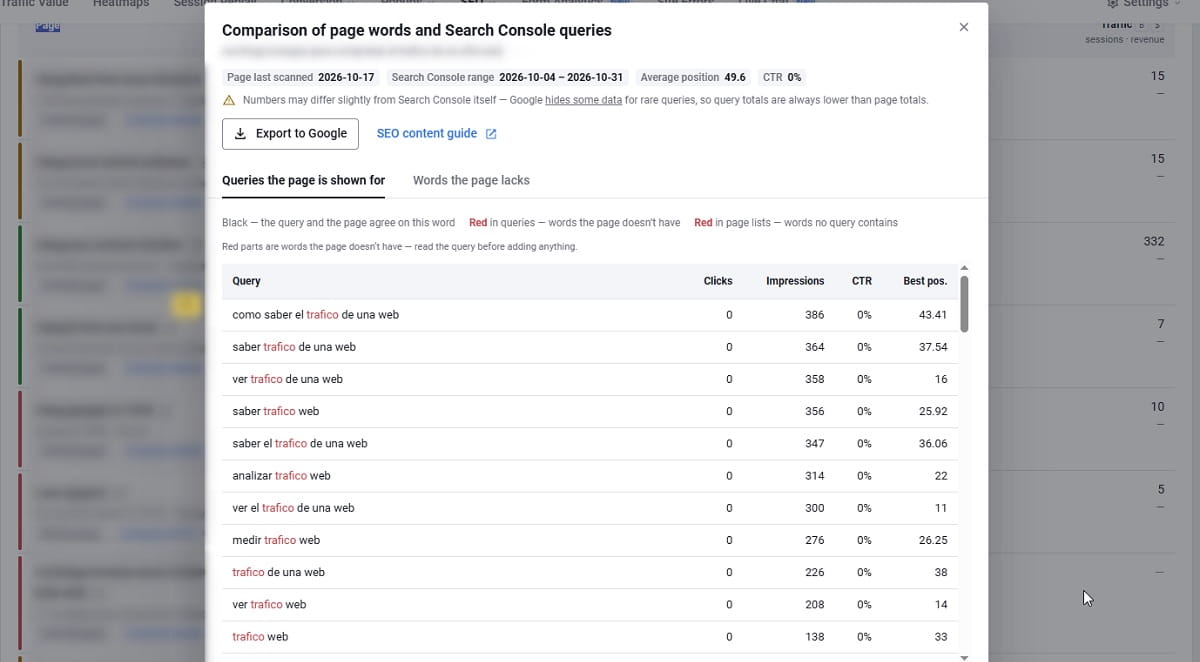
Plerdy SEO Checker compares your Search Console queries with the text of each page, for all pages of your site at once. The result lives in the Plerdy Missing keywords report, under SEO in the Plerdy dashboard.
Setup takes a few minutes:
- Add the Plerdy tracking code to your site, or install the Shopify or WordPress app. Plerdy scans the text of a page when visitors open it, so there’s no crawler hitting your server.
- In SEO, open Search Console and click Sign in with Google. Plerdy asks for read-only access, and you pick the property. Agencies that can’t sign in with a client’s Google account can give access to a Plerdy service account instead.
- The first sync starts right away, and numbers appear within minutes. After that, Plerdy syncs once a day.
- Open SEO, then Missing keywords.
Each row of the report is a page, with four groups of numbers:
- Impressions and the number of queries the page appears for.
- Not covered by the page: the share of impressions that come from queries with at least one word the page lacks, plus the top missing words.
- Average position, weighted by impressions.
- Traffic: organic Google sessions that landed on the page and the revenue from those sessions, if you track sales in Plerdy.
Pages are sorted by impressions at stake, so the page where the most search demand meets the least matching text is at the top. Click Compare words on a row and you get four lists side by side: the queries with missing words in red, the missing words sorted by impressions, the full vocabulary of the page, and page words no query contains. Copy the missing words in one click or send the whole comparison to Google Sheets.
The comparison handles the cases that break the spreadsheet formula. Words that start the same way count as one: jacket and jackets, garden and gardening (at least five shared first letters and 70% of the shorter word). Words under three letters and stop words are ignored. Queries in another language than the page are skipped, because they belong to the language version of the page, and the report links to that version when it exists.
| Plerdy Missing keywords | Search Console + Google Sheets | Search Console alone | |
|---|---|---|---|
| Pages per check | All pages with impressions | One page per export | One page at a time, by eye |
| Word forms (jacket / jackets) | Counted as one word | Partial, one direction only | Up to you |
| Queries in another language | Skipped automatically | Counted as missing | Up to you |
| Which page first | Sorted by impressions at stake | Your own sorting, per page | No ranking |
| Sessions and revenue of the page | In the same row | Not available | Not available |
| Time for 100 pages | Minutes after setup | Days | Not realistic |
| Price | Included in every plan, Free too | Free | Free |
Other tools do part of this. SEOTesting, for example, marks which queries appear on a page, and its plans start at $50 a month for one site according to its pricing page. The difference with Plerdy is what sits next to the words: heatmaps, session recordings and revenue for the same page, so you can see whether the visitors those new words bring actually stay and buy.
Which missing keywords should I add, and which should I skip?
A missing word is only a hint. Before you edit anything, read the full query and ask whether this page should answer it at all. The table below covers the cases you’ll meet most often.
| What the missing word is | Example query | What to do |
|---|---|---|
| A detail of the same product or topic | waterproof trail running shoes | Add it where it’s true: copy, filters, a short section |
| An audience or use case | crm for small business | Add a sentence or section for that audience if the page serves it |
| A question | how long does a heat pump last | Answer it in an H2 or FAQ entry, in the first sentence of the section |
| A synonym your audience uses | sofa vs couch, cart vs basket | Use both words once each, in a natural place |
| A different intent | login, jobs, free download, coupon | Skip, or build a separate page if the demand is worth it |
| Another page answers it better | a query your pricing page already ranks for | Don’t add it. Link to the stronger page instead |
| A competitor’s brand | shopify alternative | Skip on this page. Consider a comparison page |
| A typo or location you don’t serve | misspellings, other cities | Skip |
Two checks save you from the most common mistake, which is adding words that pull a page toward another page’s topic. First, search the query in Google yourself and look at the top results. If they’re a different kind of page (a tool when you have an article, a list when you have a product), adding words won’t move you much. Second, check whether another page on your site already ranks for the same query. If it does, adding the words to both pages splits the signal between them.
Where on the page should a missing keyword go?
Place the word where it carries the most weight for the reader first:
- Title and H1, if the word changes what the page is about for a large share of searchers. Keep the title under about 60 characters so it isn’t cut in results.
- The first paragraph, where it confirms to the visitor that they landed in the right place.
- A new H2 or H3, if the query needs a real answer. “Are these shoes waterproof?” with a two-sentence answer beats sprinkling “waterproof” through the copy.
- Product details, filters, image alt text and table rows, for attributes like size, material or color.
- An FAQ entry, for questions that don’t deserve a full section.
Once is usually enough. Google lists keyword stuffing among its spam policies, and a paragraph that repeats the same phrase reads badly to people too. If you can’t add a word without it sounding forced, that’s usually a sign the query belongs to a different page.
Which pages should I fix first?
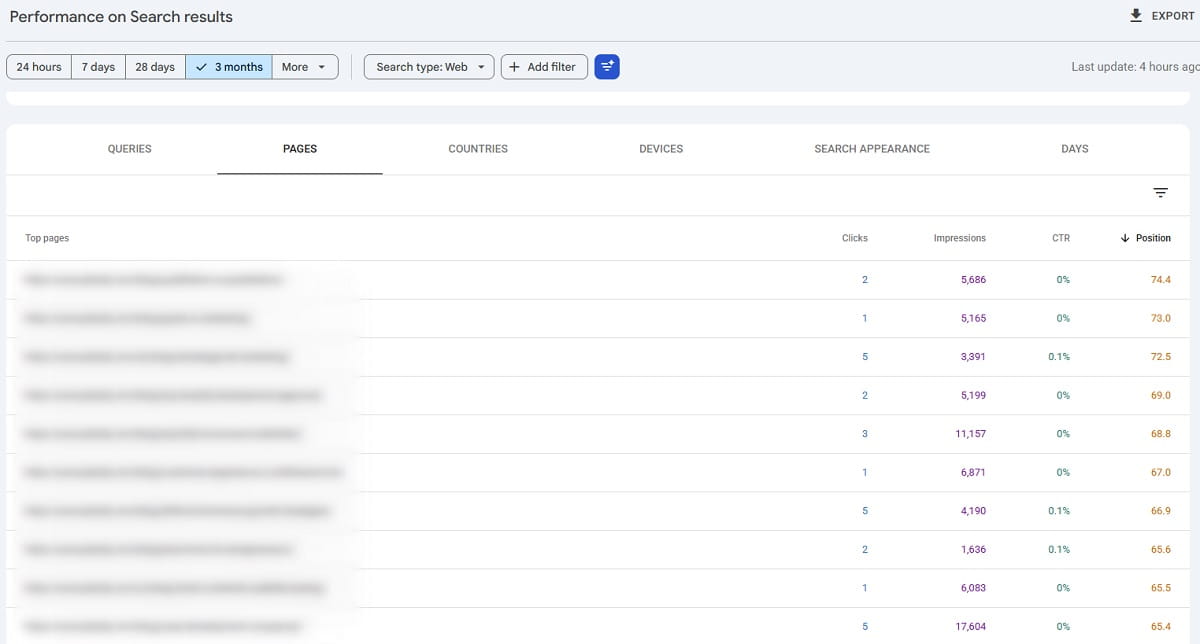
Start where three things meet: many impressions, a position between about 5 and 20, and a high share of impressions from queries with missing words. A page at position 3 already gets most of the clicks it can get. A page at position 60 has bigger problems than wording.
Then look at what the page earns. Suppose two blog posts each have 20,000 impressions and 40% of them come from queries with missing words. One sends visitors who leave in ten seconds. The other is the post your customers read before they buy. Fix the second one first. In Plerdy, the Traffic column shows organic sessions and revenue for each page in the same row as the missing words, so this choice takes one look instead of a second report.
After the update, more search visitors will land on the page with a slightly different question in mind. Open the Plerdy heatmap of that page to see whether they scroll to the section you added, and watch a few session recordings of organic visitors to see where they stop. If the new traffic comes and leaves, Plerdy Traffic Value shows whether the page has a traffic problem or a page problem, by channel.
How do I check that adding the keywords worked?
- Write down the date of the change and the page’s numbers for the 28 days before it: impressions, clicks, average position, and the specific queries you targeted.
- Ask Google to recrawl the page with URL Inspection in Search Console. It speeds up the first crawl, though it doesn’t guarantee a date.
- Wait at least two to four weeks. Positions move during the first days after a change and settle later.
- In Performance, use Compare to put the 28 days after the change next to the 28 days before, filtered by the page. Look at the target queries first, then at the page totals.
- In Plerdy, open Missing keywords again. Once visitors open the updated page, Plerdy rescans it, and the words you added drop off the missing list.
Plerdy keeps only recent Search Console data, about the last month, so do the before and after comparison in Search Console itself, which stores 16 months.
If you use Claude or ChatGPT, the Plerdy MCP Server lets you ask about the same data in plain words, for example “Which queries bring my blog impressions but almost no clicks?” The built-in SEO opportunities prompt pulls Search Console queries, checks the pages behind them for SEO issues and links back to the Missing keywords report. Setup is covered in How to connect your website analytics to ChatGPT and Claude.
What can’t a missing-keyword check tell you?
- It only sees queries Search Console reports. Google hides queries that “aren’t issued by more than a few dozen users,” according to its Search Console team. An Ahrefs study found the query hidden for 46% of clicks on average, with huge differences between sites (Search Engine Journal). Long-tail wording is the part you see least.
- It compares words, not meaning. “Inexpensive” in a query and “affordable” on the page count as a miss. Read the query before you act.
- Menus and footers count as page text. A word that appears only in navigation is marked as present, even though no visitor reads it as part of the content. Plerdy shows this caveat in the report itself.
- It doesn’t show search volume beyond your own impressions. A query with 30 impressions at position 40 may hide a big market or a tiny one. Check volume in Google Keyword Planner or an SEO tool before writing a new section.
- It can’t help pages without impressions. A new page needs a few weeks of data before there’s anything to compare.
Read the list before you act on it. The queries tell you how people describe what they want. The decision about what the page should say is still yours.
To run the check on every page of your site, start with Plerdy for free. The SEO checker and Search Console integration are part of every plan, the Free plan included, and paid plans have a 14-day trial without a credit card.
FAQ: missing keywords and Search Console
How do I find keywords my page ranks for but doesn’t mention?
In Google Search Console, open Performance, filter by the page’s exact URL and switch to the Queries tab. Export the queries to Google Sheets and check each word against the page text with a formula, or by hand. Plerdy Missing keywords does this comparison automatically for every page and lists the missing words by impressions.
Why are some keywords missing from my Search Console report?
Google hides queries that very few people searched, to protect their privacy. These anonymized queries are counted in the chart totals but don’t appear in the table, so the rows add up to fewer clicks than the total. The interface also exports at most 1,000 rows. Filtering by page or using the Search Console API returns more queries.
Should I add every missing keyword to my page?
No. Add words that describe the same product or topic, the same audience or a question the page should answer. Skip words with a different intent, such as login, jobs or coupons, typos, competitor brands and queries another page on your site already answers better.
How long does it take to see results after adding missing keywords?
Usually two to four weeks after Google recrawls the page, sometimes longer for pages that are crawled rarely. Request indexing with URL Inspection, then compare 28 days before and after the change in Search Console, filtered by the page and the queries you targeted.
Is adding missing keywords the same as keyword stuffing?
No. Keyword stuffing is repeating words to manipulate rankings. Adding a word once where it describes the page, answers a question or names an attribute is ordinary writing for the people who search that way. If a word only fits when forced, it belongs on a different page.
Is Plerdy Missing keywords available on the Free plan?
Yes. The SEO checker with the Search Console integration is part of every Plerdy plan, including Free. Plans differ in how many pages the SEO audit covers and how long data is stored. Paid plans start at $21 a month billed annually and have a 14-day trial without a credit card.