
To improve B2B ecommerce conversion, start where the money already sits: your repeat reorder flow and your Request-a-Quote (RFQ) forms. Most wholesale and distribution stores lose far more revenue from existing buyers abandoning a clunky self-service portal than from cold traffic bouncing off the homepage. Fixing broken one-click reorders, surfacing contract pricing earlier, and stripping unnecessary fields from quote forms lifts revenue faster than buying more ads or paying for a full site rebuild.
The math is blunt for any business owner. Processing a phone or email order manually through a sales rep runs roughly $50 to $150 per order in labor and error correction, while a clean self-service portal brings that cost down to around $25. Yet when buyers hit a slow portal, they rarely file a support ticket—they just call your rep or place the order with a competitor. With Plerdy, you do not have to guess which page or form field is pushing buyers away. A single tracking script shows you the exact step where returning accounts drop out of your reorder funnel, flags the fields killing your RFQ submissions, and plays back the real sessions behind those lost orders.
How to Improve Conversion on a B2B Ecommerce Site Without a Full Redesign?

Improving B2B ecommerce conversion without a redesign requires splitting your store analytics into two separate funnels: new account acquisition (cold visitors requesting a quote or wholesale login) and logged-in repeat purchasing (existing buyers restocking SKUs). Treating both groups as one blended site-wide conversion rate hides your biggest revenue leaks and pushes you toward expensive visual makeovers that rarely fix operational friction.
Buyer habits have already moved past the old rep-only model. According to the McKinsey 2026 Global B2B Pulse Survey summary, 71% of B2B companies now sell via ecommerce, and 73% of B2B buyers are comfortable placing online self-service orders above $50,000. At the same time, Gartner research from 2026 shows that 67% of B2B buyers prefer a rep-free buying experience, and 70% choose digital self-service when given a working option.
For manufacturers, distributors, and wholesalers, the danger is no longer “will buyers order online?” The danger is quiet churn. Sana Commerce’s 2026 B2B Ecommerce Trends report found that 75% of B2B buyers are ready to switch to another supplier that offers a smoother online ordering experience, yet only 17% of manufacturers actively use customer behavior data to tailor the buying path. Meanwhile, Digital Commerce 360 reported in January 2026 that total U.S. manufacturing and wholesale sales grew just 0.4% in 2025 while B2B ecommerce sales grew 13%. Growth is not coming from a booming market; it is coming from companies capturing orders from slower competitors whose portals feel like spreadsheets from 2012.
Before changing anything on your site, separate your numbers by buyer stage. If you are still building out your wholesale channel foundations, review what B2B ecommerce covers and benchmark your site layout against top B2B ecommerce websites. Then measure each funnel independently using the ranges below.
| Funnel Stage / Buyer Type | Typical Industry Range | Primary Friction Point | What to Measure in Plerdy |
|---|---|---|---|
| Anonymous Visitor → Account or First Order | 1.8% – 3.0% | Gated pricing with no explanation, weak product specs, slow mobile catalog | Scroll Heatmaps on category/product pages, Click Heatmaps on “Request Access” CTAs |
| Logged-In Repeat Buyer → Reorder | 15% – 30% | No one-click reorder, broken SKU upload, out-of-stock errors killing the cart | Funnel Analysis (Login → Order History → Checkout) + Session Replay |
| Quote Request (RFQ) → Completed Order | 25% – 50% | 12+ mandatory form fields, phone/Tax ID validation errors, slow quote turnaround | Form Analytics field-by-field drop-off + validation error tracking |
| Checkout Initiation → Order Confirmation | 70%+ target (vs. ~30% B2C baseline) | Surprise freight charges, missing PO field, lack of Net 30/invoice terms | Checkout Funnel drop-off + Error Tracking for failed payment/cart calls |
Notice the gap between row one and row two. A logged-in buyer already trusts your company, already has negotiated terms, and already knows what they need to restock. Every percentage point you recover inside the logged-in reorder flow drops almost straight to net margin because your customer acquisition cost on that order is zero.
How to Make Reordering Easier for B2B Buyers: 7 High-ROI UX Fixes
To make reordering easier for B2B buyers, eliminate manual catalog browsing for repeat purchases. Give procurement managers one-click reordering from order history, a fast SKU/CSV bulk entry pad, saved requisition lists, upfront contract pricing with live stock counts, and seamless Purchase Order (PO) approval support on both desktop and mobile.
A B2B procurement manager does not want to “discover your brand story” on a Tuesday morning. They have 38 SKUs to restock across three branches before lunch. If your portal forces them to click through category filters and open 38 individual product pages, they will close the tab and email a PDF to your sales desk—or move the account to a distributor whose portal respects their time.
Below are the seven reorder fixes that consistently protect repeat revenue, paired with the exact way to verify each issue on your own store.
1. Turn Order History Into a One-Click Reorder Dashboard
Your customer account page should open directly to recent orders with a visible “Reorder All” button and inline quantity pickers—not a generic “Welcome back, John” greeting buried under five account settings tabs. Buyers should be able to copy a past invoice into their active cart in one click, adjust two quantities, and check out in under 60 seconds.
How to check if this is leaking sales: Open Plerdy Click Heatmaps on your logged-in account dashboard. If returning buyers are clicking the top search bar or main navigation menu instead of your Order History tab, they either cannot find the reorder button or the button does not let them edit quantities cleanly before checkout.
2. Add a Quick-Order Pad and CSV/Excel Bulk Upload
Repeat buyers in manufacturing, medical supplies, electrical parts, and foodservice usually maintain their own SKU lists inside an ERP or Excel file. Typing one part number at a time into a standard search box turns a two-minute restock into a 25-minute chore. Offer a dedicated Quick-Order page where buyers can paste SKU + quantity pairs directly or upload a simple CSV file with instant row-by-row validation.
How to check if this is leaking sales: Large CSV uploads and dynamic quick-order tables are notorious for silent JavaScript and AJAX timeouts. Run Plerdy Error Tracking on your Quick-Order URL to see how many buyer sessions hit script failures or failed cart API requests—and copy the exact technical trace for your developer in one click.
3. Offer Saved Requisition Lists and Order Templates
Many wholesale clients order different bundles for different locations, job sites, or seasons. Saved requisition lists (such as “Monthly Warehouse Consumables” or “Site B Safety Kit”) let buyers keep living templates inside their portal. Better yet, allow buyers to share those lists across colleagues under the same company account so an employee going on vacation does not stall your monthly order volume.
How to check if this is leaking sales: Watch 10 to 15 Plerdy Session Replays of repeat buyers with high cart values. Look for repetitive back-and-forth behavior between the cart and category pages—a clear signal that buyers are manually rebuilding the same recurring order from scratch every month.
4. Show Account-Specific Pricing, MOQ, and Real-Time Inventory Before Checkout
Nothing destroys B2B checkout conversion faster than hidden numbers. According to Baymard Institute’s B2B and checkout UX research, unexpected extra costs like freight, handling, and taxes account for 40% of cart abandonment across ecommerce, while another 17% abandon because the checkout process is too long or complicated. McKinsey’s 2026 survey goes even further: inconsistent pricing or inventory data across channels is now the number one reason B2B buyers switch suppliers.
Once a buyer logs in, display their exact negotiated tier pricing, Minimum Order Quantity (MOQ) rules, volume break discounts, live warehouse stock, and estimated freight directly inside the Quick-Order table and cart drawer—not on the final confirmation screen.
How to check if this is leaking sales: Set up a Plerdy Funnel from Cart View to Order Confirmation. A sharp cliff right after shipping calculation or pricing recalculation means your pricing surprises are scaring off repeat buyers.
5. Support PO Numbers, Net Terms, and Multi-User Approvals Without Phone Calls
Forcing a corporate buyer to pay a $14,000 restock order on a personal credit card is an instant deal killer. Baymard data shows 9% of shoppers leave simply because their required payment option is missing, and in B2B that share climbs sharply for high-ticket orders. Your reorder checkout needs native support for:
- Optional or mandatory Purchase Order (PO) number input with instant format acceptance.
- Pre-approved Net 30 / Net 60 credit limits shown clearly next to the order total.
- One-click “Submit Cart for Manager Approval” workflows when a junior buyer exceeds their spending threshold.
- Automated PDF invoice download directly from the confirmation screen for their accounting department.
How to check if this is leaking sales: Use Plerdy Form Analytics on your checkout form to see whether buyers stall or trigger validation errors specifically on the PO number, billing address, or payment method selector.
6. Handle Out-of-Stock SKUs Inside Reorders Without Breaking the Entire Cart
Here is one of the quietest revenue killers in wholesale ecommerce: a buyer clicks “Reorder” on a 35-item past invoice, one SKU is temporarily out of stock, and the portal either throws a vague red error banner or blocks the entire checkout until the buyer hunts down which line item failed. Instead, load all 34 available items cleanly, highlight the single unavailable SKU at the top of the cart, and offer two immediate buttons: “Swap for In-Stock Equivalent” or “Backorder / Remove This Item.”
How to check if this is leaking sales: Filter Plerdy Session Replays by rage clicks on your Cart and Order History pages. Repeated angry clicks on an unresponsive “Add All to Cart” or “Proceed to Checkout” button almost always point to broken out-of-stock or MOQ validation logic.
7. Make Reorders Effortless on Mobile Phones for Warehouse and Field Buyers
B2B buying is no longer chained to a 27-inch office monitor. Industry analysis cited by Shopify in 2026 notes that mobile touchpoints influence more than 40% of B2B revenue—think of a contractor ordering fasteners from a job site, a restaurant manager restocking dry goods from a walk-in cooler, or a clinic manager scanning shelf bins on a smartphone. Wide 10-column desktop tables that require horizontal pinching make mobile reordering unusable.
How to check if this is leaking sales: Split your Plerdy Funnel Analysis by device (Desktop vs. Mobile). If mobile buyers log in and view Order History at similar rates to desktop buyers, yet convert at a fraction of the rate on the next step, your mobile reorder UI is costing you live orders every week.
How to Find Where B2B Buyers Drop Off in Reorder Funnels and RFQ Forms?
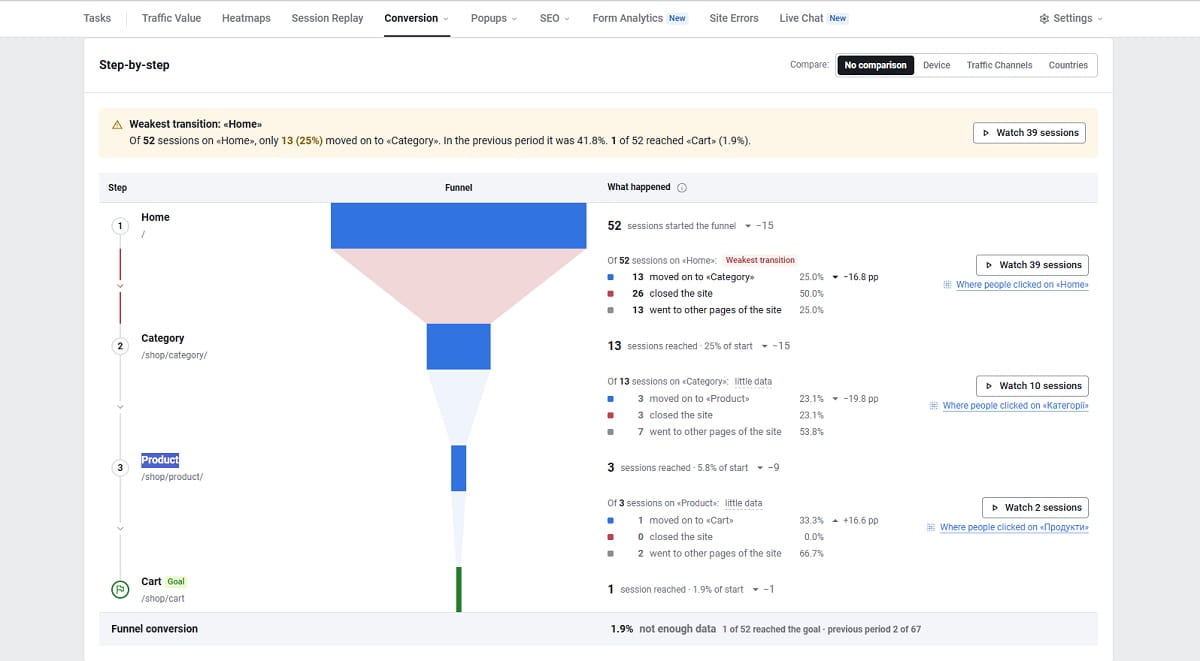
To find where B2B buyers abandon your store, stop relying solely on Google Analytics 4 pageview totals. Pair a step-by-step reorder funnel with field-level form analytics and session recordings so you can see both the exact step where revenue leaks and the human behavior behind the drop-off.
There is no reliable universal public benchmark for “acceptable drop-off on Step 3 of a reorder flow” because an industrial fastener distributor with 40,000 SKUs behaves nothing like a specialty coffee wholesaler with 25 SKUs. Any agency promising a canned industry target for your portal steps is guessing. The smarter play for a business owner is measuring your own baseline over 7 to 14 days inside Plerdy and fixing the single widest bottleneck first.
Map Your 5-Step Reorder Flow in Plerdy Funnel Analysis
Plerdy Funnel Analysis lets you build conversion funnels of up to 7 steps by combining URL paths (including multiple contains rules separated by | for localized or custom portal URLs) and specific button clicks. Even better, Plerdy previews your funnel against the last 7 days of real traffic before you save it, so you know immediately that the tracking rules match your actual portal.
Set up this exact 5-step B2B reorder funnel first:
- Step 1 — Portal Login: Buyer lands on
/accountor/portal/dashboard. - Step 2 — Reorder Entry: Buyer opens
/order-historyor/quick-order. - Step 3 — Reorder Action: Click event on “Reorder”, “Add List to Cart”, or “Upload CSV”.
- Step 4 — Cart & Terms Review: Buyer reaches
/cartor/checkoutto enter PO / select Net terms. - Step 5 — Order Confirmed: Buyer reaches
/order-confirmationor/thank-you.
What makes this actionable for a business owner is what happens after you spot a leak—say, a steep drop between Step 3 and Step 4. Plerdy shows you where those abandoning buyers went next (did they exit the site, return to search, or click your “Contact Sales” page to phone in the order?) and lets you click straight into their recorded Session Replays to watch the exact friction unfold on screen.
Spot the Exact Field Killing Wholesale Leads in Plerdy Form Analytics
While reorder flows protect repeat revenue, your Request-a-Quote (RFQ) and “Apply for Wholesale Account” forms drive new customer growth. In B2B, these forms are routinely bloated by sales ops teams asking for 12 to 15 fields upfront: company legal name, EIN/VAT number, reseller certificate PDF upload, estimated annual spend, phone number, shipping dock height, and billing contact.
Plerdy Form Analytics automatically detects forms on your site without developer tagging and breaks down performance field by field. You see:
- Abandonment by exact last field touched: Know immediately if buyers bail out the moment they hit “Upload Tax Exemption Certificate” or “Estimated Annual Purchase Volume.”
- Average time and hesitation per field: Identify confusing labels (such as “Account ERP ID” or “DUNS Number”) that force buyers to go hunt for paperwork and never come back.
- Validation error spikes: Catch rigid phone masks, international postal code rejections, or broken dropdown menus that block valid buyers from clicking Submit.
- Revenue at stake plus up to 50 session replays per field: Quantify what a broken field costs your pipeline and watch real prospects struggle with it before changing a single line of code.
One honest technical limitation to know upfront: if your B2B storefront runs on Shopify, Shopify restricts third-party scripts inside its hosted checkout fields (this applies to Plerdy and every competing analytics tool). Plerdy still tracks all storefront RFQ forms, wholesale application forms, and catalog/cart behavior on Shopify, and tracks full portals and checkouts natively on WooCommerce, Magento / Adobe Commerce, BigCommerce, and custom B2B platforms.
Use the diagnostic matrix below to connect everyday symptoms you hear from your sales team to the exact Plerdy check and fast fix.
| Symptom Business Owners See | Hidden UX Root Cause | Plerdy Feature to Confirm | Fast Fix (No Full Redesign) |
|---|---|---|---|
| Existing accounts keep emailing PDFs or calling reps to reorder | Reorder button is buried or forces manual re-entry of every SKU | Click Heatmaps on Account Dashboard + Reorder Funnel | Move “Reorder Last Order” to top of dashboard with inline qty edit |
| Strong traffic to Wholesale / RFQ page, few completed inquiries | One intrusive field (Tax ID, file upload, strict phone format) kills momentum | Form Analytics field drop-off + validation error count | Split form into 2 steps or collect tax docs after initial quote approval |
| Large multi-SKU carts stall on checkout without orders completing | JavaScript timeout, out-of-stock SKU blocking cart, or freight sticker shock | Error Tracking + Session Replay of cart drop-offs | Fix top JS error; allow partial-cart reorder with stock substitutes |
| Mobile repeat buyers log in but rarely place orders | Unusable horizontal SKU tables or off-screen checkout buttons on phones | Funnel Analysis segmented by Mobile vs. Desktop + Mobile Scroll Heatmap | Add sticky mobile “Reorder” CTA and stacked SKU cards |
| Buyers hesitate on cart screen and leave without asking for help | Confusion over MOQ rules, Net terms eligibility, or custom volume pricing | Session Replay + Exit-Intent Plerdy Popup / Micro-Survey | Trigger a targeted cart popup offering 1-click quote save or rep callback |
Owner ROI Check: If your average B2B repeat order is $2,500+, recovering just one abandoned reorder pays for multiple years of Plerdy (paid plans start at $21/month billed annually, with a Free plan available to audit your first 2 RFQ forms and reorder funnel today).
Ask Your B2B Store Data Directly Using Plerdy MCP
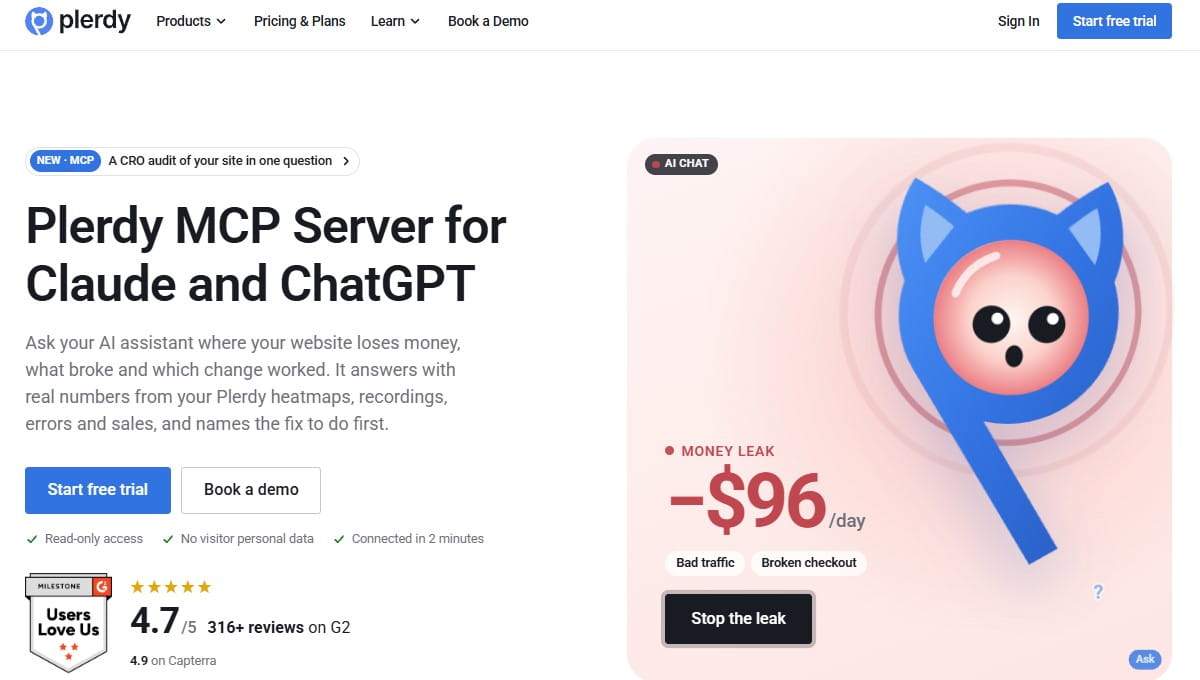
Most B2B owners do not have two hours every Monday to click through twelve analytics dashboards. With the Plerdy MCP Server, you connect your live website behavior, conversion funnels, JavaScript errors, and lost-revenue metrics directly to Claude or ChatGPT in read-only mode—with zero visitor PII exposed and zero developer setup.
Setup takes about three minutes inside Plerdy under Settings → AI Connectors. Once connected, you stop digging through reports and simply ask plain-English business questions grounded in your real store data. Here are three prompts built specifically for B2B ecommerce owners:
- Prompt 1 — Portal Drop-Off & Error Check: “Show me which B2B account portal, order history, or quick-order pages had the highest drop-off and JavaScript errors over the last 30 days, and compare desktop vs. mobile performance.”
- Prompt 2 — RFQ Lead Leak Audit: “Which traffic channels bring B2B visitors who start our Request-a-Quote or wholesale registration form but abandon before submitting, and how much potential revenue is tied to those drop-offs?”
- Prompt 3 — Monthly Reorder Health Check: “Compare our reorder checkout conversion rate this month versus last month and surface 5 session replays where returning buyers failed to finish their order.”
Unlike standalone AI analytics add-ons that charge per query or require an enterprise data warehouse, Plerdy MCP is included in every paid Plerdy plan starting at $21/month (billed annually, covering 100 to 600 AI requests per day depending on plan tier). You get an on-demand CRO analyst reviewing your actual B2B numbers before your weekly sales meeting.
Best Tools to Diagnose and Improve B2B Ecommerce Conversion (2026)
To lift B2B ecommerce conversion without stitching together five separate vendor bills, you need four capabilities working together: multi-step funnel tracking, field-level form analytics, session replay, and a way to test fixes fast. Below is an up-to-date comparison of the four most relevant platforms verified as active in November 2026 (note: legacy tools like Google Optimize are discontinued, and Hotjar officially merged into Contentsquare on July 1, 2025).
| Tool | Starting Price (Nov 2026) | Best For (B2B Owner) | Reorder Funnels & Form Analytics | CRO & AI Tools |
|---|---|---|---|---|
| Plerdy | Free plan; paid from $21/mo (billed annually) | All-in-one B2B reorder, RFQ form & CRO suite | Yes (7-step funnels + field drop-off & revenue at risk) | Yes (Free A/B Testing, Popups/Surveys & Plerdy MCP) |
| Microsoft Clarity | Free (up to 100k sessions/day) | Zero-budget starter replays & heatmaps | Basic funnels only (no form analytics) | Clarity MCP only (no A/B tests or popups) |
| Contentsquare (Formerly Hotjar) | Free (200k sessions, 1-mo retention); Growth from $39/mo annually | Large teams already inside Contentsquare | Paid/Enterprise tiers only | Surveys via paid add-on (no native A/B) |
| Mouseflow | Free (500 sessions/mo); paid from ~$25–$31/mo annually | Mid-market funnel & form friction analysis | Yes (funnels & field-level form friction) | Feedback surveys only (no A/B, popups, or MCP) |
1. Plerdy — Best All-in-One CRO Platform for B2B Reorder Funnels & RFQ Forms
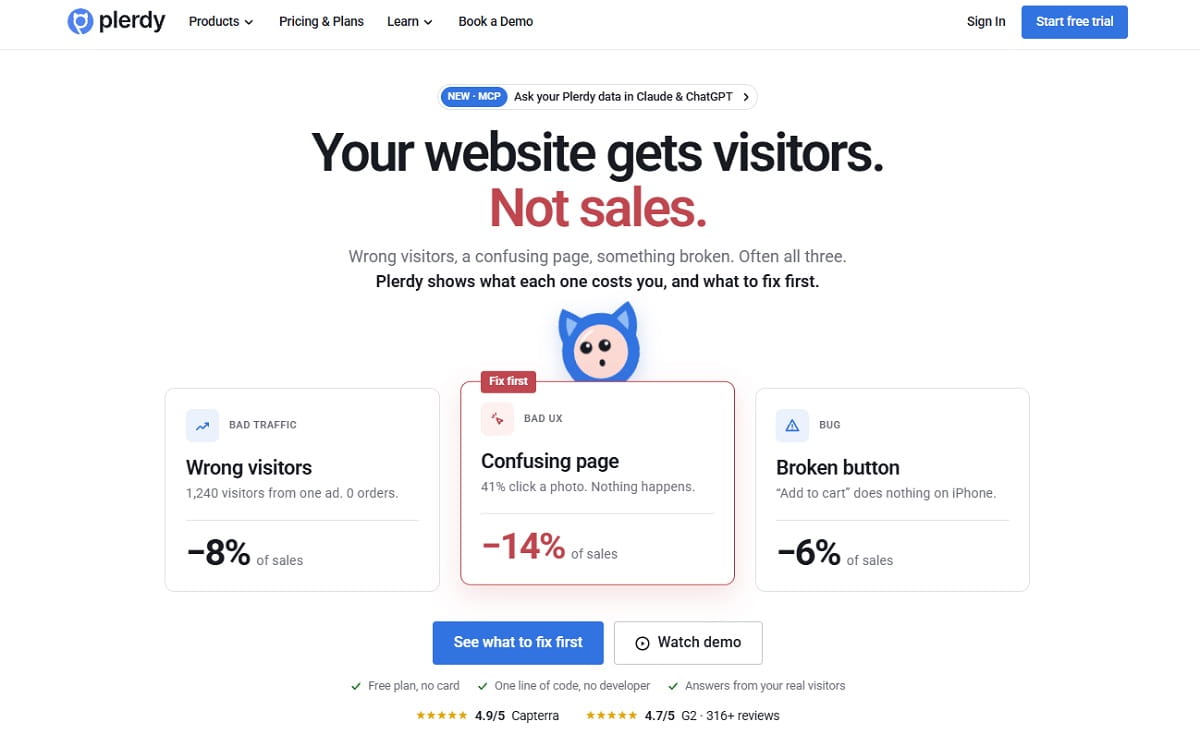
- Best for: B2B manufacturers, distributors, and wholesale store owners who want to find and fix reorder drop-offs, RFQ form leaks, and checkout errors from one affordable workspace instead of paying for four disconnected tools.
Plerdy stands out for B2B ecommerce because every tool talks to the same buyer session. You can map your 5-step reorder path in Funnel Analysis, click straight into the Session Replays of buyers who abandoned their cart, audit every single field of your Request-a-Quote form in Form Analytics, and catch silent JavaScript or failed-cart errors in Error Tracking. Once you spot a leak, you do not need another subscription to act on it: Plerdy includes smart exit-intent popups, micro-surveys (CES/NPS) to ask buyers why they hesitated, and a Free A/B Testing tool to prove whether a simpler reorder layout actually lifts completed orders.
For busy owners, Plerdy MCP connects directly to Claude and ChatGPT so you can inspect lost revenue and funnel drops in seconds without learning complex reporting filters. You can start on the Free plan (100 pageviews/day in funnels, 2 forms tracked for 30 days, 500 session replays) and upgrade to a paid plan starting at $21/month billed annually—a fraction of what enterprise suites charge. Trade-off: like all third-party scripts, Plerdy cannot inspect inside Shopify’s locked hosted checkout fields, though it tracks Shopify B2B storefront forms and full portals on WooCommerce, Magento, BigCommerce, and custom builds.
2. Microsoft Clarity — Best Free Starter for Basic Replays and Heatmaps
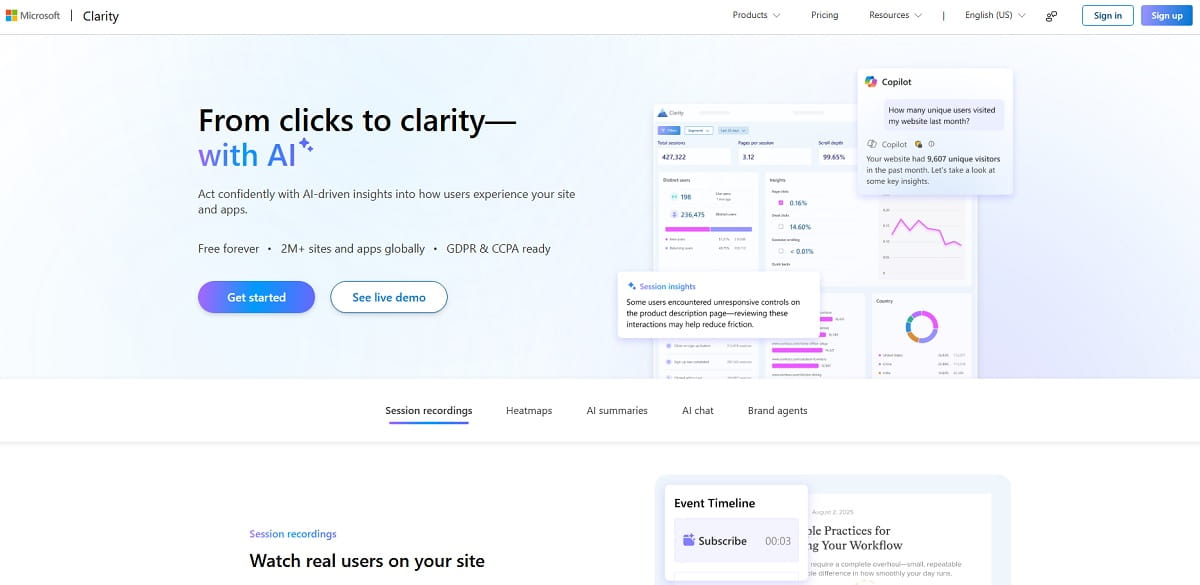
- Best for: Small wholesalers with zero analytics budget who only need basic click heatmaps and rage-click session recordings.
Microsoft Clarity is permanently free up to 100,000 sessions per day and offers an official MCP integration for basic AI querying. It is useful for spotting obvious dead clicks on a product catalog. Trade-off: Clarity does not offer field-by-field Form Analytics for RFQ forms, does not calculate revenue at stake per drop-off, and has no built-in popups, surveys, or A/B testing—meaning you quickly outgrow it once you start optimizing quote forms and repeat checkout margins.
3. Contentsquare (Formerly Hotjar) — Best for Large Teams Already on Contentsquare
- Best for: Mid-to-large B2B organizations that already run Contentsquare across multiple enterprise properties.
Hotjar officially merged into Contentsquare Group on July 1, 2025, consolidating standalone Hotjar accounts under the Contentsquare brand. The platform offers a generous free tier (up to 200,000 monthly sessions with 1-month data retention), with Growth plans starting at $39/month billed annually ($49/month monthly). Trade-off: key features are split into separate paid modules—Voice of Customer surveys start separately at $79/month—and advanced enterprise funnel/form diagnostics sit behind higher custom-priced tiers, making the total stack expensive for lean B2B teams.
4. Mouseflow — Mid-Market Option for Funnels and Form Friction
- Best for: Teams focused strictly on session replay, friction scoring, and form abandonment tracking.
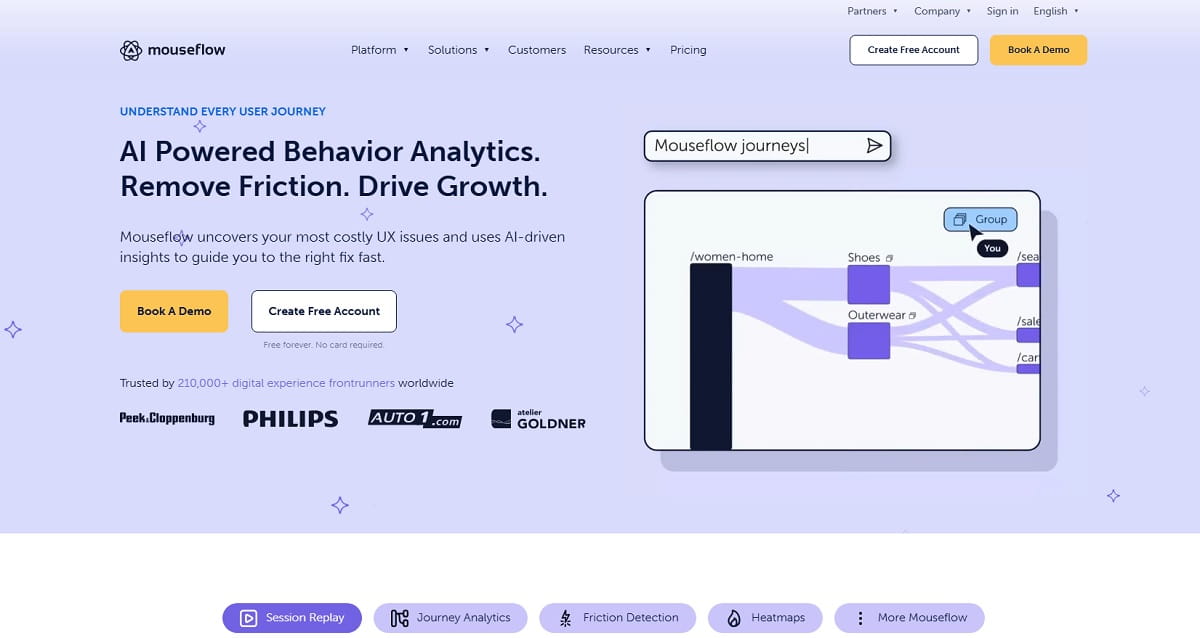
Mouseflow covers core B2B diagnostics well, offering multi-step funnels, friction scores, and field-level form analytics on its paid tiers (Free plan includes 500 sessions/month; paid plans start around $25 to $31/month billed annually depending on region). Trade-off: Mouseflow lacks built-in A/B testing, conversion popups to rescue abandoning buyers, technical SEO checks, and a native MCP connector for Claude or ChatGPT—forcing owners to buy extra tools to test and act on what they find.
30-Day Reorder Conversion Sprint for B2B Business Owners
You do not need a six-month digital transformation roadmap to lift B2B ecommerce conversion. Hand this 4-week sprint to your marketing lead, ecommerce manager, or agency and review the numbers every Friday in 15 minutes.
- Week 1 — Install and Baseline (30 minutes of setup): Add the single Plerdy tracking snippet to your store. Build your 5-step Reorder Funnel, enable Form Analytics on your main RFQ and wholesale registration forms, and turn on Error Tracking. Do not change any design yet—collect 7 clean days of baseline behavior.
- Week 2 — Pinpoint the Top 3 Revenue Leaks: Run the three Plerdy MCP prompts in Claude or ChatGPT and watch 20 session replays of buyers who abandoned their cart or RFQ form. Rank the top three leaks by dollar impact (for example: a broken CSV upload script, a mandatory Tax ID upload killing quote requests, or hidden freight fees).
- Week 3 — Ship Fast Fixes Without a Redesign: Patch the top JavaScript/cart errors first. Cut non-essential fields from your RFQ form (move compliance documents to post-quote onboarding). Add a targeted Plerdy popup on your cart page that catches hesitating buyers with a one-click “Save Quote & Email Me” or “Request Volume Discount” option.
- Week 4 — Validate With Real Orders: Launch a free A/B test in Plerdy A/B Testing comparing your updated reorder CTA or simplified RFQ layout against the original version. Measure two executive numbers at Day 30: repeat self-service checkout completion rate and the drop in manual phone/email orders hitting your sales reps.
If your site also relies on high-ticket lead pages and company credibility signals to win first-time corporate buyers, pair this reorder sprint with our B2B Website Conversion & Trust Checklist so both halves of your revenue engine work together.
Stop guessing why repeat B2B orders slip back to phone calls and competitors. Create your free Plerdy account in five minutes, map your reorder funnel, audit your RFQ forms field by field, and ask Plerdy MCP where your store is leaking margin today.
Frequently Asked Questions About B2B Ecommerce Conversion
What is a good conversion rate for a B2B ecommerce website?
There is no single blended benchmark for B2B ecommerce because first-time visitors and repeat corporate buyers behave completely differently. Open, anonymous B2B traffic typically converts at 1.8% to 3.0%, while logged-in repeat buyers reordering inside a self-service portal often convert at 15% to 30%, and digital quote-to-order flows average 25% to 50% depending on the industry. Tracking your own baseline by funnel stage in Plerdy Funnel Analysis gives far clearer direction than chasing a generic site-wide average.
Why do B2B buyers abandon online reorder flows and go back to email or phone?
B2B buyers revert to manual email or phone orders whenever your self-service portal creates more work than calling a rep. The main causes are missing one-click reorder buttons inside order history, hidden contract pricing or freight costs until the final checkout step, broken bulk SKU or CSV uploads, single out-of-stock items blocking an entire cart, and rigid checkouts that lack Purchase Order (PO) fields or Net payment terms.
How do I track where B2B buyers drop off inside a customer portal or RFQ form?
Combine multi-step funnel tracking with field-level form analytics. Inside Plerdy, you can map a 5-to-7-step reorder funnel (login, order history, reorder click, cart review, confirmation) to pinpoint where returning buyers stall and watch their exact session replays. For new wholesale accounts, Plerdy Form Analytics highlights the exact field inside your Request-a-Quote form where prospects stop filling it out, along with validation errors and potential revenue at stake.
Do I need a full website redesign to improve B2B ecommerce conversion?
No. A full B2B portal redesign often costs tens of thousands of dollars and still leaves the real checkout and form bottlenecks untouched. Most B2B business owners generate faster returns by auditing their existing reorder path, fixing broken JavaScript errors, cutting unnecessary RFQ form fields, surfacing contract pricing earlier, and validating each fix with free A/B tests inside Plerdy before committing to major development work.
Can I use ChatGPT or Claude to analyze my B2B ecommerce conversion data?
Yes. With the Plerdy MCP Server, business owners connect their live Plerdy data directly to Claude or ChatGPT in read-only mode without exposing visitor personal data. You can ask plain-English questions about lost revenue, broken reorder pages, mobile versus desktop drop-offs, and RFQ form abandonment—and receive answers backed by live website numbers. Plerdy MCP is included in all paid Plerdy plans starting at $21 per month billed annually.