A dental website usually fails to get bookings because the path from landing page to confirmed appointment has a break in it: a phone number that can’t be tapped, a form that asks for too much, or a page that never answers a nervous patient’s first question. Traffic is rarely the problem.
Plerdy shows where that break is. Its heatmaps, session replay and form analytics let you see which button gets ignored, which field makes patients quit and what happens on a phone before someone leaves. This guide to dental website conversion walks a practice owner through finding the leak, fixing the cheapest ones first and checking that the fix worked.
In short:
- Count calls, form sends and online bookings as one conversion rate and write down your number for the last 30 days.
- Use a heatmap on the booking button, form analytics on the appointment form and recordings of mobile visits to see where patients leave.
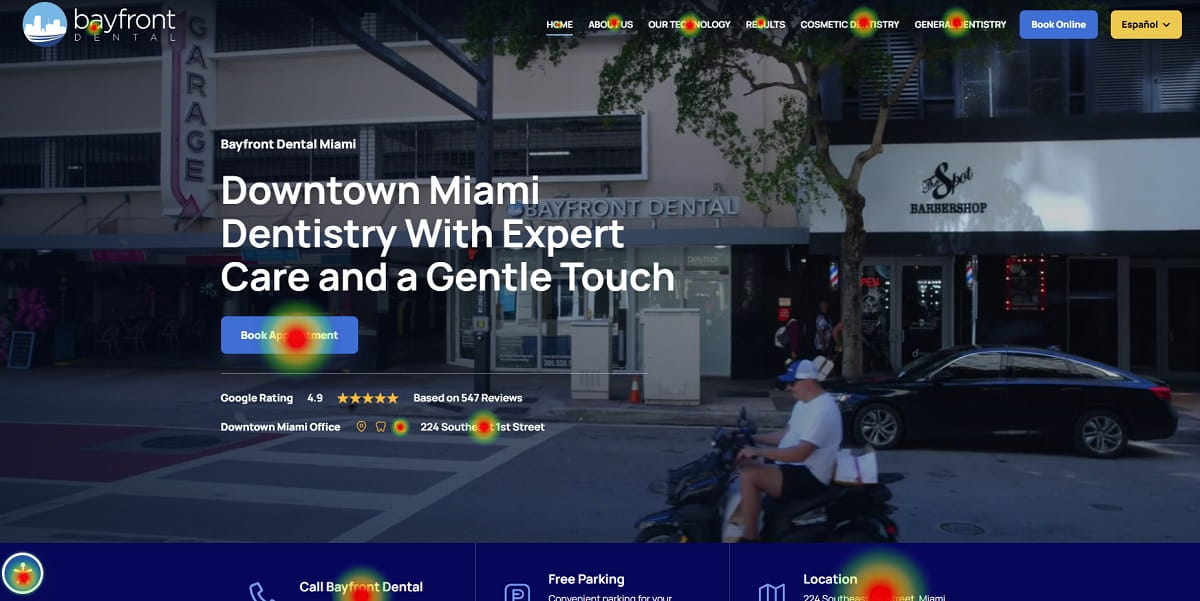
- Fix in order of effort: button text and a tappable phone number first, form fields second, speed and the booking flow after that.
- Change one thing at a time and compare 30 days before with 30 days after.
- Why is my dental clinic website not getting appointment bookings?
- What is a good dental website conversion rate?
- What tool shows where patients drop off on my dental website?
- How do I see which button patients ignore?
- Which field in my booking form makes patients quit?
- Why do mobile visitors leave without booking?
- How many calls and bookings does my website really produce?
- At which step do patients drop off between the service page and the booking?
- Which fixes should a dental practice do first?
- Can I use heatmaps and session replay on a dental website under HIPAA?
- How can I ask my dental website data a question in plain English?
- What is a realistic 30-day plan?
- FAQ
Why is my dental clinic website not getting appointment bookings?
Most of the time the website has traffic and loses patients on the way to the booking. A visitor searches, lands on a page, looks for a way to book, and either finds it or doesn’t. Each step has a different way of failing, and each leaves a different trace in your data.
| Where patients leave | What you see in the data | Usual fix | Plerdy report |
|---|---|---|---|
| The page doesn’t answer their question (do you take my insurance, are you taking new patients, can you see me today) | Scroll map shows most visitors stop before the insurance and hours block | Move insurance, hours and the new patient offer above the first scroll | Scroll heatmap |
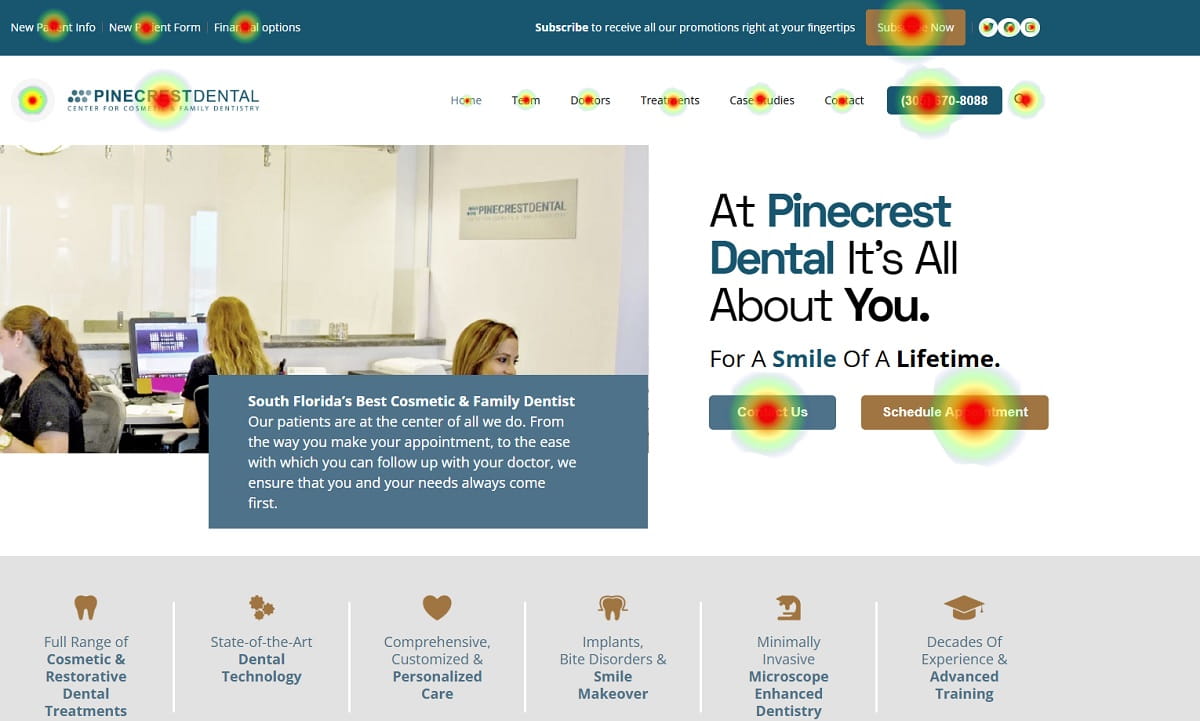
| The call or booking button is easy to miss or hard to tap | Clicks land on text or photos near the button, few land on the button itself | Specific button text, a tappable phone number, a sticky button on mobile | Click heatmap, event tracking |
| The booking form asks too much | One field has the most abandonment, retries or errors | Ask for name, phone and a preferred time first | Form analytics |
| The page is slow or jumps around on a phone | Recordings show visitors waiting, tapping twice or scrolling back | Compress photos, stop elements from shifting while the page loads | Session replay |
| The online scheduler loses them after the click | Many clicks on Book now, few confirmations | Test the whole path on your own phone and fix the weakest step | Funnel |
Anxiety adds a sixth leak that no tool measures directly. A page that only lists services gives a nervous visitor an easy reason to close the tab. Photos of the real team, a plain description of what happens at a first visit and a clear answer on pain, cost and insurance reduce that reason. You can check whether visitors even reach that content with a scroll map.
Insurance is a good example of why this matters. A 2024 benchmark from the dental analytics company Liine looked at nearly 50,000 new patient leads from American practices in 2023. When callers didn’t book, the most common reasons were insurance related: Medicaid not accepted (21.0% of the unbooked calls) and out-of-network insurance (13.4%). That is a vendor report and it covers phone calls, not website visits. It still points at a cheap fix: say on the page which plans you accept, so those patients don’t have to call to find out. Source: Liine Dentistry Marketing Benchmark Report 2024.
More traffic doesn’t solve any of this. Sending more visitors into a path with a break in it gives you more people who leave. Find the break first.
Plerdy’s free plan has no card and no time limit, so you can check these five places on your own site before you spend anything. Find where your site leaks. Start free.
What is a good dental website conversion rate?
There is no reliable public benchmark for dental websites. Vendor guides usually quote something like 2% to 5% of visitors taking a booking action, and a few claim more. Your own number from the last 30 days is more useful than any of them.
Start by deciding what counts. For a dental practice a conversion is any visit that ends in a phone tap, a form send or an online booking. The formula is simple: conversions divided by visitors, times 100.
| Source | Figure | Who wrote it | How to use it |
|---|---|---|---|
| Dental marketing and software vendor guides | About 2% to 5% of visitors take a booking action | Companies that sell marketing or booking software | A rough range. The definitions of “conversion” differ between guides |
| Web Tonic, Dental Landing Page and CRO Statistics 2026 | Average booking rates of 3.2% to 5.8%, with high-performing campaign pages at 8% to 12% | A dental marketing agency | Mostly about ad landing pages, not a whole site |
| Liine Dentistry Marketing Benchmark Report 2024 | 57.1% of new patient inquiries turned into a scheduled appointment | A dental analytics vendor, nearly 50,000 leads from 2023 | This starts after a patient has called or sent a form. It doesn’t measure website visits |
The sources disagree and most of them sell something, so don’t judge your site against a single figure. The Liine report is useful for a different reason. It found that 72.9% of new patient leads in its sample came by phone and 27.1% through online forms. If that is even roughly true for your patients, a website that tracks only forms is blind to most of what it produces.
To see what the arithmetic is worth, take 1,000 visitors a month. At 2% that is 20 booking actions, at 3% it is 30, at 5% it is 50. That isn’t a forecast for your practice. It shows what a one point gain means: ten more booking actions for every thousand visitors. Multiply it by what a new patient is worth to you and you know how much a fix can be worth.
To get your own baseline, set up three events and let them run for 30 days: a tap on the phone number, a click on the booking button and a sent form. Plerdy event tracking sets these up without code and can pass them on to Google Analytics 4. Keep one limit in mind: a tap on a phone number is not a connected call. It is the closest signal a website can give you.
What tool shows where patients drop off on my dental website?
A behavior analytics tool: one that combines heatmaps, session replay, form analytics and funnels. Plerdy covers all four on a free plan. Microsoft Clarity and Hotjar cover heatmaps and recordings. Google Analytics 4, call tracking and PageSpeed Insights answer other questions and work next to them.
I checked each product’s official site on November 24, 2026. Status, free plans and limits change, so confirm current terms before you decide.
1. Plerdy
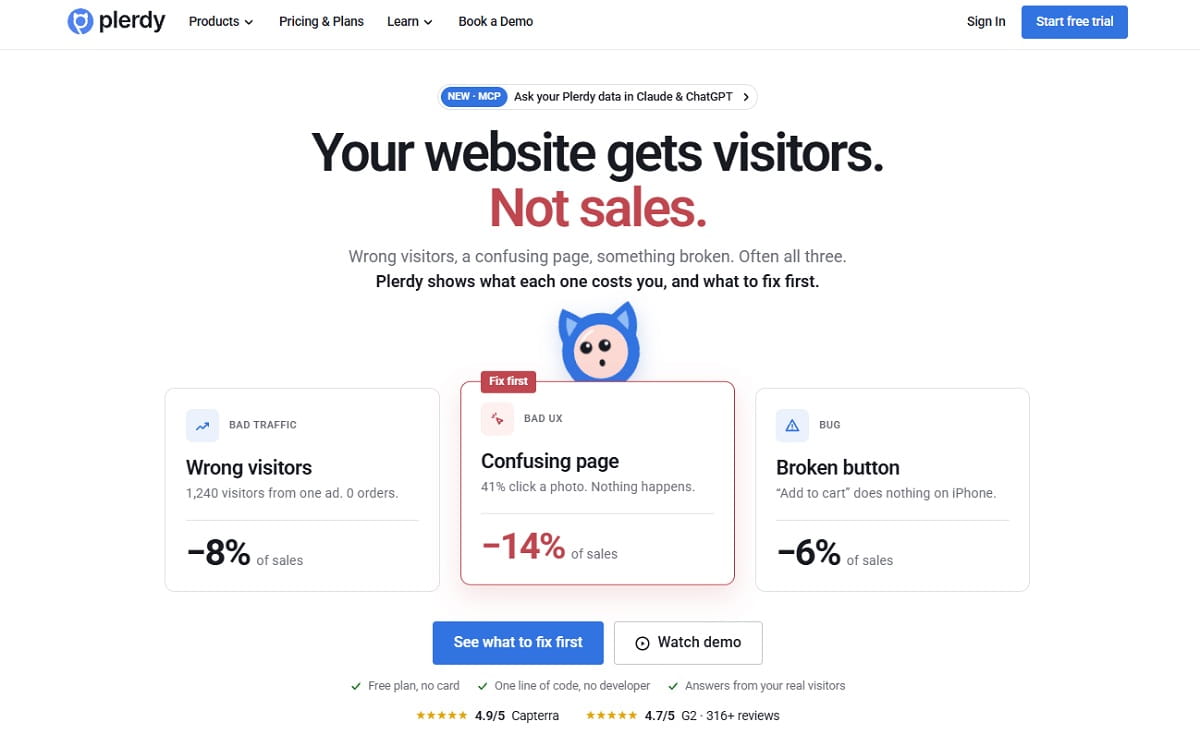
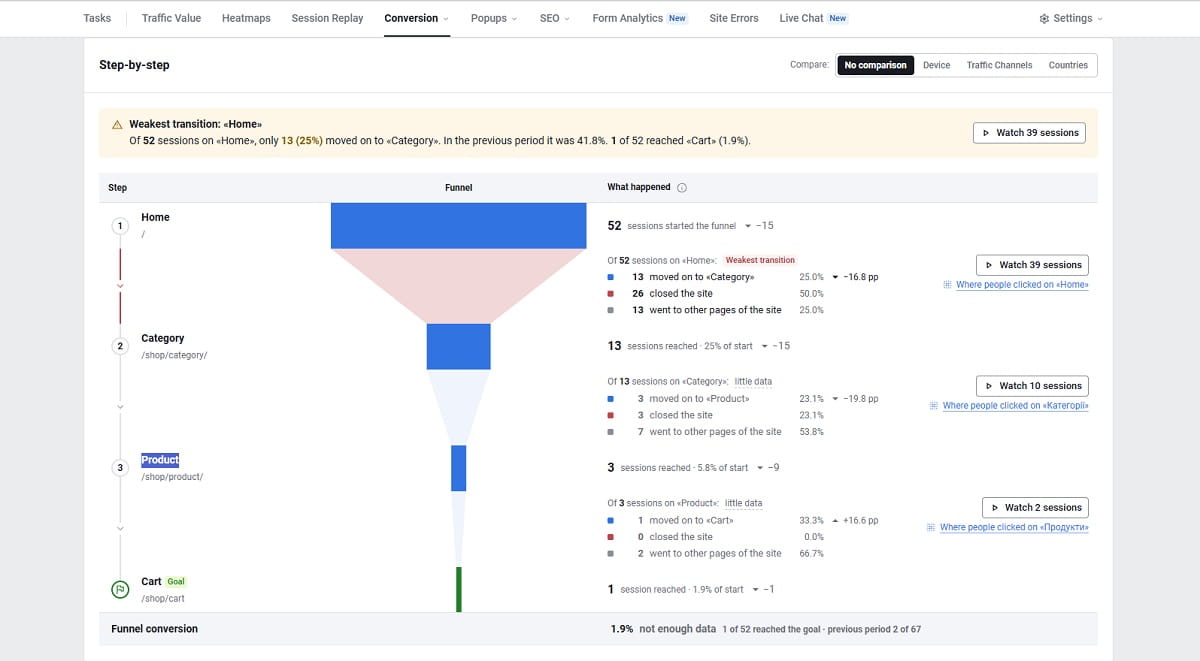
Plerdy puts the tools for finding a leak in one place. A click and scroll heatmap shows whether patients tap your Book now button or the sentence beside it. Session replay shows what a visitor did on a phone before leaving. Form analytics finds your forms and shows the field where people give up, and a funnel shows the step where the drop happens.
The free plan has no card and no time limit, with 500 session recordings and form analytics for two forms. Text typed into form fields is masked by default. Paid plans start at $21 a month billed annually. The Plerdy MCP server lets you ask questions about your data in Claude or ChatGPT (read-only, on paid plans). Best for: a practice owner who wants one tool to find the leak and then check the fix.
2. Microsoft Clarity
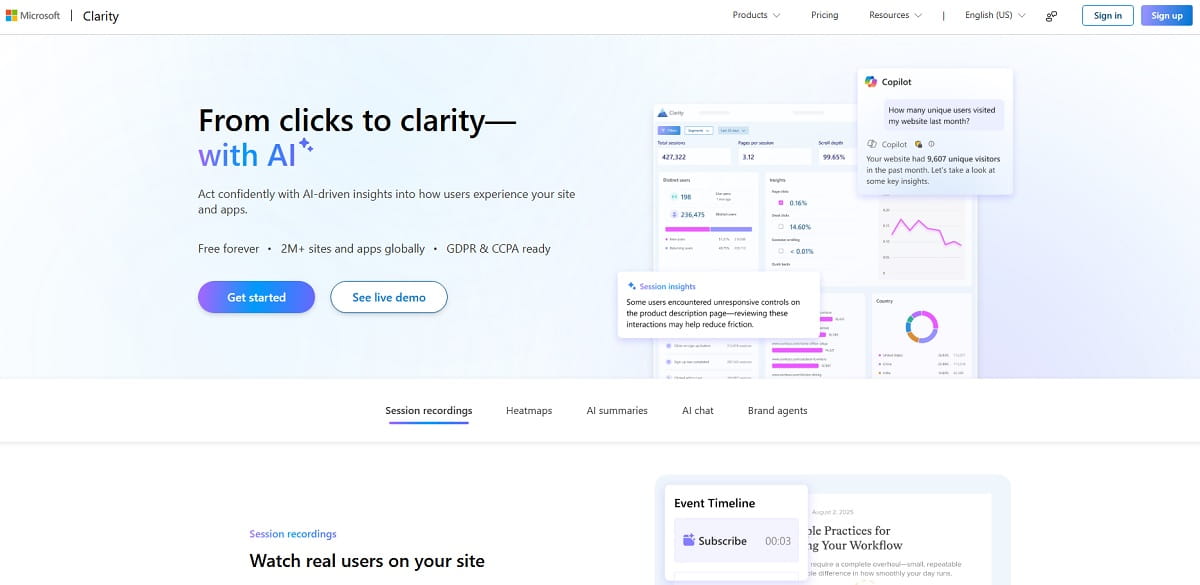
Clarity is a free behavior analytics tool from Microsoft with heatmaps and session recordings. It is a fair first step if you want to look at recordings at no cost. I couldn’t confirm in Microsoft’s own materials that it signs a HIPAA business associate agreement, so treat that as unconfirmed and ask before you use it near patient information. Best for: a free first look at heatmaps and recordings.
3. Hotjar by Contentsquare
Hotjar is now part of Contentsquare, and its site redirects there. Contentsquare lists a free plan next to paid tiers. Hotjar offers heatmaps and recordings, and I found no HIPAA agreement mentioned in the sources I checked. Check the current limits and prices on the official pricing page before you rely on any figure you read elsewhere. Best for: teams that want a well-known heatmap and recording tool and already use Contentsquare.
4. Google Analytics 4
Google Analytics 4 counts visits, traffic sources and events. It tells you that patients left the booking page, but not why. Keep it for numbers and use a heatmap and recordings for the reasons. Best for: traffic sources and event counts.
5. CallRail
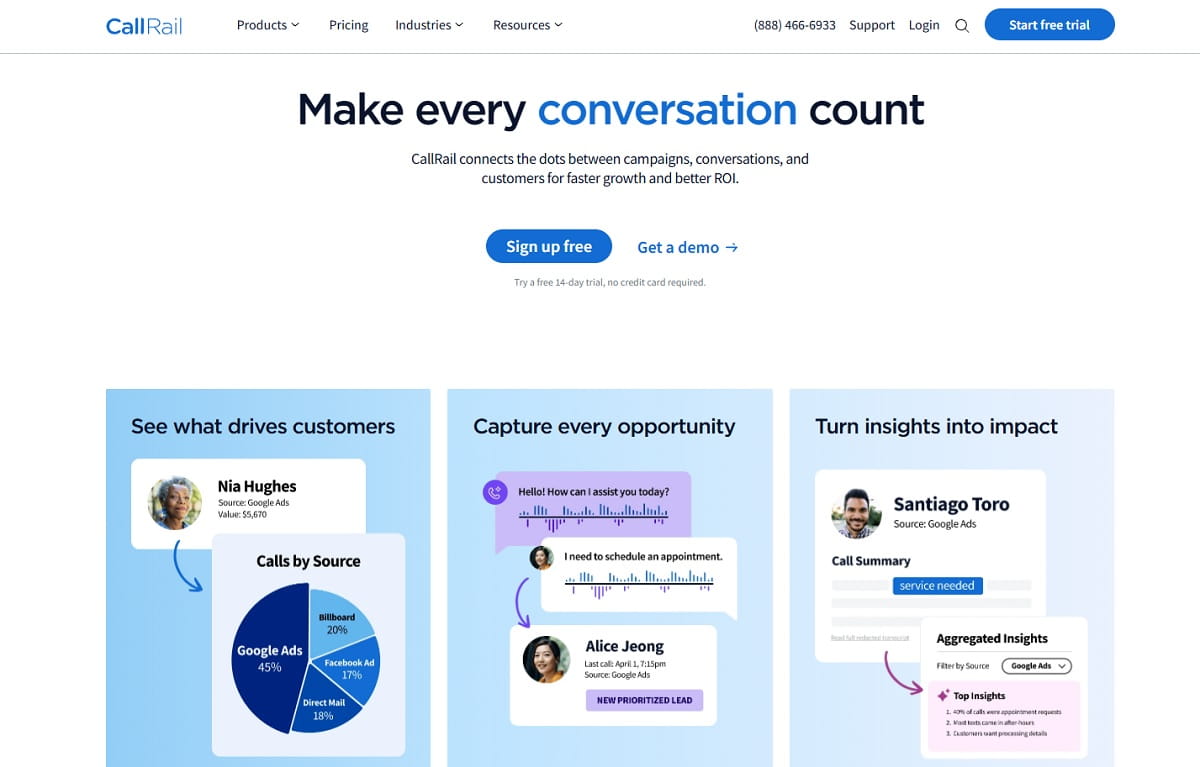
CallRail is call tracking software. It counts the calls that start on your website, which a click tracker can’t confirm, and shows which source drove them. It is a paid product. If you plan to use it with patients, read its healthcare compliance documentation first. Best for: practices where most new patients still call.
6. PageSpeed Insights
PageSpeed Insights is Google’s free test for one page at a time. It reports Core Web Vitals, which are the loading and stability measures Google uses. It diagnoses speed only. Best for: checking the booking page after you change its images or layout.
| Tool | Shows | Free plan | What it doesn’t do |
|---|---|---|---|
| Plerdy | Heatmaps, session replay, form analytics, funnels, events | Yes, no card, no time limit | Doesn’t connect phone calls made after a visitor leaves the site |
| Microsoft Clarity | Heatmaps, session recordings | Free tool | HIPAA agreement unconfirmed |
| Hotjar by Contentsquare | Heatmaps, recordings | Yes, limits to check | No HIPAA agreement found on public pages |
| Google Analytics 4 | Traffic, sources, events | Yes | Doesn’t show what visitors did on the page |
| CallRail | Calls and their sources | No | Doesn’t show behavior on the page |
| PageSpeed Insights | Core Web Vitals for one URL | Yes | Doesn’t show visitor behavior |
You don’t need all six. Most practices do well with one behavior tool, Google Analytics 4 for the totals, and call tracking only if the phone is the main way patients reach you. Try Plerdy free and you can see your first heatmap the same day.
How do I see which button patients ignore?
Open the click heatmap for the page patients book from and look at where clicks land. If most of them land on the booking button, the button works. If they land on the sentence beside it, on a photo, or nowhere near it, patients either don’t see it or don’t believe it is a button.
A heatmap comes in three views that matter here: where visitors click, how far down they scroll, and how both differ on a phone. Check these four things first:
- Clicks on text or images that aren’t links. Patients are trying to tap something and nothing happens.
- The share of clicks on the phone number on mobile. If the number is plain text, patients have to remember it and switch apps.
- Where the scroll map goes cold. If half your visitors never reach the insurance and hours block, move it up.
- Repeated rapid clicks on the same spot, usually called rage clicks. They mean something looked clickable or failed to respond.
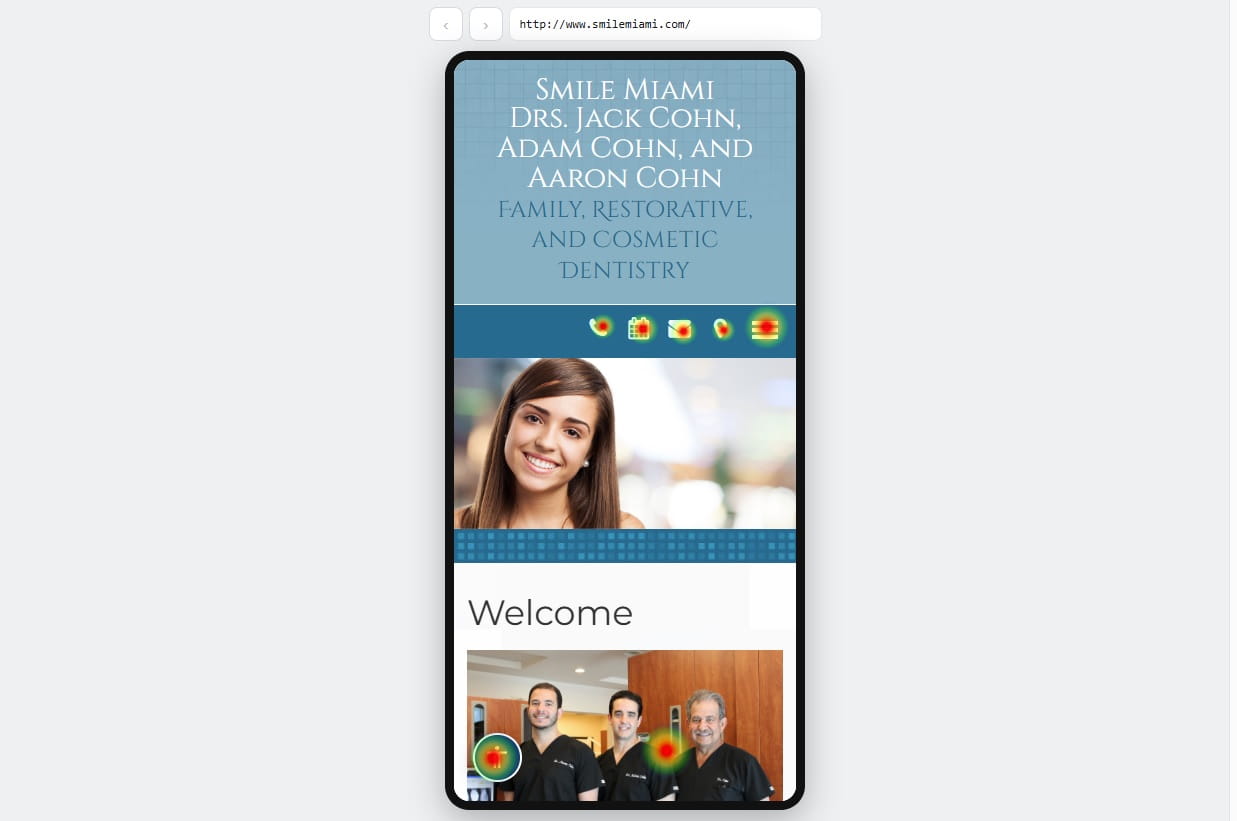
Look at mobile and desktop separately. A button that works on a wide screen can sit below the fold on a phone. The guide to mobile heatmap analysis explains how to read the differences.
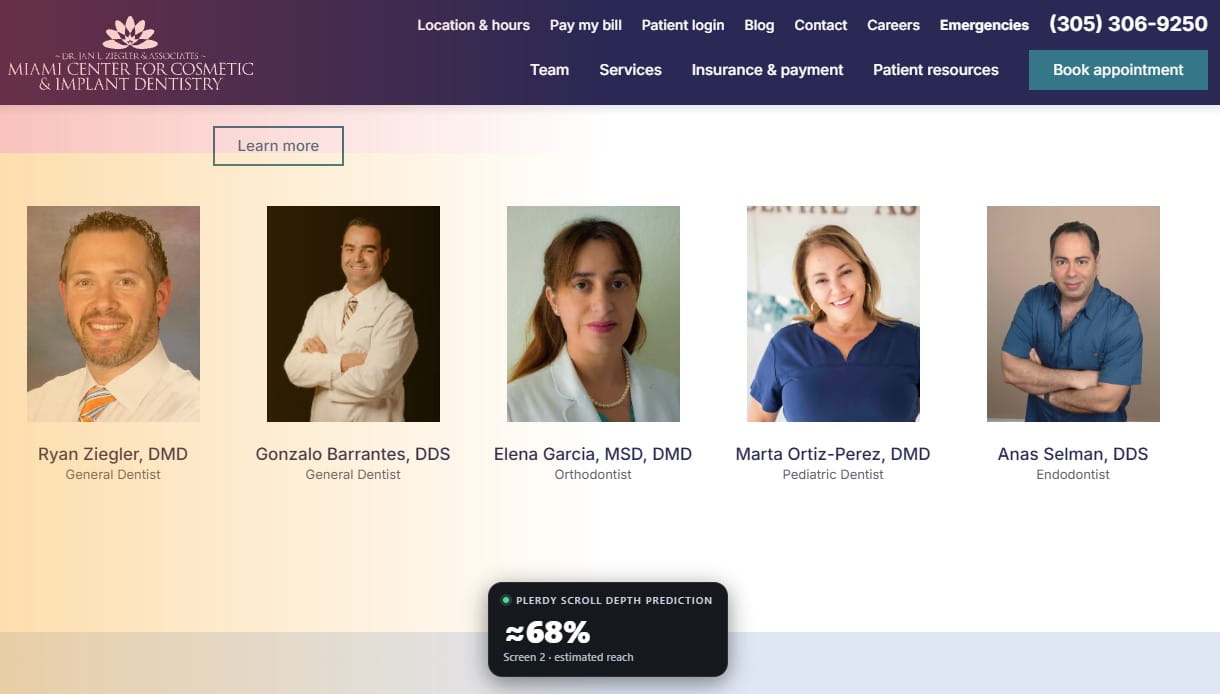
Don’t decide from a handful of visits. If a page gets only a few dozen visits a month, a heatmap will be noisy, and recordings of individual visits will tell you more. With Plerdy heatmaps you can start on the free plan and add pages as you go.
Which field in my booking form makes patients quit?
Form analytics answers this field by field. It shows how many people start the form, which field they stop at, which field takes the longest and where errors happen. The field with the highest abandonment is the first thing to change.
On dental forms the same fields cause trouble again and again: date of birth, insurance member ID, a free-text “reason for visit”, a required email for patients who prefer to call, and phone number formats that reject valid entries. A first booking needs a name, a phone number and a preferred time. Everything else can be collected on the call or in the intake forms you send after the booking.
Keep health details out of the web form. Ask about symptoms by phone or in a secure patient portal. That is better for patients and keeps your tracking away from sensitive information (more on that in the HIPAA section below).
Plerdy Form Analytics finds the forms on your site and is free for two of them. It shows the problem fields without reading what people typed: values in form fields are masked in the visitor’s browser. For a deeper look at reading these reports, see the guide to form analysis.
Why do mobile visitors leave without booking?
Because a phone adds friction a desktop doesn’t: a number that can’t be tapped, a button hidden under the keyboard, a photo that takes seconds to load, a popup that is hard to close. Session recordings show which of these is happening on your site.
Pick ten mobile recordings that visited your booking page and left without booking. Watch them at normal speed and note what each visitor did. Typical things to see: pinching to zoom because text is small, tapping a phone number that isn’t a link, waiting on a half-loaded page, a keyboard covering the Send button, and a cookie banner taking a third of the screen.
Fixes are usually small. Make every phone number a tap-to-call link. Add a bar at the bottom of the screen with a call button and a book button. Make buttons large enough for a thumb. Then check speed.
Google measures loading and stability with Core Web Vitals. The published targets are a Largest Contentful Paint within 2.5 seconds, an Interaction to Next Paint under 200 milliseconds and a Cumulative Layout Shift under 0.1. Test your booking page with PageSpeed Insights and check the current thresholds on web.dev. Dental sites tend to slow down because of large photos of smiling patients and the team, so compress those first.
Plerdy session replay includes 500 recordings on the free plan, with form inputs masked by default. The guide to analyzing session replay videos explains what to look for.
How many calls and bookings does my website really produce?
Count three actions: a call, a form send and an online booking. Give each one its own event, and add them up for your conversion rate. Without that, you are guessing which part of the site works.
- Add an event for taps on the phone number, on every page where it appears.
- Add an event for clicks on the booking button.
- Add an event for the confirmation page or the successful form send.
Plerdy event tracking sets these up without code, and it can send them to Google Analytics 4, where Google lists recommended events you can map them to.
Phone taps need one warning. A tap means someone wanted to call. It doesn’t mean the call connected or that anyone answered. Compare the tap count with the calls your phone system logs. If taps are high and answered calls are low, the leak is at your front desk and not on the website. Call tracking such as CallRail can tie calls to their source, and your phone provider may already log missed calls for free.
This matters because phone is where patients start. In the Liine sample from 2023, 72.9% of new patient leads called and 27.1% used a form. Don’t judge the site by form sends alone.
At which step do patients drop off between the service page and the booking?
A funnel counts how many visitors make it through each step and shows where most of them leave. For a dental site the steps are usually a service page, the booking page, a started form and the confirmation. The step with the biggest drop is your first fix.
Say 100 people open a service page and only a few click Book now. That points at the page, so go back to the heatmap. If many click Book now and few finish the form, the form is the problem, so open form analytics. If many start the form and few reach the confirmation, the scheduler or the final step has a problem. The funnel tells you which report to open next.
If your scheduling tool opens on another domain, check that your funnel can see the confirmation step. If it can’t, track the click that sends patients there and compare it with the bookings your scheduling software reports. Plerdy funnels are free to start and can be split by device, which matters when the problem only shows on phones.
Which fixes should a dental practice do first?
Start with the cheap ones that fix the most common leaks: specific button text, a tappable phone number and a shorter form. Then move to content and speed. The effort levels in the table are rough estimates for a small practice site, not measurements.
| Fix | Rough effort | What to check after |
|---|---|---|
| Replace “Contact us” or “Learn more” with text that says what happens, such as “Book a cleaning” | 10 minutes | Clicks on the button in the heatmap, booking events |
| Make the phone number a tap-to-call link and show it without scrolling on mobile | 15 minutes | Phone tap events |
| Cut the form to name, phone and preferred time | About an hour | Form completion in form analytics |
| State accepted insurance plans and what a first visit includes near the booking button | One or two hours | Scroll depth, booking events |
| Add a short page or block for nervous patients: what happens at the first visit, who you will meet, how you handle discomfort | Half a day | Time on page, bookings from that page |
| Compress photos and stop elements from shifting while the page loads | Half a day to a day | Core Web Vitals, rage clicks in recordings |
| Offer online booking next to the phone number | Depends on your scheduling software | Share of bookings by path |
Keep the phone number even after you add online booking. Some patients call because they are in pain, because they are older or because they have a question first. Others book late at night. Track clicks on both and let your own visitors tell you which path they use.
For ideas on layout and trust elements, look at the 12 best dental websites and then check on your own data whether the same ideas work for your patients. The local service website money leak checklist covers the same ground for any practice that books by phone and form.
Can I use heatmaps and session replay on a dental website under HIPAA?
Treat them as tracking technologies and keep them away from anything that holds health information. The U.S. Department of Health and Human Services has published a bulletin on how HIPAA applies to online tracking technologies used by covered entities. This section is general information and not legal advice, so talk to your attorney or compliance officer.
The practical rules are short:
- Don’t run recordings on patient portals or any page behind a login.
- Don’t ask for symptoms or treatment details in a web form.
- Mask form fields so that what patients type isn’t stored in recordings.
- Ask any analytics vendor whether it signs a business associate agreement before you use it on pages that can touch patient information.
- Check whether your marketing pixels, such as ad and social pixels, are loaded on booking pages.
Plerdy masks values typed into form fields in the visitor’s browser before anything is sent, and it doesn’t read what visitors type. Plerdy doesn’t state that it is HIPAA compliant, so don’t treat it, or any other tool on this list, as a way to meet that requirement on its own. Parts of the HHS bulletin were challenged in court in 2024, so ask your counsel which parts apply today. Read the bulletin itself: Use of Online Tracking Technologies by HIPAA Covered Entities and Business Associates.
How can I ask my dental website data a question in plain English?
Connect Plerdy to Claude or ChatGPT through MCP and ask. MCP is a standard way for an AI assistant to read data from another service. The Plerdy connection is read-only, so the assistant can look at your numbers but can’t change anything on your site. It is included on paid plans.
Here are three questions that fit this guide. Replace the page names with your own.
- “Using my Plerdy data for the last 28 days, which pages send the most visitors to my booking page but have the fewest clicks on the Book appointment button? List the top five with the numbers.”
- “Show form analytics for my appointment request form for the last 30 days. Which field has the highest abandonment and the most errors, and how does it differ on mobile?”
- “Compare mobile and desktop for my booking page: this 30 days against the previous 30. Then find three mobile sessions that left the booking form and describe what each visitor did before leaving.”
The first finds pages where the problem starts. The second picks the field to cut. The third turns the mobile difference into specific recordings to watch. The answers come from your own data, so check the numbers against the reports before you act on them.
Setup steps are on the Plerdy MCP server page, and the guide to connecting your website analytics to ChatGPT and Claude walks through it. Connect your data to Claude or ChatGPT.
What is a realistic 30-day plan?
Spend the first week measuring, the second diagnosing, the third fixing two things and the fourth checking the result against the same period before.
- Week 1. Install tracking and add the three events: phone tap, booking button and form send. Write down your conversion rate for the previous 30 days if you have the data, and keep a screenshot of your booking page.
- Week 2. Open heatmaps for the home page, your main service page and the booking page. Watch ten mobile recordings. Open form analytics and note the worst field.
- Week 3. Make two changes only, for example the button text with a tap-to-call link, and the form cut to three fields. Write down the date.
- Week 4 and after. Let the changes run for 30 days, then compare conversion rate, form completion and phone taps with the 30 days before. With low traffic, one month can be too noisy, so keep the change and measure a second month.
Change one thing at a time where you can. If you change five things at once and bookings go up, you won’t know which one worked. You can also run a controlled comparison with A/B testing once you have enough visits.
If you also need more visitors on the pages you just fixed, these guides cover the traffic side: SEO for dentists, digital marketing for dentists, dentist marketing concepts and SEO for orthodontists. Fix the booking path first, then send more people into it.
Ready to see where your own patients leave? Start Plerdy free and open your first heatmap today.
FAQ
Why is my dental clinic website not getting appointment bookings?
Usually the path to a booking has a break in it, not too little traffic. Check three places first: whether the call or booking button is easy to tap on a phone, whether the form asks for more than a first visit needs, and whether the page answers a nervous patient’s basic questions. A heatmap and a few mobile session recordings show which one it is.
What is a good dental website conversion rate?
There is no reliable public benchmark for dental sites. Vendor sources quote roughly 2% to 5% of visitors taking a booking action, and some claim more. Count calls, forms and online bookings together, record your own rate for 30 days, and compare it with itself next quarter.
What tool shows where patients drop off on my dental website?
A behavior analytics tool with heatmaps, session replay, form analytics and funnels. Plerdy covers all four and has a free plan. Microsoft Clarity and Hotjar cover heatmaps and recordings. Keep Google Analytics 4 alongside for traffic and events.
Should a dental website offer online booking or only a phone number?
Offer both. Some patients, especially those in pain or older ones, prefer to call. Others book after hours. Track clicks on the phone number and on the booking button separately, then see which path your own visitors use.
Can I use heatmaps and session replay on a dental website under HIPAA?
Treat them as tracking technologies. The HHS guidance on online tracking technologies applies where visitors share health information. Keep recording off patient portals and pages with health details, mask form inputs, and ask your lawyer. This is not legal advice.
How long should I test a change before judging it?
Compare at least 30 days before and 30 days after, and change one thing at a time. With low traffic, one month can be too noisy to call, so keep the change and measure a second month.