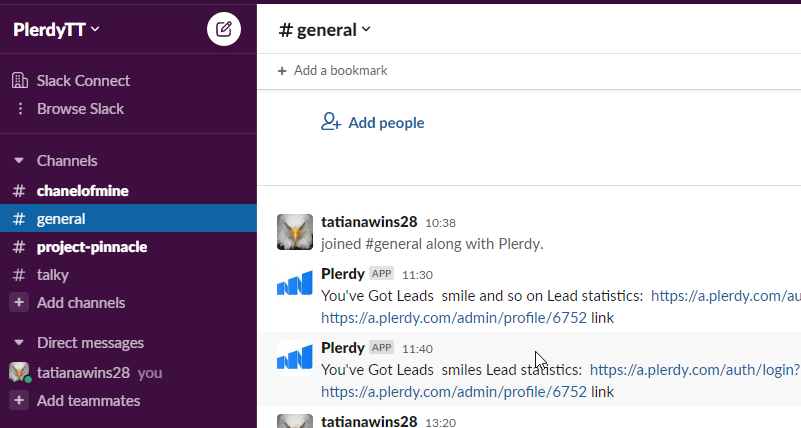
Create a Slack account
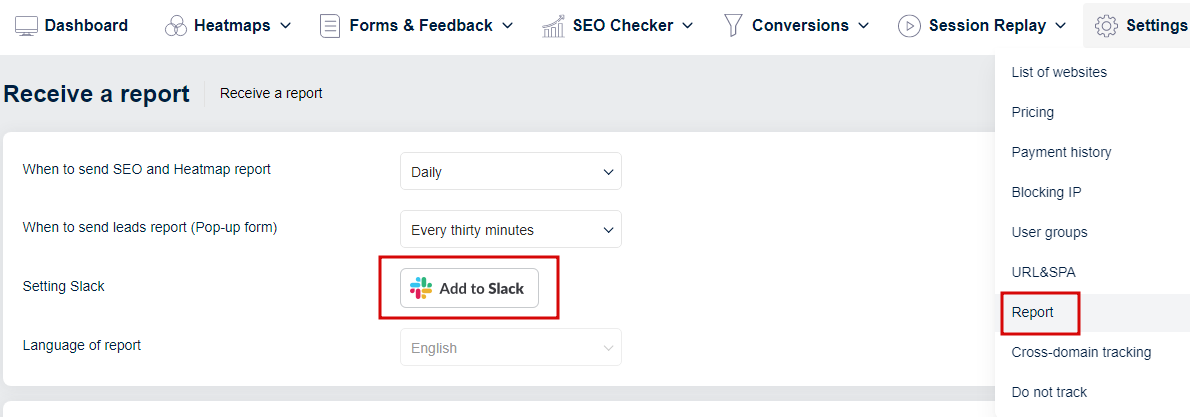
In your Plerdy account, go to Reports under the Settings tab and click Add Slack->
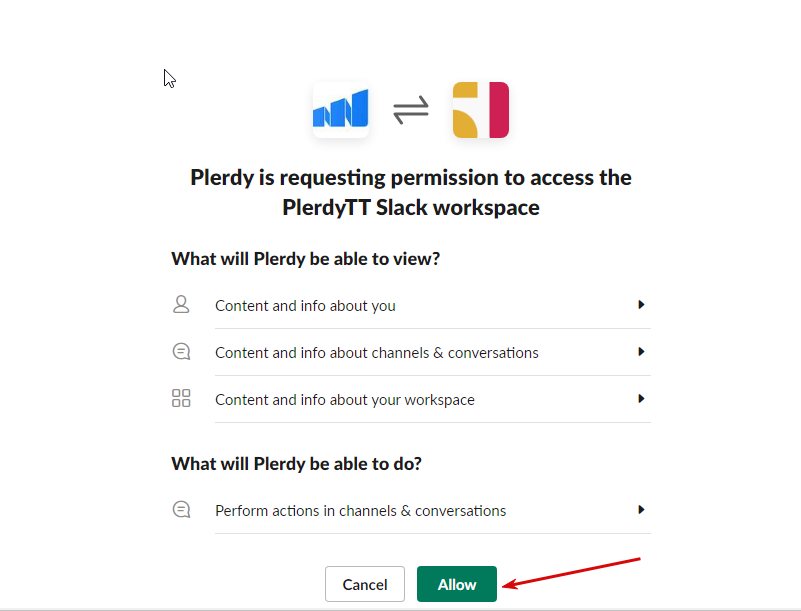
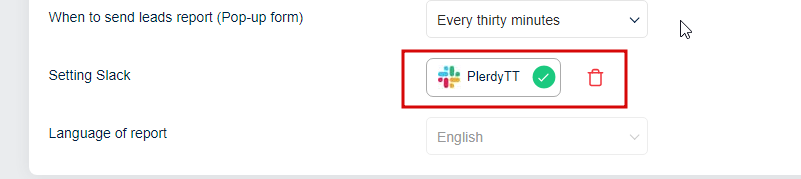
Click Allow and your Plerdy account will show a successful Slack connection
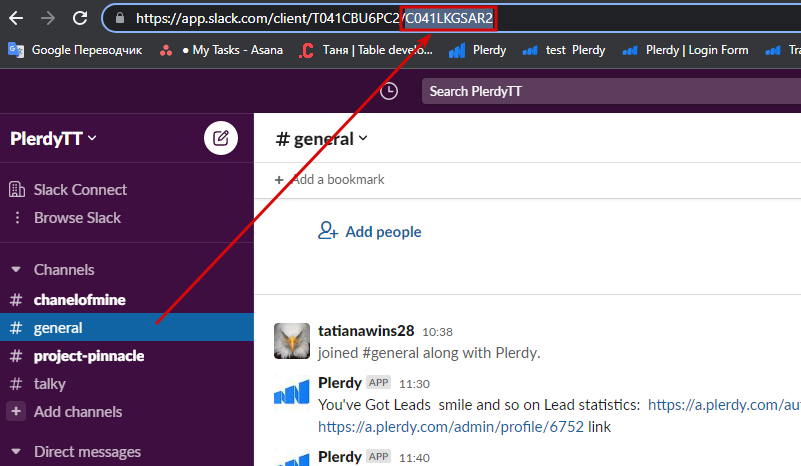
Next, add a Slack channel to receive notifications of new leads
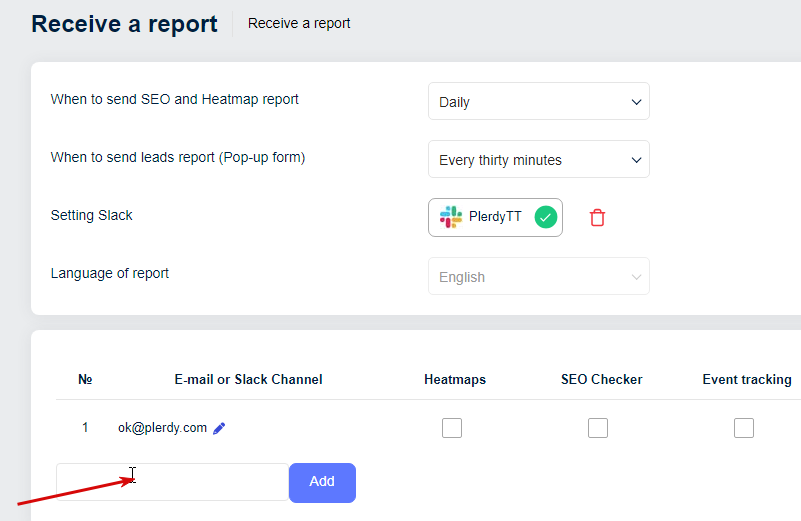
To do this, copy the URL`s part after the slash, which is the channel ID
Opposite the added channel, click the Select button and in the list of forms, select those through which leads will be generated

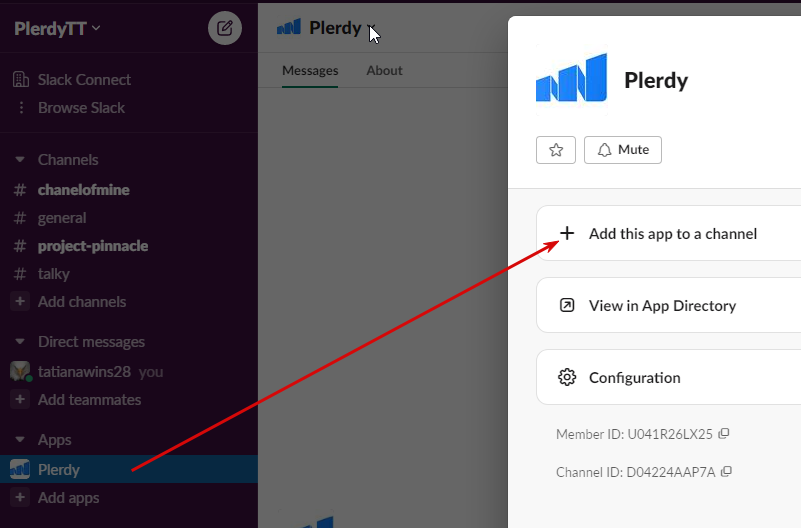
Add Plerdy to your channel
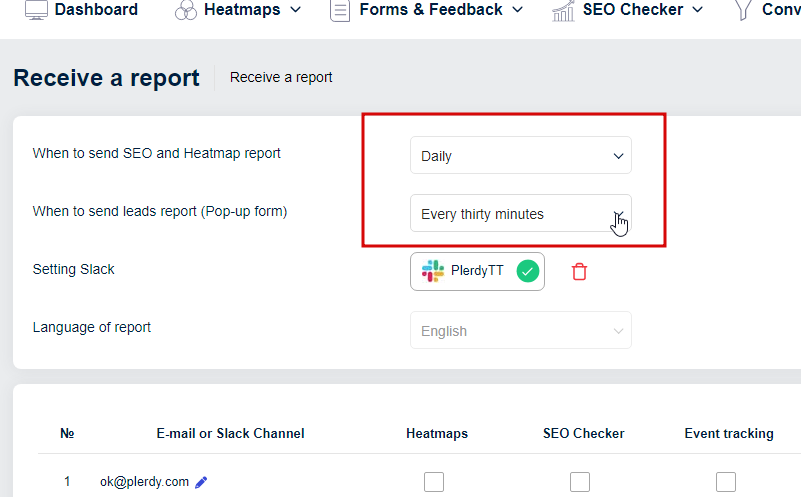
Select the frequency with which you will receive lead reports
After a user of your site fills out the selected form, you will receive a report in Slack