A clinic website gets more online appointments when it removes every point of friction between a patient’s symptom search and a confirmed time slot. Most private practices do not have a traffic problem. They have a medical website UX problem: menus built around internal hospital departments instead of patient symptoms, booking forms that ask for ten fields up front, phone numbers that cannot be tapped on a smartphone, and insurance details buried at the bottom of the page. According to the Experian Health State of Patient Access 2025 survey, 80% of patients want to schedule appointments anytime from home or a mobile device, yet only 54% of healthcare providers offer online self-scheduling. Meanwhile, Kyruus Health research shows that 61% of consumers consider online booking extremely or very important when choosing a new provider.
If your clinic pays for Google Ads or local SEO and the schedule still has empty chairs, guessing what to redesign is the most expensive way to respond. Plerdy shows clinic owners the exact break in the booking path—using conversion funnels, form analytics, click and scroll heatmaps, and mobile session replays—so you see which service page loses visitors, which doctor profile fails to earn trust, and which form field makes patients close the tab. This guide walks through finding those leaks, fixing the cheapest ones first, staying careful around HIPAA tracking rules, and proving that each change brings in more booked appointments.
In short:
- Measure the full booking funnel first: Track phone taps, form submissions, and online scheduling completions together for 30 days before spending another dollar on ads.
- Find the exact leak with behavior data: Use Plerdy funnels for the service-to-doctor-to-booking path, form analytics to spot problem fields, and mobile session replays to catch broken layouts.
- Fix cheap bottlenecks before a redesign: Tap-to-call buttons, symptom-first menus, 3–4 field forms, and visible insurance lists move the needle faster than a $15,000 visual overhaul.
- Protect patient privacy and verify results: Keep tracking off patient portals, mask form inputs in the browser, and compare 30 days before and 30 days after every change.
Table of Contents
- How Can a Clinic Website Get More Online Appointments?
- What UX Mistakes Stop Patients From Booking on Medical Websites?
- How Do You Find Where Patients Drop Off in the Service → Doctor → Appointment Funnel?
- What Tools Show Why Patients Leave a Medical Website Without Booking?
- Which Fields in a Medical Appointment Form Make Patients Quit?
- How Do Mobile UX and Accessibility Affect Clinic Bookings?
- Can a Clinic Use Heatmaps and Session Replay Under HIPAA?
- Ask Your Clinic Data via MCP: 3 Prompts for Clinic Owners
- Which Medical Website UX Fixes Should a Clinic Owner Do First?
- Frequently Asked Questions About Medical Website UX
How Can a Clinic Website Get More Online Appointments?
A clinic website gets more online appointments by fixing drop-offs on existing traffic before buying more clicks. When a patient lands on your site, they are usually worried, short on time, or comparing two local clinics on their phone. Every extra click, unclear label, or unanswered question about insurance gives them a reason to hit the back button and book with the next practice on Google.
Look at the basic business math. Suppose your clinic website receives 1,000 local visits a month. Lifting your booking conversion rate by just one percentage point—say from 2% to 3%—adds 10 new booking actions every month without increasing your ad budget. Multiply those extra patients by what a new patient is worth to your practice over a year. Even one or two recovered appointments easily cover the annual cost of a Plerdy subscription.
Peer-reviewed evidence supports investing in the online booking experience itself. A 2025 retrospective study published in NIH / PubMed Central found that online appointment scheduling (OAS) improves patient satisfaction and supports more efficient care delivery. The gap between what patients want and what most clinics ship is where your practice can win.
| Patient Journey Stage | Typical UX Leak | What You See in Plerdy | Direct Business Fix |
|---|---|---|---|
| Homepage / First Viewport | Vague slogan (“Compassionate Care”) with no specialty, location, or Book button above the fold | High bounce rate and scattered clicks on non-clickable hero text in Click Heatmap | State specialty, city, accepted insurance, and one clear Book Appointment CTA above the fold |
| Service / Condition Page | Clinical jargon, wall of text, no next step or insurance info until the footer | Scroll Heatmap turns cold before visitors reach pricing, insurance, or CTA | Move insurance, what to expect, and a booking button into the top half of the page |
| Doctor Bio Page | Stock photo, missing board certifications, no direct button to book with that physician | Visitors view bio and exit instead of progressing in Website Funnel Analysis | Use real clinic photos, credentials, languages spoken, and a “Book with Dr. [Name]” button |
| Appointment Form / Scheduler | 10+ fields asking for DOB, insurance ID, and symptoms; broken date picker on iOS | High field drop-off in Form Analytics; rage clicks and JS errors in Session Replay | Cut form to 3–4 fields (name, phone, preferred time); fix mobile inputs and errors |
| Mobile Visit (After Hours) | Non-clickable phone number, slow hero images, cookie banner hiding the CTA | Mobile sessions stall or pinch-to-zoom in Session Replay; lower mobile funnel rate | Add a sticky bottom Call + Book bar, compress images, and pass Core Web Vitals |
Sending paid traffic into a broken booking path only burns budget faster. Start with Plerdy’s free plan (no credit card required, no time limit) or the 14-day Scale trial to see which of these five stages is leaking patients on your site today.
What UX Mistakes Stop Patients From Booking on Medical Websites?
The UX mistakes that stop patients from booking most often are department-based menus, missing trust signals above the fold, overly long intake forms, slow mobile layouts, phone-only scheduling, and unmonitored technical errors. Beautiful design does not fix any of them. Plenty of award-winning clinic websites lose patients every week because they were built to impress an agency portfolio rather than calm a stressed visitor.
1. Organizing Navigation Around Departments Instead of Symptoms
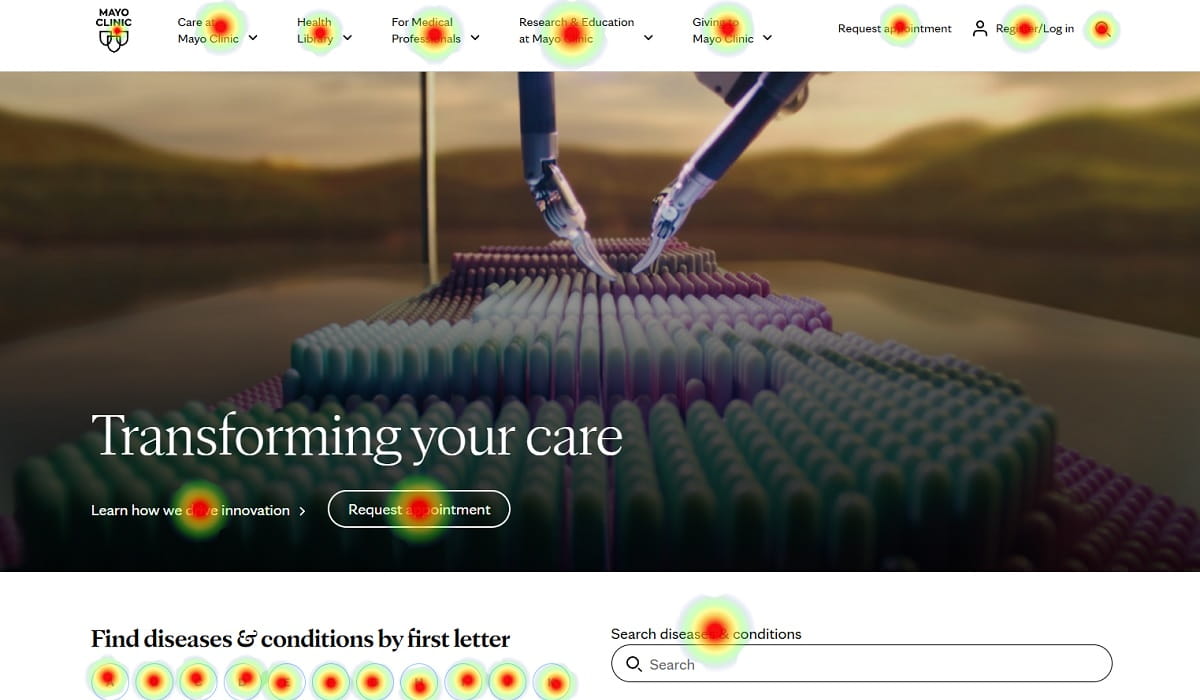
Patients rarely search using your internal org chart. Someone waking up with shooting leg pain searches for “back pain” or “sciatica,” not “Interventional Orthopedics & Spine.” If your top menu forces first-time visitors to guess which medical department handles their problem, they leave. Switch your navigation and service pages to plain-language symptoms and treatments, and check Plerdy click and scroll heatmaps to see which menu items patients actually click—and which ones they ignore completely.
2. Burying Credentials, Insurance, and Real Photos Below the Fold
Before a patient hands over their phone number or health concerns, they look for fast proof that your clinic is real, qualified, and takes their insurance. Generic stock photos of smiling models in white coats erode trust immediately. Show real photos of your doctors, lobby, and exam rooms, list board certifications and hospital affiliations clearly, place 3–5 verified patient reviews near your booking button, and state accepted insurance plans early on every core service page.
3. Turning a Simple Booking Request Into Full Intake Paperwork
Asking a new patient for their date of birth, insurance member ID, home address, and a paragraph about their symptoms just to request an appointment kills completions—especially on a phone. A first booking request only needs enough information to confirm the slot. Run Plerdy Form Analytics on your appointment form to see the exact field where drop-off spikes.
4. Treating Mobile UX as a Shrunk Desktop Site
When a parent searches for an urgent pediatric visit at 9 p.m. on their phone, tiny links, unclickable phone numbers, slow uncompressed photos, and pop-ups with microscopic close buttons end the visit in seconds. Watch 10 non-converting mobile visits in Plerdy Session Replay and you will spot these roadblocks in ten minutes.
5. Offering Only a Phone Number—or Hiding the Phone Number
Clinics that only say “Call us during business hours” lose every visitor who researches care after 6 p.m. or during a work break. On the flip side, clinics that hide their phone number behind an online widget frustrate older patients or people in acute pain who want to speak to a human right away. Give patients both options side by side: a tap-to-call button and 24/7 online scheduling.
6. Running Without Event Tracking or Error Monitoring
Many clinic owners only look at total website sessions in monthly agency reports. They never track taps on the phone number, clicks on the Book Appointment button, or silent JavaScript errors that break the scheduling widget on Safari. Plerdy Event Tracking captures button and phone clicks without developer code and sends them to GA4, while Plerdy Error Tracking flags JavaScript, 404, and server errors alongside the exact sessions they broke.
How Do You Find Where Patients Drop Off in the Service → Doctor → Appointment Funnel?
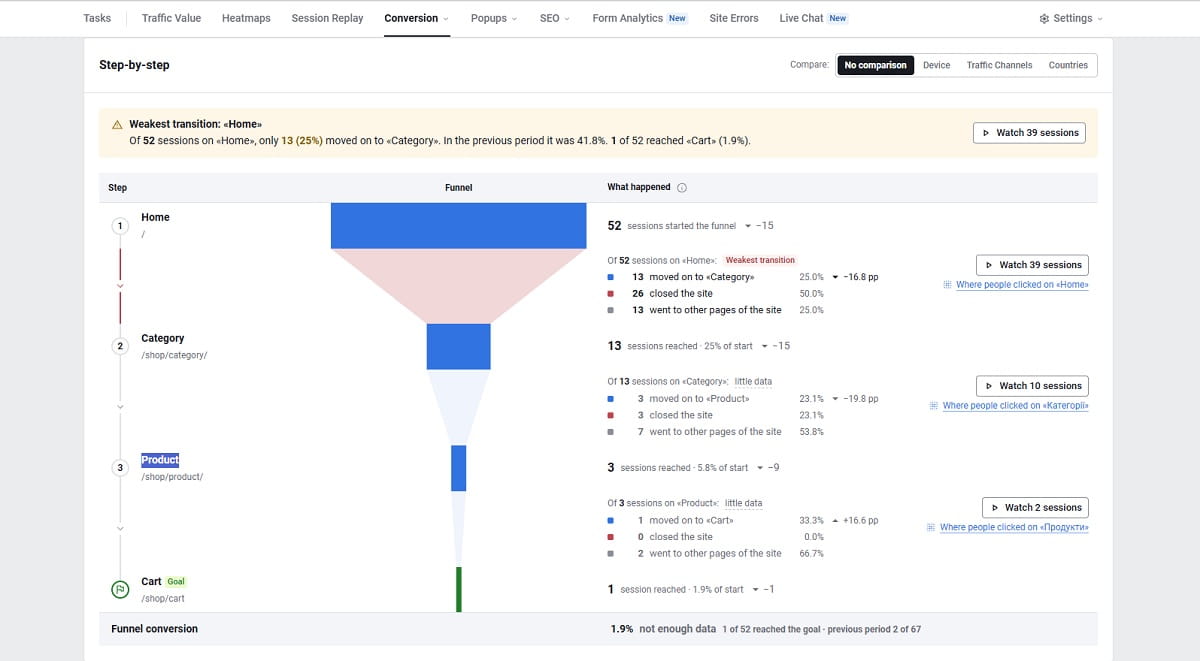
To find where patients drop off, build a four-step conversion funnel that mirrors how real patients choose a clinic: Service Page → Doctor Profile → Booking Page / Form Start → Confirmation. The step with the sharpest drop tells you where to focus first—so you stop guessing and stop paying for unnecessary full-site redesigns.
Each drop-off point points to a different root cause and a specific report:
- High drop between Service Page and Doctor Profile (or Booking): Visitors do not feel confident that you treat their exact issue or take their insurance. Open the Plerdy Scroll Heatmap for that service page. If 60% of visitors stop scrolling before your insurance list, doctor preview, or CTA button, move those blocks higher.
- High drop between Doctor Profile and Booking Page: Patients are checking credentials and deciding whether they trust the clinician. Look at the Click Heatmap on the bio page. Does each doctor profile have a clear, sticky “Book with Dr. [Name]” button, or does the page end in a dead end that forces users back to the top menu?
- High drop between Booking Page and Confirmation: The patient already decided to visit your clinic, and your form or scheduling widget got in the way. Open Plerdy Form Analytics to see which field causes abandonment, and watch filtered Session Replays of visitors who started the booking flow and left.
Unlike basic analytics that only track URL changes, Plerdy Website Funnel Analysis lets any step be either a page view or a specific button click—critical if your scheduler opens in a modal or redirects to a third-party EHR booking portal. You can compare mobile and desktop funnels side by side and jump straight from a drop-off step into the session recordings and click map for that exact page.
What is a “good” medical website conversion rate? There is no reliable universal benchmark across all medical clinics. An urgent care center, an orthopedic surgeon, and a dermatology clinic have completely different booking rates, and vendor blogs often mix paid landing pages with whole-site organic traffic. Instead of chasing an invented industry average, count phone taps, form submissions, and online bookings together in Plerdy for 30 days. That number is your real baseline—and your goal is to beat it quarter over quarter. (If you also run a dental clinic, see our dedicated dental website conversion guide for dental-specific booking flows.)
What Tools Show Why Patients Leave a Medical Website Without Booking?
To see why patients leave without booking, you need a behavior analytics platform that combines funnels, heatmaps, form analytics, and session replays—paired with traffic totals in Google Analytics 4 and call tracking if most bookings still happen by phone. We verified every product’s official website, active status, and pricing in November 2026; plans change frequently, so confirm current terms before purchasing.
1. Plerdy
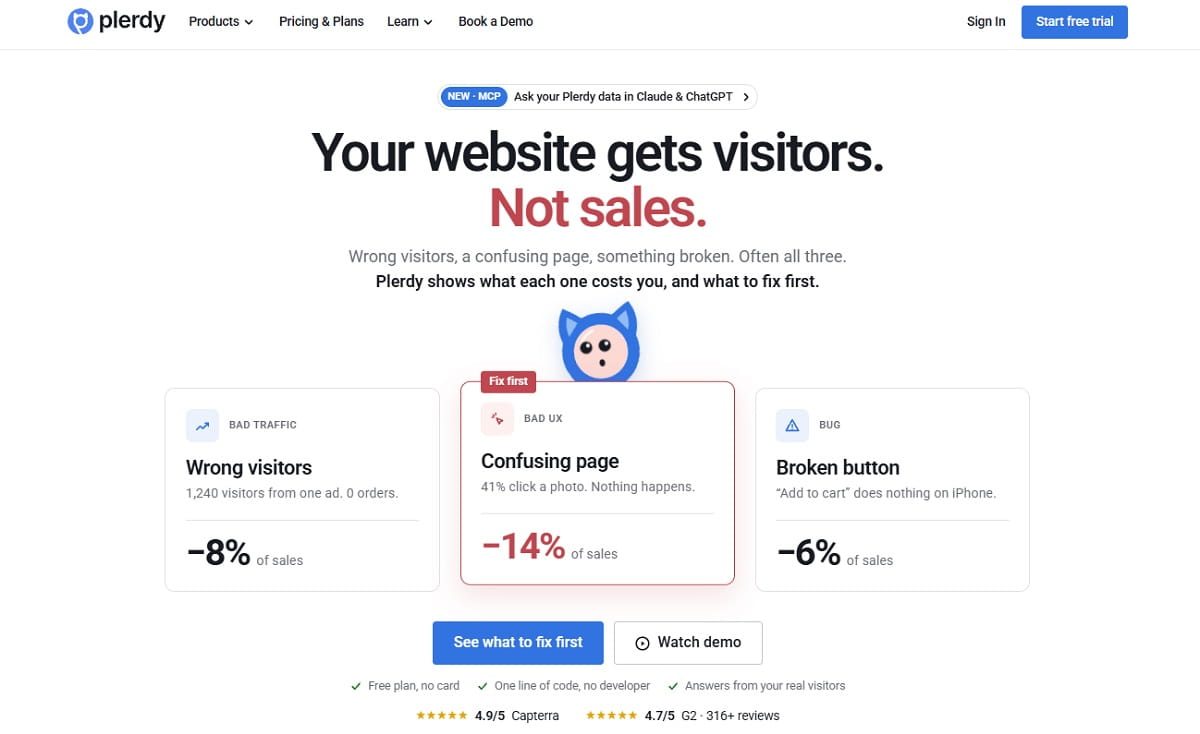
Plerdy is an all-in-one CRO, UX, and on-page SEO platform built for business owners and lean marketing teams who want one dashboard instead of four separate subscriptions. For a medical clinic, Plerdy puts every diagnostic tool you need in one place: click and scroll heatmaps, mobile and desktop session replay, field-level form analytics, multi-step conversion funnels, no-code event tracking (with GA4 export), JavaScript and 404 error tracking, unlimited free A/B testing, and an automated SEO checker. It runs with zero server load and no data sampling, and masks text typed into form fields in the visitor’s browser by default.
Pricing & AI advantage: Plerdy offers a forever-free plan ($0, no credit card, 100 daily heatmap views on up to 3 pages, 500 video sessions, form analytics for 2 forms, unlimited A/B testing, and top-1 error monitoring). Paid plans start at $21/month billed annually ($32/month monthly) on Startup, and $42/month billed annually ($64/month monthly) on Scale, with a 14-day free trial of Scale. Every paid plan includes the Plerdy MCP Server, allowing clinic owners to ask Claude or ChatGPT plain-English questions about lost bookings with read-only access and zero visitor personal data leaving Plerdy.
- Best for: clinic owners who want one affordable tool to diagnose booking leaks, run A/B tests, and query UX data via AI without hiring an analyst. Trade-off: Plerdy does not position itself as a HIPAA BAA vendor, so keep it off authenticated patient portals and PHI forms.
2. Microsoft Clarity
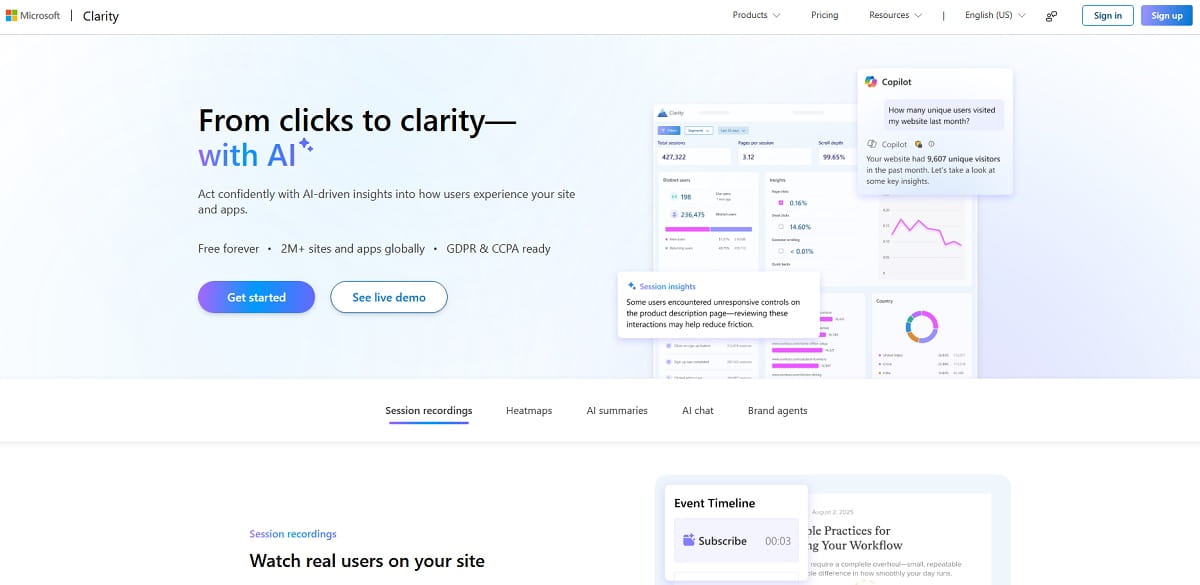
Microsoft Clarity is a free behavior analytics tool providing heatmaps, session recordings, frustration signals (rage clicks and dead clicks), and Copilot session summaries with no session caps or paid tiers. It is a practical zero-budget entry point if you only want basic recordings alongside GA4.
- Best for: small practices testing session replays for the first time at $0. Trade-off: Clarity lacks dedicated field-by-field form analytics, built-in A/B testing, and on-page SEO monitoring. Critically for clinics, Clarity operates as a data controller and does not offer a HIPAA Business Associate Agreement (UXCam 2026 review).
3. Hotjar by Contentsquare
Hotjar no longer operates as a standalone platform—it formally merged into Contentsquare in July 2025, and its domain now redirects to Contentsquare Experience Analytics. The merged platform offers heatmaps, session replays, funnels, and feedback tools across a free tier and paid Contentsquare tiers (check the official pricing page for current session limits).
- Best for: larger healthcare groups already working inside the Contentsquare ecosystem. Trade-off: Costs scale quickly when you need funnels and advanced analytics, and standard self-serve plans do not advertise a public HIPAA BAA.
4. Google Analytics 4

Google Analytics 4 is Google’s free web analytics platform for tracking traffic channels, campaign ROI, page views, and conversion events. It tells a clinic owner how many visitors came from Google Ads or local search and how many left the booking page, but it cannot show what happened on the screen.
- Best for: measuring channel volume and overall traffic trends alongside Plerdy. Trade-off: No heatmaps, no session replays, no form field analytics, and standard GA4 does not sign a HIPAA BAA.
5. CallRail
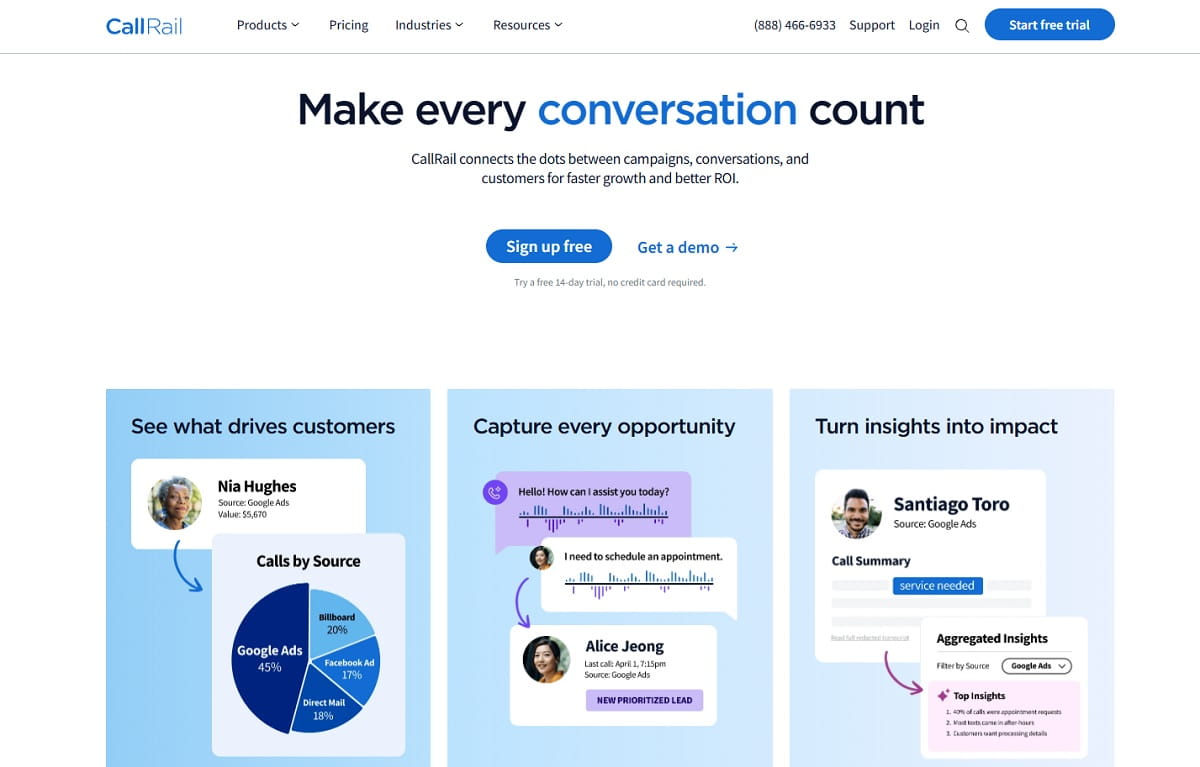
CallRail is call tracking software that attributes incoming phone calls back to specific marketing channels, keywords, and landing pages—closing the blind spot between a website phone tap and an answered call at your front desk. Standard plans start at $50/month billed annually ($55/month monthly) plus usage fees, and CallRail offers a dedicated Healthcare Plan that includes a HIPAA BAA (custom pricing via sales).
- Best for: clinics where the majority of new patients still book by phone. Trade-off: Tracks calls and lead attribution only; it does not diagnose on-page UX issues.
6. Google PageSpeed Insights
Google PageSpeed Insights is a free diagnostic tool that audits a single URL for mobile and desktop loading performance and reports Google’s Core Web Vitals (LCP, INP, CLS).
- Best for: checking your homepage and booking page right after compressing doctor photos or changing website themes. Trade-off: Measures speed and layout stability only—it gives zero visibility into where patients click or abandon forms.
| Tool | Starting Price | Best For | Key Medical UX Features | Privacy & Limitations |
|---|---|---|---|---|
| Plerdy | $0 Free; Paid from $21/mo (annual) | Clinic owners wanting all-in-one UX, CRO & AI insights | Funnels, Form Analytics, Heatmaps, Session Replay, Error Tracking, Free A/B Tests, Plerdy MCP | Browser-side form masking by default; no HIPAA BAA (keep off patient portals) |
| Microsoft Clarity | $0 (Free only) | Zero-budget first look at replays | Heatmaps, session recordings, rage/dead clicks, Copilot summaries | No HIPAA BAA; no form field analytics, A/B testing, or SEO checker |
| Hotjar by Contentsquare | Free tier + paid Contentsquare plans | Teams already using Contentsquare | Heatmaps, recordings, journeys, surveys | Merged into Contentsquare; funnels/scale costly; no public self-serve HIPAA BAA |
| Google Analytics 4 | $0 (Free) | Traffic channels & event totals | Channel attribution, page views, custom conversion events | No visual UX behavior data; standard GA4 does not sign a HIPAA BAA |
| CallRail | From $50/mo annual (+ Healthcare BAA tier) | Phone-heavy medical practices | Call attribution, missed-call logs, Healthcare HIPAA BAA plan | Paid add-on; does not show on-page UX, clicks, or scroll drop-offs |
| PageSpeed Insights | $0 (Free) | Checking mobile page speed | Core Web Vitals (LCP, INP, CLS) per URL | Speed diagnostics only; no visitor behavior or funnel tracking |
Most private clinics do not need six subscriptions. Running Plerdy for UX diagnostics, funnels, form analytics, and A/B testing—alongside GA4 for traffic totals and CallRail if your front desk relies heavily on phone bookings—covers the entire patient journey. Compare the cost: Plerdy Scale at $42/month billed annually replaces separate heatmap, A/B testing, and SEO audit subscriptions that easily top $300/month combined.
Which Fields in a Medical Appointment Form Make Patients Quit?
The fields that cause the highest abandonment on clinic appointment forms are date of birth, insurance policy or member ID, free-text “describe your symptoms” boxes, mandatory email fields for callers, and rigid phone-number validators that reject spaces or hyphens. Patients visiting from a smartphone rarely have their insurance card in hand—and they hesitate to type personal medical details into a generic web form.
To get more completed appointment requests, split data collection into two stages:
- Stage 1 (Public website form — keep to 3–4 fields): Full Name, Mobile Phone Number, Clinic Location or Service (dropdown), and Preferred Time Window (Morning / Afternoon / First Available). That is all your front desk needs to confirm a visit.
- Stage 2 (Post-booking intake): Collect date of birth, insurance card uploads, medical history, and symptom questionnaires only after the appointment is requested, inside your secure, HIPAA-compliant EHR patient portal or by phone.
Small technical details inside the form also prevent quiet drop-offs. Use proper HTML input types (type="tel" for phone numbers so the numeric keypad opens automatically on iOS and Android), place visible <label> tags above every field rather than relying on disappearing placeholder text, and write clear inline error messages (“Enter a 10-digit phone number”) instead of generic red borders.
Instead of guessing which field hurts your clinic most, open Plerdy Form Analytics (free for up to two forms). It automatically detects your website forms and reports field-by-field drop-off, completion time, and retries—while masking every character patients type inside the browser so sensitive text is never stored.
How Do Mobile UX and Accessibility Affect Clinic Bookings?
Mobile UX and accessibility directly control how many patients complete a booking because most healthcare searches happen on smartphones—often by older adults, stressed parents, or people experiencing pain. If a patient has to pinch-to-zoom to read your office hours, tap a tiny link three times, or wait five seconds for a heavy banner image to load, they will book with a competitor whose site works cleanly on a phone.
Apply these concrete standards to every clinic page:
- Add a sticky bottom Call + Book bar on mobile: Keep it slim (around 56 px tall) with high contrast so patients can tap to call or jump to the scheduler from any scroll position without covering form fields when the phone keyboard opens.
- Meet WCAG 2.2 Level AA readability and contrast: Set body copy to 16–18 px with at least 1.5–1.6 line height and a text-to-background contrast ratio of at least 4.5:1. While WCAG 2.2 Level AA sets a 24×24 px minimum target size, aim for at least 44×44 px on mobile CTA buttons and form inputs so older patients and thumb-scrollers never mis-tap.
- Hit Google’s Core Web Vitals targets: Aim for Largest Contentful Paint (LCP) within 2.5 seconds, Interaction to Next Paint (INP) under 200 milliseconds, and Cumulative Layout Shift (CLS) under 0.1. Test your homepage and booking page in PageSpeed Insights and compress oversized staff and facility photos first.
To verify mobile UX on real visitors rather than a designer’s desktop monitor, filter 10 mobile sessions in Plerdy Session Replay that reached your booking page and exited. Look for rage clicks on non-clickable phone numbers, keyboards covering the Submit button, and cookie banners blocking half the screen. Pair that with Plerdy Error Tracking to catch broken mobile scripts before they quietly wipe out a week of paid leads.
Can a Clinic Use Heatmaps and Session Replay Under HIPAA?
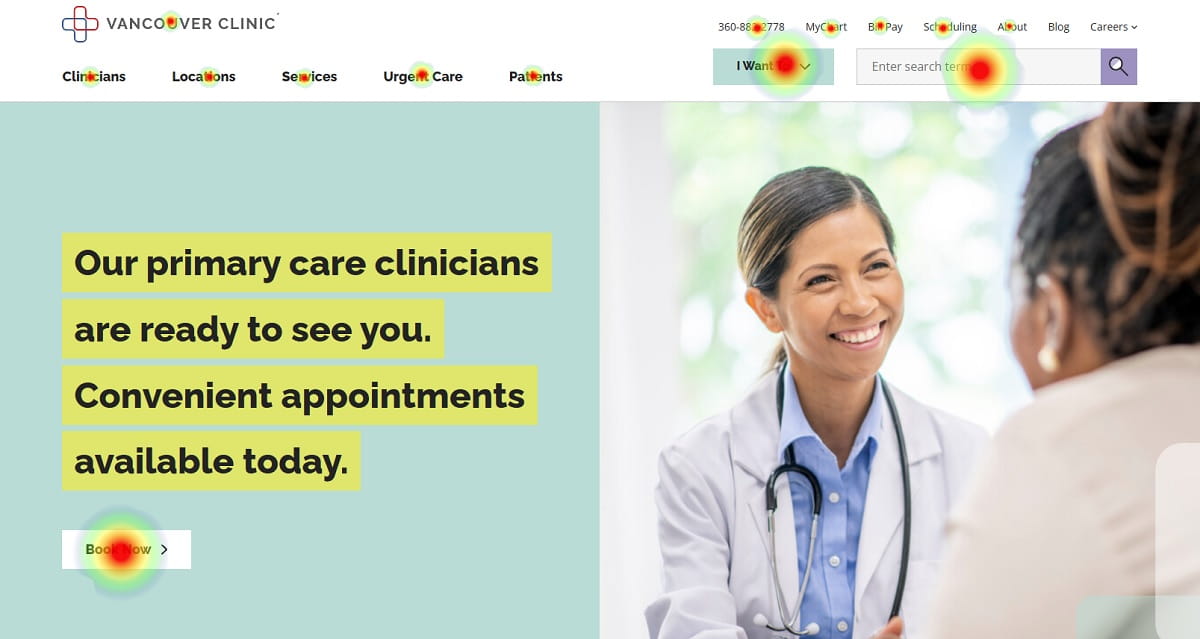
Clinics can use heatmaps and session replay on public marketing pages only if they keep tracking strictly separated from Protected Health Information (PHI) and follow legal compliance guidance. Disclaimer: This section provides general operational information and is not legal advice; consult your healthcare compliance officer or attorney before deploying any analytics script.
The U.S. Department of Health and Human Services Office for Civil Rights published the Use of Online Tracking Technologies by HIPAA Covered Entities and Business Associates bulletin explaining when web tracking tools can trigger HIPAA obligations. Note that a U.S. District Court vacated part of that guidance on June 20, 2024, so your counsel should confirm which rules apply to your specific practice today. Regardless of jurisdiction, follow five practical safeguards:
- Never install tracking behind a login: Exclude authenticated patient portals, lab result pages, and secure EHR intake forms from every heatmap, replay, and ad pixel script.
- Keep PHI out of public booking forms: Do not ask visitors to type diagnoses, medications, or symptoms into a general website contact form.
- Verify browser-side input masking: Plerdy masks text entered into form fields inside the visitor’s browser before data is transmitted and does not read typed values. However, Plerdy does not state that it is HIPAA certified or sign a BAA—so treat it as a public marketing UX tool, never as a PHI storage system.
- Audit advertising pixels on scheduling pages: Check whether Meta, TikTok, or Google Ads pixels fire on appointment confirmation pages where health intent could be inferred.
- Use BAA-backed vendors where PHI is unavoidable: If you record patient phone calls or process clinical intake data, use dedicated healthcare plans that execute a Business Associate Agreement (such as CallRail’s Healthcare tier or your EHR’s native portal).
Ask Your Clinic Data via MCP: 3 Prompts for Clinic Owners
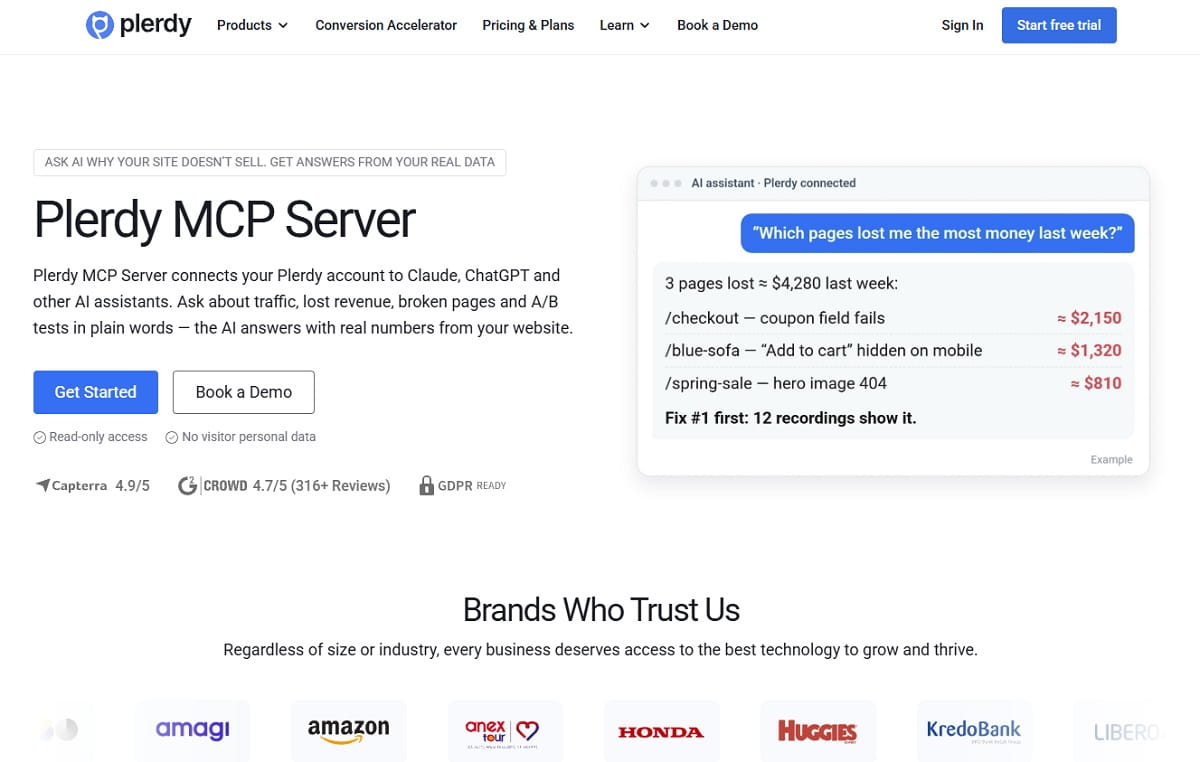
If you own a medical clinic, you do not have two hours every Monday to slice filters inside an analytics dashboard. With the Plerdy MCP Server (included in all paid Plerdy plans starting at $21/month billed annually), you connect your clinic’s Plerdy account directly to Claude or ChatGPT and ask plain-English questions about your website UX. The connection is strictly read-only—the AI can analyze your funnels, heatmaps, session counts, and site errors, but it cannot edit your site, and no visitor personal data leaves Plerdy.
Setup takes under five minutes with zero coding: open Settings → AI Connectors in Plerdy, generate an access token, add Plerdy as a connector in Claude or ChatGPT, and paste any of these three clinic-ready prompts:
Prompt 1 (Service → Doctor → Booking Funnel): “Using my Plerdy data for the last 30 days, show the drop-off across my Service Page → Doctor Profile → Appointment Booking funnel. Which top 3 service pages bring visitors who never click Book Appointment, and what are their scroll depths?”
Prompt 2 (Appointment Form Drop-Off): “Analyze form analytics for my clinic appointment request form over the last 30 days. Which field has the highest abandonment and error rate, and how does mobile completion compare to desktop?”
Prompt 3 (Mobile Leaks & Broken Scripts): “Compare mobile and desktop conversions on my booking page for the last 30 days against the previous 30 days. List any JavaScript or 404 errors affecting booking pages and find 3 mobile session recordings with rage clicks so I can watch them.”
Always spot-check the AI’s summary against the underlying Plerdy report before making changes, then hand the exact findings to your web developer or marketing manager. For step-by-step setup details, visit the Plerdy MCP Server page.
Which Medical Website UX Fixes Should a Clinic Owner Do First?
Fix the highest-friction, lowest-effort items first—button clarity, tap-to-call visibility, and form length—before touching visual branding or page templates. The effort estimates below reflect typical timelines for a small-to-mid-sized clinic website and help you sequence work by return on time.
| UX Fix | Estimated Effort | Expected Impact Area | How to Verify in Plerdy |
|---|---|---|---|
| Replace generic “Contact Us” buttons with action labels (“Book Appointment” / “Book With Dr. [Name]”) | 15 minutes | Homepage & doctor bio CTR | Click Heatmap + Event Tracking |
| Make every phone number a tap-to-call link and add a sticky mobile Call + Book bar | 30 minutes | Mobile calls & urgent bookings | Mobile Phone Tap Events + Mobile Funnel |
| Cut the public appointment form to 3–4 fields (name, phone, service, preferred time) | 1 hour | Form completion rate | Form Analytics abandonment by field |
| Move accepted insurance plans, hours, and new-patient info above the first scroll | 1–2 hours | Service page drop-off | Scroll Heatmap + Service-to-Booking Funnel |
| Replace stock photos with real clinic, lobby, and physician headshots + credentials | Half a day | Patient trust & bounce rate | Doctor Bio Funnel conversion rate |
| Compress heavy images and fix layout shifts (Core Web Vitals) | Half a day to 1 day | Mobile load speed & engagement | Session Replay (fewer rage clicks) + PageSpeed |
| Fix JavaScript/404 errors on booking widgets and test mobile date pickers | 1–3 hours | Recovered lost bookings | Error Tracking + Confirmation Event count |
A Realistic 30-Day Execution Plan
- Week 1 (Measure): Install Plerdy via the WordPress plugin or a single script tag. Set up three no-code events—phone tap, Book Appointment click, and confirmed form submit—and record your current 30-day baseline.
- Week 2 (Diagnose): Review your
Service → Doctor → Bookingfunnel, open click and scroll heatmaps on your top three service pages, check Form Analytics for the worst field, and watch 10 non-converting mobile session replays. - Week 3 (Fix 2–3 Leaks): Ship only two or three high-impact changes (such as a shorter form and a sticky mobile bar), or test the new headline/CTA using Plerdy’s unlimited free A/B Testing tool. Write down the exact launch date.
- Week 4 and Beyond (Verify & Scale Traffic): Let the changes run for 30 full days and compare total booking actions against the previous 30 days (for lower-traffic specialty clinics, measure 60 days to filter out weekly noise).
Once your website converts visitors cleanly into appointments, it is finally safe to scale your traffic channels. Explore our related guides on digital marketing for clinics, our step-by-step healthcare SEO guide, digital marketing for healthcare, healthcare marketing strategies, digital marketing strategies for hospitals, SEO for doctors, and marketing for doctors.
Ready to stop losing patients on your own website? Start with Plerdy Free or launch your 14-day Scale trial (including Funnels, Form Analytics, Heatmaps, Session Replay, and the Plerdy MCP Server) and see your clinic’s first heatmap in under 10 minutes.
Frequently Asked Questions About Medical Website UX
How can a clinic website get more online appointments?
Focus on removing friction across the patient journey from service page to doctor profile to booking confirmation. Place a clear Book Appointment button and tap-to-call phone number above the fold, cut the initial booking form to 3–4 fields, display accepted insurance plans early, and use Plerdy funnel analysis and heatmaps to fix the exact step where patients drop off.
What UX mistakes stop patients from booking on medical websites?
The most costly mistakes are department-based menus that ignore how patients search by symptoms, long forms requesting birth dates or insurance IDs up front, non-clickable phone numbers on mobile, slow uncompressed images, generic stock photography instead of real physicians, and broken third-party booking widgets.
What is a good conversion rate for a medical clinic website?
There is no single reliable public benchmark across all medical specialties because urgent care, dermatology, and surgical clinics convert differently. Instead, track phone taps, form submissions, and online bookings together for 30 days in Plerdy to establish your own baseline, then measure improvements against it.
What tool shows where patients drop off on a medical website?
A behavior analytics platform that combines funnels, form analytics, heatmaps, and session replay. Plerdy includes all four plus error tracking and unlimited A/B testing on a free plan, and adds the Plerdy MCP Server on paid plans so clinic owners can query their UX data directly in Claude or ChatGPT.
Can medical websites use heatmaps and session replay under HIPAA?
Treat them as online tracking technologies under HHS OCR guidance. Keep recordings off authenticated patient portals, avoid asking for symptoms or Protected Health Information (PHI) in public web forms, ensure form inputs are masked in the browser, and consult your compliance attorney before deploying any tracking script on booking pages.
Should a medical clinic offer online scheduling or only phone booking?
Offer both. According to the Experian Health 2025 survey, 80% of patients want the option to schedule online anytime, especially after office hours, while urgent or older patients often prefer calling. Track both click-to-call taps and online booking completions separately to see which channel drives more confirmed visits.