

Faceted navigation is one of those ecommerce features that feels harmless until the crawl data says otherwise. Shoppers need filters. They want to narrow a category by brand, size, color, price, availability, rating, material, and a dozen other details. Without filters, large product catalogs become frustrating fast.
Search engines see the same system differently. Every selected filter can create another URL. Then another. Then another. A category with five useful filters can quietly turn into thousands of crawlable URLs, many of them thin, duplicated, unstable, or almost identical to the parent category.
This is why faceted navigation SEO is not only a technical setup. It is a control problem. You need to decide which filtered pages deserve Google indexation, which ones should be canonicalized, which ones should be noindexed, and which ones should never become crawlable in the first place.
Tools like Plerdy can help ecommerce teams see how users interact with filters, category pages, and filtered product listings before SEO rules are changed blindly. That matters, because a filter that looks useless in a crawl export may still help shoppers find products and convert.
This guide explains how to manage faceted navigation in SEO without damaging organic traffic, user experience, or conversion rate optimization.
What Is Faceted Navigation?
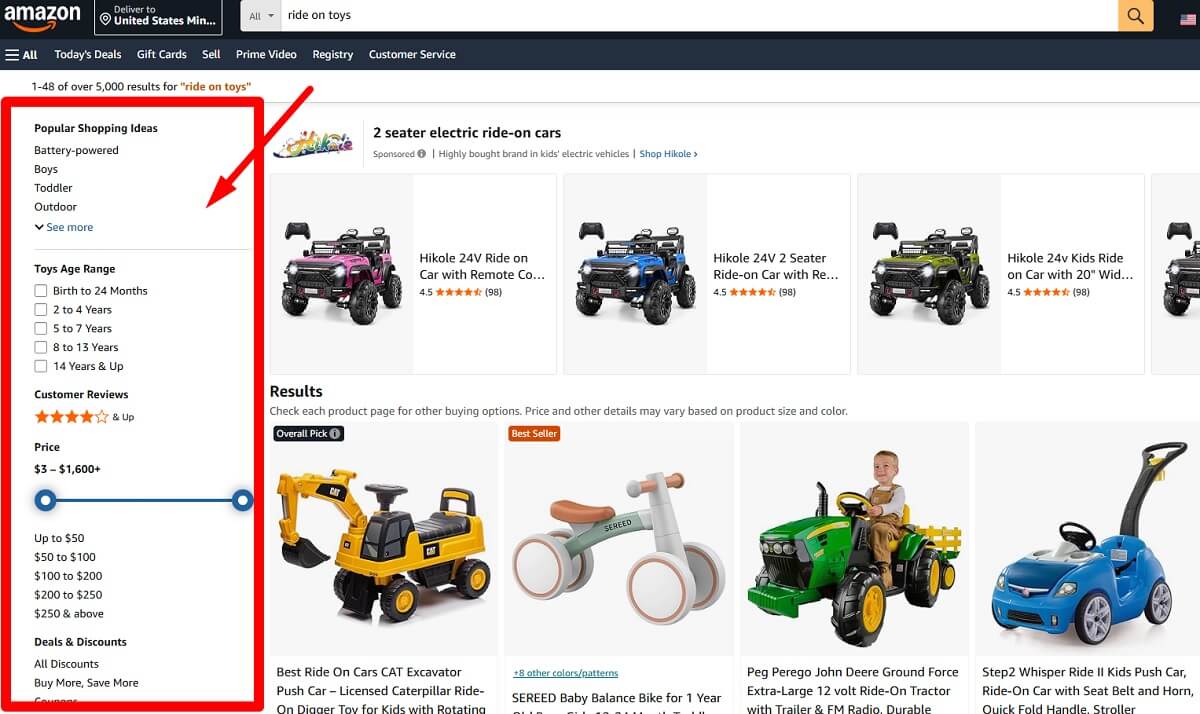
Faceted navigation is a filtering system that lets shoppers narrow a product list by selecting product attributes. It is common on ecommerce category pages, marketplace listings, directories, travel sites, real estate platforms, and large content libraries.
In ecommerce, faceted navigation usually starts with a broad category and then lets the user refine the list.
- Category plus brand: running shoes filtered by Nike
- Category plus size: women’s boots filtered by size 7
- Category plus color: sofas filtered by green
- Category plus price: laptops filtered by $700 to $1,000
- Category plus availability: jackets filtered by in stock
- Category plus rating: headphones filtered by 4 stars and above
Faceted navigation differs from regular category navigation because categories usually represent fixed site architecture. A category such as /mens/shoes/ is meant to exist as a stable page. A filtered URL such as /mens/shoes/?color=black&size=8&sort=newest may be created only because one user clicked several controls.
It also differs from internal search. Internal search reacts to typed queries. Faceted search for ecommerce reacts to structured attributes. Both can create SEO problems, but faceted navigation is especially risky because filter combinations can multiply very quickly.
What Faceted Navigation Means In SEO
Faceted navigation in SEO means dealing with all the URLs, signals, and crawl paths created by product filters. The same feature that helps users find products can also create duplicate URLs, thin content, crawl traps, and weak index quality.
A simple product category might be clean:
/shoes/running/
After filters are applied, the site may generate URLs like these:
/shoes/running/?color=black/shoes/running/?brand=nike/shoes/running/?color=black&brand=nike/shoes/running/?brand=nike&color=black/shoes/running/?color=black&brand=nike&size=8&sort=price_asc
Some of these may represent real search demand. Others are only temporary product grid states. The SEO problem appears when all of them are crawlable, indexable, internally linked, and treated as equal pages.
That can lead to:
- Duplicate or near-duplicate content
- Index bloat from low-value filter pages
- Wasted crawl budget faceted navigation issues
- Diluted internal signals across too many URLs
- Weak landing pages competing with stronger categories
- Poor canonical logic
- Confusing parameter URLs SEO teams cannot manage at scale
Why Faceted Search Can Hurt Organic Traffic
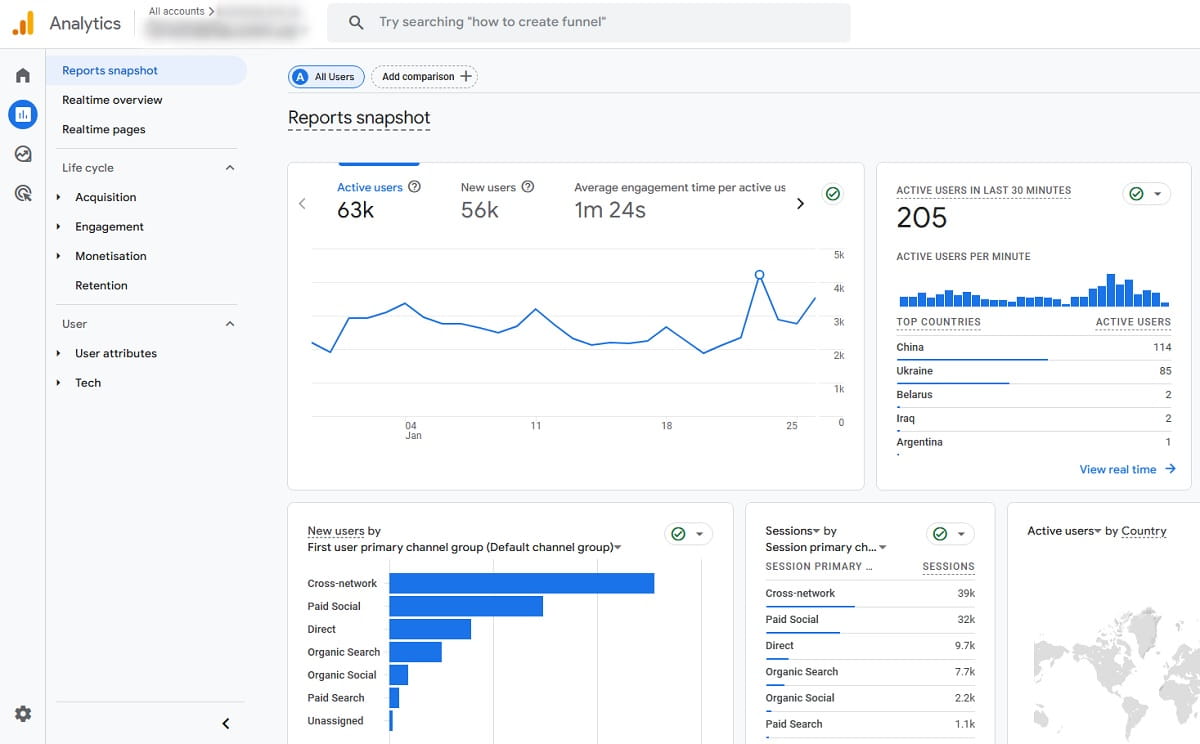
Faceted search SEO problems usually do not appear as one obvious error. They build slowly. Google discovers more URLs. Search Console starts showing strange parameter pages. Crawlers spend time on low-value combinations. Category pages lose clarity. Then the site owner wonders why the main category no longer performs as expected.
Thousands Of Low-Value URLs
A few filters can create a very large URL set. Brand, color, size, material, rating, price, discount, availability, and sorting options may all combine. If every combination creates a crawlable URL, the site can produce far more URLs than useful pages.
Duplicate Titles And Descriptions
Many filtered pages inherit the same title, H1, and meta description from the parent category. Search engines then see dozens or hundreds of pages saying almost the same thing while showing nearly identical product grids.
Thin Filtered Pages
A page filtered by one popular attribute may be useful. A page filtered by five attributes may show two products and no unique copy. That is thin content. It rarely deserves to compete in organic search.
Duplicate Product Grids
Different filter combinations can return the same products. For example, “black leather boots,” “leather black boots,” and “black boots size 8 in stock” may overlap heavily. Different URLs, same practical result.
Crawl Traps
Crawl traps happen when search engine crawling keeps discovering more filter combinations with little value. Pagination and faceted navigation can make this worse when filtered pages also generate paginated series, sorted versions, and duplicated parameter orders.
Weaker Category Pages
If internal links point heavily to filtered URLs, the main category may receive fewer signals. Product category SEO becomes messy because the site no longer communicates which page is the primary landing page.
Wrong Pages Ranking
Sometimes a filtered page ranks instead of the cleaner category page. That can be useful when the filter page matches intent. It is a problem when a thin parameter URL ranks with poor metadata, weak content, or unstable inventory.
Inconsistent Canonical Tags
Canonical tags for faceted navigation help only when the logic is consistent. If one filtered page canonicalizes to the parent category, another self-canonicalizes, and a third points to a different filter URL without a clear reason, search engines receive mixed signals.
Why Filter SEO Should Start With User Behavior
Filter pages SEO should not be decided only from spreadsheets, crawl exports, and parameter lists. Those are necessary, yes. But filters exist because users need them. If an SEO team removes, blocks, or hides filters without checking behavior, the site may protect crawl budget while hurting revenue.
Good ecommerce filters SEO starts with questions that connect SEO, UX, and conversion rate optimization:
- Which filters do users click most often?
- Which filter combinations lead to product views?
- Where do users filter and then leave the page?
- Do filtered pages help users reach products faster?
- Are important filters hidden, unclear, or ignored?
- Do users repeatedly change filters because the results are poor?
- Do mobile users interact with filters differently from desktop users?
Plerdy can support this part of the ecommerce SEO audit by showing filter clicks, heatmaps, session recordings, page engagement, and conversion friction on category pages and filtered URLs. This gives SEO and CRO teams a better view of which filters are only technical noise and which filters actually help shoppers make decisions.
How Plerdy Helps Prioritize Faceted Navigation Problems
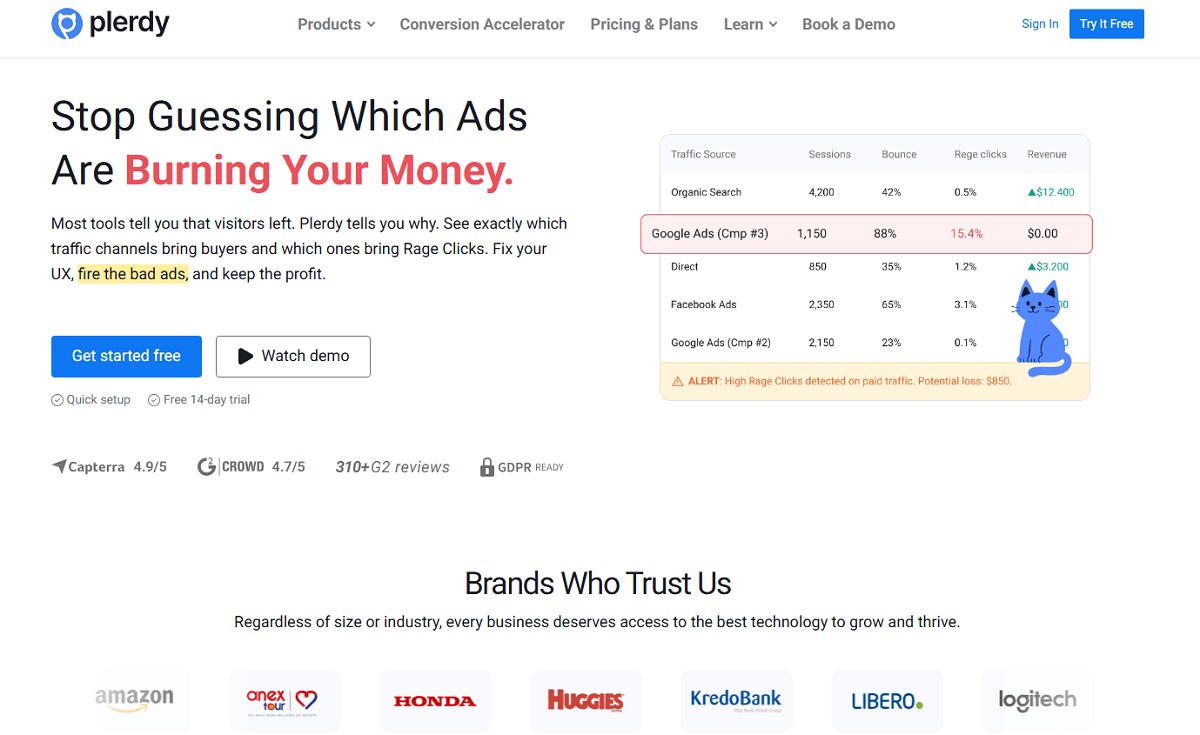
Faceted navigation best practices sound simple until a store has thousands of categories, filters, and URL patterns. At that point, the hard part is prioritization. Which filters need technical SEO control first? Which combinations deserve SEO landing pages? Which filters are useful for users but should stay out of the index?
Plerdy helps ecommerce teams connect technical findings with behavior data. This is useful because a crawl report can show what exists, but it cannot fully explain whether shoppers value a filter.
- Detect high-use filters: use click data to see which brand, size, color, material, price, or availability filters users choose most.
- Compare category and filtered page engagement: review whether filtered URLs keep users browsing or push them away.
- Find UX friction: use Plerdy heatmap tool insights and Plerdy session recordings to spot confusing filter labels, hidden mobile filters, slow reloads, or repeated filter changes.
- Support page-level SEO decisions: combine Plerdy SEO Checker data with behavior analytics to understand whether a filter page has both organic value and user value.
- Identify landing page candidates: find filtered pages where users browse deeply, view products, and convert. Those combinations may deserve clean static URLs and unique content.
- Improve ecommerce conversion analysis: connect filter behavior with product views, add-to-cart actions, and checkout movement.
This does not mean every popular filter should be indexed. It means user behavior can help you avoid mechanical decisions. A filter may be valuable for UX but bad for Google indexation. Another filter may have search demand, stable inventory, strong engagement, and real revenue potential. Those two cases need different rules.
The Main Rule: Not Every Filter Deserves An Indexable Page
The central rule of SEO-friendly faceted navigation is simple: not every filter state should become an indexable page.
Some filter combinations match real search intent. “Black running shoes” may deserve an indexable page if the store has enough products, stable inventory, and a useful landing page. It is a clear query. It has commercial intent. The page can be made different from the parent category.
But “black running shoes size 8 price under $60 in stock sorted by newest” probably should not be indexable. It is too narrow, unstable, and likely duplicated by many other combinations. It is useful as a shopping state, not as a search landing page.
Indexation should depend on:
- Search demand
- Unique intent
- Inventory depth
- Inventory stability
- Unique metadata and copy
- Internal linking value
- Conversion potential
- Whether the page is useful without feeling auto-generated
Which Faceted Pages Should Be Indexed?
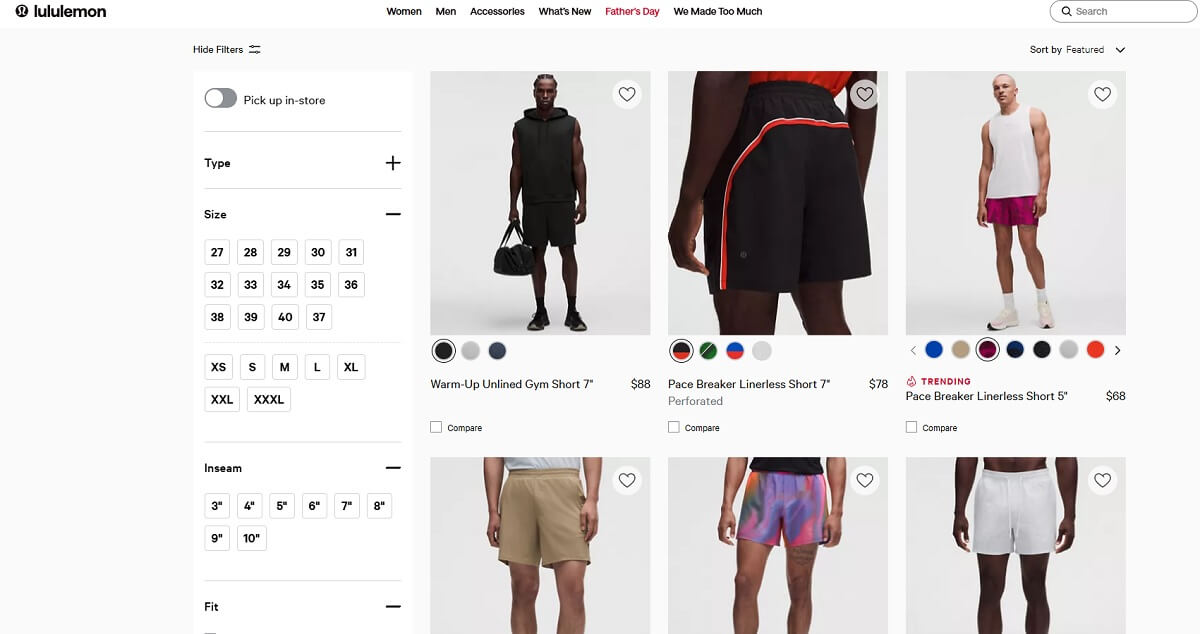
Indexable filter pages should behave like real ecommerce landing pages, not like accidental parameter URLs. They need a reason to exist in Google Search.
A filtered page can be indexable when it has:
- Clear search demand
- Stable product inventory
- Unique user intent compared with the parent category
- Enough products to satisfy shoppers
- A unique title, H1, meta description, and intro copy
- A clean, readable, crawlable URL
- Internal links from relevant categories or editorial pages
- A self-referencing canonical URL
- Revenue or conversion value
Good examples of indexable filter pages might include:
/running-shoes/black/for “black running shoes”/sofas/leather/for “leather sofas”/laptops/gaming/for “gaming laptops”/dresses/plus-size/for “plus size dresses”/office-chairs/herman-miller/for “Herman Miller office chairs”
These pages work best when they are intentionally created, internally linked, included in XML sitemaps where appropriate, and supported with useful content. The URL should not look like a leftover session state.
Which Filter Pages Should Be Noindexed?
Noindex filtered pages when the page is useful for users but does not deserve to appear in search results. This is common for low-demand combinations, sorting URLs, view options, narrow product states, and duplicate product grids.
Noindex can make sense for:
- Very thin filtered pages
- Low-demand combinations
- Sorting parameters such as
?sort=price_asc - View options such as grid or list view
- Price slider combinations
- Temporary availability filters
- Internal tracking parameters
- Filtered pages with duplicate titles and product grids
- Combinations that show only one or two products
There is one practical detail people often miss. Noindex does not immediately save crawl budget. Search engines need to crawl the page to see the noindex directive. Over time, low-value pages may drop from the index, but noindex is not the same as preventing crawling.
So use noindex when the page can be crawled, helps users, but should not rank. Do not use it as the only solution for endless parameter spaces.
When To Use Canonical Tags For Faceted Navigation
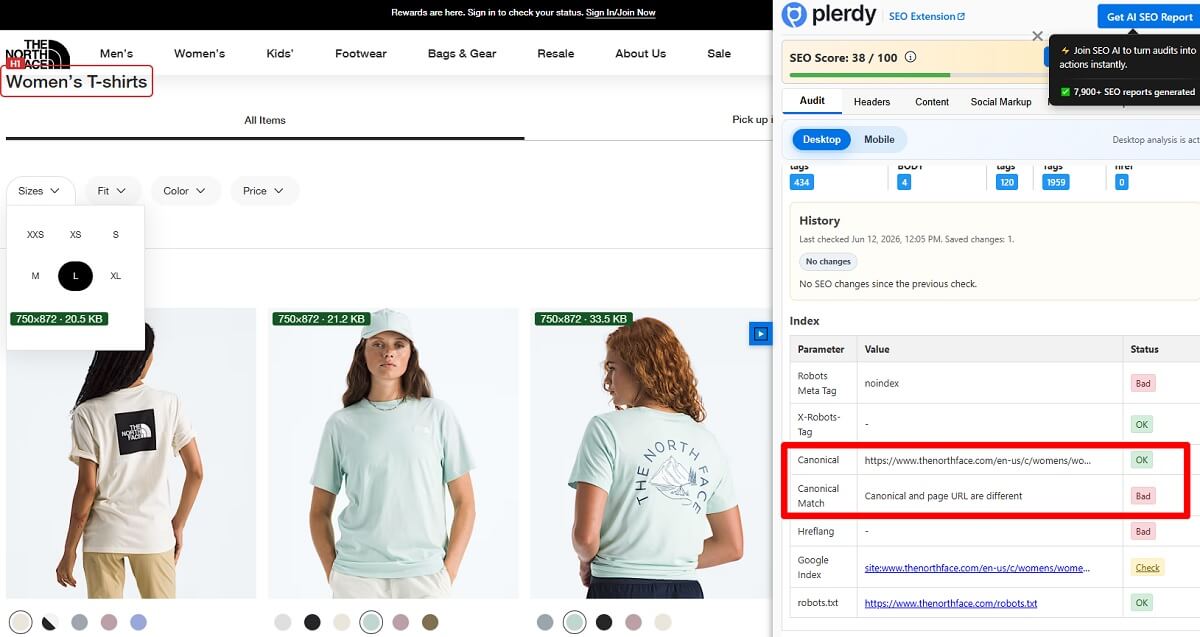
Canonical tags help search engines understand the preferred version of similar or duplicate pages. They are useful for faceted navigation, but they are not a magic fix for crawl waste.
Use a self-referencing canonical on valuable indexable filter pages:
/shoes/running/black/ should canonicalize to /shoes/running/black/ when that page is meant to rank.
Use a canonical to the parent category for duplicate or low-value filter pages:
/shoes/running/?sort=price_asc can canonicalize to /shoes/running/ when sorting changes order but not the core page intent.
Use canonical tags carefully for combinations:
/shoes/running/can be the canonical URL for the main running shoes category./shoes/running/black/can be self-canonical if it is a valuable page./shoes/running/?sort=price_asccan canonicalize to the main category./shoes/running/?color=black&sort=price_asccan canonicalize to the clean black running shoes page if that page exists.
Avoid canonical chains. A filtered URL should not canonicalize to another filtered URL that then canonicalizes somewhere else. Also avoid pointing every filtered page to one parent category without logic. That hides real opportunities and creates weak signals.
Google also recommends using consistent URLs across internal links, sitemaps, and canonical tags for indexable pages. This is especially important for ecommerce sites with product variants, pagination, and filter URLs.
When Robots.txt Helps And When It Can Hurt
Robots.txt faceted navigation rules can help when a site creates obvious crawl traps. For example, if sort, view, session, tracking, or internal search parameters create endless URL variations, blocking those patterns may reduce crawl waste.
But robots.txt is blunt. It controls crawling, not indexation. If Google cannot crawl a URL, it cannot see the canonical tag or noindex directive on that page. This is why blocking everything in robots.txt can create strange outcomes, especially when blocked URLs are internally linked or externally linked.
Robots.txt may help for:
- Endless sort parameters
- Internal tracking parameters
- Session IDs
- Calendar-style or timestamp URLs
- Combinations that should never be indexed and never need to pass signals
Robots.txt can hurt when:
- It blocks Google from seeing canonical tags
- It blocks pages that should become indexable filter pages later
- It is applied to broad parameter patterns without testing
- It hides crawl problems instead of fixing internal linking and URL generation
A safer approach is to map filter types first, test rules in a staging environment, crawl before and after deployment, and monitor Search Console. Blanket rules feel clean on paper. Real ecommerce catalogs are rarely that neat.
URL Parameter Rules For Ecommerce Filters
Parameter URLs SEO becomes painful when every filter creates a different crawlable version of the same result. The goal is not to remove all URL parameters. The goal is to make them predictable, limited, and meaningful.
Good URL parameter rules should:
- Avoid crawlable URLs for every possible combination
- Keep important SEO pages clean and readable
- Control sort, view, session, tracking, and internal search parameters
- Avoid infinite combinations
- Use consistent parameter order
- Avoid multiple URL versions for the same filtered result
- Use lowercase consistently when the server treats cases as equal
- Avoid duplicate parameters such as
?color=black&color=blueunless the logic is intentional
For important pages, clean static URLs are often easier to manage:
- Better:
/running-shoes/black/ - Messier:
/running-shoes/?color=black - Worse:
/running-shoes/?filter_color=black&sort=popular&view=grid&session=123
Google’s ecommerce URL guidance favors stable, descriptive URLs and consistent use of canonical tags, internal links, and sitemap URLs. That advice fits faceted navigation especially well because filter systems often create duplicate URLs by accident.
How To Turn Valuable Filter Combinations Into SEO Landing Pages
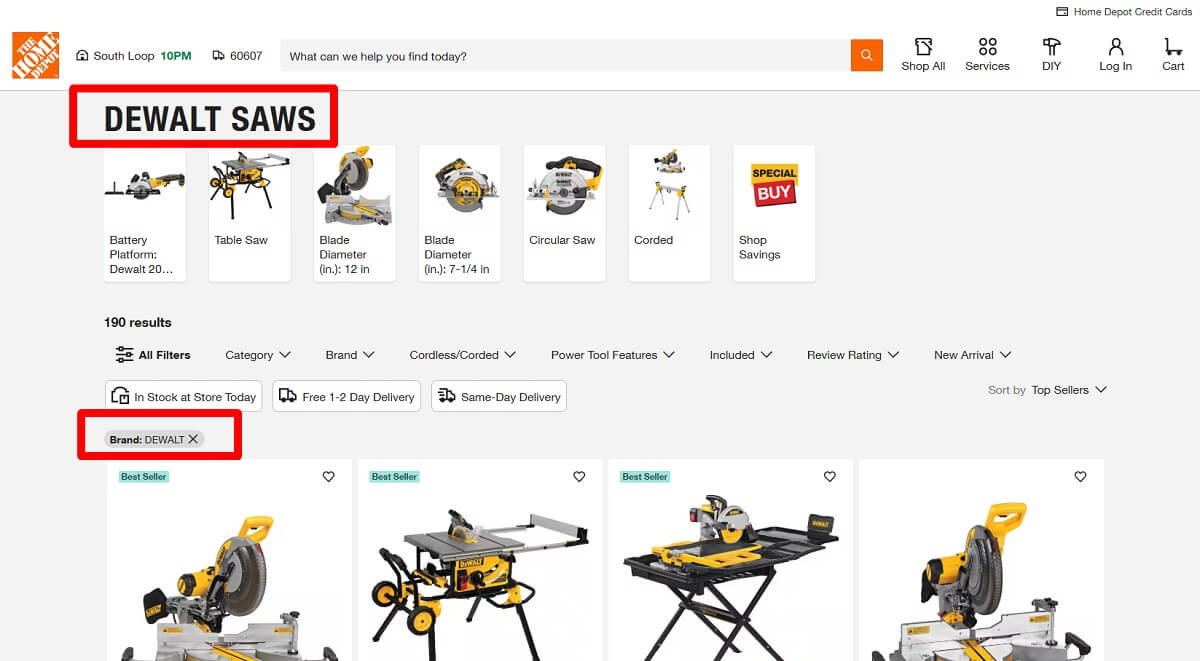
Some faceted pages should not stay as raw filter results. If a filter combination has search demand, stable inventory, and strong user value, turn it into a proper SEO landing page.
The process is practical:
- Find filter combinations with keyword demand, such as “black running shoes,” “leather sofas,” or “cotton bedding.”
- Check inventory depth. A page with two products is usually too weak.
- Validate behavior and conversion potential with heatmap analysis, session recordings, product views, and add-to-cart data.
- Create a clean static URL when the page is important enough.
- Add a unique H1, title tag, meta description, intro copy, and helpful internal links.
- Make the page useful for shoppers with filters, product counts, sorting, and clear product availability.
- Use a self-referencing canonical URL.
- Monitor rankings, clicks, conversions, engagement, and indexation.
These pages should feel like useful product category pages. They should not feel like auto-generated filter results with a rewritten title and nothing else.
Faceted Navigation Best Practices For SEO
Faceted navigation SEO best practices are not about choosing one rule for all filters. A brand filter, a price slider, a size filter, and a sort option should not be treated the same way.
- Map all filter types across the site.
- Classify filters by SEO value, UX value, and crawl risk.
- Keep main categories strong and internally linked.
- Index only valuable filtered pages with real demand.
- Use self-referencing canonicals on indexable filter pages.
- Canonicalize duplicate filter states correctly.
- Noindex low-value combinations that users still need.
- Block obvious crawl traps carefully after testing.
- Avoid crawlable sort and view parameters.
- Create clean URLs for high-value filter pages.
- Use unique metadata on indexable filter pages.
- Review internal linking for faceted pages.
- Check server logs or crawl data to see what search engine crawling actually hits.
- Monitor Google indexation and Search Console coverage reports.
- Use behavior analytics to understand filter value before removing or blocking important UX paths.
| Filter URL Type | Common SEO Treatment | Reason |
|---|---|---|
| High-demand category plus attribute | Index with clean URL | Can match real search intent and support product category SEO |
| Sort or view parameter | Canonicalize or noindex | Usually changes display order, not page intent |
| Very narrow multi-filter combination | Noindex or canonicalize | Often thin, unstable, or duplicated |
| Endless tracking or session parameter | Block or prevent crawlable links | Can create crawl traps with no SEO value |
UX And CRO: Do Not Break Filters Just To Protect SEO
There is a lazy way to “fix” faceted navigation: remove filter links, hide filters, block broad patterns, and make everything harder for users. It may reduce crawl noise. It can also reduce sales.
Filters are not an SEO problem by default. Bad control is the problem. Users still need to narrow a catalog quickly, especially on mobile, where scrolling through hundreds of products is annoying.
Avoid SEO fixes that create UX friction:
- Hiding useful filters from users
- Making filters slow or jumpy
- Forcing full page reloads for every small selection
- Removing selected filter states after navigation
- Creating confusing URLs that users cannot share
- Not showing product counts beside filter options
- Not allowing users to remove filters easily
- Letting empty combinations show zero products without guidance
A strong solution keeps user experience filters working while controlling crawlable URLs, canonical URL logic, noindex rules, and internal linking. SEO and CRO should not fight here. They should define which version of each page is useful for people and understandable for search engines.
Common Faceted Navigation Mistakes
Most faceted navigation SEO problems come from unclear ownership. Developers build flexible filters. SEO teams notice index bloat later. Merchandising teams create new attributes. Nobody owns the full URL logic.
Watch for these mistakes:
- Indexing every filter URL
- Blocking everything in robots.txt without understanding the consequences
- Using canonical tags inconsistently
- Letting sorting parameters get indexed
- Creating duplicate titles across filter pages
- Creating SEO pages with no inventory
- Using noindex on pages that should rank
- Relying only on developer logic without SEO review
- Ignoring user behavior data
- Not reviewing Search Console reports
- Allowing different parameter orders to create duplicate URLs
- Internally linking to filtered URLs that should not be crawled
- Creating pagination and faceted navigation combinations with no clear canonical logic
A Simple Decision Framework
For every filter URL, do not start with the tag. Start with the purpose of the page.
Ask these questions:
- Does this page match a real search query?
- Does it show enough useful products?
- Is the inventory stable enough to support an SEO page?
- Can the page have unique metadata and content?
- Does it help users make a decision?
- Does it have conversion value?
- Is it meaningfully different from the parent category?
- Should it be indexable, canonicalized, noindexed, blocked, or turned into a static landing page?
A simple classification can work well:
- Index: stable, useful, search-driven filter pages with unique content and clean URLs.
- Canonicalize: duplicate or near-duplicate pages where another URL is clearly preferred.
- Noindex: user-useful pages that should not appear in search results.
- Block carefully: obvious crawl traps and parameters with no search or user value.
- Convert into landing page: valuable filter combinations that deserve a stronger static page.
Final Checklist For Ecommerce Teams
Use this checklist during an ecommerce SEO audit or technical SEO audit:
- Audit all filter types across major categories.
- Crawl the site with filters enabled.
- Export parameter URLs and group them by pattern.
- Identify indexable opportunities from high-demand filter combinations.
- Classify low-value filters, sorting URLs, view parameters, and tracking parameters.
- Fix canonical rules for parent categories and valuable filtered pages.
- Apply noindex where pages help users but should not rank.
- Review robots.txt rules before blocking crawl paths.
- Create clean URLs for strong filter pages.
- Add unique titles, H1s, meta descriptions, and helpful intro copy.
- Check internal linking for indexable filter pages.
- Monitor Google Search Console coverage and performance reports.
- Use behavior analytics to check user behavior and conversion impact.
- Review the setup again when filters, inventory, or platform logic changes.
Conclusion
Faceted navigation is not bad for SEO by itself. It becomes dangerous when URL generation is uncontrolled, every filter state is treated like a landing page, and indexation rules are applied without judgment.
The right approach is selective. Keep filters useful for shoppers. Keep main categories strong. Index only valuable filtered pages. Canonicalize duplicates. Noindex low-value pages that users still need. Block obvious crawl traps only when you understand what search engines will lose access to.
Before changing filter logic, use Plerdy to analyze user behavior, SEO issues, filter clicks, heatmaps, session recordings, and conversion friction. Faceted navigation decisions are safer when they are based on both crawl data and real shopping behavior.
FAQ
What is faceted navigation in SEO?
Faceted navigation in SEO means managing the URLs created when users filter product listings by attributes such as brand, size, color, price, rating, availability, or material. The SEO challenge is deciding which filtered URLs should be indexed, canonicalized, noindexed, blocked, or ignored.
Is faceted navigation bad for SEO?
Faceted navigation is not bad for SEO by default. It becomes a problem when filters create too many crawlable URLs, duplicate pages, thin content, crawl traps, and weak index quality. A controlled setup can support both user experience and organic traffic.
Should filtered pages be indexed?
Filtered pages should be indexed only when they match real search demand, show enough useful products, have stable inventory, include unique metadata and content, and support clear conversion value. Most narrow or temporary filter combinations should not be indexed.
When should I use noindex for faceted pages?
Use noindex for faceted pages that are useful for shoppers but not valuable as search results. Examples include thin filter combinations, sorting pages, view parameters, price slider URLs, temporary availability filters, internal tracking parameters, and duplicate product grids.
Should faceted navigation use canonical tags?
Yes, canonical tags are often useful for faceted navigation. Valuable indexable filter pages should usually have self-referencing canonicals. Duplicate or low-value filtered URLs can canonicalize to the parent category or to a cleaner preferred filter page. Canonical logic must be consistent.
Can robots.txt fix faceted navigation SEO problems?
Robots.txt can help control obvious crawl traps and useless parameter patterns, but it is not a full indexation strategy. If robots.txt blocks a URL, search engines cannot see canonical tags or noindex directives on that page. It should be used carefully and tested before deployment.
How do I know which filter pages are worth indexing?
Check search demand, product depth, inventory stability, uniqueness, internal linking potential, and conversion value. A filter page is worth indexing only when it can work as a useful landing page, not merely as an auto-generated product grid.
How can Plerdy help with faceted navigation SEO?
Plerdy can help ecommerce teams analyze filter clicks, heatmaps, session recordings, category page engagement, filtered page behavior, SEO issues, and conversion friction. This helps teams decide which filters support users, which filtered pages may deserve SEO landing pages, and which URLs should be controlled.