

A page can look healthy for years. It brings steady visits, a few leads, maybe even sales. Then something changes. Impressions stay close to the same level, but clicks fall. Rankings move from position 3 to position 8. Users land on the article, skim the first screen, and leave before they ever see the CTA.
The usual reaction is to publish more. More articles, more guides, more keyword pages. Sometimes that helps. Often, though, the smarter move is quieter: fix the pages that already have history, backlinks, search visibility, and business value.
This is where an SEO content audit checklist becomes useful. Not as a boring spreadsheet exercise, but as a way to find missed opportunities. A good review connects Google Search Console data with actual user behavior: scroll depth, clicks, CTA visibility, form actions, conversion paths, and friction on the page.
Plerdy is useful here because it helps connect both sides. You can check SEO issues, SERP positions, heatmaps, session recordings, events, and conversions instead of guessing why a page lost its effect. That matters because a ranking problem is not always only a ranking problem. Sometimes users simply do not find the answer fast enough.
What Is An SEO Content Audit?
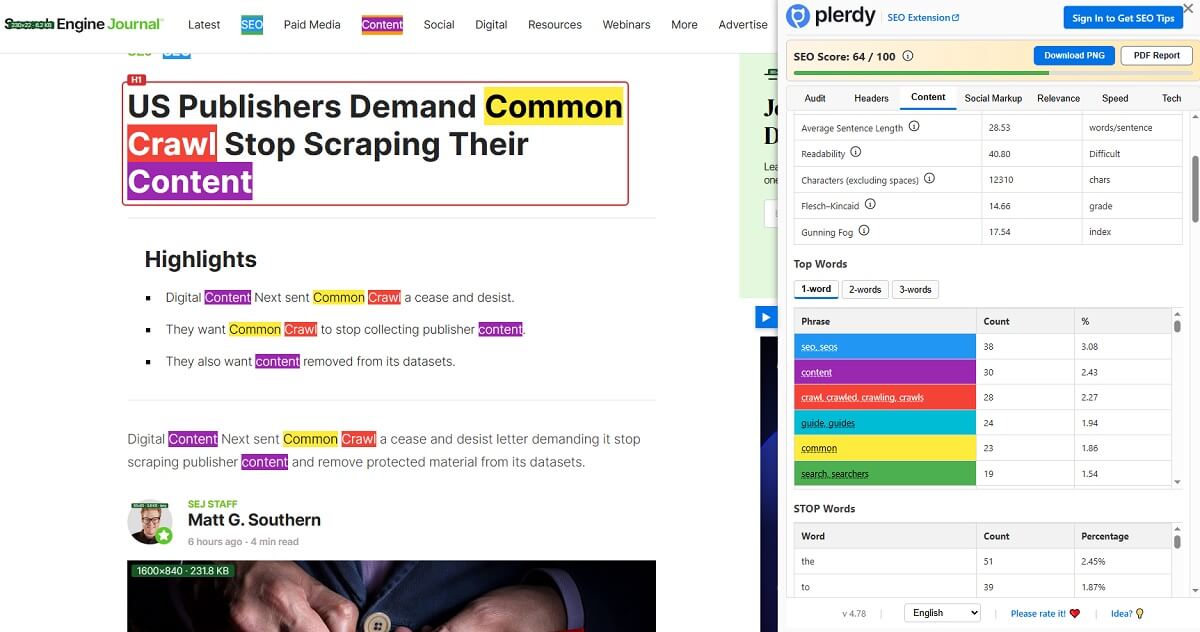
An SEO content audit is a structured review of how important pages perform in search, how people behave after landing on them, and whether those pages still support business goals.
It is not just a list of URLs exported from a crawler. That is only the raw material. The real work starts when you ask sharper questions:
- Does this URL still match search intent?
- Does it earn impressions but fail to win clicks?
- Does it rank but lose users after the first screen?
- Does it support a product, offer, trial, demo, or lead form?
- Does another similar URL compete with it?
- Does the page deserve an update, merge, redirect, or removal?
A simple content audit checklist helps teams avoid random changes. Without it, people rewrite titles because they feel old, delete blog posts because they look thin, or add more text to a page that already has enough information but a weak CTA. That is how a refresh turns into noise.
A stronger SEO content audit reviews search data, user behavior, and business outcomes together. Google may show that a page still has demand. Heatmaps may show that users never reach the best section. Conversion data may show that a page brings visitors who rarely act. Those are very different problems, so they need different fixes.
Why Pages Lose Traffic Even If They Once Ranked Well
A page does not lose organic visits for one reason only. In real audits, the cause is usually a mix of search changes, competitor work, old messaging, and user behavior that nobody checked for months.
- Search intent changed. A query that once needed a broad guide may now reward a checklist, template, tool list, comparison, or shorter answer.
- Competitors updated their pages. They added better examples, cleaner structure, recent screenshots, expert input, FAQs, or stronger internal links.
- The title and meta description lost CTR. The page may still appear in Google, but the snippet no longer feels specific or useful compared with newer results.
- The information became outdated. Old screenshots, old product names, dead links, outdated pricing notes, and stale examples make users lose trust quickly.
- Internal links got weaker. A once-important article may become buried after redesigns, menu changes, blog migrations, or new category structures.
- SERP features pushed organic results down. Ads, videos, People Also Ask, discussions, shopping blocks, AI Overviews, and featured snippets can reduce clicks even when average position looks acceptable.
- Page experience became worse. Slow mobile loading, intrusive blocks, broken layout, unreadable tables, or weak visual hierarchy can quietly damage engagement.
- Users bounce or do not scroll. If the best answer is low on the page, many visitors may never see it.
- Product, pricing, or messaging changed. A page may still mention an old offer while the business now sells something slightly different.
- Cannibalization appeared. Two or three similar pages may target the same query, split signals, and confuse search engines.
This is why a page update should not begin with writing. First, diagnose. A page that lost clicks may need a better SERP angle. A page that lost conversions may need a clearer CTA. A page with declining organic traffic after a Google update may need stronger intent alignment, not another 1,500 words.
When You Should Run A Website Content Audit
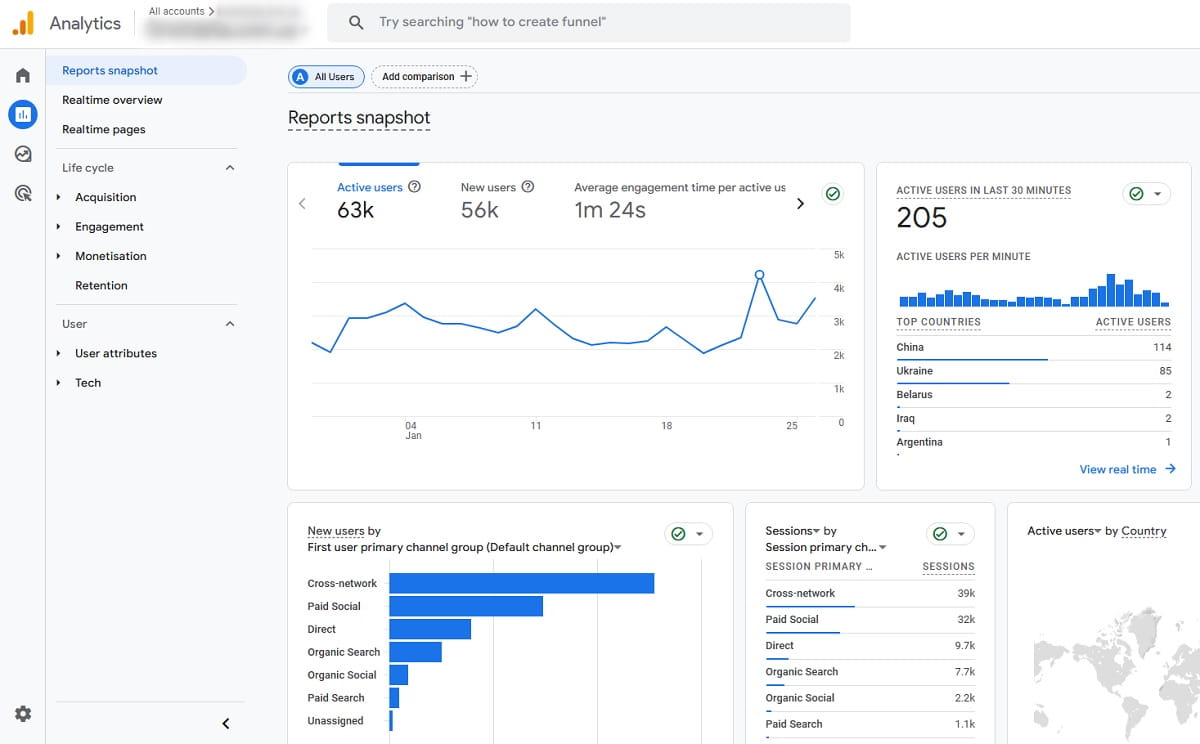
A website content audit is useful before the problem becomes painful. Still, most teams start only after traffic has already dropped. That is understandable. Panic creates focus.
Run a review in these situations:
- After a visible organic traffic drop in Google Search Console or GA4.
- Before building a new editorial plan, especially if the site already has many articles.
- Before deleting old URLs during cleanup.
- After a major Google update, when rankings and CTR move strangely.
- Before paid campaigns, so landing pages do not waste expensive clicks.
- Before a redesign or CMS migration.
- Every 6–12 months for active blogs and growing resource hubs.
- When impressions grow but clicks do not follow.
- When sales, demo requests, or signups fall while visits look stable.
That last case is easy to miss. Many teams celebrate rankings and forget that rankings are not the final goal. If users arrive but do not scroll, click, compare, subscribe, or buy, the page still needs work.
SEO Content Audit Checklist: What To Check First
A practical SEO content audit checklist should start with diagnosis, not opinions. The goal is to understand what the page is doing now and what it should do next.
- URL and page type: blog post, product page, category page, comparison page, landing page, support article, or case study.
- Target keyword: the main query the page should satisfy, plus secondary terms that bring impressions.
- Search intent: informational, commercial, transactional, navigational, or mixed.
- Impressions: whether Google still sees demand and shows the URL.
- Clicks: whether visibility turns into visits.
- CTR: whether the title, meta description, brand, and SERP position earn attention.
- Average position: whether the page is near page one, slipping, or barely visible.
- Traffic trend: growth, stability, seasonal movement, slow decay, or sharp decline.
- Backlinks: external signals that may make the URL worth saving even if visits are low.
- Internal links: how often important pages link to this URL and what anchors they use.
- Indexation status: whether the page is indexed, blocked, canonicalized, redirected, or noindexed.
- Content freshness: outdated data, screenshots, examples, pricing, product names, or recommendations.
- SERP competitors: what currently ranks and what format Google appears to prefer.
- Title and meta description: clarity, specificity, keyword fit, and click appeal.
- Headings: whether the structure helps people scan and search engines understand the topic.
- Depth and usefulness: whether the answer is complete enough without becoming padded.
- Duplicate or competing pages: similar URLs fighting for the same intent.
- Scroll depth: whether visitors reach important sections, tables, CTAs, and product blocks.
- Click maps: what users click, ignore, or try to click when elements are not clickable.
- CTA visibility: whether the next step appears before users lose attention.
- Conversions: form submissions, demo requests, trials, purchases, newsletter signups, or assisted actions.
- Page speed and UX issues: especially on mobile, where many good articles become hard to use.
- AI visibility or answer engine risk: whether the query can be answered directly in search without a click, and whether the page offers something deeper.
This list looks long, but in practice it saves time. It stops the team from doing the easiest thing instead of the right thing.
Step 1: Collect URLs And Segment Them By Business Value
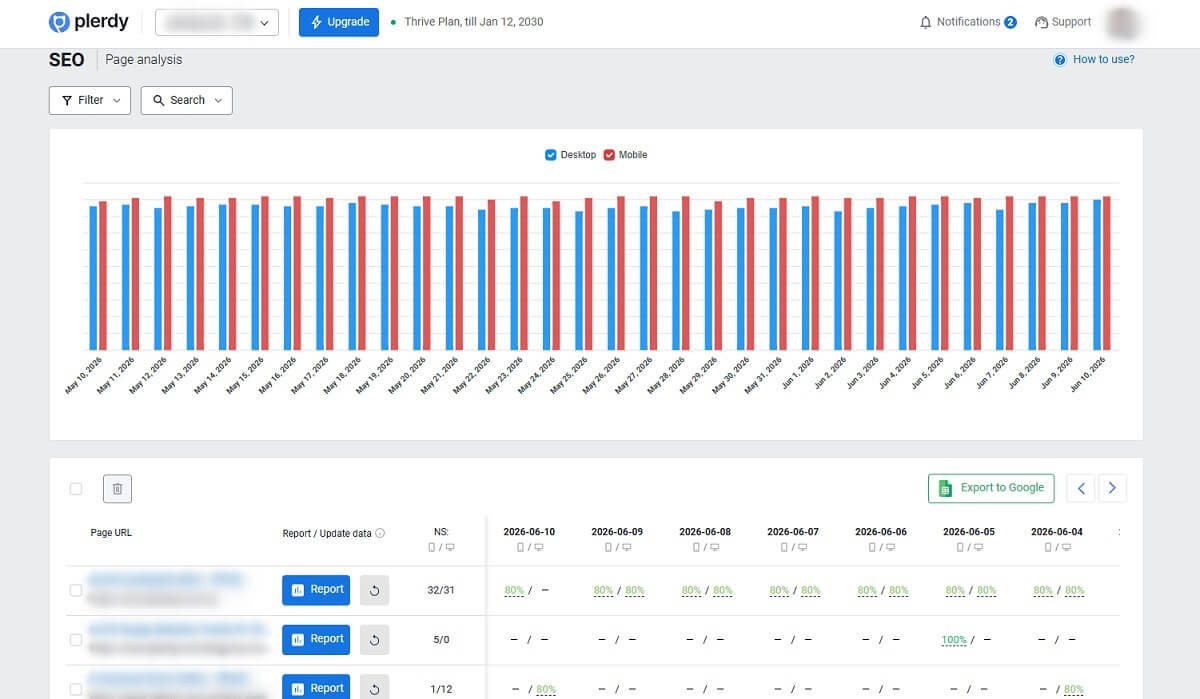
Start by collecting URLs from several places. One source is rarely enough.
- CMS export for blog posts, landing pages, categories, and product pages.
- XML sitemap for indexable URLs.
- Google Search Console for pages with impressions and clicks.
- GA4 for landing page sessions, engagement, and conversions.
- SEO crawlers for status codes, canonicals, titles, headings, and internal links.
- Plerdy SEO Checker and Plerdy SEO Chrome Extension for quick on-page checks.
- Plerdy behavior reports for heatmaps, scroll data, events, and funnel steps.
Then segment the URLs. This is where many audits become more useful immediately.
Do not treat a product page, a blog article from 2019, a pricing page, and a support article as equal. They have different jobs.
- Money pages: pages close to revenue, such as product, pricing, demo, service, or category pages.
- Blog pages: informational articles that bring organic visits and support internal linking.
- Product pages: pages that must satisfy commercial and transactional intent.
- Comparison pages: pages for users choosing between tools, brands, or approaches.
- Landing pages: pages built for campaigns, offers, lead magnets, or specific segments.
- Support pages: pages that reduce friction, answer questions, and may appear in search.
- Outdated pages: URLs with old screenshots, old claims, or expired relevance.
- Pages with backlinks: URLs that may still carry authority even if they no longer perform well.
- Pages with conversions: URLs that may not bring the most visits but help users act.
A small page with five demo requests is often more valuable than a big article with 5,000 passive visits. That is why business value must sit next to SEO performance.
Step 2: Find Pages With Impressions But Weak Clicks
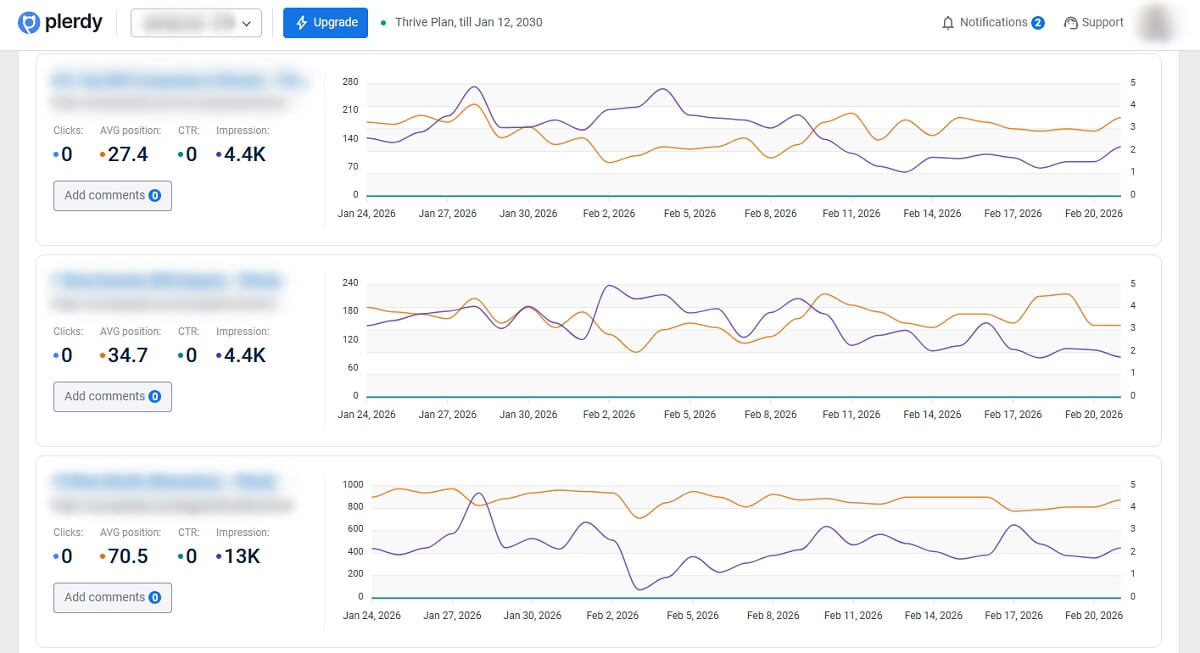
Pages with impressions but weak clicks are often the fastest wins. Google already shows them. Users just do not choose them often enough.
In Google Search Console, look for URLs where impressions are stable or growing, but CTR is poor compared with the page’s average position and query type. A position 8 result will naturally have lower CTR than a position 2 result, so do not judge every URL the same way. Compare pages by query intent and SERP layout.
Common fixes include:
- Rewrite the title tag. Make it specific, useful, and aligned with the query. Avoid vague titles that could fit any article.
- Improve the meta description. Explain what the reader gets, not just what the topic is.
- Match search intent more clearly. If users search for a checklist, show that the page contains a checklist.
- Compare the SERP. Check what top results emphasize: steps, tools, templates, examples, pricing, or comparisons.
- Review schema opportunities. FAQ, how-to style structure, product information, or review context may help when used correctly.
- Find a better angle. A page about declining organic traffic may stand out if it connects rankings with conversions, not just keyword positions.
- Add emotional clarity without clickbait. A title can address the real pain without making exaggerated promises.
Plerdy SERP Checker can help inspect keyword positions and competing results without jumping between too many tabs. Plerdy SEO Chrome Extension is useful when you need to quickly review title, headings, meta data, and on-page SEO while comparing your URL with competitors.
One small example: an article titled “Content Audit Guide” may be accurate, but too soft. A title like “SEO Content Audit Checklist: Refresh Pages That Lost Traffic” gives the searcher a clearer reason to click because it names the task and the problem.
Step 3: Find Pages With Traffic But Weak Engagement

Traffic alone can hide weak pages. A URL may still bring visitors, but those users may leave too soon, ignore important links, or never reach the section that explains the offer.
This is where SEO teams should borrow more from CRO and UX research. Search data tells you how people arrive. Behavior data shows what happens after that.
Use heatmaps, scroll depth reports, click maps, and session recordings to answer questions like:
- Do users leave before seeing the CTA?
- Is the introduction too long for the intent?
- Are comparison tables placed too low?
- Are important internal links ignored?
- Do users click images, icons, or text that are not clickable?
- Do mobile visitors struggle more than desktop users?
- Does the page get visits but no events, form actions, or funnel movement?
Plerdy Heatmaps help show which elements attract attention and which areas get ignored. Plerdy Session Replay is even more useful when the numbers feel confusing. You may see users scroll up and down looking for pricing, tap a dead element, close a pop-up, or abandon a form after one field.
Those details change the refresh plan. If visitors leave before the first useful answer, rewrite the intro. If they reach the comparison table but do not click, the offer may be unclear. If mobile users stop near a large image or wide table, the layout may be the problem, not the text.
Step 4: Check Search Intent Before You Rewrite Anything
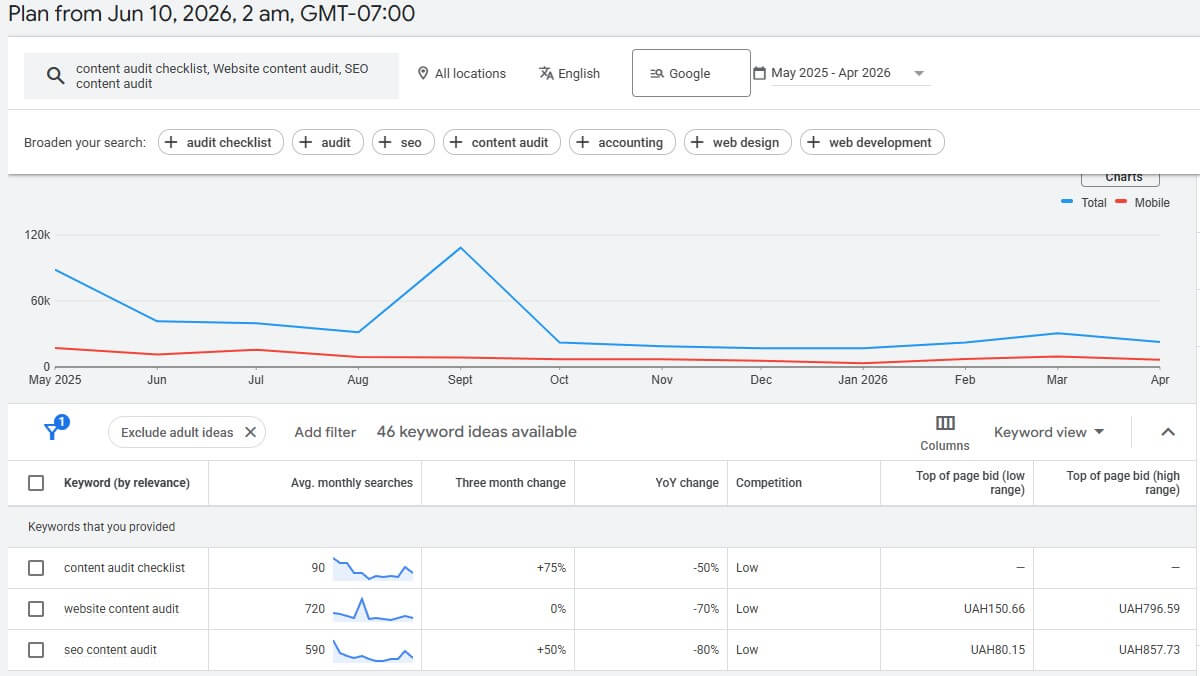
Rewriting without checking intent can hurt a page that still has potential. This happens more often than people admit. A team sees declining organic traffic, opens the article, decides it “feels old,” and rewrites it from the inside out. But the SERP may have changed in a very specific way.
Start by checking the main queries in Google Search Console. Then review the current results. What kind of pages rank now?
- Informational intent: users want definitions, explanations, steps, examples, or a checklist.
- Commercial intent: users compare tools, methods, vendors, features, and pricing.
- Transactional intent: users are close to signing up, buying, booking, or requesting a demo.
- Navigational intent: users want a specific brand, tool, page, or account.
A query like “content audit checklist” usually needs a practical list, not a long theory lesson. “Website content audit” may need a broader process with tools and URL collection. “SEO content audit” may require performance metrics, technical checks, indexing issues, internal links, backlinks, and search intent analysis.
The same topic can require different page formats. That is why one generic guide often fails to satisfy all queries. Sometimes the best fix is not more text, but a clearer structure: a short definition, a step-by-step process, a table, examples, and a decision framework.
Step 5: Decide Whether To Update, Merge, Redirect, Keep, Or Delete
Not every weak URL needs a refresh. Some pages should be merged. Some should be redirected. Some should stay almost untouched. A few can be deleted or noindexed, but only after checking their value carefully.
Update
Update the page if it has impressions, rankings, backlinks, conversions, or strategic value, but the information is outdated or the structure is weak. This is the usual choice for pages that lost traffic slowly through content decay.
Merge
Merge two or more URLs when they target the same search intent and compete with each other. For example, if you have “content audit checklist,” “website content audit checklist,” and “SEO content audit process” as three thin articles, one stronger page may perform better than three overlapping ones.
Redirect
Redirect a URL when it has backlinks or historical value but no longer deserves to exist as a separate page. Use the closest relevant destination. Do not send everything to the homepage just because it is convenient.
Keep
Keep the page if it performs well, satisfies its intent, earns conversions, and has no serious UX or SEO issues. A good audit should protect good pages from unnecessary edits.
Delete Or Noindex
Delete or noindex only when the URL has no organic value, no backlinks, no conversions, no internal need, and no strategic purpose. This is a serious choice, not a cleanup shortcut.
Blind content pruning can damage a site. Old does not mean useless. A dusty article with backlinks and a few assisted conversions may be worth refreshing. A newer article with no impressions, no links, and no clear intent may deserve less attention.
Step 6: Refresh The Page For SEO, UX, And Conversions
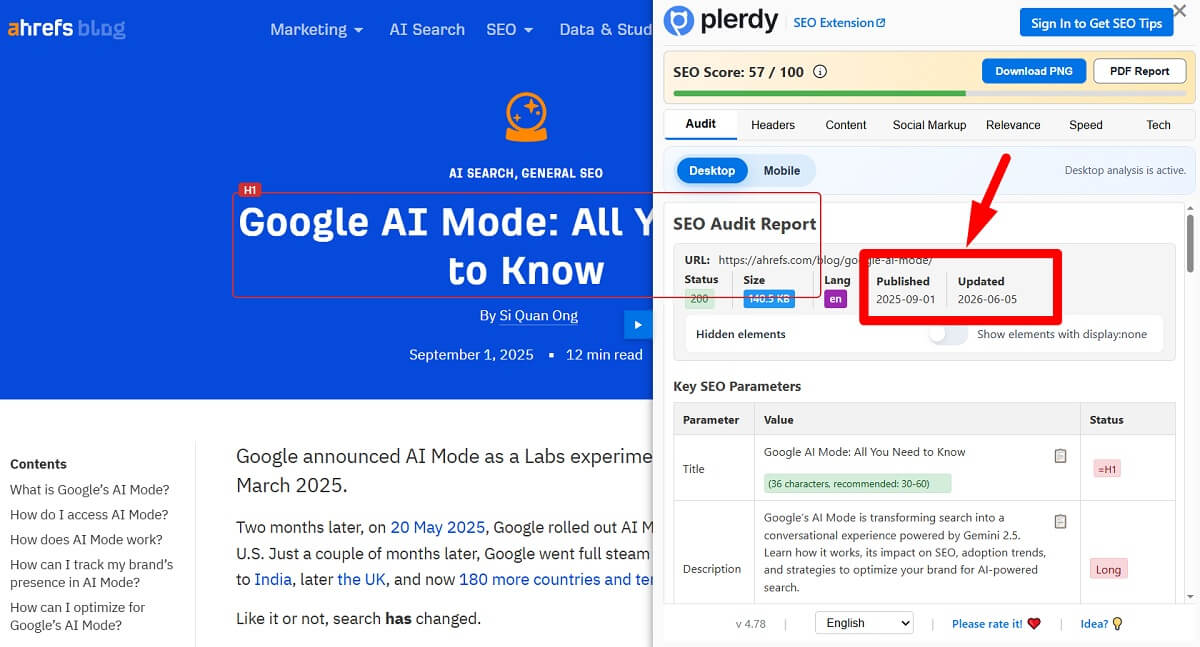
Once you know the page deserves work, refresh it with a clear plan. Do not only add keywords. A proper content refresh should make the URL stronger for search engines, easier for users, and more useful for the business.
Review and update:
- Title tag: align it with the main query and the real value of the page.
- Meta description: make the result feel worth opening.
- H1 and H2 structure: help readers scan and understand the page quickly.
- Introduction: remove slow setup and address the user’s problem early.
- Outdated statistics: replace old data or remove claims that no longer need numbers.
- Screenshots: update product images, interface examples, and workflow visuals.
- Product information: check features, pricing notes, integrations, and positioning.
- Examples: add realistic cases that match the audience.
- Internal links: connect the page to relevant product, category, and supporting articles.
- External references: keep helpful sources current and remove broken or weak links.
- FAQ: answer related questions that appear in search and sales conversations.
- Comparison tables: place them where users need help making decisions.
- CTA blocks: make the next step visible and relevant to the topic.
- Visuals: use screenshots, diagrams, or simple examples when they reduce confusion.
- Schema markup: add valid structured data where it fits the page type.
- Author or expert review signals: show why the advice can be trusted.
- Page layout: reduce clutter and make important sections easier to reach.
- Mobile readability: check spacing, tables, sticky elements, font size, and forms.
After the page update, use Plerdy to check whether people actually behave differently. Do they scroll deeper? Do they click the improved CTA? Do they use internal links? Do they reach the form? A refresh that looks better in the editor but changes nothing for users is not finished.
Step 7: Improve Internal Links To Recover Lost Visibility
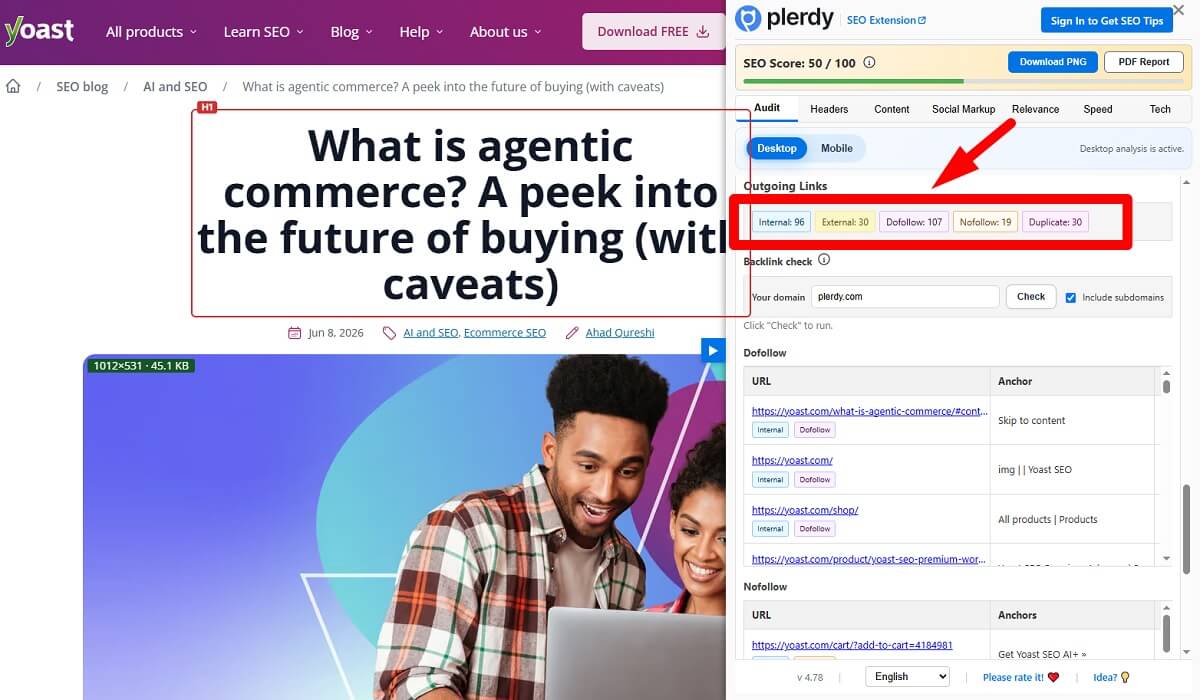
Internal linking is one of the most practical ways to support pages close to recovery. It is also one of the least glamorous, which is probably why teams ignore it.
Look for declining pages that still rank near page one or have clear business value. Then strengthen them with relevant links from fresher, stronger, or more visited URLs.
- Link from new articles to older pages that deserve renewed attention.
- Add contextual links inside paragraphs, not only in footers or “related posts” blocks.
- Use descriptive anchors that explain the destination.
- Connect blog pages with product pages when the user is ready for a tool or solution.
- Link from high-authority pages to pages stuck in positions 8–15.
- Remove internal links pointing to outdated, redirected, or irrelevant URLs.
A blog article about declining organic traffic might link to a product page for SEO analysis, a guide about Google Search Console, and a case study about conversion recovery. That is helpful for users and clearer for search engines.
Avoid random linking. A link should feel useful at the exact moment the reader sees it. If it looks like a mechanical SEO trick, it probably is.
Step 8: Track Results After The Content Refresh
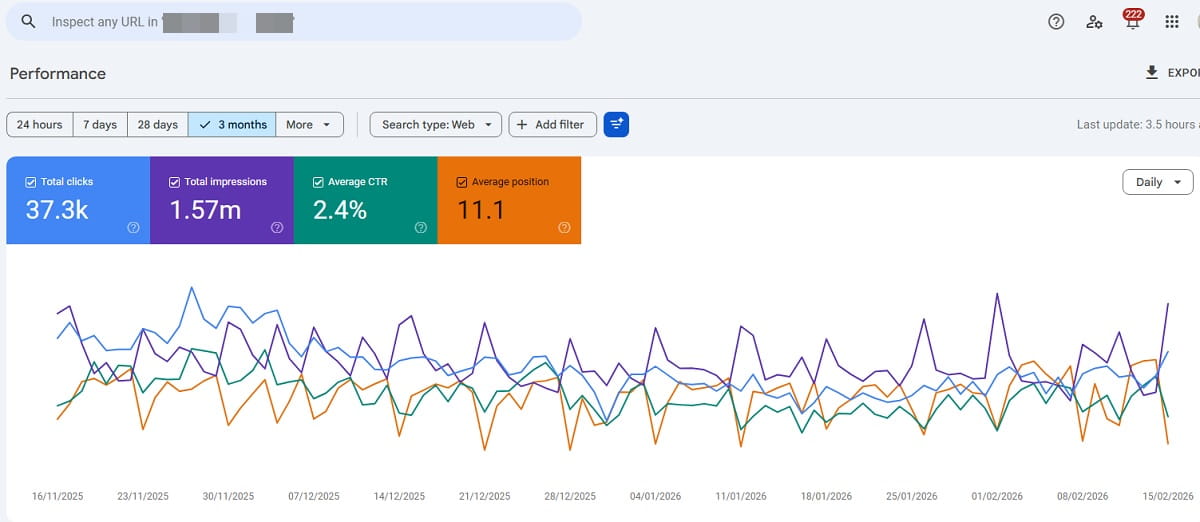
A content refresh is not complete when the page is republished. You need to track what changed and whether the change helped.
Record the basics in your audit sheet:
- Date of update.
- Main keywords changed or added.
- Whether the URL stayed the same or changed.
- Before and after impressions.
- Before and after clicks.
- Ranking movement and average position.
- CTR changes.
- Scroll depth changes.
- Clicks on CTA blocks, buttons, forms, and important links.
- Conversions and assisted conversions.
- User behavior changes seen in heatmaps and session recordings.
Review early signals after 2–4 weeks. Then check again after 8–12 weeks, because search engines and users do not always react immediately. Some pages recover quickly after title and internal link updates. Others need more time, especially when the SERP is competitive.
Do not judge only by sessions. A refreshed page may get slightly fewer visits but better leads. Another page may gain impressions first, then clicks later after Google tests the new snippet. A careful review keeps you from undoing good work too early.
A Practical SEO Content Audit Checklist Table
Use this table as a working version of an SEO content audit checklist. Keep it simple enough that the team will actually use it.
| Audit Area | What To Check | Why It Matters | Tool Or Data Source |
|---|---|---|---|
| SEO performance | Impressions, clicks, average position, organic sessions | Shows whether the page still has search visibility and demand | Google Search Console, GA4, Plerdy SEO Checker |
| CTR | Query-level CTR, title tag, meta description, SERP format | Finds pages that appear in Google but fail to earn visits | Google Search Console, Plerdy SERP Checker |
| Search intent | Current top results, page format, user expectation | Prevents rewrites that miss what searchers actually want | SERP review, Plerdy SEO Chrome Extension |
| Freshness | Old screenshots, outdated examples, broken references, old product details | Protects trust and helps the page stay relevant | Manual review, CMS, SEO checker |
| UX behavior | Clicks, ignored blocks, rage clicks, non-clickable elements | Shows where visitors get confused or lose interest | Plerdy Heatmaps, Plerdy Session Replay |
| Scroll depth | How far users scroll on desktop and mobile | Reveals whether users reach key answers, CTAs, and tables | Plerdy Heatmaps, scroll maps |
| CTA clicks | Button clicks, form starts, product link clicks, demo clicks | Connects the page with real business actions | Plerdy Event Tracking, GA4 events |
| Conversions | Leads, signups, purchases, assisted conversions | Helps prioritize pages by revenue potential, not only visits | GA4, CRM, Plerdy Conversion Funnel analysis |
| Internal links | Number, placement, anchor text, links from fresh pages | Strengthens important URLs and helps users move deeper | SEO crawler, CMS, manual review |
| Backlinks | Referring domains, link quality, lost links, linked pages | Prevents deleting or ignoring URLs with authority | Backlink tools, Google Search Console |
| SERP changes | Competitors, featured snippets, videos, AI Overviews, People Also Ask | Explains drops that happen even when rankings look similar | Manual SERP review, Plerdy SERP Checker |
| AI visibility | Queries answered directly, unique examples, expert input, source clarity | Helps the page offer value beyond a short generated answer | SERP review, content analysis |
| Technical issues | Indexation, canonicals, redirects, speed, mobile layout, broken links | Removes barriers that can limit rankings and usability | SEO crawler, PageSpeed tools, Plerdy SEO Checker |
Common Mistakes During A Content Audit
Most audit mistakes come from moving too quickly. Someone sees a bad number and wants to fix it immediately. That energy is good, but the diagnosis needs to come first.
- Updating pages only because they are old. Age alone is not the problem. Some old URLs still match intent and convert well.
- Deleting pages without checking backlinks. A low-traffic page may still have external links worth preserving through an update or redirect.
- Rewriting without SERP analysis. You may create a better article for the wrong intent.
- Ignoring conversions. A page with modest visits can still be valuable if it drives trials, calls, or purchases.
- Ignoring mobile behavior. A layout that works on desktop can fail badly on a small screen.
- Changing URLs without redirects. This can waste backlinks, break internal links, and create avoidable ranking loss.
- Using one checklist for every page type. A blog article, product page, and landing page need different judgment.
- Checking traffic but not impressions. Impressions can show demand before clicks recover.
- Refreshing once and never tracking results. Without follow-up, nobody knows what worked.
Another subtle mistake is making every article longer. Some pages need depth. Others need a shorter opening, a better table, a clearer comparison, or a CTA placed higher. Length is not a strategy.
How Plerdy Helps With SEO Content Audits
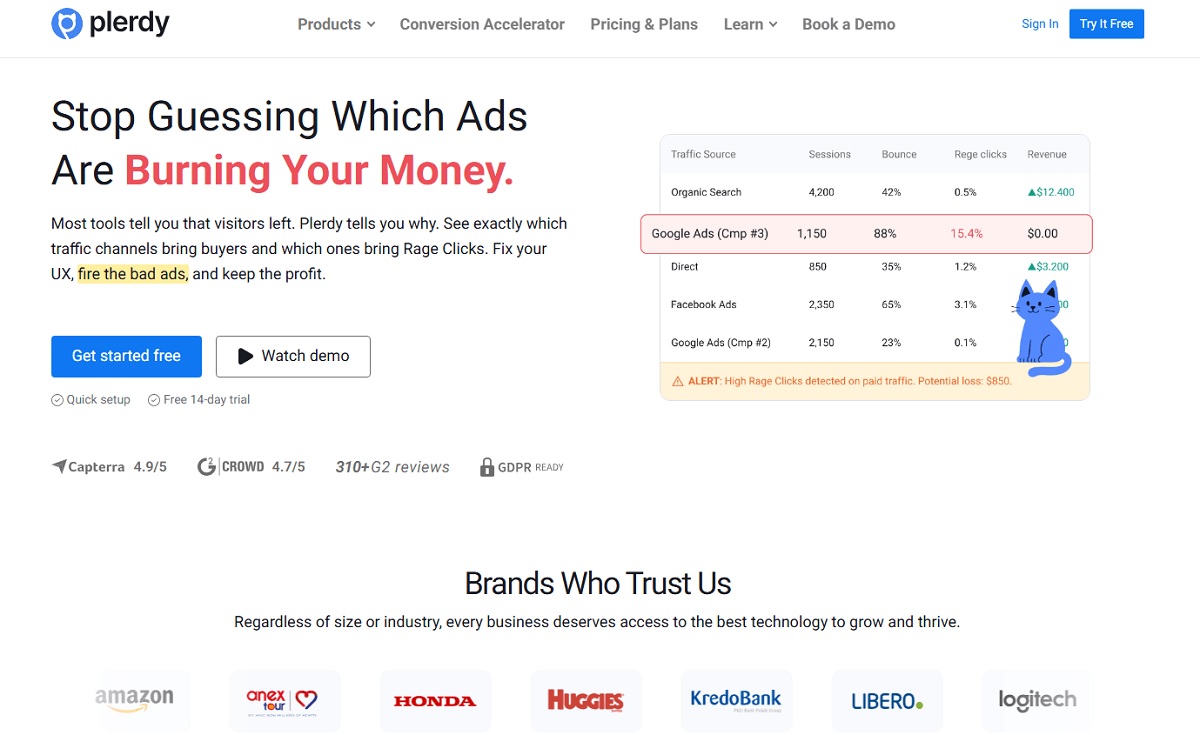
Plerdy helps when you want to connect SEO checks with real user behavior. That connection is important because many pages that lost traffic also have conversion or UX issues hiding underneath.
- Plerdy SEO Checker helps review on-page SEO problems, including meta tags, headings, links, and other signals that may affect page quality.
- Plerdy SEO Chrome Extension helps quickly inspect a page while reviewing competitors or checking your own URLs after updates.
- Plerdy SERP Checker helps inspect keyword positions and competing results, which is useful before rewriting titles or changing the angle.
- Plerdy Heatmaps show where users click and which areas they ignore.
- Scroll maps show whether visitors reach important sections, such as comparison tables, product blocks, FAQs, and CTAs.
- Plerdy Session Replay helps spot friction, hesitation, confusing elements, and mobile usability problems.
- Plerdy Event Tracking helps measure clicks on CTAs, forms, buttons, internal links, and other key actions.
- Plerdy Conversion Funnel analysis helps connect refreshed pages with the steps users take before converting.
- Plerdy Pop-up Forms can help test offers or collect leads on refreshed pages when used carefully and not as a distraction.
Use Plerdy to audit pages that lost traffic and understand what users actually do after they land on the page. That is the part many SEO reports miss. A URL can rank, attract visits, and still fail because the page does not guide people anywhere useful.
Final Thoughts
A good SEO content audit is not about making old articles longer. It is about finding pages with existing potential and making them better for search engines, users, and conversions.
The strongest opportunities often sit in pages that already have impressions, backlinks, rankings, or traffic but fail to earn clicks or actions. Those pages are not dead. They are usually under-maintained.
Use an SEO content audit checklist to separate real opportunities from clutter. Check Google Search Console, review the SERP, inspect internal links, study scroll depth, watch user behavior, and measure conversions after the update. That mix gives you a clearer answer than keyword data alone.
Plerdy can help you find where search visibility and user behavior stop working together. Start with pages that lost traffic, then check what visitors see, skip, click, and ignore. The recovery plan becomes much easier when you stop guessing.
FAQ
What is an SEO content audit?
An SEO content audit is a review of how website pages perform in search, how well they match search intent, and whether they support business goals. It usually includes impressions, clicks, CTR, rankings, internal links, backlinks, freshness, user behavior, and conversions.
How often should I run a content audit?
Active blogs and growing websites should usually run a website content audit every 6–12 months. You should also run one after a major traffic drop, after a Google update, before a redesign, before deleting old pages, or when impressions grow but clicks do not.
What pages should I refresh first?
Refresh pages with the highest business value first. Good candidates include pages with many impressions but weak CTR, pages close to page-one rankings, pages with backlinks, pages with declining organic traffic, and pages that get visits but fail to drive conversions.
Should I delete old blog posts that lost traffic?
Do not delete old blog posts only because they lost traffic. First check backlinks, impressions, rankings, internal links, conversions, and strategic value. Some posts should be updated, merged, or redirected instead. Delete or noindex only when the page has no value and no clear purpose.
How do I know if a content refresh worked?
Track the update date, changed keywords, impressions, clicks, CTR, average position, scroll depth, CTA clicks, conversions, and user behavior. Review early movement after 2–4 weeks, then check again after 8–12 weeks for more reliable trends.
What is the difference between a content audit and a website audit?
A content audit focuses on page quality, search intent, rankings, clicks, engagement, freshness, and conversions. A website audit is broader and may include technical SEO, site architecture, speed, accessibility, tracking, security, design, and development issues.
Which tools help with an SEO content audit?
Useful tools include Google Search Console, GA4, SEO crawlers, backlink tools, rank trackers, and behavior analytics tools. Plerdy can help with SEO checking, SERP review, heatmaps, scroll depth, session replay, event tracking, pop-up forms, and conversion funnel analysis.